Clipto
Local-first AI memory for video, audio, images and documents, with transcription, search and summaries.
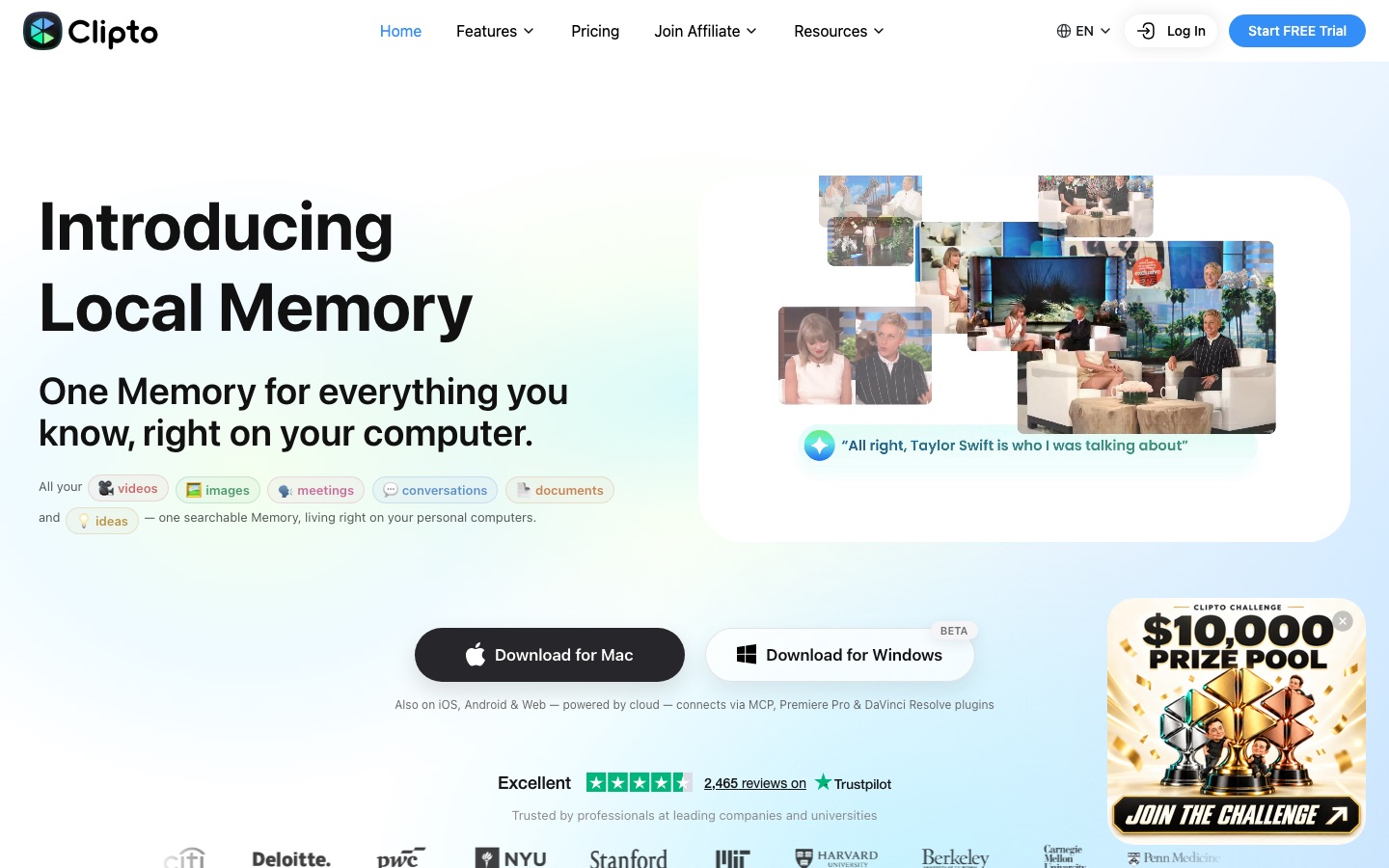
Clipto is a local-first AI application that transcribes, tags and indexes videos, recordings, images and documents into one searchable Memory. Clipto is used on Mac or Windows, or through its mobile and web versions, by adding files and then searching for exact moments or asking questions from Claude, ChatGPT or Cursor over MCP.
Best for Editors, researchers, journalists and students who work with large amounts of recorded material and need to find or cite exact moments in it.
- Platforms
- macOS, Windows, iOS, Android, Web, MCP, Plugin
- Pricing model
- Subscription
- Free trial
- Yes
- Made by
- Clipto, Inc.
- Added
Last verified: . Information taken from clipto.com.
What is Clipto?
Clipto is an application that indexes personal media files and makes them searchable as a single store it calls Memory. It processes videos, meeting and voice recordings, photos, screenshots, documents and bookmarks, transcribing speech and tagging scenes, subjects and people so that a specific moment can be found by describing it. On Mac and Windows the indexing happens on the computer itself, with cloud processing optional, while the iPhone, Android and web versions rely on the cloud. The same Memory can be queried from Claude, ChatGPT, Cursor or any MCP-compatible tool, and answers point back to the source with a timestamp. Plugins for Premiere Pro and DaVinci Resolve bring search into video editing. Individual tools for transcription, video summaries and YouTube transcripts are presented as different ways into the same system.
Key Features
Media Search by Content
Finds clips according to what appears on screen or what was said, then jumps to the matching frame or timestamp.
Speech Transcription
Converts video, audio and meeting recordings into text automatically; the pricing page states support for more than 99 languages.
Automatic Tagging
Labels footage by scene, subject and shot type and tags the people who appear.
On-Device Processing
Builds the index locally on Apple silicon Macs and Windows PCs, so files do not have to be uploaded to become searchable.
MCP Access from AI Assistants
Lets Claude, ChatGPT, Cursor or Clipto's own agent answer questions from your Memory with traceable sources.
Editing Plugins
Adds search for source clips inside Premiere Pro and DaVinci Resolve.
Use Cases
- Finding B-Roll in an Archive
- An editor types a description of a shot and gets the matching clips with timecodes.
- Meeting Follow-Up
- A product team traces a decision to the meeting and moment where it was made.
- Lecture Review
- A student asks where a concept was explained across a semester of recordings and slides.
- Quote Verification
- A journalist checks the exact wording of an interview against the recording.
- Research Synthesis
- A researcher gathers every mention of a topic across interviews and field notes.
Things to know
- Hardware requirements
- Local processing needs an Apple silicon Mac with 16GB or more of memory, or a Windows PC with 12GB or more of RAM.
- Windows app is in beta
- The Windows download is labelled beta on the home page.
- Mobile and web use the cloud
- Only the Mac and Windows apps are local-first; the iPhone, Android and web versions process data in the cloud.
- Video length limit
- The Pro plan lists analysis of videos up to 6 hours long.
FAQs
What is Clipto?
Clipto is an AI application that turns your videos, recordings, images and documents into one searchable Memory, with transcription and summaries.
What is Clipto used for?
Clipto is used to transcribe media, search footage and recordings for exact moments, summarize videos and query personal files from AI assistants.
Does Clipto run locally?
Yes on desktop. Clipto's Mac and Windows apps process files on the device, while the iPhone, Android and web versions are powered by the cloud.
What are Clipto's system requirements?
Clipto requires an Apple silicon Mac (M1 or later) with at least 16GB of memory, or a Windows PC with at least 12GB of RAM; the Windows app is marked beta.
Is Clipto free?
Clipto offers a 7-day free trial of its Pro plan with access to all tools, and the site says it can be cancelled at any time.
How much does Clipto cost?
Clipto: a free trial is offered. Paid plan rates are published on clipto.com. Check the official pricing page for current amounts.
Does Clipto work with ChatGPT or Claude?
Yes. Clipto connects through MCP so that Claude, ChatGPT, Cursor and other compatible tools can answer from your Memory.
Who makes Clipto?
Clipto is made by Clipto, Inc., the company named in the site footer.
Who it's for
- Video editors
- Researchers
- Journalists
- Students
- Product teams
- Content creators
Comments
No comments yet. If you have used Clipto, tell other readers how it went.
Alternatives to Clipto
| Tool | Free plan | Starting price | API |
|---|---|---|---|
 LilysAIAI assistant that summarises YouTube videos, audio, PDFs, websites and text into reports you can chat with. LilysAIAI assistant that summarises YouTube videos, audio, PDFs, websites and text into reports you can chat with. |
Yes | — | — |
 NottaAI meeting notetaker that records, transcribes, translates and summarises conversations in 58 languages. NottaAI meeting notetaker that records, transcribes, translates and summarises conversations in 58 languages. |
Yes | $8.17/mo | — |
 MindMap AIAI mind map generator that builds editable maps from prompts, PDFs, audio, video and web pages. MindMap AIAI mind map generator that builds editable maps from prompts, PDFs, audio, video and web pages. |
Yes | — | — |
 RecallPersonal AI knowledge base that summarizes saved articles, videos, podcasts and PDFs and lets you chat with them. RecallPersonal AI knowledge base that summarizes saved articles, videos, podcasts and PDFs and lets you chat with them. |
Yes | — | Yes |
 TikNeuronCredit-based toolkit that summarises and transcribes TikTok videos, with speaker labels, recipe extraction and an API. TikNeuronCredit-based toolkit that summarises and transcribes TikTok videos, with speaker labels, recipe extraction and an API. |
Yes | $7.49/mo | Yes |
Listed in the same categories as Clipto. A starting price appears only where we checked it on the maker’s pricing page; a dash means not checked or not published. All Transcription & Captions tools