Template.net
AI generator and template library that turns prompts into editable documents, designs, slides and charts.
Template.net is an AI generator and template library for business and design content. Template.net turns a written prompt into an editable document, presentation, chart, diagram or graphic, which is then customised in a built-in editor and exported in formats such as PPTX, DOCX, HTML, SVG and PDF. Template.net can be tried without signing up.
Best for Founders, marketing, HR and operations staff who need ready-to-edit business files and branded graphics without starting from a blank page.
- Listed in
- Graphic DesignAI Image Generator
- Platforms
- Web
- Pricing model
- Freemium
- Free plan
- Yes
- Made by
- Template.net
- Added
Last verified: . Information taken from template.net.
What is Template.net?
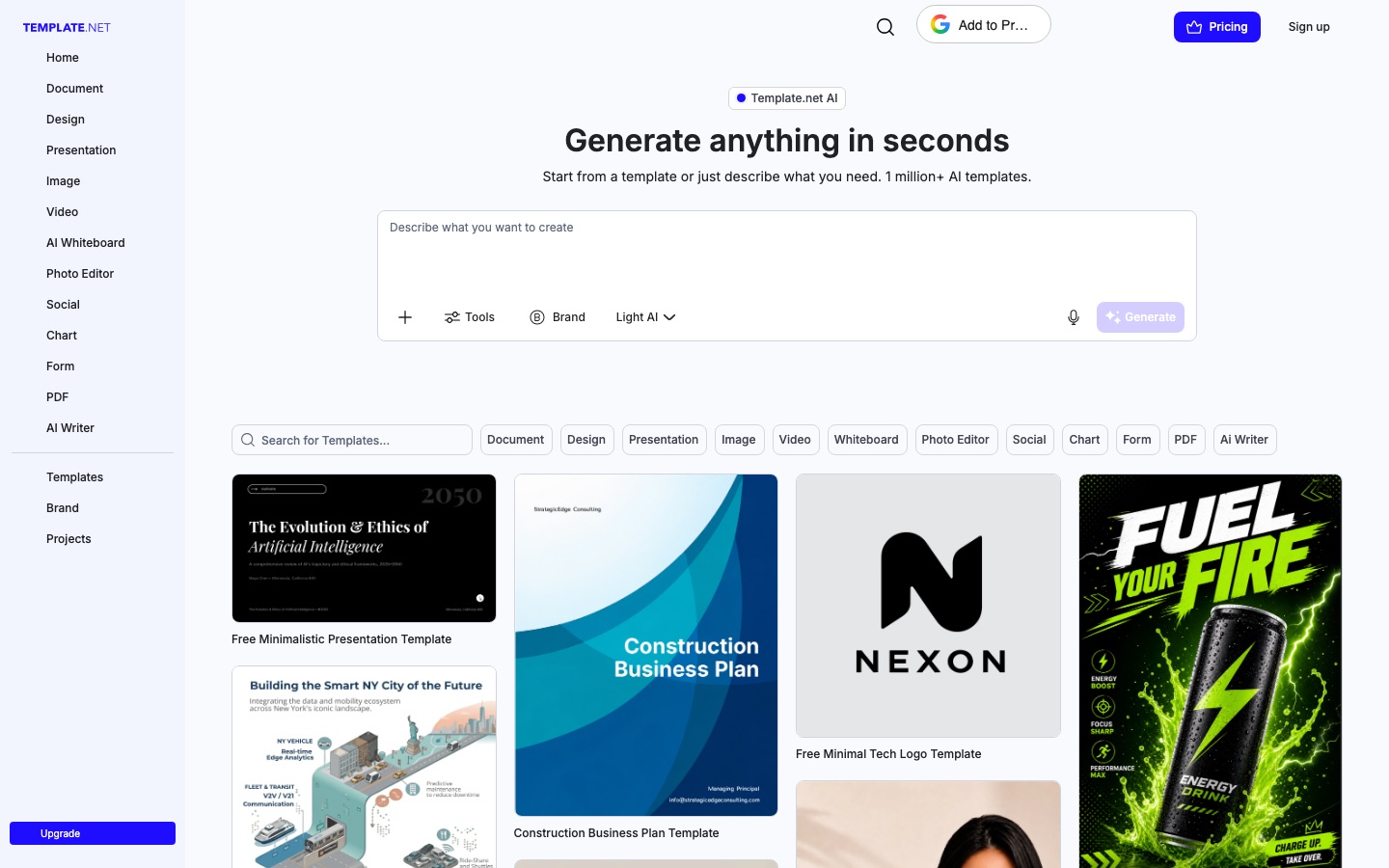
Template.net is an AI generator and template library that produces editable business and design files from a text prompt. A request typed into the home page can become a document, presentation, chart, diagram, whiteboard, social graphic, image or video, and the result opens in a single editor where text, layout, visuals and data remain separate components. The site describes itself as an AI Production Engine, meaning the output is a working file rather than a flat preview. A Brand Kit applies logos, fonts, colours and brand voice to everything generated. Files can be exported to native formats including PPTX, DOCX, HTML, SVG and PDF, or sent to services such as Google Drive, Notion and Slack. Template.net states that generation works without signing up, that there is a free tier for personal and commercial use, and that the paid plans are called Plus and Max.
Key Features
Prompt-to-File Generation
Creates documents, slide decks, diagrams, charts, whiteboards and designs from one written description.
Layered Editing
Returns each output as discrete components, so wording, layout, colours and data can be changed individually.
Brand Kit
Stores logo, fonts, colours, brand profile and voice once and applies them to every generated asset.
Native Export
Saves work as PowerPoint, Word, HTML, SVG or PDF files, plus image formats and MP4 video.
Resize and Repurpose
Adapts an existing piece to another platform or format in a single action.
Projects and Collaboration
Lets a team co-edit designs, manage approvals and save finished work as reusable branded templates.
How Template.net works
Describe what you need
Type a prompt on the home page or pick one of the existing templates as a starting point.
Edit the result
Open the generated asset in the all-in-one editor and adjust its text, layout, visuals and data.
Download the file
Export in a native format such as PPTX, DOCX, HTML, SVG or PDF.
Share it
Send the output to cloud storage, workplace tools or social platforms.
Use Cases
- Pitch Decks and Proposals
- Describe the deck you need and edit the generated slides before exporting to PowerPoint.
- HR and Policy Documents
- Produce structured reports, policies and checklists in a consistent format.
- Social Media Content
- Generate posts for different networks and schedule them from the same workspace.
- Charts and Visual Reports
- Turn a data set into charts that match the company's brand colours.
- Training Material
- Build course handouts, lesson plans and training presentations from a short brief.
Things to know
- Sign-up is optional at first
- Generating and customising work without an account; registration is required for team collaboration and high-capacity use.
- Paid plans run on monthly credits
- The pricing page lists 5,000 credits a month on Plus and 50,000 on Max, with 100 GB and 1 TB of cloud storage respectively.
- Prompts are kept out of external training
- The site says external AI models are not trained on what users type or on the assets they generate.
FAQs
What is Template.net?
Template.net is an AI generator and template library that turns text prompts into editable files such as documents, presentations, diagrams, charts and designs.
What is Template.net used for?
Template.net is used to create business documents, slide decks, social graphics, charts, whiteboards and similar assets, then customise and export them.
Is Template.net free?
Yes. Template.net says it has a free tier for generation and editing that covers business, commercial and personal use. Paid Plus and Max plans add more AI models, brand management, team features and storage.
Do I need an account to use Template.net?
No. Template.net offers a no-signup flow for prompting, generating and customising. An account is needed for collaboration and heavier usage.
What file formats does Template.net export?
Template.net exports native PPTX, DOCX, HTML, SVG and PDF files, and visual designs can also be saved as JPEG, PNG, WebP, GIF or MP4.
Are Template.net outputs editable?
Yes. Template.net generates layered components rather than flat images, so text, layouts, brand colours and data can all be modified.
Does Template.net train AI on my content?
No. Template.net states that outside AI models are not trained on user prompts or on the files users generate.
Who it's for
- Founders
- Marketing teams
- HR leads
- Operations managers
- Educators
Comments
No comments yet. If you have used Template.net, tell other readers how it went.
Alternatives to Template.net
| Tool | Free plan | Starting price | API |
|---|---|---|---|
 CanvaBrowser-based design suite for social posts, presentations, video and print, with built-in AI tools. |
Yes | — | — |
MolyPix.AIPrompt-based graphic design generator that outputs layered, editable posters, invitations, logos and images. |
Yes | — | — |
 Lovart AIDesign agent that turns a prompt or brand guide into sets of editable, on-brand visuals on one canvas. |
— | — | — |
 MiriCanvasTemplate-based online design tool with AI helpers for slides, images, video and photo clean-up. |
Yes | — | — |
 PosterMyWallTemplate-based design tool with social scheduling, email campaigns, event pages and a set of AI helpers. |
Yes | — | — |
Listed in the same categories as Template.net. A starting price appears only where we checked it on the maker’s pricing page; a dash means not checked or not published. All Graphic Design tools