
Spacely AI
AI rendering tool that turns sketches, 3D models and room photos into photorealistic interior and exterior visuals.
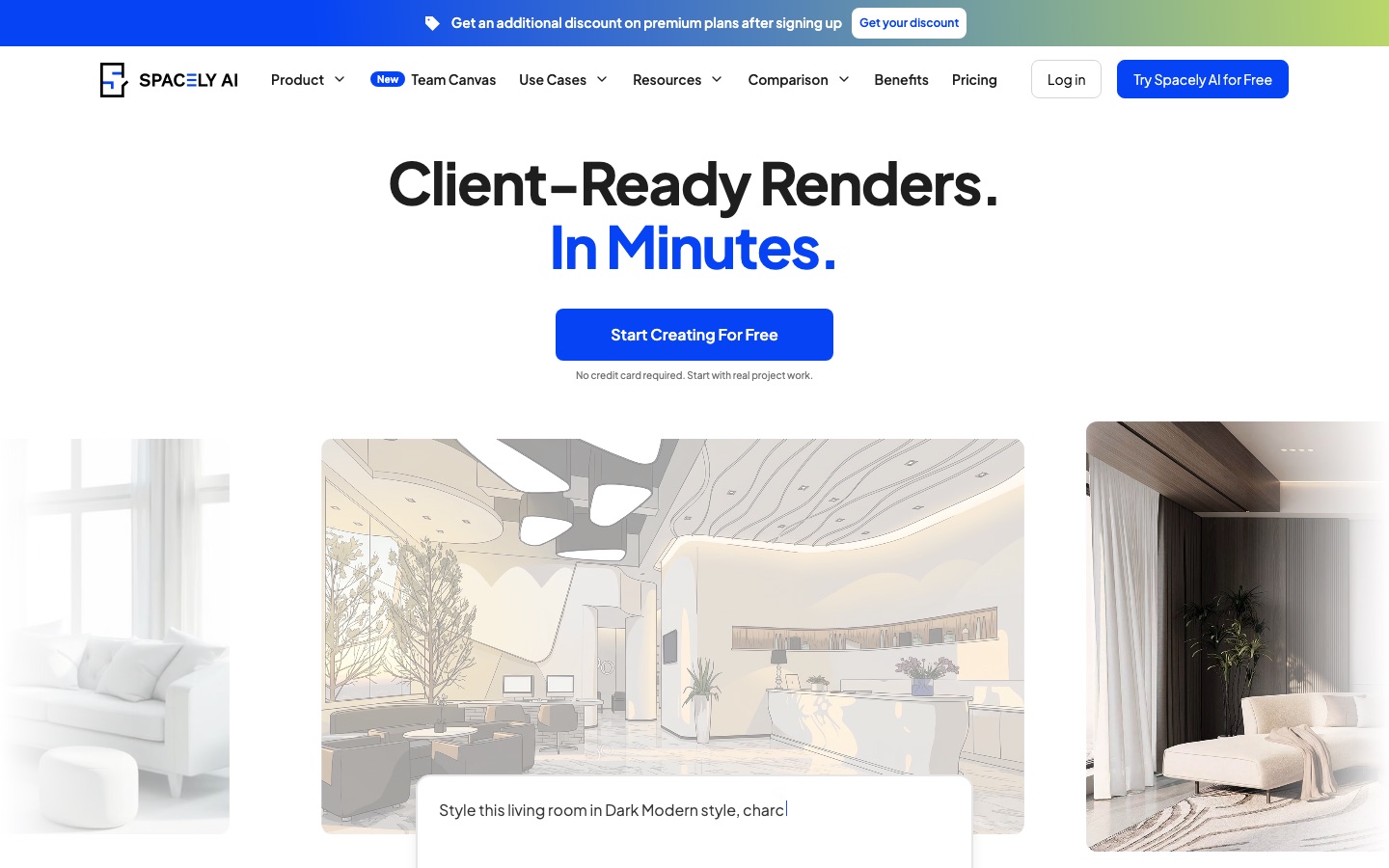
Spacely AI is an AI rendering tool that converts a sketch, a 3D model or a photo of a room into a photorealistic interior, exterior or landscape image in under a minute. Spacely AI is used by uploading the source, picking a style, then revising lighting, furniture or materials by prompt. It offers a SketchUp extension and Team Canvas.
Best for Interior designers, architects and real estate teams who need client-ready renders and fast revisions without sending work to an outside rendering service.
- Listed in
- Interior Design
- Platforms
- Web, Plugin, API
- Pricing model
- Freemium
- Free plan
- Yes
- API
- Yes
- Made by
- Spacely AI
- Added
Last verified: . Information taken from spacely.ai.
What is Spacely AI?
Spacely AI is a rendering and design tool aimed at people who present spaces to clients. It takes a sketch, a 3D model or a photograph of a room and returns a photorealistic image, which the company says arrives in under a minute while preserving the geometry and materials of the source. Separate modes then handle revisions: editing by prompt or by pointing at an item, changing the lighting, furnishing an empty room and raising image quality. It covers interiors, exteriors and landscapes for both homes and commercial premises. A feature called Team Canvas puts several people on one shared board in real time, and extensions link the service to SketchUp, Revit, AutoCAD and Rhino. There is a free plan with trial credits and three paid tiers.
Key Features
Realistic Render
Converts a line drawing, 3D model or photo into a finished-looking image without altering the underlying layout.
Prompt and Point Editing
Changes a chosen part of the picture from a short instruction, with no masking or re-modelling.
Lighting and Furnishing
Transfers a lighting mood onto a scene, fills an empty room with furniture or clears a furnished one.
Team Canvas
Shows each collaborator's cursor, edits and renders live on a single board with shared projects and credits.
CAD Integrations
Works with Rhino, AutoCAD, Revit and SketchUp, the last through an extension that renders inside the modelling program.
Extra Output Tools
Adds view extension, new camera angles, style transfer, line-art conversion and collage-to-render.
How Spacely AI works
Create a project
Upload a sketch, a 3D design or a room image and start a project for a client or for internal use.
Develop and revise
Pick a style or supply a reference image, then adjust lighting, materials, furniture and layout with the edit modes while the original work stays intact.
Prepare client-ready visuals
Generate the photorealistic render, which the site says takes under 60 seconds, and share it with the client.
Screenshots
Videos
Use Cases
- Client Proposals
- Produce presentable visuals early so a proposal does not wait on an external rendering service.
- Handling Revisions
- Swap materials, furniture or lighting after feedback without rebuilding the model.
- Concept-Stage Architecture
- Communicate spatial ideas during schematic design before full production renders exist.
- Property Marketing
- Stage rooms virtually so buyers can read a space more easily.
- Planning Your Own Space
- Preview changes to a home or business before paying for building work.
Things to know
- Top-ups are for subscribers
- Extra credit packs can be bought only with an active subscription; the credits are added immediately and never expire.
- Seats per plan
- Personal covers one seat, Studio up to two and Agency up to five.
- Education plan
- Sign-ups with an academic email address get EDU pricing applied automatically, and the plan cannot be transferred to another user.
- Site languages
- The website offers English, Thai, German, Dutch and French.
FAQs
What is Spacely AI?
Spacely AI is an AI tool that renders and edits interior, exterior and landscape visuals from sketches, 3D models or photos.
What is Spacely AI used for?
Spacely AI is used by interior designers, architects and realtors to produce client-ready renders, revise materials, furniture or lighting after feedback, and stage rooms virtually.
Is Spacely AI free?
Spacely AI has a Free Plan that comes with 40 trial credits, and no credit card is required to sign up. Paid plans add monthly credits and pro features.
Which plans does Spacely AI offer?
Spacely AI offers Free, Personal for a single seat, Studio for up to two seats and Agency for up to five, plus an Education plan for academic email addresses.
Does Spacely AI work with 3D software?
Yes. Spacely AI's paid plans list integrations with SketchUp, Revit, AutoCAD and Rhino, and a SketchUp extension renders models without leaving that program.
Does Spacely AI have an API?
Yes, Spacely AI offers API integration with a private API key, listed under its Agency plan.
Can I buy more Spacely AI credits?
Yes. Spacely AI subscribers can purchase one-time top-up packs, and the pricing page states that these credits do not expire.
Can teams work together in Spacely AI?
Yes. Spacely AI's Team Canvas shows each teammate's edits and renders live on one shared board, with shared projects and credits.
Who it's for
- Interior designers
- Architects
- Realtors
- Property owners
- Design studios
Used in these workflows
- Redesigning a room with AI: from a phone photo to a plan you can buildStage 2: Trying styles on a photo
- Redesigning a room with AI: from a phone photo to a plan you can buildStage 7: Final renders for a contractor or client
Each guide lists the stages of one job and the tools that help at each stage. All guides
Comments
No comments yet. If you have used Spacely AI, tell other readers how it went.
Alternatives to Spacely AI
| Tool | Free plan | Starting price | API |
|---|---|---|---|
 Remodel AIHome design app that turns a photo of a room, facade or garden into a restyled render in about 10 seconds. |
Yes | — | Yes |
 AI TwoLibrary of community-built AI tools for images, video, voice and home design, with a builder for creating your own. |
Yes | — | — |
 ArchiVinciAI rendering tool that turns sketches, photos, floor plans and 3D model screenshots into architectural renders. |
— | — | — |
 IACreaReal estate marketing platform with AI virtual staging, photo enhancement, listing videos, 2D floor plans and post scheduling. |
— | — | Yes |
 Luw.aiAI rendering tools that redesign interiors and exteriors from a photo, sketch or 3D screenshot. |
Yes | — | Yes |
Listed in the same category as Spacely AI. A starting price appears only where we checked it on the maker’s pricing page; a dash means not checked or not published. All Interior Design tools