
AI Two
Library of community-built AI tools for images, video, voice and home design, with a builder for creating your own.
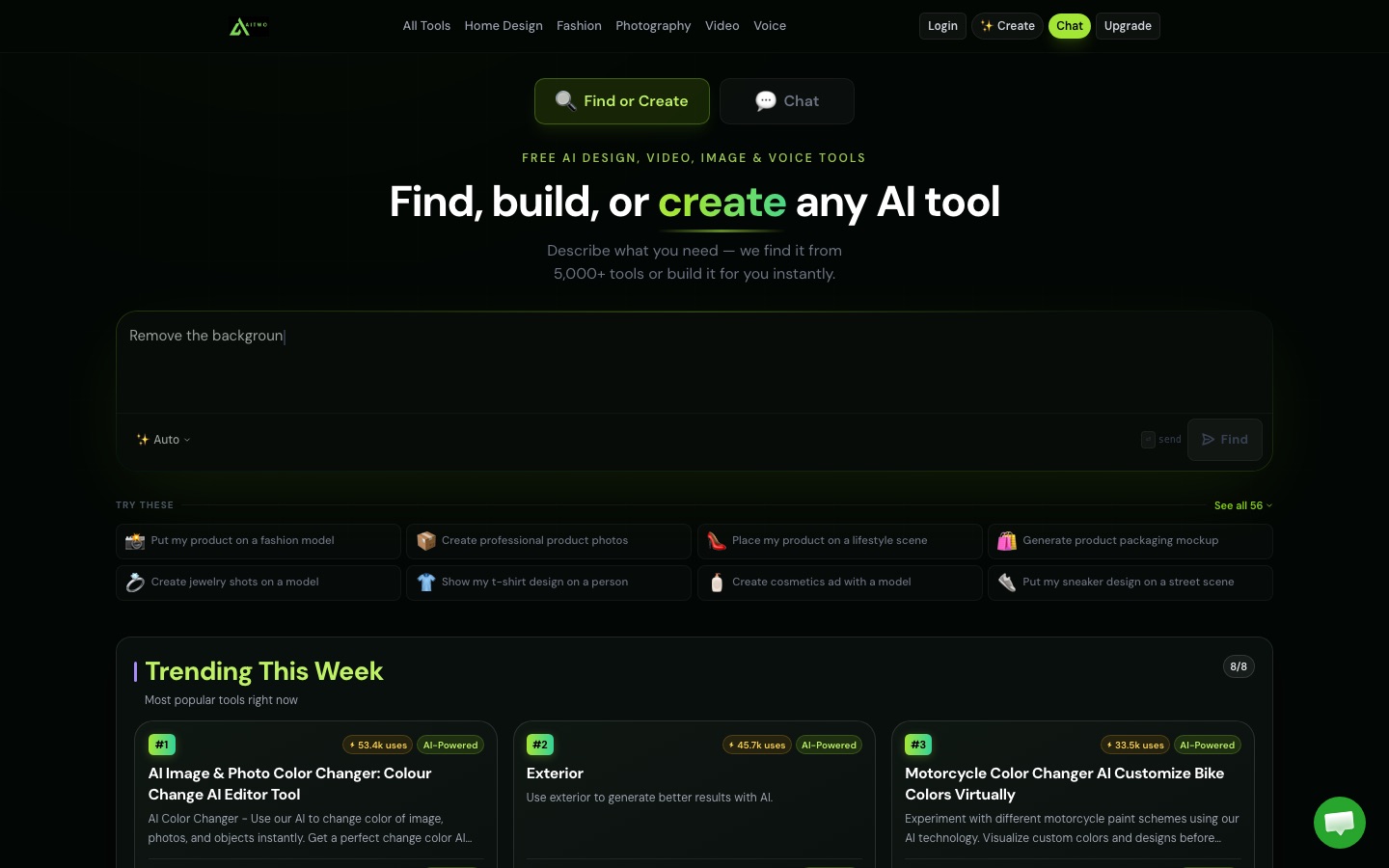
AI Two is a web platform that brings thousands of AI tools for images, video, voice and home design into one library. AI Two is used by describing a task in plain words; the site opens a matching tool or builds a new one, and each run is paid for from a shared credit balance.
Best for Homeowners, property professionals and online sellers who want many single-purpose AI tools under one account instead of separate subscriptions.
- Platforms
- Web
- Pricing model
- Freemium
- Free plan
- Yes
- Made by
- AI Two
- Added
Last verified: . Information taken from aitwo.co.
What is AI Two?
AI Two is a web platform that gathers more than 5,000 AI tools behind a single search box. You say what you want to make in ordinary language and the site sends you to a matching tool; if nothing fits, it can build a new one from your description and publish it on a page that other members may use as well. The catalogue spans image generation and photo editing, video, text-to-speech in over 140 languages, product and fashion photography, QR codes and image analysis. The service started out in home design and still offers interior and exterior redesign, virtual staging, sketch-to-render, paint previews, architecture concepts and landscaping based on a photo. A single credit balance is spent across all tools, and larger models cost more per run. Output may be used commercially, and a first generation is free without a card.
Key Features
Tool Finder
Matches a plain-language request to one of several thousand tools, so there is no need to browse menus.
Tool Builder
Creates a working tool from a description, without code, and gives it a page that can be shared and reused.
Home Design Studio
Redesigns rooms and facades from a photo, stages empty spaces and converts sketches into realistic renders.
Product and Fashion Imagery
Places products, clothing, jewellery or footwear on AI models and in lifestyle scenes.
Voice and Video
Generates voice-overs priced by script length and video clips priced by the second.
Shared Credit Balance
Applies the same credits to image, video, voice and community tools, with the cost set by the model chosen.
How AI Two works
Describe the task
Type what you want to make, for example an image, a clip, a voice-over or a room redesign.
Open the matched tool
The platform picks the closest tool from its library and takes you to it.
Or have one built
When nothing suitable exists, a new tool is generated from your description.
Screenshots
Use Cases
- Previewing a Renovation
- See how a new exterior colour or interior layout could look before paying for the work.
- Staging a Property Listing
- Furnish photos of an empty room virtually for a sales advert.
- Product Photos for a Shop
- Show an item on a model or in a styled setting without a photo shoot.
- Narration for Content
- Turn a written script into a spoken voice-over.
- A Tool for a Niche Task
- Describe a job no existing tool covers and have one generated for it.
Things to know
- No refunds on credits
- Purchases are final because computing capacity is paid for as soon as a generation starts.
- Cost depends on the model
- Images are charged per generation, video per second and voice per character, with heavier models using more credits.
- Yearly credits arrive at once
- An annual subscription delivers the full credit allowance immediately instead of in monthly portions.
- Payments go through Stripe
- Orders are processed by Stripe, and the site says card details are not kept on its own systems.
FAQs
What is AI Two?
AI Two is an online platform that collects thousands of AI tools for images, video, voice and design, and can also build new tools on request.
What is AI Two used for?
AI Two is used for tasks such as redesigning rooms and house exteriors from a photo, generating and editing images, creating product photos, making videos and producing voice-overs.
Is AI Two free?
AI Two is free to start: the first generation needs no card and several cheaper models are included in a free tier. Higher limits and premium models require a paid plan.
Can I create my own tool on AI Two?
Yes. If no existing tool fits, AI Two builds one from your description without code and gives it a shareable page.
Can I use AI Two results commercially?
Yes. AI Two states that generated results may be used in both personal and commercial projects.
Does AI Two give refunds?
No. AI Two says purchased credits cannot be refunded because GPU time is paid for at the moment of generation. Auto-renewal, however, can be switched off whenever you like.
What image formats does AI Two accept?
AI Two accepts JPG, JPEG, PNG and WEBP images.
Who it's for
- Homeowners
- Interior designers
- Architects
- Real estate agents
- Online sellers
Comments
No comments yet. If you have used AI Two, tell other readers how it went.
Alternatives to AI Two
| Tool | Free plan | Starting price | API |
|---|---|---|---|
 Render a HouseAI renderer for architecture that turns floor plans, sketches and 3D models into photorealistic images and clips. |
Yes | — | — |
 ArchiVinciAI rendering tool that turns sketches, photos, floor plans and 3D model screenshots into architectural renders. |
— | — | — |
 AIGardenPlannerTurns a photo of your yard into AI garden design previews, with a free 3D planner, plant advisor and plant identifier. |
Yes | — | — |
 AwenConversational workspace that turns a creative brief into images, video and other visuals without manual prompting. |
Yes | — | — |
 CustomuseAI workspace for generating images, videos and 3D game assets with models from several providers. |
Yes | — | Yes |
Listed in the same categories as AI Two. A starting price appears only where we checked it on the maker’s pricing page; a dash means not checked or not published. All Interior Design tools