
Saner.AI
AI personal assistant that brings notes, email, calendar and tasks into one chat-driven workspace.
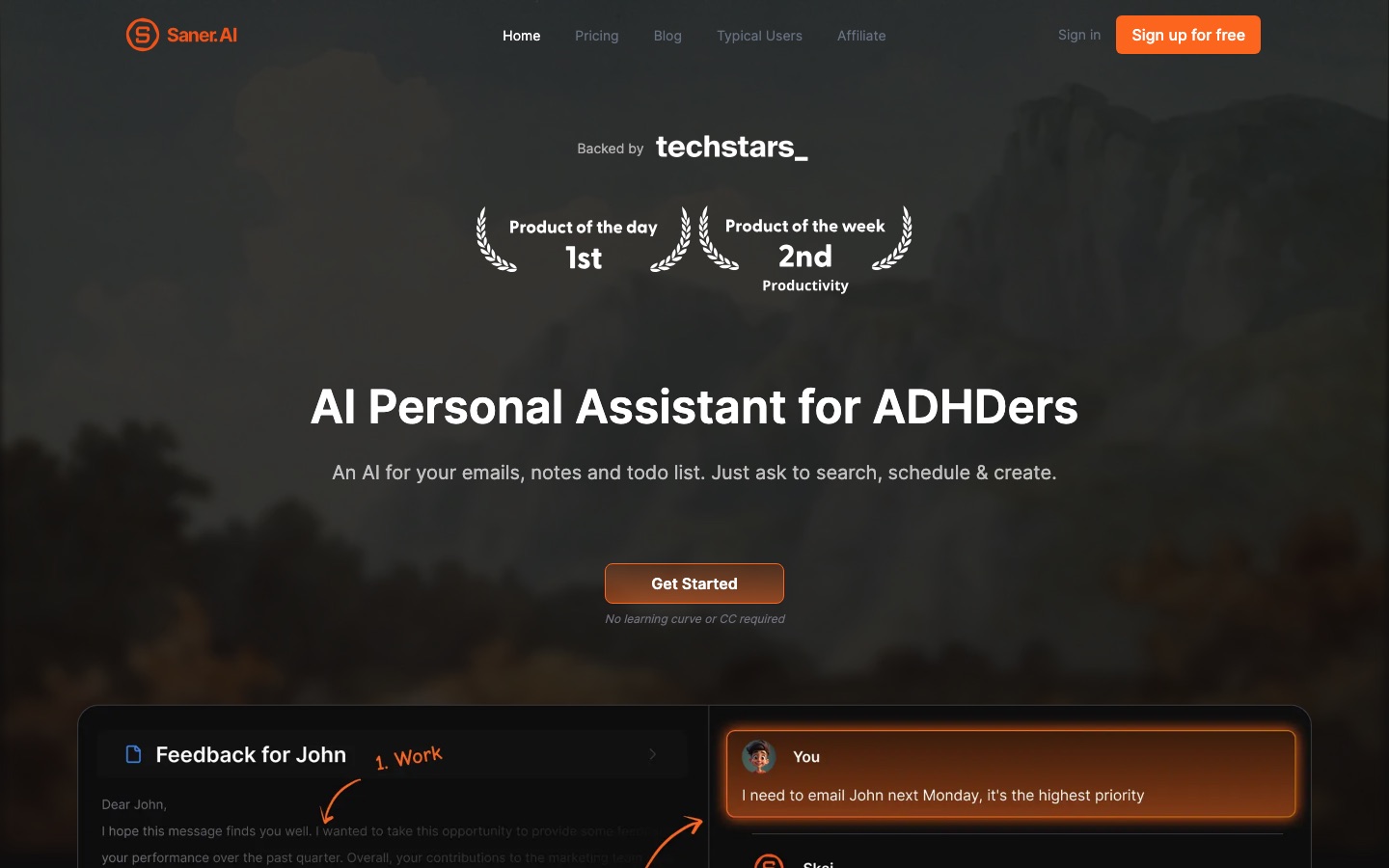
Saner.AI is an AI personal assistant that combines note-taking, email, calendar and to-do management in a single workspace. Saner.AI lets a user capture notes by typing or voice, ask questions across everything saved, and have its assistant, Skai, turn emails and loose thoughts into scheduled tasks. A free plan is available.
Best for Busy professionals, including people with ADHD, who lose track of scattered notes and tasks and want one place to capture, find and plan them.
- Platforms
- Web, Browser extension
- Pricing model
- Freemium
- Free plan
- Yes
- Added
Last verified: . Information taken from saner.ai.
What is Saner.AI?
Saner.AI is a note and task assistant designed, in the company's words, by people with ADHD for anyone who struggles with information spread across apps. Notes can be written in a Chrome extension, dictated by voice, or imported in bulk. Instead of filing them by hand, the user asks questions in chat and the system retrieves and combines relevant notes, files and web results. An assistant called Skai reads connected sources such as Gmail, Slack, Google Drive and calendars, proposes tasks, prioritises them and places them on a timeline. The app also suggests tags, shows related notes and keeps a smart inbox for new items. Saner.AI describes itself as a beta product, says customer data is encrypted and not used for training, and supports exporting notes. Third-party models can be used with separate payment or a personal API key.
Key Features
Quick Capture
Saves notes from a Chrome extension, by voice dictation or through file upload and bulk import.
Ask Across Notes
Answers questions by searching saved notes and selected files, and can add internet results to the same reply.
Skai Task Assistant
Converts emails and unstructured brain dumps into tasks, then prioritises and schedules them on request.
Connected Sources
Pulls information from calendar, Slack, Drive and Gmail accounts so it can be searched and acted on.
Automatic Organisation
Suggests tags and folders from a note's content and surfaces earlier notes on the same subject.
Timeline View
Lays tasks out on a calendar so the day's plan can be read at a glance.
Screenshots
Use Cases
- Inbox to Task List
- Have follow-ups pulled out of email threads and added to the day's plan.
- Recalling Past Research
- Ask a question and get an answer assembled from notes written months earlier.
- Capturing Ideas on the Move
- Dictate a thought by voice so it is stored before it is forgotten.
- Daily Planning
- Request a schedule for the day based on calendar events, emails and open tasks.
- Consolidating Old Notes
- Import thousands of existing notes and query them together.
Things to know
- Beta product
- Saner.AI describes the current release as a beta in which features are still being tested, with daily data backups.
- External models cost extra
- Messages to third-party models such as GPT, Claude or Gemini are billed separately per token, or run on the user's own API key.
- Unlimited has conditions
- The Standard plan's unlimited messages and notes are subject to the terms of service, which bar automated extraction, account sharing and resale.
- Usage is counted two ways
- Plans set separate limits for AI messages, such as assistant chats, and AI requests, such as tag generation and image descriptions.
FAQs
What is Saner.AI?
Saner.AI is an AI personal assistant for notes, email, calendar and tasks, operated mainly through chat.
What is Saner.AI used for?
Saner.AI is used to capture notes quickly, find information across saved material and turn emails or rough thoughts into prioritised, scheduled tasks.
Is Saner.AI free?
Yes, Saner.AI offers a free plan with monthly limits on AI messages, notes and storage. Starter and Standard plans raise those limits.
How much does Saner.AI cost?
Saner.AI lists Free, Starter and Standard plans with monthly or yearly billing. See the official pricing page for current figures.
Do I need to have ADHD to use Saner.AI?
No. Saner.AI says the app was designed with ADHD in mind but is open to anyone who wants help managing information and tasks.
Which apps does Saner.AI connect to?
Saner.AI syncs with Google Drive, email, Slack and calendars, and a product update mentions an Outlook connector.
Can I import and export notes in Saner.AI?
Yes. Saner.AI supports importing large note collections and has a built-in export function for notes.
Does Saner.AI train AI on my data?
No. Saner.AI states that it does not train on, sell or share user data, and that data is encrypted at rest and during transfer.
Who it's for
- Entrepreneurs
- Managers
- Researchers
- Content creators
- People with ADHD
Used in these workflows
- Organizing notes and knowledge with AI, from capture to recallStage 1: Capturing ideas
- Organizing notes and knowledge with AI, from capture to recallStage 5: Asking your own notes
Each guide lists the stages of one job and the tools that help at each stage. All guides
Comments
No comments yet. If you have used Saner.AI, tell other readers how it went.
Alternatives to Saner.AI
| Tool | Free plan | Starting price | API |
|---|---|---|---|
 CapacitiesNote-taking and knowledge management app that stores ideas as linked objects instead of files and folders. |
Yes | — | Yes |
 FabricAI workspace that keeps files, notes and meetings in one searchable place, with assistants that act on them. |
— | — | Yes |
 AI Exporter HubChrome extension that bulk exports chats from six AI assistants to Notion, Markdown, Obsidian or PDF with media kept intact. |
— | — | — |
 CraftNotes and documents app with tasks, calendar, whiteboards, an AI assistant and API and MCP connections. |
Yes | — | Yes |
 KommodoAI screen recorder that transcribes recordings, takes meeting notes and turns videos into step-by-step guides. |
Yes | — | Yes |
Listed in the same categories as Saner.AI. A starting price appears only where we checked it on the maker’s pricing page; a dash means not checked or not published. All Notes & Knowledge Management tools