
Capacities
Note-taking and knowledge management app that stores ideas as linked objects instead of files and folders.
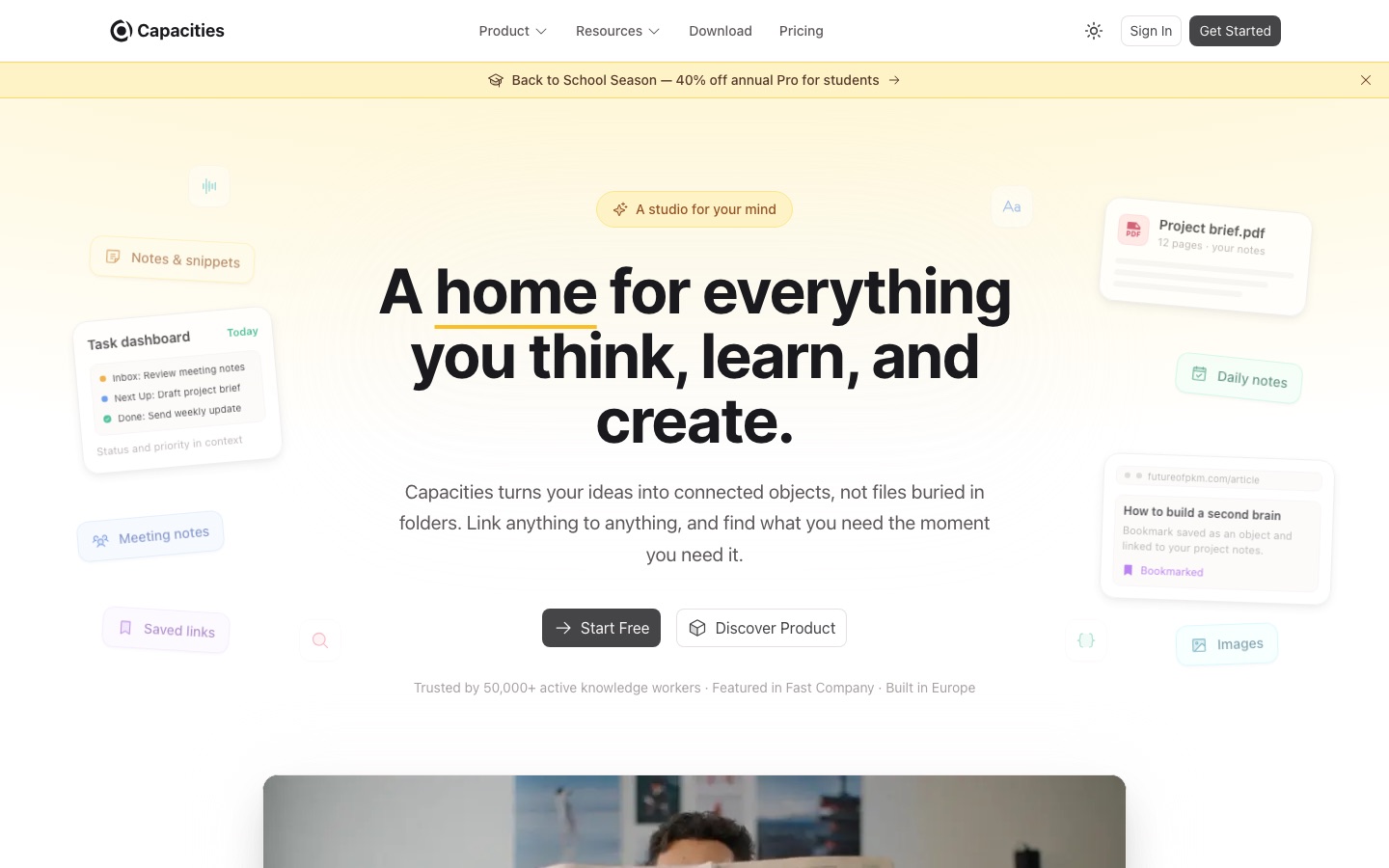
Capacities is a note-taking and personal knowledge management app that organises information as typed objects, such as people, books, projects and meetings, linked to one another. Capacities is available on Mac, Windows, Linux, iOS and Android; the basic plan is free, and the paid Pro plan adds an AI assistant, task management and a public API.
Best for Individuals who think and write for a living and want notes on people, sources and projects to stay connected without maintaining a folder structure.
- Platforms
- macOS, Windows, Linux, iOS, Android, API
- Pricing model
- Freemium
- Free plan
- Yes
- Free trial
- Yes
- API
- Yes
- Made by
- Capacities Labs GmbH
- Added
Last verified: . Information taken from capacities.io.
What is Capacities?
Capacities is a personal knowledge management app built around objects rather than documents in folders. Each note is an instance of a type, for example a person, book, project or meeting, with its own properties, and any object can be linked to any other. Backlinks list every connection, and a related-content feature points out notes that mention a topic without being linked. A daily note serves as the default place to capture thoughts. The free Basic plan covers unlimited objects, custom object types, sync across devices, offline use, full-text search and import and export. Capacities Pro adds task management, an AI assistant, calendar integration, smart queries, analysis of images, PDFs and web links, version history and a public API. The app is designed for individuals, not teams, and data is hosted in the EU.
Key Features
Object-based notes
Stores each piece of information as a typed object with properties, and lets you define your own object types.
Linking and backlinks
Connects any object to any other and shows all incoming links on each page.
Related content
Scans notes to surface passages about a topic that were never explicitly linked.
Daily notes
Provides a dated page for quick capture that can be linked to objects as you write.
AI assistant on Pro
Chats with your notes, autofills properties and analyses images, audio and web links within a monthly AI budget.
Export and offline access
Works without a connection and exports all content to standard formats.
How Capacities works
Start in the daily note
Open today's page and write freely; nothing has to be organised first.
Convert notes into objects
Give recurring things a type, such as a meeting, book or project, creating new types when required.
Follow the links
As objects accumulate links, open any one to see everything connected to it.
Screenshots
Use Cases
- Research library
- Keep sources, highlights and drafts linked for a thesis or article.
- Worldbuilding for fiction
- Maintain characters, places and plot notes as interlinked objects.
- Meeting records
- Log each meeting as an object tied to the people and projects involved.
- Tasks in context
- Manage tasks that stay attached to the project notes they came from.
- Course notes
- Organise lectures, readings and assignments across a semester.
Things to know
- AI use is budgeted
- Pro and Believer include a small monthly AI budget; the Plus add-on enlarges it and is required for top-ups.
- Free plan media cap
- Basic allows 5 GB of media uploads in total, then 100 MB per month.
- Built for individuals
- There are no team or organisation accounts, and no non-profit discounts.
- EU hosting
- Data is kept on encrypted servers in certified EU data centres, and the service is described as GDPR compliant.
FAQs
What is Capacities?
Capacities is a note-taking and knowledge management app that organises ideas as connected objects instead of files and folders.
Is Capacities free?
Yes. Capacities Basic is free and includes unlimited spaces, objects and custom object types, device sync and offline support. Media uploads on the free plan are capped.
How much does Capacities cost?
Capacities has a free Basic plan and two paid plans, Pro and Believer, with an optional Plus add-on for a larger AI budget. Current prices are on the official pricing page.
Which platforms does Capacities support?
Capacities is available on Mac, Windows, Linux, iOS and Android.
Does Capacities have an API?
Yes. A public API is included in the Capacities Pro plan.
Does Capacities offer team plans?
No. Capacities states that it is designed for individuals and does not offer team or organisational plans.
Is there a free trial of Capacities Pro?
Yes. A Capacities Pro trial can be started inside the app without a credit card.
Who makes Capacities?
Capacities is developed by Capacities Labs GmbH, an independent European company funded by its users.
Who it's for
- Researchers
- Writers
- Students
- Developers
- Founders
- Knowledge workers
Used in these workflows
- Which AI tools help you develop a game, from design document to launch?Stage 1: Concept, design document and prototype
- Organizing notes and knowledge with AI, from capture to recallStage 4: Organizing and linking
Each guide lists the stages of one job and the tools that help at each stage. All guides
Comments
No comments yet. If you have used Capacities, tell other readers how it went.
Alternatives to Capacities
| Tool | Free plan | Starting price | API |
|---|---|---|---|
 CraftNotes and documents app with tasks, calendar, whiteboards, an AI assistant and API and MCP connections. |
Yes | — | Yes |
 FabricAI workspace that keeps files, notes and meetings in one searchable place, with assistants that act on them. |
— | — | Yes |
 Saner.AIAI personal assistant that brings notes, email, calendar and tasks into one chat-driven workspace. |
Yes | — | — |
 AI Exporter HubChrome extension that bulk exports chats from six AI assistants to Notion, Markdown, Obsidian or PDF with media kept intact. |
— | — | — |
 KommodoAI screen recorder that transcribes recordings, takes meeting notes and turns videos into step-by-step guides. |
Yes | — | Yes |
Listed in the same categories as Capacities. A starting price appears only where we checked it on the maker’s pricing page; a dash means not checked or not published. All Notes & Knowledge Management tools