
MyMap
AI canvas that turns a chat prompt, notes or a file into editable mind maps, flowcharts and slide decks.
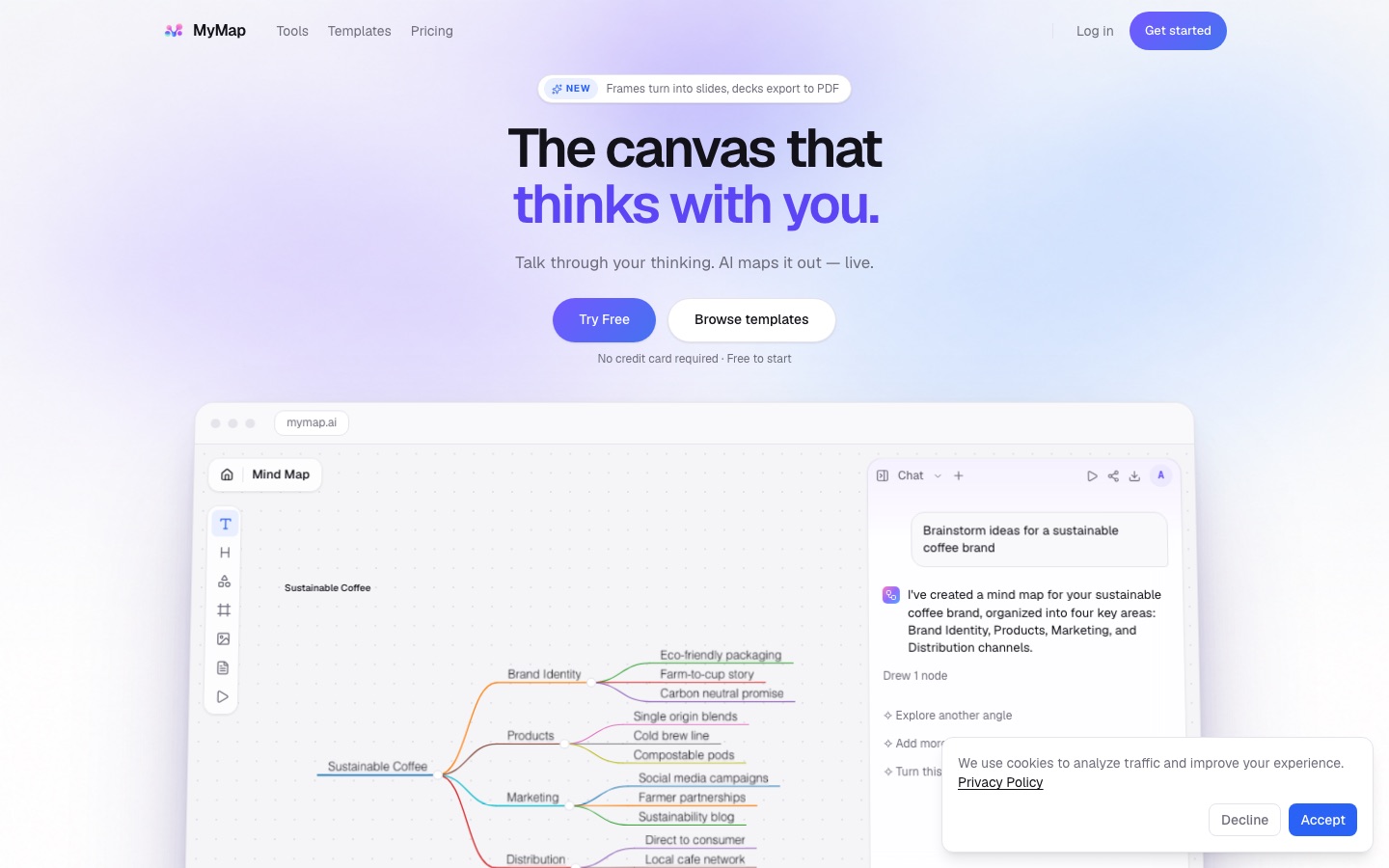
MyMap is an AI canvas that draws mind maps, flowcharts and other diagrams from a chat prompt, pasted notes, a document or a YouTube link. MyMap picks the diagram type itself, keeps every node editable, turns framed areas into slides and exports the result as an image, a PDF, Markdown or a share link.
Best for Students, consultants and quality teams who need to turn notes or documents into a structured diagram or a short deck without drawing it by hand.
- Platforms
- Web
- Pricing model
- Freemium
- Free plan
- Yes
- Made by
- MyMap
- Added
Last verified: . Information taken from mymap.ai.
What is MyMap?
MyMap is a browser-based visual canvas where an AI assistant draws diagrams from what you tell it. You describe a problem in a sentence, paste notes, or attach a PDF, a Word document, an image or a YouTube link, and the assistant decides which structure fits: a strategy question becomes a SWOT grid, a root-cause question a fishbone, a process a flowchart. Everything it draws stays editable, and selecting a node lets you ask for a change to that part only. Supported formats include mind maps, org charts, swimlanes, timelines, kanban boards, concept maps, genograms and database schemas. Any region of the board can be framed as a slide and presented from the browser. A free tier with monthly credits exists alongside the paid Pro and Max plans, which add premium language models.
Key Features
Diagram Chosen From the Prompt
Reads the request and selects a suitable structure, so there is no template or diagram type to pick first.
Edit by Asking
Rewrites or extends a selected node on request while the remainder of the board is left unchanged.
File and Link Input
Accepts pasted notes, PDFs, Word documents, images and YouTube links as source material for a map.
Frames as Slides
Converts any framed area of the canvas into a slide that can be presented in the browser or exported as a deck.
Export Options
Saves a whole map or a selection as SVG, Markdown, PNG or PDF, or publishes it through a share link.
Model Picker
Lets you choose the language model for each message, with economic models on every plan and premium ones on paid plans.
How MyMap works
Bring your material
Start from a single sentence, notes you paste in, an uploaded document or a link to a YouTube video.
Let the assistant draw
MyMap selects a diagram type, draws it and arranges the layout on the canvas.
Frame slides
Mark any part of the board as a frame to make it a slide and present from the browser.
Export or share
Download the full map or a selection, or send a share link.
Screenshots
Use Cases
- Lecture Revision Maps
- Turn lecture notes, slides or a recorded class on YouTube into a study map.
- Client Process Mapping
- Build swimlane diagrams and standard operating procedures from an interview transcript.
- Quality Reports
- Draft an A3 report, a 5 Whys analysis or an audit tree that fits a single exported page.
- Genograms
- Describe a family across three generations and have it drawn with standard genogram symbols.
- Product Planning
- Lay out a quarterly roadmap, a feature priority matrix or a database schema from a short description.
Things to know
- Free tier limits
- The free tier is capped at 20 credits a month and three editable maps, and its PNG exports carry a watermark; PDF export is reserved for paid plans.
- Credits expire
- Unused credits are not carried forward. Free credits refill monthly, and paid plans refill on the subscription date.
- The Pro trial is paid
- Pro begins with a 14-day trial that carries a small charge and then converts to annual billing unless cancelled from Settings.
- After cancelling
- When a paid period ends, saved maps are kept and the three newest remain editable.
FAQs
What is MyMap?
MyMap is an AI visual canvas that converts a conversation into mind maps, flowcharts and other diagrams placed on an infinite board, where each element remains editable.
Is MyMap free?
Yes. MyMap has a free tier with 20 credits a month, up to three editable maps, the economic AI models and PNG export carrying a watermark. No credit card is needed.
How much does MyMap cost?
MyMap offers a Free tier plus paid Pro and Max plans that differ mainly in monthly credits. Check the official pricing page for the current amounts.
What can I create with MyMap?
MyMap produces mind maps, flowcharts, SWOT analyses, timelines, org charts, swimlanes, kanban boards, genograms, database schemas and roadmaps, among other formats.
How do MyMap credits work?
MyMap spends credits when the AI generates or rewrites content; editing, exporting and presenting are free of credit cost. Unused credits do not carry over to the following month.
Do I need an account to use MyMap?
Yes, a free MyMap account is required to create and save a map. Sign-up happens by email code or Google after you send your first prompt.
Which AI models does MyMap use?
MyMap offers a set of economic models to every user, including DeepSeek and Gemini Flash variants, and adds premium models from Anthropic, OpenAI, Google and xAI on the Pro and Max plans.
Who it's for
- Students
- Educators
- Process consultants
- Quality and compliance teams
- Family therapists
Used in these workflows
- The slides come last: AI tools for researching, building and rehearsing a presentationStage 2: Outline and storyline
Each guide lists the stages of one job and the tools that help at each stage. All guides
Comments
No comments yet. If you have used MyMap, tell other readers how it went.
Alternatives to MyMap
| Tool | Free plan | Starting price | API |
|---|---|---|---|
 GitMindAI workspace that turns text, video, audio, PDFs and images into mind maps, summaries and diagrams. GitMindAI workspace that turns text, video, audio, PDFs and images into mind maps, summaries and diagrams. |
Yes | — | — |
 GitMind (思乎)Chinese-language AI workspace that turns text, files, audio and video into mind maps, summaries and diagrams. GitMind (思乎)Chinese-language AI workspace that turns text, files, audio and video into mind maps, summaries and diagrams. |
Yes | — | — |
 MapifyAI summarizer that converts PDFs, YouTube videos, web pages, audio and images into editable mind maps. MapifyAI summarizer that converts PDFs, YouTube videos, web pages, audio and images into editable mind maps. |
Yes | $5.99/mo | — |
 MindMap AIAI mind map generator that builds editable maps from prompts, PDFs, audio, video and web pages. MindMap AIAI mind map generator that builds editable maps from prompts, PDFs, audio, video and web pages. |
Yes | — | — |
 NoteeyOffline-first visual note-taking app with an infinite canvas for cards, PDFs, videos, mind maps and sketches. NoteeyOffline-first visual note-taking app with an infinite canvas for cards, PDFs, videos, mind maps and sketches. |
Yes | — | — |
Listed in the same categories as MyMap. A starting price appears only where we checked it on the maker’s pricing page; a dash means not checked or not published. All Presentations & Diagrams tools