
GitMind (思乎)
Chinese-language AI workspace that turns text, files, audio and video into mind maps, summaries and diagrams.
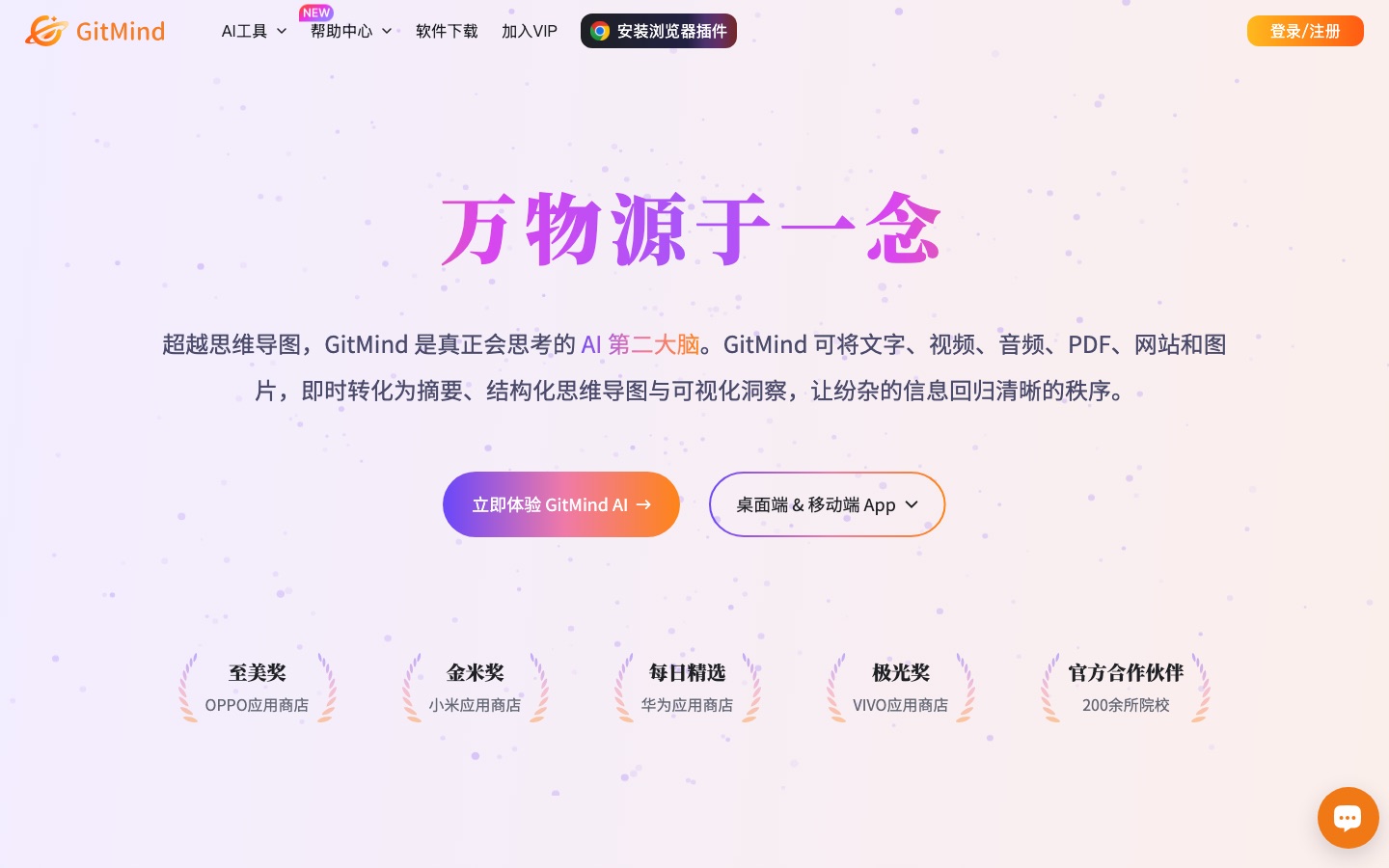
GitMind (思乎) is a Chinese-language AI workspace for mind maps, diagrams and summaries. GitMind (思乎) takes typed text, uploaded files, links, audio, video or images and converts them into mind maps, flowcharts, UML diagrams or condensed notes. It is available on the web, desktop and mobile, with a free edition and paid memberships.
Best for Chinese-speaking students, teachers and knowledge workers who want to turn documents, lectures and ideas into mind maps and diagrams.
- Platforms
- Web, Windows, macOS, iOS, Android, Browser extension
- Pricing model
- Freemium
- Free plan
- Yes
- Made by
- 深圳市网旭科技有限公司
- Added
Last verified: . Information taken from gitmind.cn.
What is GitMind (思乎)?
GitMind (思乎) is the Chinese edition of GitMind, an AI workspace built around mind maps, diagrams and summaries. Material can be supplied as typed text, an uploaded file, a pasted link, a recording or a picture; multimodal models then analyse it in the cloud and return a structured mind map, a written summary, a flowchart or an infographic. Dedicated generators cover flowcharts, class diagrams, ER diagrams, sequence diagrams and UML. Audio and video can be transcribed and condensed into meeting notes, PDFs can be summarised or translated, and OCR pulls text out of images. An AI assistant with selectable models, web search and document reading sits alongside a whiteboard and shared spaces for team collaboration. It runs in the browser, as desktop and mobile apps and as a Chrome extension, with content synced between devices. The interface and website are in Chinese.
Key Features
AI Mind Maps
Builds a mind map from a single sentence, pasted text, a file, speech, an image or an Excel sheet.
Diagram Generators
Produces flowcharts, class diagrams, ER diagrams, sequence diagrams and UML diagrams from a description.
Audio and Video Processing
Transcribes recordings and videos to text and condenses them into summaries or meeting minutes.
Document Tools
Summarises PDFs, articles, books and spreadsheets, and translates PDF files.
AI Assistant
Chats with basic or advanced models and can search the web, read documents, parse links and interpret images.
Collaboration and Sync
Supports multi-user editing, a presentation mode and automatic syncing across all supported platforms.
How GitMind (思乎) works
Provide the material
Upload a file, paste a link or type the text you want organised.
Let the models analyse it
Multimodal AI processes the input in the cloud.
Receive a structured result
The output arrives as a mind map, summary, flowchart or infographic that can be edited on desktop or mobile.
Use Cases
- Revising From Lecture Videos
- Convert a long course recording into text and a map of the main points.
- Literature Notes
- Summarise an academic PDF and arrange its arguments as a mind map.
- Project Planning
- Expand a one-line goal into a structured outline of steps.
- System Documentation
- Generate a flowchart or UML diagram from a technical description.
- Lesson Preparation
- Reduce a long article to a map and present it in class with presentation mode.
Things to know
- Chinese interface
- This is the mainland China site; its pages, sign-in and pricing are presented in Chinese.
- AI features consume credits
- AI functions and premium themes draw on a credit balance; the free edition includes 30 credits and memberships include more.
- Free edition limits
- The free tier allows up to 10 documents and exports images in standard rather than high-definition quality.
- Prices are in yuan
- Membership fees are listed in Chinese yuan, so no US dollar price is given here.
FAQs
What is GitMind (思乎)?
GitMind (思乎) is a Chinese-language AI workspace that converts text, video, audio, PDFs, web pages and images into summaries, mind maps, infographics and diagrams.
How do you use GitMind (思乎)?
With GitMind (思乎) you upload a file, paste a link or type text, and the service generates a mind map, summary, flowchart or infographic automatically.
Is GitMind (思乎) free?
GitMind (思乎) has a free edition limited to 10 documents with a small credit allowance. Many AI functions include a set number of free tries, while memberships add monthly credits.
How much does GitMind (思乎) cost?
GitMind (思乎) sells monthly and annual memberships plus credit top-ups, priced in Chinese yuan. For current figures, see the official pricing page.
Which platforms does GitMind (思乎) support?
GitMind (思乎) is offered on the web, Windows, Mac, iOS, iPadOS and Android, and as a Chrome extension.
Does GitMind (思乎) use my data for training?
The GitMind (思乎) site states that user content is not used for model training or advertising and can be deleted by the user at any time.
Who makes GitMind (思乎)?
GitMind (思乎) is operated by 深圳市网旭科技有限公司, a Shenzhen company named in the site's copyright notice.
Who it's for
- Students
- Teachers
- Researchers
- Product managers
- Engineers
Comments
No comments yet. If you have used GitMind (思乎), tell other readers how it went.
Alternatives to GitMind (思乎)
| Tool | Free plan | Starting price | API |
|---|---|---|---|
 GitMindAI workspace that turns text, video, audio, PDFs and images into mind maps, summaries and diagrams. GitMindAI workspace that turns text, video, audio, PDFs and images into mind maps, summaries and diagrams. |
Yes | — | — |
 MapifyAI summarizer that converts PDFs, YouTube videos, web pages, audio and images into editable mind maps. MapifyAI summarizer that converts PDFs, YouTube videos, web pages, audio and images into editable mind maps. |
Yes | $5.99/mo | — |
 MindMap AIAI mind map generator that builds editable maps from prompts, PDFs, audio, video and web pages. MindMap AIAI mind map generator that builds editable maps from prompts, PDFs, audio, video and web pages. |
Yes | — | — |
 NoteeyOffline-first visual note-taking app with an infinite canvas for cards, PDFs, videos, mind maps and sketches. NoteeyOffline-first visual note-taking app with an infinite canvas for cards, PDFs, videos, mind maps and sketches. |
Yes | — | — |
 WhimsicalCollaborative whiteboard for diagrams, flowcharts, mind maps and wireframes, with AI generation from a prompt. WhimsicalCollaborative whiteboard for diagrams, flowcharts, mind maps and wireframes, with AI generation from a prompt. |
Yes | — | — |
Listed in the same categories as GitMind (思乎). A starting price appears only where we checked it on the maker’s pricing page; a dash means not checked or not published. All Presentations & Diagrams tools