
iWeaver AI
AI agent workspace that summarizes, mind-maps and analyzes documents, video and audio from a personal knowledge base.
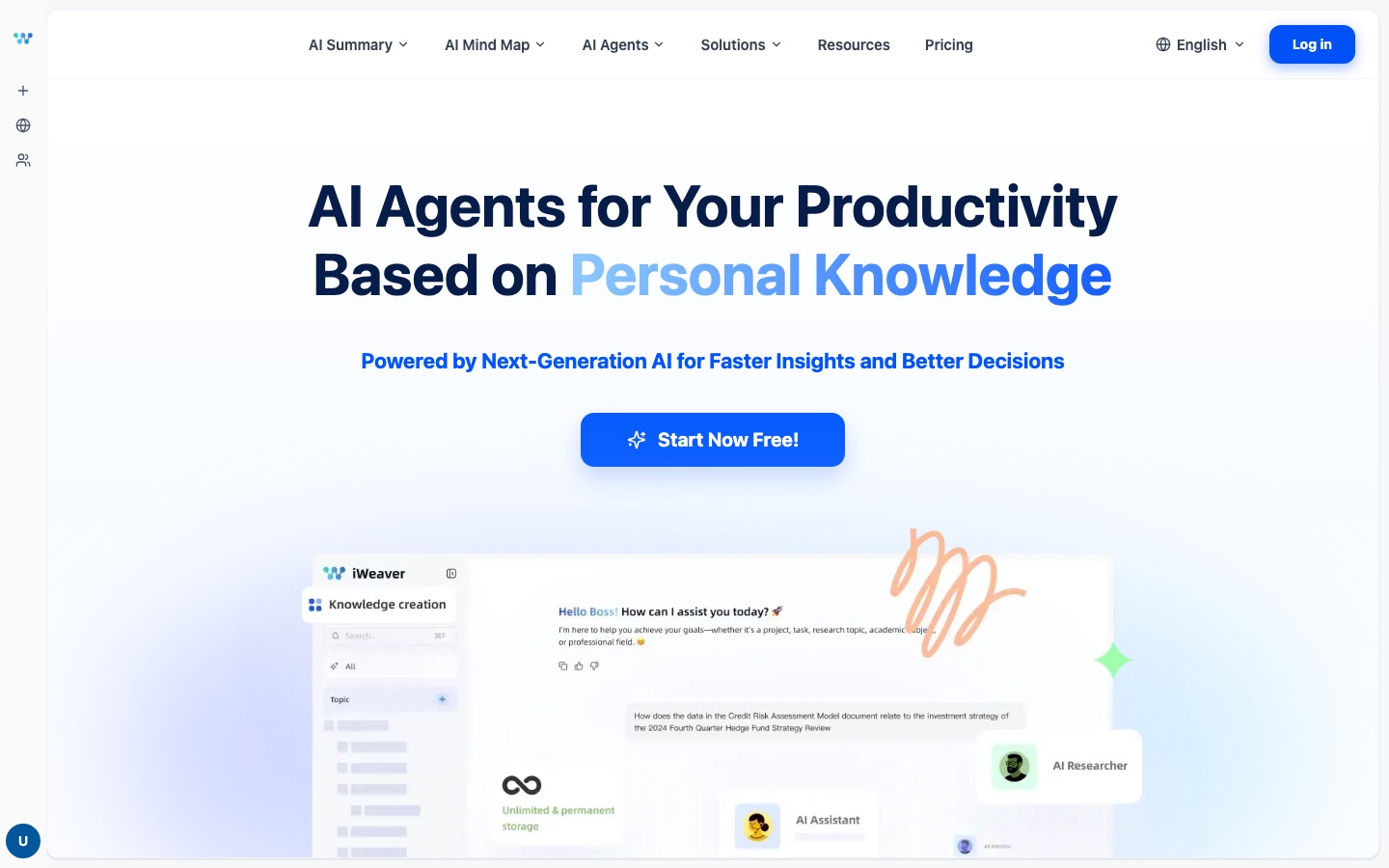
iWeaver AI is a web platform of AI agents that work from a personal knowledge base. Users upload documents, images, audio or video, then ask iWeaver AI in chat to summarize the material, build a mind map, answer questions or draft text. A free plan with daily credits is available, and paid plans add stronger models.
Best for Students, researchers and knowledge workers who read large volumes of documents and want summaries, mind maps and answers drawn from their own files.
- Platforms
- Web
- Pricing model
- Freemium
- Free plan
- Yes
- Made by
- iWeaver.ai
- Added
Last verified: . Information taken from iweaver.ai.
What is iWeaver AI?
iWeaver AI is a knowledge-management and productivity platform that runs a set of specialised AI agents over the material you upload. Text, images, audio and video can all be imported, including papers, meeting recordings, screenshots and e-books, and the collection becomes a personal knowledge base that the agents draw on when they answer. The site says as many as 20 files in nine formats can be analysed together. Work happens through chat: you ask for a summary, a mind map, a draft or a deeper analysis, and the agents pull the relevant passages from your files. The agent catalogue covers summarizers for YouTube videos, PDFs, slides, podcasts and web pages, mind-map and diagram makers, writing generators, transcript tools and file converters. A free tier with daily credits sits alongside paid Pro, Ultra and Unlimit plans that open up more capable language models.
Key Features
Multi-format knowledge base
Imports text, images, audio and video, from journal articles to meeting recordings, into one personal library the agents can query.
Summarizer agents
Condenses YouTube videos, PDFs, slide decks, books, podcasts, research papers and web pages into short digests.
Mind maps and diagrams
Turns a video, PDF, image or block of text into a mind map, and also offers concept map, flowchart and ER diagram generators.
Chat over your files
Answers questions in a conversation by retrieving context from uploaded documents, with several files handled in one session.
Writing agents
Drafts reports, press releases, job descriptions, SOPs and similar text through purpose-built generators.
Tiered model access
Groups language models into basic, advanced and flagship sets, with the available set depending on the plan.
How iWeaver AI works
Upload your material
Add documents, recordings, images or links so they become part of your knowledge base.
Ask in chat
Describe the task to an agent, for example a summary, an analysis or a draft.
Get structured output
Receive summaries and mind maps built from the uploaded sources, and keep them for later work.
Screenshots
Use Cases
- Reviewing research reports
- Pull the key figures out of a stack of analyst reports and query them later by asking a question.
- Reading academic papers
- Summarize a long paper and map its concepts before deciding what to read in full.
- Meeting follow-up
- Convert a recording into a transcript and a short summary of what was discussed.
- Exam preparation
- Load course notes and produce a study guide from them.
- Content drafting
- Turn collected source material into a first draft of an article, report or press release.
Things to know
- Usage runs on credits
- The Free plan gives 10 general credits per day; Pro and Ultra include a fixed number of general credits, and Unlimit removes that cap.
- Stronger models have daily limits
- Pro allows 30 advanced-model uses per day and Ultra 30 flagship-model uses per day, according to the pricing page.
- Free plan uses basic models only
- Advanced and flagship models are reserved for the paid plans.
FAQs
What is iWeaver AI?
iWeaver AI is a platform of AI agents that work on a personal knowledge base built from your own documents, recordings and web content.
What is iWeaver AI used for?
iWeaver AI is used to summarize long material, create mind maps, question documents in chat and draft text such as reports. The site names finance, consulting, medicine, law, academic research and content creation as typical fields.
Is iWeaver AI free?
Yes. iWeaver AI has a Free plan that includes 10 general credits per day and access to the basic models.
How much does iWeaver AI cost?
iWeaver AI lists a Free plan and three paid plans called Pro, Ultra and Unlimit, with monthly or annual billing. See the official pricing page for current prices.
What types of content can iWeaver AI analyze?
iWeaver AI accepts text, images, audio and video. The site states that up to 20 files in nine formats can be processed together.
Can iWeaver AI create mind maps?
Yes. iWeaver AI has mind map agents for videos, PDFs, images and plain text, plus related tools such as a relationship chart maker.
Which AI models does iWeaver AI offer?
iWeaver AI's pricing page lists models from the DeepSeek, GPT, Gemini, Claude and Grok families, sorted into basic, advanced and flagship groups.
Who it's for
- Students
- Researchers
- Consultants
- Financial analysts
- Content creators
Comments
No comments yet. If you have used iWeaver AI, tell other readers how it went.
Alternatives to iWeaver AI
| Tool | Free plan | Starting price | API |
|---|---|---|---|
 MapifyAI summarizer that converts PDFs, YouTube videos, web pages, audio and images into editable mind maps. |
Yes | $5.99/mo | — |
 MindMap AIAI mind map generator that builds editable maps from prompts, PDFs, audio, video and web pages. |
Yes | — | — |
 NotionWorkspace for docs, databases and projects with built-in AI agents, meeting notes and cross-app search. |
Yes | — | Yes |
 AtlasAI research workspace that maps papers visually and links every answer back to the passage it came from. |
Yes | — | — |
 GitMindAI workspace that turns text, video, audio, PDFs and images into mind maps, summaries and diagrams. |
Yes | — | — |
Listed in the same categories as iWeaver AI. A starting price appears only where we checked it on the maker’s pricing page; a dash means not checked or not published. All Notes & Knowledge Management tools