
GPT Workspace
AI assistant that works inside Google Docs, Sheets, Slides, Gmail and Drive through an extension.
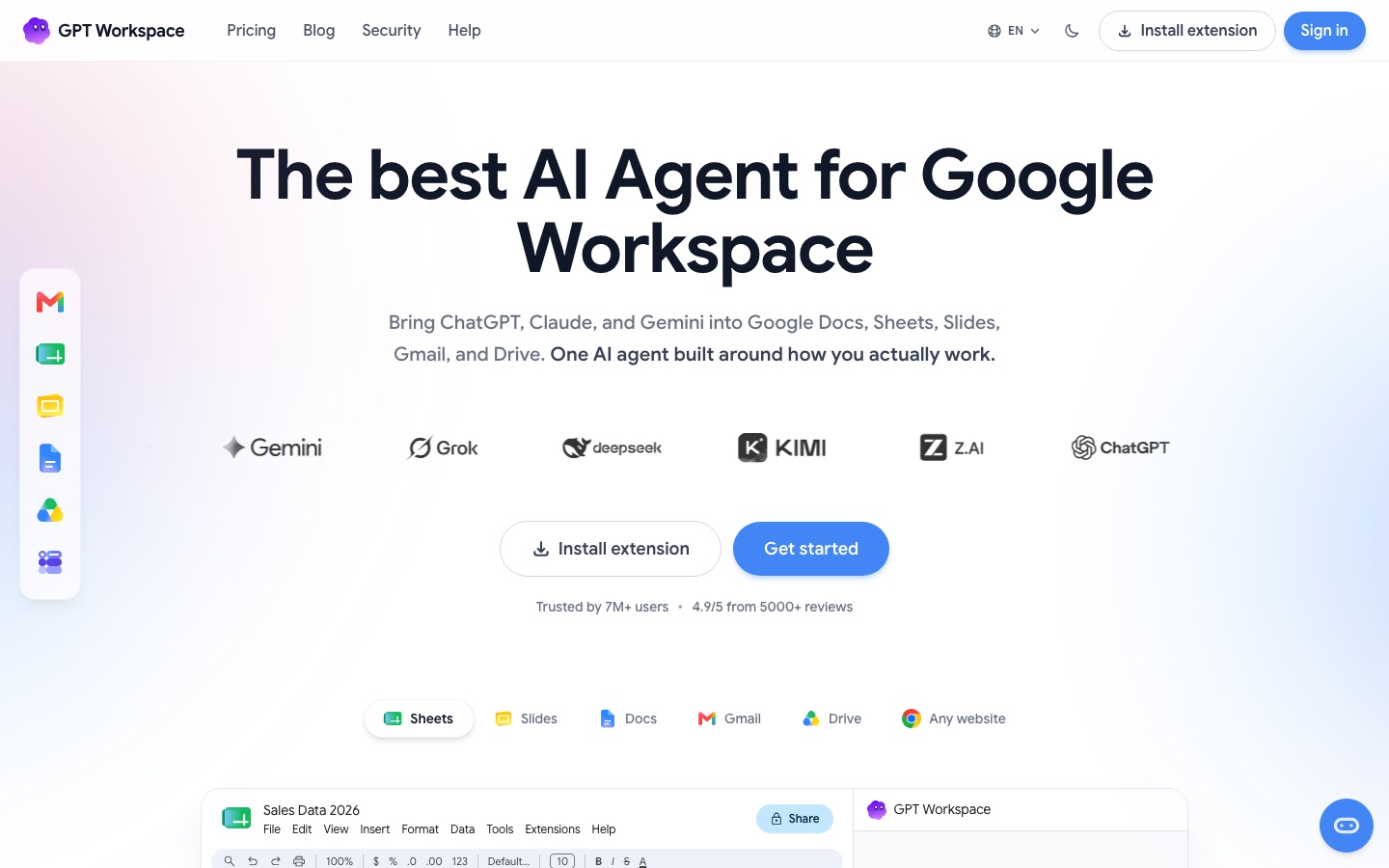
GPT Workspace is an AI agent that runs inside Google Docs, Sheets, Slides, Gmail and Drive. GPT Workspace is used by installing its extension and typing requests in a side panel, where models such as ChatGPT, Claude and Gemini write formulas, draft documents and emails, build slide decks and summarise or organise files.
Best for People who do most of their work in Google Workspace and want AI writing, analysis and automation without leaving those apps.
- Platforms
- Browser extension, Plugin
- Pricing model
- Subscription
- Added
Last verified: . Information taken from gpt.space.
What is GPT Workspace?
GPT Workspace is an AI assistant built for Google Workspace. Installed as an extension, it opens a chat panel inside Docs, Sheets, Slides, Gmail and Drive and gives access to ChatGPT, Claude and Gemini models. In Sheets it supplies custom GPT functions, generates formulas, cleans and classifies data, and analyses a selected range. In Docs it writes, rewrites, summarises and translates text in more than 30 languages. In Slides it produces a full deck from a prompt, including layouts and speaker notes. In Gmail it reads a thread, summarises it and suggests replies, and in Drive it searches by meaning, answers questions about files and moves them into folders. A Chrome extension extends the same chat to any web page. Subscriptions come in Starter, Standard and Pro tiers.
Key Features
GPT functions in Sheets
Adds custom formulas such as =GPT that generate, translate and classify content across many cells.
Spreadsheet agent
Reads sheet values and applies changes on request, for example adding a growth column or a totals row.
Document writing
Drafts, rewrites, proofreads, summarises and translates text directly in Google Docs.
Slide generation
Creates a multi-slide presentation with structure, charts and speaker notes from a single prompt.
Gmail replies
Summarises an email thread and proposes several replies that can be inserted into the draft.
Drive and web chat
Answers questions about Drive files, sorts them into folders, and summarises or translates any web page through the Chrome extension.
Screenshots
Use Cases
- Categorising feedback
- Label hundreds of customer comments in a spreadsheet column by type.
- Building a quarterly deck
- Generate a financial report presentation and then refine individual slides by prompt.
- Clearing an inbox
- Read a summary of a long thread and send a suggested reply after a quick edit.
- Tightening a draft
- Shorten or change the tone of a paragraph in a Google Doc.
- Finding files
- Ask Drive for a document by describing its content instead of its name.
Things to know
- Credits differ by plan
- Starter has a monthly credit allowance, while Standard and Pro list unlimited chat credits plus a monthly allowance for Sheets formulas.
- Pay-per-usage in Sheets
- The Standard and Pro plans describe unlimited Sheets usage as pay-per-usage beyond the included formula credits.
- Marketplace listing
- GPT Workspace is listed on the Google Workspace Marketplace, and subscriptions are chosen on its own pricing page.
FAQs
What is GPT Workspace?
GPT Workspace is an AI agent that adds ChatGPT, Claude and Gemini models to Google Docs, Sheets, Slides, Gmail and Drive.
What is GPT Workspace used for?
GPT Workspace is used to write and edit documents, generate spreadsheet formulas and analyses, create presentations, draft email replies and work with Drive files from inside Google's apps.
How much does GPT Workspace cost?
GPT Workspace offers Starter, Standard and Pro subscriptions with monthly or yearly billing. See the official pricing page for the current price of each plan.
Which Google apps does GPT Workspace cover?
GPT Workspace covers Docs, Sheets, Slides, Gmail, Drive and Forms, and its Chrome extension also works on other websites.
Which AI models does GPT Workspace use?
GPT Workspace brings ChatGPT, Claude and Gemini into Google's apps; its plans distinguish between standard and advanced models.
Does GPT Workspace support languages other than English?
Yes. GPT Workspace's site is offered in more than a dozen languages, and its Docs tool is described as working in over 30.
Who it's for
- Google Workspace users
- Analysts
- Marketers
- Sales teams
- Students
Comments
No comments yet. If you have used GPT Workspace, tell other readers how it went.
Alternatives to GPT Workspace
| Tool | Free plan | Starting price | API |
|---|---|---|---|
 GPTExcelAI spreadsheet assistant that writes formulas, builds pivot tables and charts, and answers questions about uploaded files. |
Yes | — | — |
 Numerous.aiSpreadsheet add-on that brings ChatGPT into Google Sheets and Excel through an =AI function. |
— | — | — |
 AjelixAgentic AI workspace that turns uploaded data into Excel files, dashboards, slide decks and other deliverables. |
Yes | — | — |
 Google WorkspaceGoogle's business suite of Gmail, Drive, Meet, Docs and other apps with Gemini AI assistance built in. |
— | — | — |
 ReaddleMaker of productivity apps for iPhone, iPad and Mac covering PDFs, email, scanning, calendars and file management. |
— | — | — |
Listed in the same categories as GPT Workspace. A starting price appears only where we checked it on the maker’s pricing page; a dash means not checked or not published. All Productivity & Team Work tools