
Echo
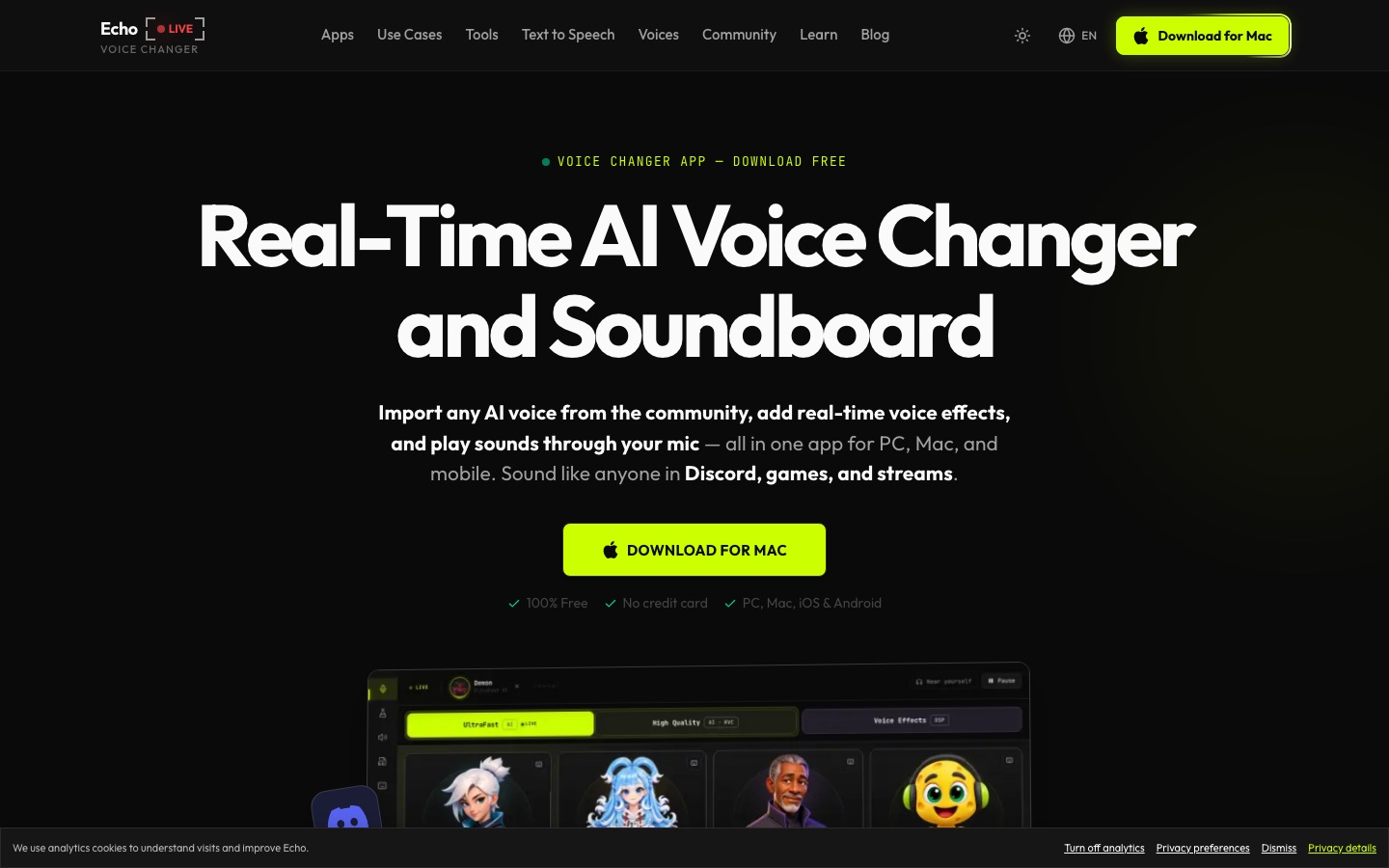
Real-time AI voice changer and soundboard app for PC and Mac that works with any program using a microphone.
Echo is a real-time AI voice changer and soundboard for Windows, Mac, iOS and Android. Echo is used by installing the app, choosing or importing an AI voice or effect and selecting Echo as the microphone in Discord, a game or streaming software. Audio is processed on the device, and core features are free.
Best for Gamers, streamers and creators who want to change their voice live in voice chat or broadcasts without sending audio to a server.
- Platforms
- Windows, macOS, iOS, Android, Web
- Pricing model
- Free
- Free plan
- Yes
- Made by
- Escalera Labs S.L.
- Added
Last verified: . Information taken from voicechanger.live.
What is Echo?
Echo is a real-time voice changer and soundboard app for Windows and Mac, with versions for iOS and Android. Installation sets up a virtual microphone, so any program that accepts mic input, including Discord, OBS, Zoom and games such as Valorant or Fortnite, receives the altered voice. Voices come from AI models shared by a community, which can be imported without a cap, and a cloning function builds a new voice from a short audio sample. Alongside these sit conventional effects: pitch, reverb, compression and filters that can be combined into custom presets, plus a soundboard fired by hotkeys. Processing takes place on the user's own device, with noise suppression built in. The site says the core voice changer is free, with no card and no time limit. A separate collection of browser tools handles jobs such as vocal removal and stem splitting.
Key Features
Live AI Voice Conversion
Transforms your voice as you speak using community-made voice models, including changes of gender, style or character.
Voice Cloning
Creates a custom voice model from a brief recording.
Effect Designer
Combines filters, pitch shifts, reverb and compression into a preset of your own.
Soundboard
Plays meme sounds and custom audio into the mic channel through hotkeys while the voice effect stays active.
Virtual Microphone
Appears as an input device that chat, streaming and game software can select.
Browser Audio Tools
Offers a vocal remover, stem splitter, pitch detector, recorder and converter that run in the browser without a download.
How Echo works
Download Echo Live
Install the app on Windows or Mac; a virtual microphone is configured automatically.
Pick a voice
Import an AI voice model, or layer effects and filters instead.
Start talking
Choose Echo as the input device in your game, stream or chat app.
Screenshots
Use Cases
- Voice Chat in Games
- Speak as a character in Valorant, Fortnite or a Discord call.
- Live Streaming
- Change your voice on Twitch or in OBS during a broadcast.
- Character Voiceovers
- Record narration or character lines for videos without hiring a voice actor.
- Tabletop Role-Play
- Give each non-player character a distinct voice in a DnD session.
- Quick Audio Clean-Up
- Strip vocals from a track or split it into stems with the browser tools.
Things to know
- Free applies to core features
- The site describes the core voice changer features as free; it does not spell out whether anything beyond the core is paid.
- Runs on your device
- Voice processing is local, so performance depends on the computer or phone in use.
- Voice library includes real-person categories
- The site links to celebrity and parody voice collections and offers cloning from audio samples; the home page does not set out conditions for imitating real people.
FAQs
What is Echo?
Echo is a real-time AI voice changer and soundboard app for PC and Mac, also offered on iOS and Android.
What is Echo used for?
Echo is used to alter your voice live in games, Discord calls, streams and other voice chats, and to play sound clips through the microphone.
Is Echo free?
Yes. Echo's site states that the core voice changer features are free, with no credit card, paywall or time limit.
Does Echo work on mobile?
Yes. Echo lists iOS and Android versions in addition to its Windows and Mac apps.
Which apps does Echo work with?
Echo works with any application that takes a microphone input, such as Discord, OBS, Zoom, Twitch, VRChat, Roblox and Minecraft.
Does Echo process audio in the cloud?
No. Echo says everything runs locally on your device, which it links to low latency and privacy.
Who makes Echo?
Echo is published by Escalera Labs S.L., as shown in the copyright notice on its website.
Who it's for
- Gamers
- Streamers
- Content creators
- Discord users
- Tabletop RPG players
Comments
No comments yet. If you have used Echo, tell other readers how it went.
Alternatives to Echo
| Tool | Free plan | Starting price | API |
|---|---|---|---|
 Dubbing AIReal-time AI voice changer and soundboard for games, streams and calls on desktop and mobile. |
Yes | — | Yes |
 LALAL.AIAI audio tools that split songs into vocal and instrument stems and clean, change or clone voices. |
Yes | — | Yes |
 AudimeeVocal conversion tool for music producers with royalty-free AI voices, custom voice training and stem tools. |
Yes | — | — |
 Kits AIAI audio tools for music producers: voice cloning, singing voice conversion, stem splitting and mastering. |
Yes | — | Yes |
 LamucalAI tool that generates chords, tabs, beats and lyrics for any song, with vocal removal and practice features. |
— | — | — |
Listed in the same categories as Echo. A starting price appears only where we checked it on the maker’s pricing page; a dash means not checked or not published. All Voice Cloning & Voice Changer tools