
Draph Art
AI tool that builds e-commerce product pages, thumbnails, model shots and ad videos from a single product photo.
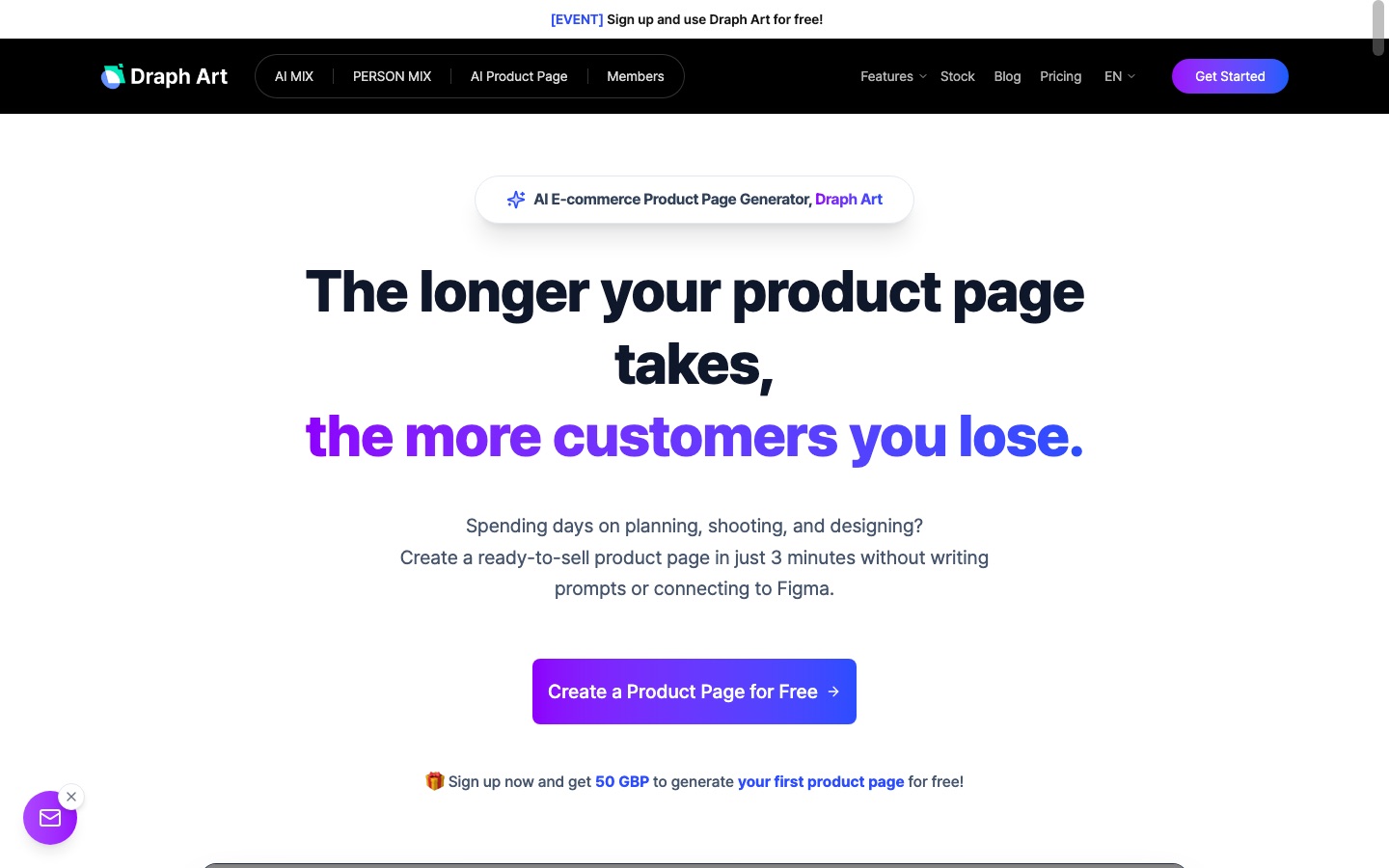
Draph Art is an AI service for online sellers that generates store content from one product photo. Draph Art writes and lays out a product detail page, composes thumbnail backgrounds, creates images of AI models wearing or holding the item, and turns stills into short ad videos. Pages are delivered as images plus HTML, and edits are requested by chat.
Best for Marketplace and independent store sellers who need product pages and photos quickly without a studio shoot or design software.
- Platforms
- Web
- Pricing model
- Subscription
- Free trial
- Yes
- Made by
- Draph Inc.
- Added
Last verified: . Information taken from draph.art.
What is Draph Art?
Draph Art is an e-commerce content generator from the Seoul-based company Draph Inc. Its central feature is an AI product page builder: after you upload product information and a photo, it plans the page, writes copy and arranges the layout without prompts or a Figma connection, and the site puts the average generation time at about three minutes. Results arrive as image files and as HTML that can be pasted into a store listing, and they can be revised by asking for changes in a chat. Around that sit image tools for background removal, replacement and expansion, bundled product shots, face and mannequin changes, and AI models of varied nationalities. Finished stills can be converted into short-form ad videos. The site also provides stock images and lists preset industries from skin care and jewellery to furniture and kitchenware.
Key Features
AI Product Page
Plans, writes and lays out a product detail page from product information and one photo.
Chat-Based Edits
Updates copy or design when you describe the change, returning new images and HTML.
AI Model Shots
Generates people of different nationalities wearing or holding the product, replacing a fitting shoot.
Thumbnail Backgrounds
Blends a product, even from a phone photo, into lifestyle scenes for listing thumbnails.
Ad Videos
Converts product photos and model images into short-form clips for social advertising.
Background Tools
Removes, swaps or extends backgrounds and can replace a mannequin or a face in a shot.
How Draph Art works
Upload
Provide product information together with a single product photo.
Generate
Draph Art analyses the photo and produces planning, copy, layout and supporting model shots.
Refine by chat
Ask in natural language for different copy, styling or a new model look.
Use the output
Download the images or paste the HTML into your store.
Use Cases
- Launching a New Listing
- Prepare the thumbnail, detail page and supporting images for a product in one sitting.
- Fashion Lookbooks
- Show garments on AI models starting from a cut-out clothing image.
- Landing Page Variants
- Create alternative page versions aimed at different audiences for testing.
- Cleaning Up Phone Photos
- Turn raw smartphone pictures into usable product images with corrected backgrounds.
- Social Ad Clips
- Produce short videos for Instagram-style placements from existing stills.
Things to know
- Plan needed for pages and video
- The pricing page points users who want product pages and video creation to the Pro Plus or Omni plans.
- Korean marketplace focus
- The site names Smart Store, Coupang and Cafe24 sellers as its typical users and quotes comparison costs in Korean won.
- Credit-based sign-up offer
- The free allowance for new accounts is given as credits rather than as an unlimited trial period.
FAQs
What is Draph Art?
Draph Art is an AI tool for e-commerce that creates product pages, product photos, AI model images, thumbnails and ad videos from a single product photo.
Do I need design skills to use Draph Art?
No. Draph Art is aimed at sellers who do not use Figma or Photoshop; an unedited product photo is enough to start.
In what format does Draph Art deliver a product page?
Draph Art delivers the page as image files and as HTML that can be pasted into a store or website.
Can I try Draph Art for free?
Yes. Draph Art says new users receive free credits at sign-up, which can be used to generate a first product page.
How much does Draph Art cost?
Draph Art sells subscription plans with monthly or annual billing, including Pro, Pro Plus and Omni. See the official pricing page for current amounts.
Can Draph Art output be used commercially?
Draph Art states that generated outputs and its stock assets are designed for commercial use.
Does Draph Art have an API?
Draph Art takes API enquiries; integration and custom models are handled as a business discussion by email.
Who it's for
- Online sellers
- E-commerce marketers
- Designers
- Fashion brands
- Beauty brands
Used in these workflows
- Opening an online store: where AI tools fit, stage by stageStage 4: Product pages and descriptions
Each guide lists the stages of one job and the tools that help at each stage. All guides
Comments
No comments yet. If you have used Draph Art, tell other readers how it went.
Alternatives to Draph Art
| Tool | Free plan | Starting price | API |
|---|---|---|---|
 Mokker AIAI product photography tool that removes a product's background and places it in template scenes for shop and ad images. Mokker AIAI product photography tool that removes a product's background and places it in template scenes for shop and ad images. |
Yes | — | — |
 BlendAI design studio for online sellers: product photos, AI model shots, lifestyle scenes, videos and brand assets. BlendAI design studio for online sellers: product photos, AI model shots, lifestyle scenes, videos and brand assets. |
— | — | — |
 FASHN AIFashion AI agent that creates on-model product photos, virtual try-ons and short videos for e-commerce brands. FASHN AIFashion AI agent that creates on-model product photos, virtual try-ons and short videos for e-commerce brands. |
— | — | Yes |
 PebblelyAI product photography tool that places a product image into generated scenes and backgrounds. PebblelyAI product photography tool that places a product image into generated scenes and backgrounds. |
— | $9/mo | — |
 Uwear.aiAI fashion model generator that turns flat lays and packshots into on-model photos and videos, via Studio, API or MCP. Uwear.aiAI fashion model generator that turns flat lays and packshots into on-model photos and videos, via Studio, API or MCP. |
No | $0.10 | Yes |
Listed in the same categories as Draph Art. A starting price appears only where we checked it on the maker’s pricing page; a dash means not checked or not published. All E-commerce tools