
Customuse
AI workspace for generating images, videos and 3D game assets with models from several providers.
Customuse is an AI creation platform that generates images, videos and 3D assets from prompts, using models from providers such as OpenAI, Google, Black Forest Labs, Kling, Tripo and Meshy in one workspace. Customuse is used by game developers, Roblox creators and design teams to ideate concepts, build textured 3D models and render scenes.
Best for Game developers, Roblox creators and design teams that need images, video and 3D assets from one credit-based workspace.
- Platforms
- Web
- Pricing model
- Freemium
- Free plan
- Yes
- API
- Yes
- Added
Last verified: . Information taken from customuse.com.
What is Customuse?
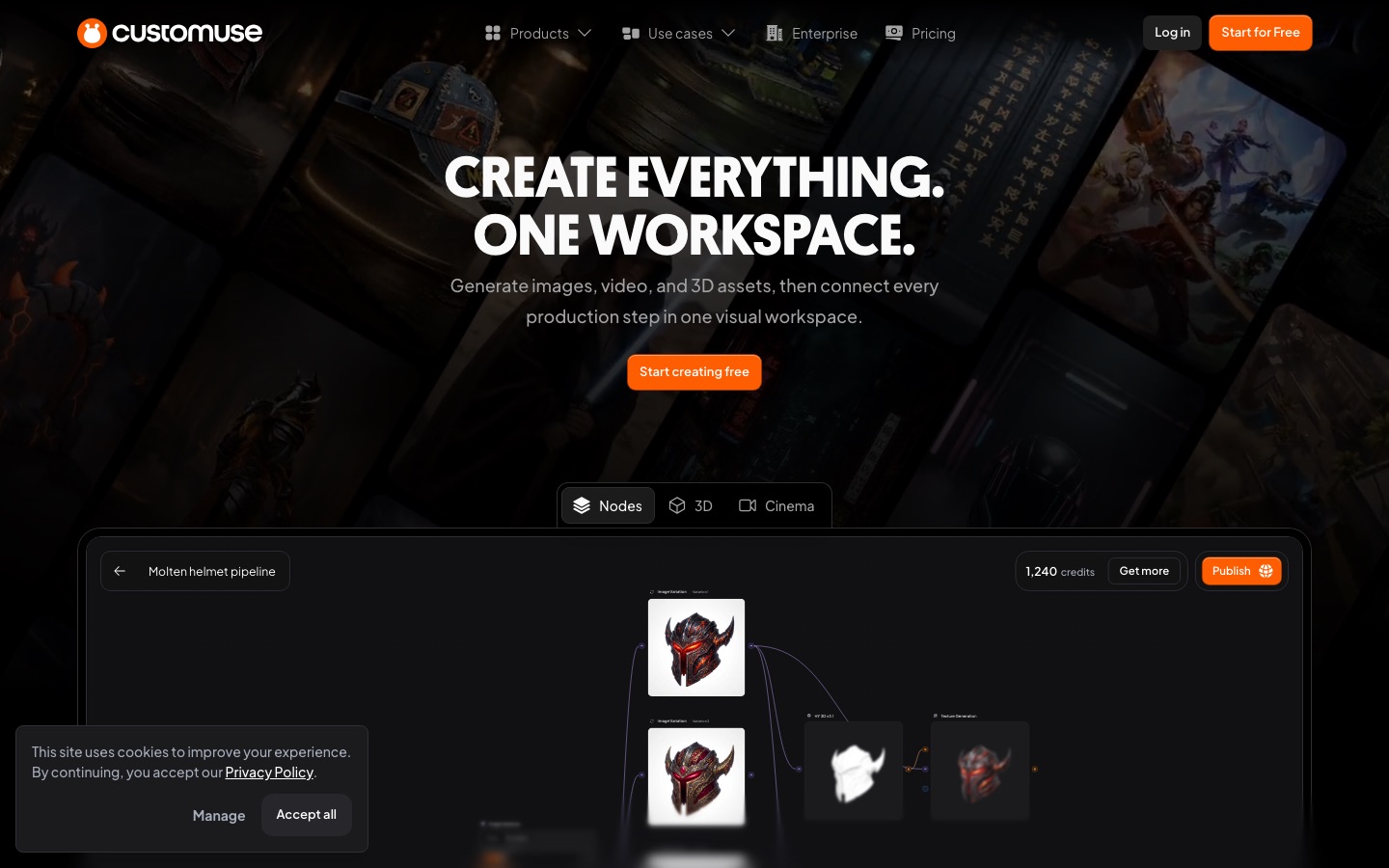
Customuse is a web-based creative platform focused on 3D game assets, with image and video generation alongside. A single prompt can be turned into pictures, clips or 3D models, and the model list spans several vendors: image models from OpenAI, Google and Black Forest Labs, video models from Kling, ByteDance and Google, and image-to-3D and retexturing models from Tripo, Meshy and Tencent. Two advanced surfaces are provided. The node editor is an infinite canvas where generation steps are connected into a pipeline, and Cinema Studio lets you arrange a 3D scene and render images or video from it. For Roblox developers there are clothing and asset tools with direct upload. Work is metered in AI credits; a free tier covers core design tools and community templates, while Starter, Pro, Studio and Enterprise plans add credits, seats and controls.
Key Features
Multi-Model Generation
Runs text, image and video models from different vendors inside one workspace, so you do not switch between separate tools.
Image-to-3D
Converts images into 3D meshes, including low-poly versions, and can retexture existing models.
Node Editor
Connects generation and editing steps on an infinite canvas to explore and scale variations of an idea.
Cinema Studio
Sets up a 3D scene and generates images or video from it under prompt direction.
Roblox Tools
Creates Roblox-ready clothing, assets and thumbnails and uploads them directly.
Team Workspace
Shares folders, credits and assets across seats, with roles that control who can access what.
Use Cases
- Game Asset Production
- Move from concept images to textured 3D models for a game in one pipeline.
- Roblox Clothing Design
- Design avatar items and publish them to Roblox.
- Product Photography
- Generate product visuals for an online store.
- Interior Concepts
- Lay out a room in 3D and render versions for a client.
- Animation Previsualisation
- Block out a scene and render shots to test a direction.
Things to know
- Displayed currency varies
- The pricing FAQ says prices appear in your local currency where available and otherwise in USD, so figures differ by region.
- Seat limits
- Studio includes three seats and allows up to eight; nine or more seats require Enterprise.
- Rights and watermark by plan
- Commercial rights are listed from the Starter plan, and output without a Customuse watermark from Pro.
- Cancellation depends on where you subscribed
- The steps differ for subscriptions bought on the website and those bought through a mobile app store.
FAQs
What is Customuse?
Customuse is an AI platform for creating images, videos and 3D assets, aimed in particular at game development and Roblox creators.
Can I use Customuse for free?
Yes. Customuse has a Free tier for trying the core design tools with community templates and downloading initial designs. AI credits and commercial rights come with paid plans.
How do Customuse credits work?
Customuse AI credits are spent on generation tools such as image, 3D and texture creation, and different tools use different amounts. Plans include a monthly credit allowance.
Which AI models does Customuse offer?
Customuse lists models from OpenAI, Google, Black Forest Labs, Kling AI, ByteDance, Tripo, Meshy and Tencent.
Does Customuse have an API?
Customuse lists API access and custom integrations as part of its Enterprise plan.
Does Customuse work on mobile?
Yes. Customuse says a subscription bought on the website also works in the Customuse mobile app when you sign in with the same account.
How much does Customuse cost?
Customuse has Starter, Pro, Studio and Enterprise plans, with yearly billing discounted. Prices may be shown in your local currency, so check the official pricing page.
Who it's for
- Game studios
- Roblox developers
- Animation and VFX teams
- Product designers
- Architects
- Ecommerce teams
Comments
No comments yet. If you have used Customuse, tell other readers how it went.
Alternatives to Customuse
| Tool | Free plan | Starting price | API |
|---|---|---|---|
 DeeVid AIAll-in-one AI studio for generating videos, images, avatars, voice and music from text, photos or clips. DeeVid AIAll-in-one AI studio for generating videos, images, avatars, voice and music from text, photos or clips. |
Yes | $10/mo | — |
 FASHN AIFashion AI agent that creates on-model product photos, virtual try-ons and short videos for e-commerce brands. FASHN AIFashion AI agent that creates on-model product photos, virtual try-ons and short videos for e-commerce brands. |
— | — | Yes |
 Google FlowGoogle's AI creative studio for generating and editing video and images, with an agent and custom tools. Google FlowGoogle's AI creative studio for generating and editing video and images, with an agent and custom tools. |
Yes | — | — |
 Kling AIAI video and image generator with a creative studio, agent-driven canvas, API and desktop and mobile apps. Kling AIAI video and image generator with a creative studio, agent-driven canvas, API and desktop and mobile apps. |
— | — | Yes |
 Leonardo.AiA creative suite for generating, animating and polishing images with a choice of AI models. Leonardo.AiA creative suite for generating, animating and polishing images with a choice of AI models. |
Yes | — | Yes |
Listed in the same categories as Customuse. A starting price appears only where we checked it on the maker’s pricing page; a dash means not checked or not published. All AI 3D Model Generator tools