
Choppity
AI video editor that cuts podcasts and long videos into captioned short clips for TikTok, Reels and Shorts.
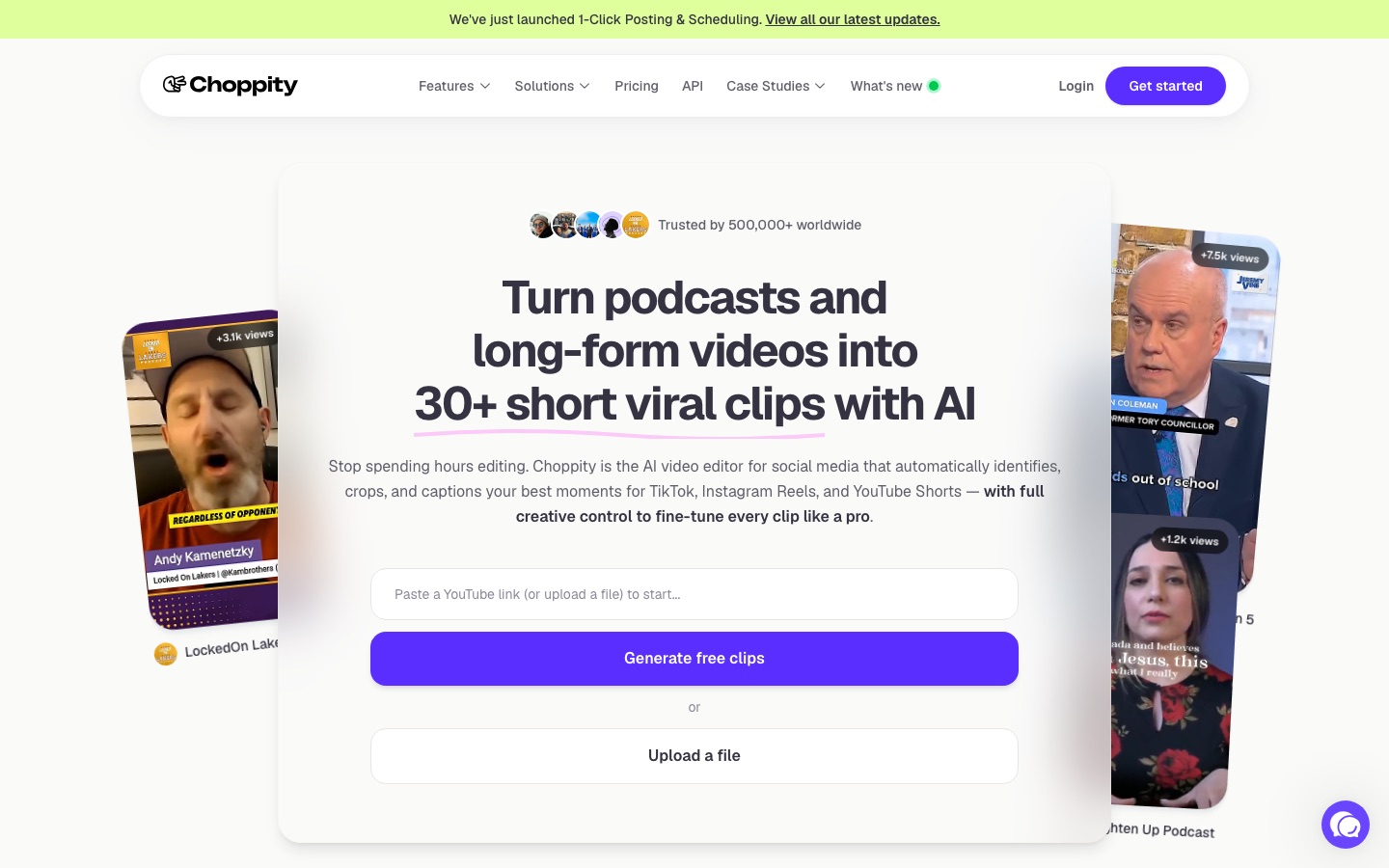
Choppity is an AI video editor that turns podcasts and other long videos into short captioned clips for TikTok, Instagram Reels and YouTube Shorts. Choppity transcribes the recording, finds highlight moments, reframes them vertically and adds subtitles. Choppity is used by uploading a file or pasting a YouTube link, then editing and posting the clips.
Best for Podcasters, creators and agencies who publish long spoken-word recordings and want many short social clips without manual timeline editing.
- Platforms
- Web, API
- Pricing model
- Freemium
- Free plan
- Yes
- API
- Yes
- Made by
- Mizko Media Pty Ltd
- Added
Last verified: . Information taken from choppity.com.
What is Choppity?
Choppity is an AI video editor built to repurpose long recordings as short social clips. After you upload a file or paste a YouTube link, it transcribes the speech, picks out moments such as jokes, insights and hooks, and returns a batch of clips with captions and vertical framing applied. Speaker tracking shifts the frame to whoever is talking, and a profanity filter can beep or mute swear words. Editing is transcript based: removing words from the text removes them from the video, and a keyword search turns any quoted passage into its own clip. Brand templates store fonts, colours and logos for reuse. Finished clips can be posted or scheduled to social platforms from inside the product. Choppity is a product of Mizko Media and offers an API.
Key Features
Automatic clip detection
Analyses the transcript to find highlight moments and cuts them into separate short videos.
Animated captions
Adds subtitles to each clip with customisable styles and animations.
Auto framing and speaker tracking
Crops landscape footage to vertical and follows the person who is speaking.
Text-based editing
Lets you trim a clip or cut a passage by deleting words in the transcript.
Keyword search and clip
Finds a quote in the transcript and converts that segment into a standalone clip.
Posting and scheduling
Publishes clips to connected social accounts immediately or at a planned time.
How Choppity works
Upload your video
Paste a YouTube link or upload an MP4 or MOV file.
Choose a style
Set fonts, logo and colours once so the template is applied to every clip.
Generate clips
The AI reads the transcript, selects moments and produces styled clips you can still edit.
Post or schedule
Send clips to TikTok, Instagram Reels or YouTube Shorts, now or later.
Screenshots
Use Cases
- Podcast promotion
- A podcaster turns each episode into a set of clips for social channels.
- Sermon highlights
- A church shares short passages from a recorded service.
- Agency content production
- An agency delivers clips for several clients using a saved template per brand.
- Webinar repurposing
- A marketer extracts key answers from a two-hour webinar.
- Course marketing
- A course creator publishes lesson excerpts to attract students.
Things to know
- Usage resets monthly
- Allowances return to zero on the first day of each calendar month.
- Refund window
- Refund requests must be submitted within 14 days of payment and are evaluated by support.
- Project storage varies by plan
- Free projects are kept for 3 days and Starter projects for 30 days; Creator and above keep them permanently.
- Needs spoken content
- The site says Choppity works with any video that contains speech, since clipping relies on the transcript.
FAQs
What is Choppity?
Choppity is an AI video editor that converts long spoken-word videos into short clips. It handles transcription, clipping, framing and captions automatically.
What is Choppity used for?
Choppity is used to repurpose podcasts, webinars, interviews and sermons as short videos for TikTok, Instagram Reels and YouTube Shorts.
Is Choppity free?
Yes, Choppity has a free plan that needs no credit card. It includes one seat, one hour of AI video analysis and 2 GB of cloud storage.
How much does Choppity cost?
Choppity: a free plan is available. Paid plan rates are published on choppity.com. Check the official pricing page for current amounts.
What video formats does Choppity support?
Choppity accepts major formats such as MP4, MOV and AVI. Videos can also be imported by pasting a YouTube URL.
How long does Choppity take to process a video?
Choppity states that processing takes 5 to 15 minutes, varying with the length of the video. A half-hour podcast is given as taking roughly 5 to 7 minutes.
Does Choppity have an API?
Yes, Choppity lists API access as part of the Creator plan and above.
Who makes Choppity?
Choppity is made by Mizko Media Pty Ltd, which trades under the Choppity name.
Who it's for
- Podcasters
- Content creators
- Marketing agencies
- Churches
- Course creators
- Social media managers
Used in these workflows
- Short-form video from idea to posted clip: which AI tool does which jobStage 4: Cutting long videos into shorts
- What it takes to start a podcast, and where AI tools save the most timeStage 10: Clips and promotion
Each guide lists the stages of one job and the tools that help at each stage. All guides
Comments
No comments yet. If you have used Choppity, tell other readers how it went.
Alternatives to Choppity
| Tool | Free plan | Starting price | API |
|---|---|---|---|
 VizardAI video clipping tool that finds highlights in long videos and turns them into captioned short clips for social media. |
Yes | — | Yes |
 AI Video CutPrompt-driven tool that cuts long videos into captioned short clips for Shorts, TikTok, Reels and ads. |
Yes | — | — |
 AutoCaptionAI caption generator that adds animated, styled subtitles to short videos and resizes them for each platform. |
Yes | — | Yes |
 Exemplary AIBrowser tool that turns long recordings into captioned short clips, transcripts, subtitles and written posts. |
Yes | $29/mo | — |
 KapwingBrowser-based video editor for teams with AI generation, automatic subtitles, dubbing and clip repurposing. |
Yes | — | — |
Listed in the same categories as Choppity. A starting price appears only where we checked it on the maker’s pricing page; a dash means not checked or not published. All Video Editing tools