bitStudio
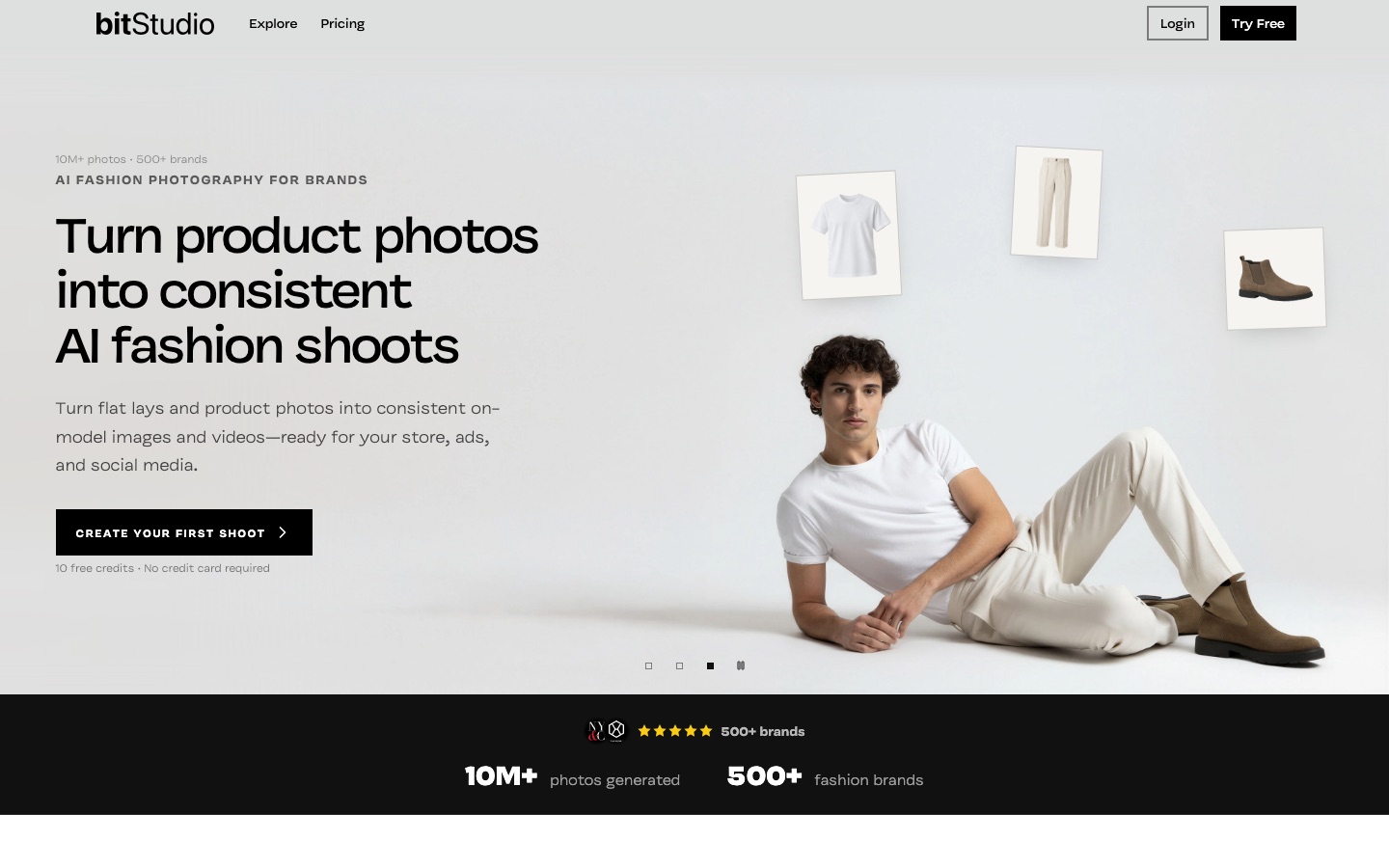
AI fashion photo studio that turns flat lays and product photos into on-model images and short videos.
bitStudio is an AI fashion photography studio that turns flat lays, mannequin shots and other product photos into on-model images and short videos. bitStudio is used by saving a garment, choosing an AI model and a photography preset, generating variations, and then editing, extending or upscaling the results in the same workspace.
Best for Fashion and apparel brands that need consistent on-model catalogue and campaign images across many products without organising photo shoots.
- Platforms
- Web, API
- Pricing model
- Freemium
- Free plan
- Yes
- API
- Yes
- Made by
- bitStudio
- Added
Last verified: . Information taken from bitstudio.ai.
What is bitStudio?
bitStudio is an AI fashion photography studio aimed at ecommerce brands and creative teams. It takes existing garment pictures, such as flat lays, mannequin shots, packshots or on-model photos, and generates catalogue images, campaign visuals and short clips showing the item worn by an AI model. Three saved building blocks drive each shoot: the product, with several reference views that the system scores for quality; an avatar, either picked from a ready-made set or created to your description; and a preset holding the location, lighting, framing and pose language. Because these are stored, the same model and look can be reused across a collection. Results can be edited by text instruction, corrected in a selected area, extended to other aspect ratios, upscaled and processed in batches, and teammates can be invited into a shared workspace.
Key Features
Saved Product References
Stores multiple angles of a garment, flags weak or missing views and keeps the strongest ones for generation.
Reusable AI Models
Offers ready-made avatars or builds one from a description, then saves the approved identity for later shoots.
Photography Presets
Captures setting, light, composition, camera feel and posing from one reference image or a small set, so no long prompt is needed.
Instruction-Based Editing
Swaps a background, removes an object or extends the canvas of an approved picture without regenerating the model, garment and pose.
Batch Tools
Generates product and pose combinations in one run, applies a single edit to many images and upscales a selection together.
Image to Video
Turns a finished still into a short clip inside the same workflow.
How bitStudio works
Upload the product
Add photos of the garment from different angles; the strongest views are saved as references.
Choose who wears it
Pick a ready-made avatar or create and save your own.
Pick a visual direction
Select a preset that carries location, lighting, framing and poses, or save one yourself.
Generate variations
Produce a series with new poses and framing while product, model and look stay the same.
Use Cases
- Product Page Imagery
- Show each garment on a model for the store listing without booking a shoot.
- Lookbooks
- Keep one model and one visual direction across a whole collection.
- Ad and Banner Formats
- Extend a portrait shot into a landscape advert or a social crop.
- Campaign Creative
- Produce a themed series of images from a saved preset.
- Team Production
- Bring colleagues into one workspace with role-based access.
Things to know
- Review before publishing
- The site notes that AI generation can still introduce differences from the real garment and advises checking each result and correcting details with targeted edits.
- Credits and rollover differ by plan
- Basic credits reset every billing cycle, Pro credits carry over for one month and Ultra credits for two.
- Relaxed mode has conditions
- Unlimited virtual try-on on Pro and Ultra runs in a low-priority queue, and API or automated generation is not allowed in that mode.
- Model access depends on plan
- Which image models and output resolutions are available varies between plans.
FAQs
What is bitStudio?
bitStudio is an AI fashion photography studio that converts clothing product photos into on-model catalogue images, campaign creative and short videos.
What photos can I start with in bitStudio?
bitStudio accepts flat lays, mannequin photos, ecommerce packshots and existing on-model photos. Saving several views of the product is recommended.
Do I need to write prompts in bitStudio?
No. Most bitStudio workflows start with visual choices of garment, avatar, pose and scene, while text direction stays available for teams that want more control.
Is bitStudio free to try?
Yes. New bitStudio accounts receive 10 free credits and no payment card is asked for; how many images that covers depends on the model and resolution chosen.
How much does bitStudio cost?
bitStudio lists Free, Basic, Pro and Ultra plans with monthly credits, plus extra credit packs. For current figures, see the official pricing page.
Which image models does bitStudio use?
bitStudio gives access to several image models, naming Nano Banana 2, Nano Banana Pro and GPT Image 2.5; availability of models and resolutions depends on the plan.
Who owns images made with bitStudio?
According to bitStudio's pricing FAQ, you keep full ownership of the images you create and may use them commercially without attribution.
Who it's for
- Fashion brands
- Ecommerce teams
- Creative teams
- Art directors
- Marketers
Comments
No comments yet. If you have used bitStudio, tell other readers how it went.
Alternatives to bitStudio
| Tool | Free plan | Starting price | API |
|---|---|---|---|
 FASHN AIFashion AI agent that creates on-model product photos, virtual try-ons and short videos for e-commerce brands. FASHN AIFashion AI agent that creates on-model product photos, virtual try-ons and short videos for e-commerce brands. |
— | — | Yes |
 BlendAI design studio for online sellers: product photos, AI model shots, lifestyle scenes, videos and brand assets. BlendAI design studio for online sellers: product photos, AI model shots, lifestyle scenes, videos and brand assets. |
— | — | — |
 PebblelyAI product photography tool that places a product image into generated scenes and backgrounds. PebblelyAI product photography tool that places a product image into generated scenes and backgrounds. |
— | $9/mo | — |
 TatshipTattoo simulator that previews designs on a photo of your body in 3D and includes an AI tattoo generator. TatshipTattoo simulator that previews designs on a photo of your body in 3D and includes an AI tattoo generator. |
— | — | — |
 The New Black AIFashion AI platform for designing clothing, generating on-model product photos and videos, and running a Shopify store. The New Black AIFashion AI platform for designing clothing, generating on-model product photos and videos, and running a Shopify store. |
— | — | Yes |
Listed in the same categories as bitStudio. A starting price appears only where we checked it on the maker’s pricing page; a dash means not checked or not published. All AI Image Generator tools