Image prompt Product & Ads Customizable
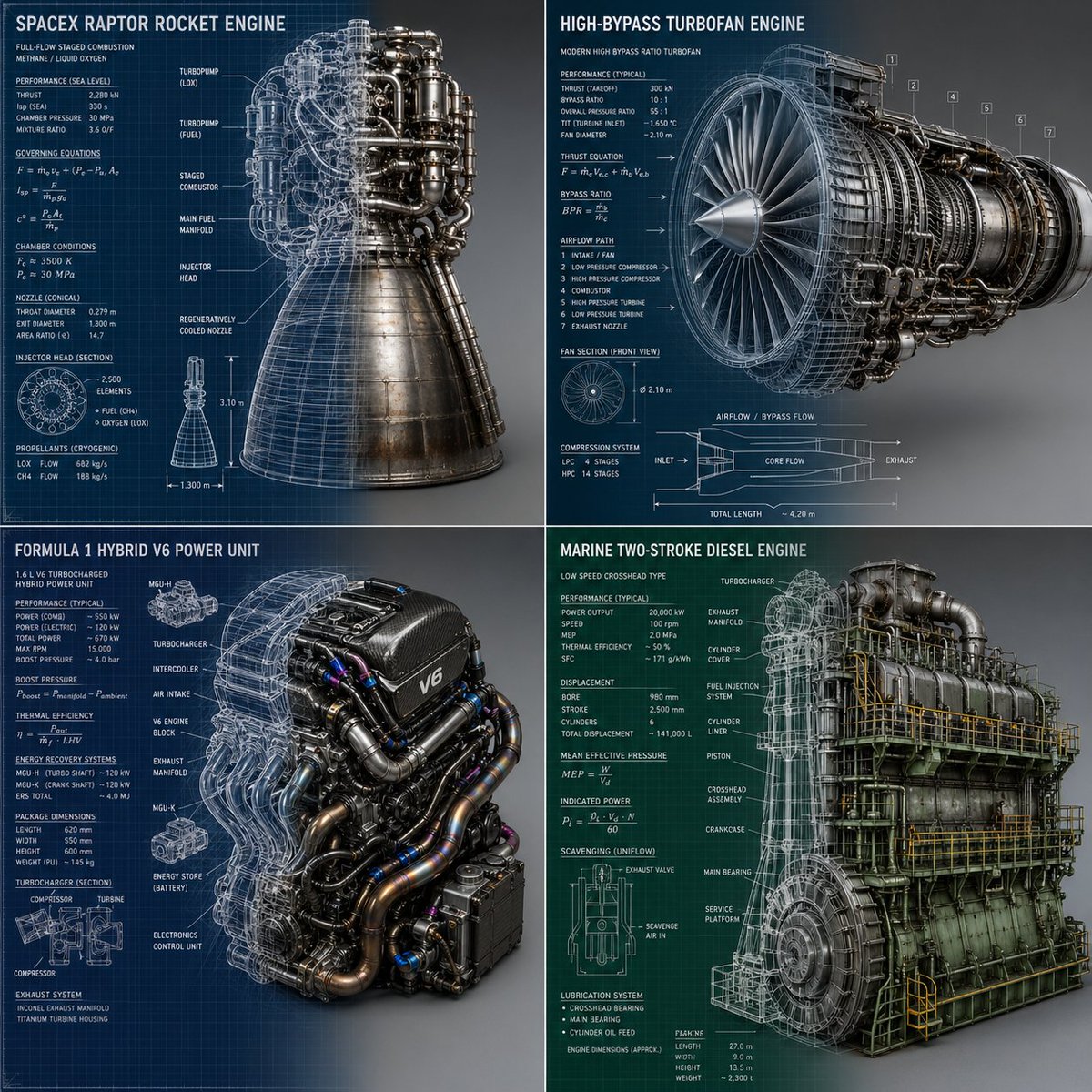
Rocket Engine Blueprint to 3D Metal Render
A 2x2 grid of isometric engines that split down the middle: chalk blueprint sketches with equations and measurement arrows on the left melt into polished, sooty 3D metal on the right. The transition makes the drawing look like it is becoming the machine.

- Model
- GPT Image 2
- Type
- Image
- Aspect ratio
- 1:1
- Shared
- 2 May 2026
- Likes on X
- 94
Main subjectSubject group
Image prompt
884 characters2x2 grid, to this for SpaceX Rocket Engine and 3 other complex engines -> :root { --subject: "$complex engines "; /* Swap with: Leonardo Da Vinci's Glider, A futuristic supercar */ --angle: "Isometric 3D view"; } # canvas { background: linear-gradient(to right, AI_inferred_color 0%, # Studio_Grey_Seamless 100%); } # subject_render { mask-image: linear-gradient(to right); /* LEFT SIDE OF IMAGE (0% to 50%) */ render-style-left: "Rough white chalk lines, accurate mathematical equations & data points, measurement arrows, grid lines on blueprint paper."; /* RIGHT SIDE OF IMAGE (50% to 100%) */ render-style-right: "Hyper-realistic, polished metal, soot, scorch marks, cinematic lighting."; /* THE CENTER (The Transition) */ transition-zone: "Seamlessly blend the sketch lines into the physical 3D geometry. Wireframes turning into solid metal."; }
How to use it
Start by swapping the subject line, since the prompt names a SpaceX rocket engine and three other complex engines; a vintage glider or a futuristic supercar works well in the same slot. Keep the left-to-right split, the chalk-line description and the scorch-mark detail, because those carry the before-and-after effect. It was shared as a GPT Image 2 prompt, so keep the 1:1 ratio for the grid layout.
Shared publicly on X on 2 May 2026. All credit for this prompt and its result goes to its creator. Is this yours? Ask for an update or removal.