Image prompt Branding & UI Customizable
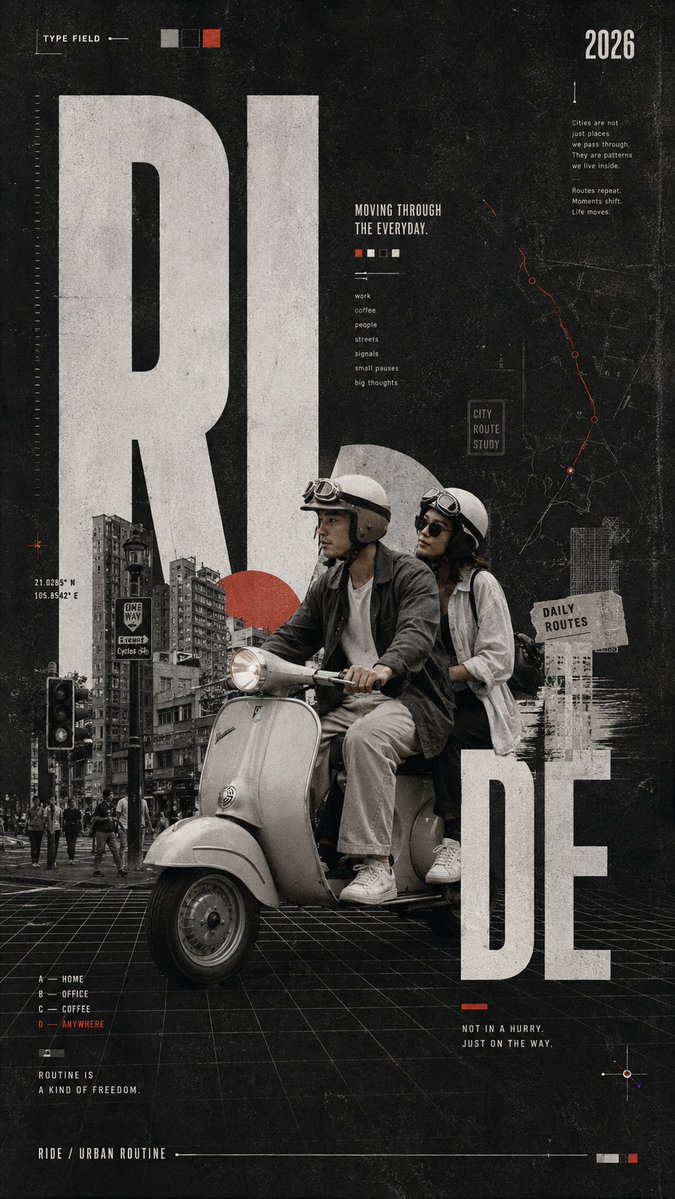
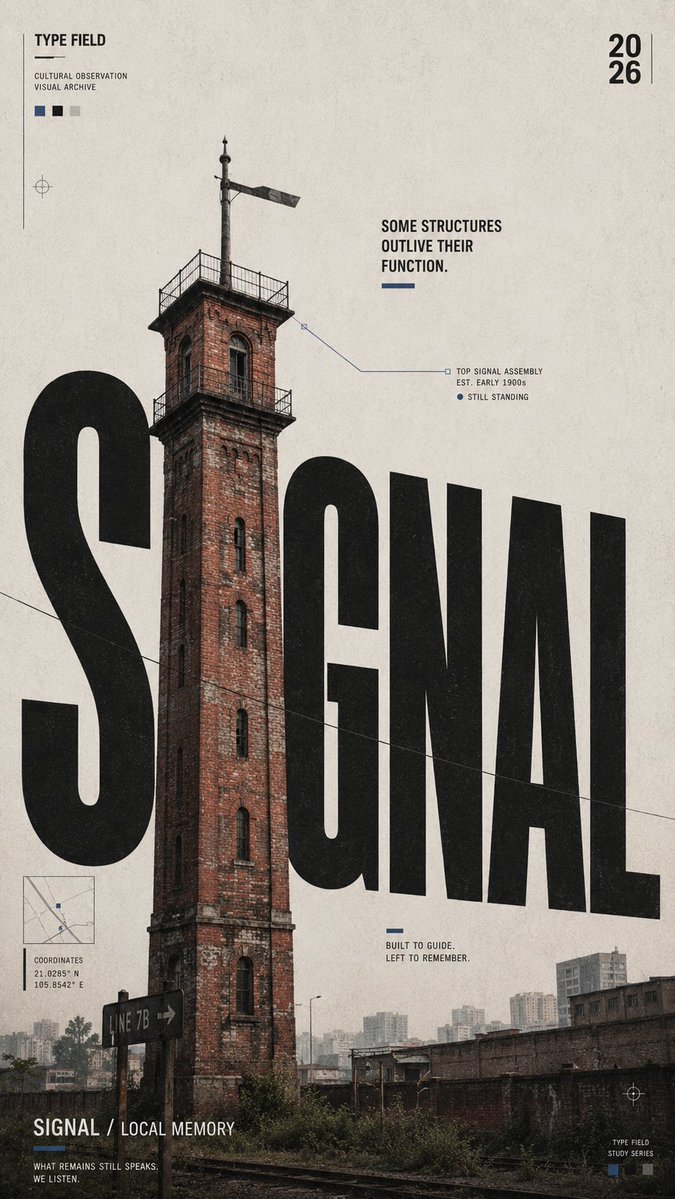
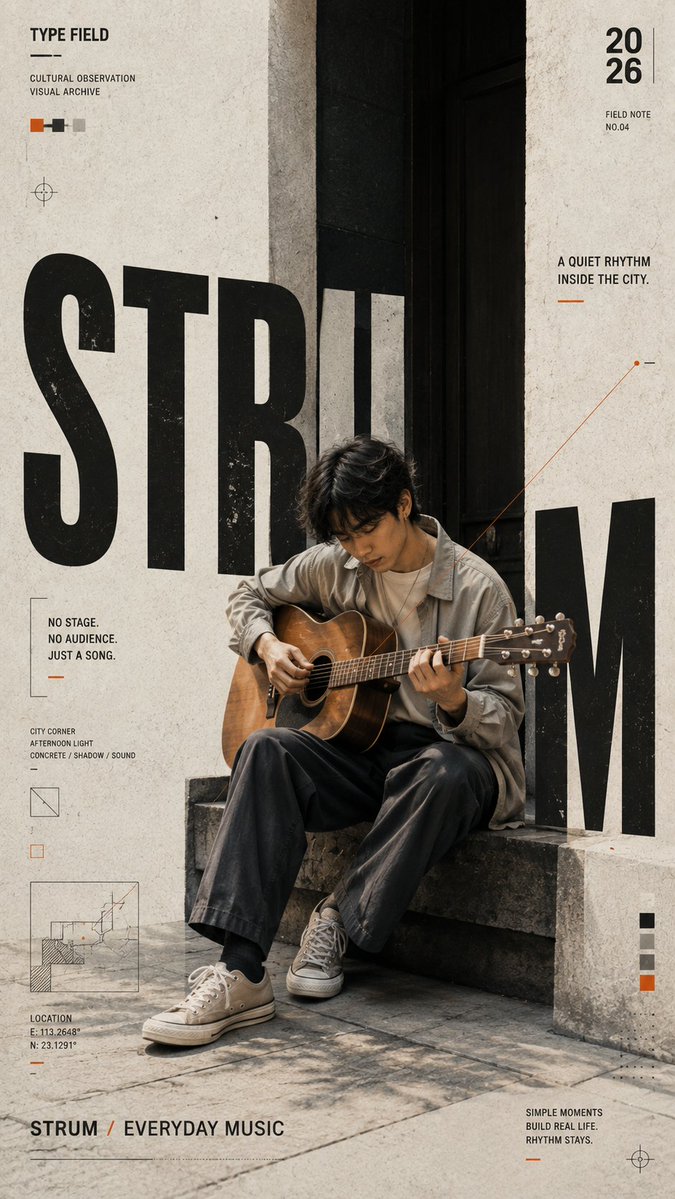
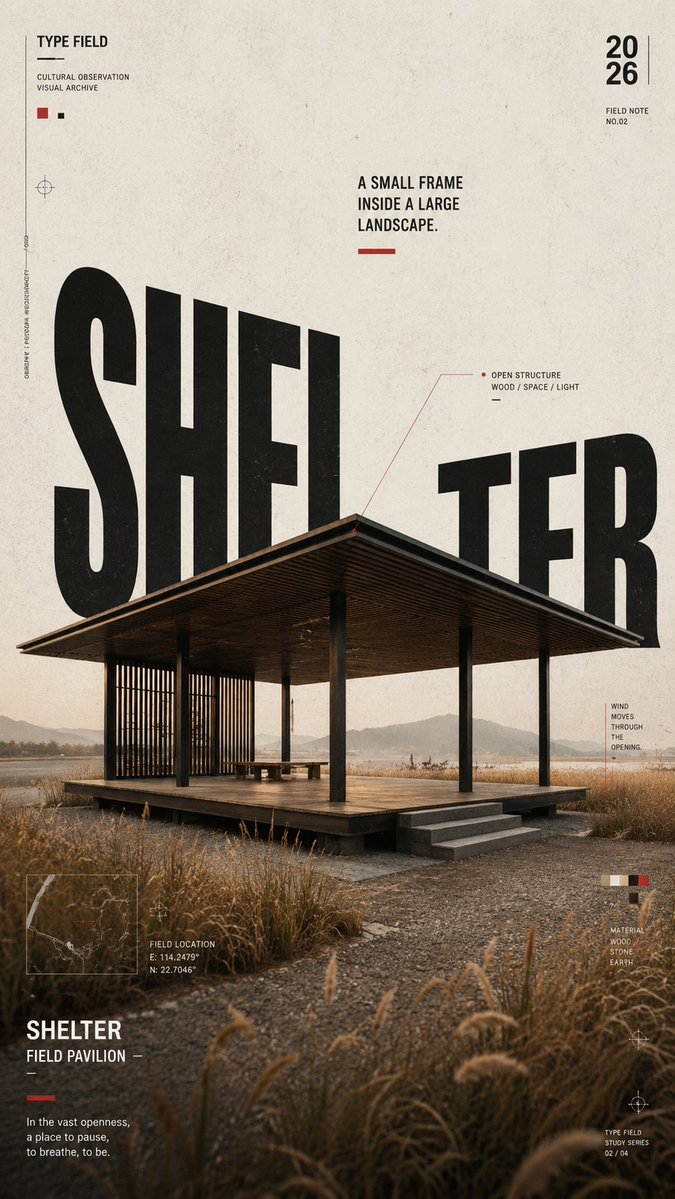
Oversized Condensed Type Poster With Photo Collage
A vertical editorial poster where a realistic photograph and giant condensed headline letters overlap, interrupt and pass behind each other. Warm paper tones and one small accent colour keep the layout calm and graphic.

- Model
- GPT Image 2
- Type
- 4 images
- Aspect ratio
- 9:16
- Shared
- 20 Aug 2026
- Likes on X
- 29
SubjectTitleOne short keywordThemeWhat the image represents+5 more
Image prompt
1,727 characters[SUBJECT]: {person / architecture / everyday object / lifestyle scene} [TITLE]: {one short keyword} [THEME]: {what the image represents} [SCENE]: {city / field / street corner / architectural space} [ACCENT COLOR]: {red / blue / orange / etc.} [SHORT LINE]: {one meaningful sentence} [FORMAT]: 9:16 Create an experimental editorial poster combining photography, oversized typography, and subtle print texture. Use {SUBJECT} as the main visual inside {SCENE}. Keep it realistic, distinctive, and large enough to hold the composition. The subject should feel like a real cultural or everyday observation, not a generic stock image. Set {TITLE} in oversized bold condensed sans-serif type. Do not simply place the title over the image — let the subject and typography overlap, interrupt, frame, or pass behind each other so they become one composition. The typography can respond naturally to the subject’s shape, direction, or architecture. Use a warm off-white, concrete gray, or deep charcoal base with subtle paper grain and slightly aged print texture. Keep most of the palette neutral and use {ACCENT COLOR} only in a few small lines, blocks, or graphic marks. Add restrained editorial details such as thin guide lines, diagrams, maps, grids, annotations, or geometric elements only when they support the subject. Keep the layout rich but controlled, with clear hierarchy and intentional negative space. Keep all supporting text meaningful and minimal. Avoid random placeholder words, excessive technical data, unnecessary numbering, logos, watermarks, sparkles, and decorative clutter. Overall style: contemporary editorial design × photographic collage × experimental typography × subtle neo-retro print aesthetics.
How to use it
Replace the bracketed placeholders with your own subject, title word, scene and short line, keeping the words in capitals so the type stays bold and the layout reads at a glance. Keep the instruction to let the type and photo interweave, since that overlap is what turns the page into one composition rather than a picture with a caption. It was shared as a GPT Image 2 prompt, so match the 9:16 frame to a phone wallpaper or a tall social post. Use a single accent colour for the small lines and blocks.
Shared publicly on X on 20 Aug 2026. All credit for this prompt and its result goes to its creator. Is this yours? Ask for an update or removal.