Image prompt Posters & Typography Customizable
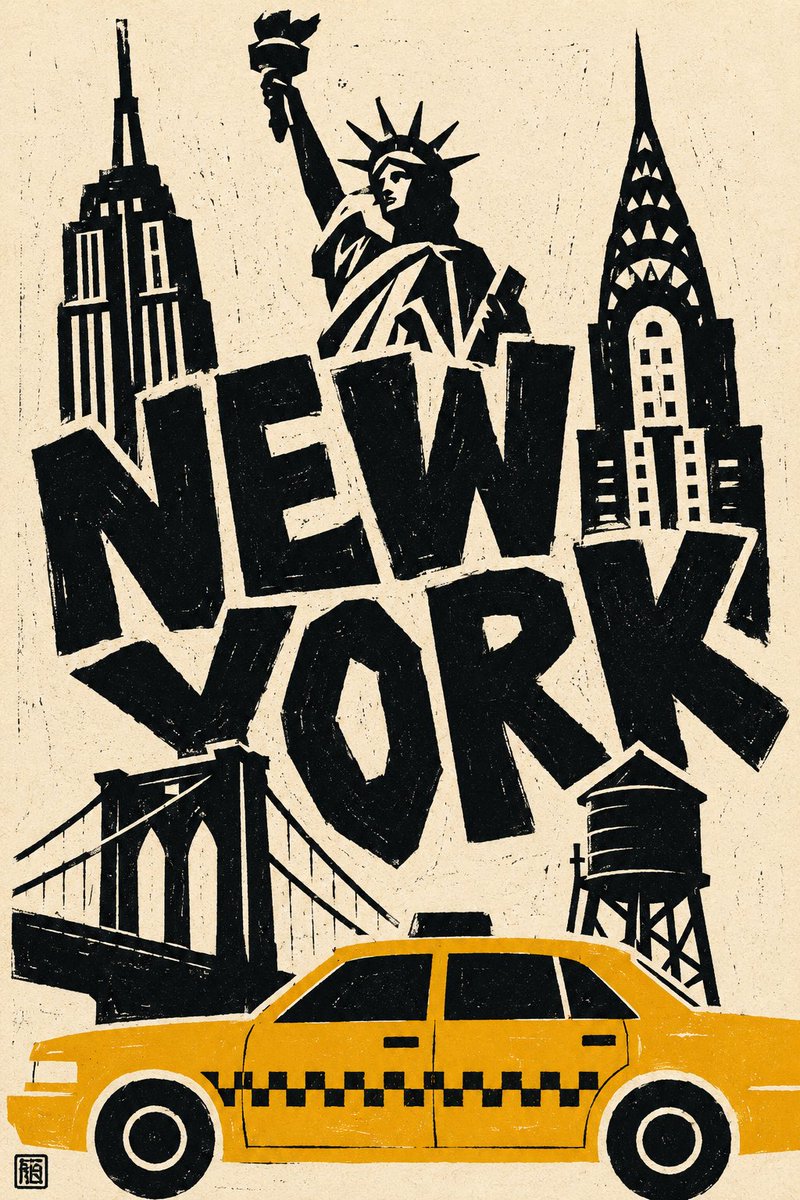
Linocut New York Travel Poster in Paper-Cut Style
A vertical travel poster of flat black cut-paper landmarks and huge uneven hand-cut lettering on ivory paper. The letters overlap the skyline shapes, and a single yellow taxi crops at the bottom edge.

- Model
- GPT Image 2
- Type
- Image
- Aspect ratio
- 2:3
- Shared
- 16 Aug 2026
- Likes on X
- 73
Image prompt
1,696 charactersCITY = New York Create a bold {NEW YORK} travel poster in a linocut / paper-cut style, vertical 2:3 format, on warm ivory-toned paper with visible handmade texture. Choose five instantly recognizable symbols of {NEW YORK}, using landmarks with clearly distinguishable silhouettes. Simplify them into large, flat black cut-paper shapes with bold white negative-space details. Freely alter their scale for stronger graphic impact. Create a loose, asymmetrical collage: * Three landmarks in the upper section * The city name in the center * Two landmarks in the lower section * One iconic local vehicle in the foreground at the bottom Print “NEW YORK” in huge, irregular, hand-cut letters. Make the letters thick, uneven, slightly tilted, and tightly spaced so they interact with and overlap the landmarks rather than appearing as a separate headline. Show the vehicle in a strict side-profile view, using one flat accent color matching its real-world color. Keep the windows black and structural details as simple white cutouts. Crop the vehicle at the edge of the frame. Style everything like a primitive linocut or screen print: rough edges, uneven ink coverage, dry-brush gaps, scattered speckles, and imperfect registration. Palette: warm ivory paper, solid black, one vivid accent color, with optional small secondary warm details. The image should feel flat, graphic, playful, and deliberately imperfect. Avoid photorealism, perspective, shading, gradients, fine architectural details, realistic proportions, dense backgrounds, people, skies, streets, shadows, readable signage, digital-looking fonts, and decorative borders. Add a tiny black carved stamp in the lower-left corner.
How to use it
It was shared as a GPT Image 2 prompt. Swap the city name to build a poster for another destination, and keep the ivory paper, black silhouettes and single accent colour so the print look holds. Keep the cropped vehicle at the base and the overlapping lettering, since they give the layout its energy. The result suits a wall print, a tote, or a gift card.
Shared publicly on X on 16 Aug 2026. All credit for this prompt and its result goes to its creator. Is this yours? Ask for an update or removal.