Image prompt Scenes & Spaces Customizable
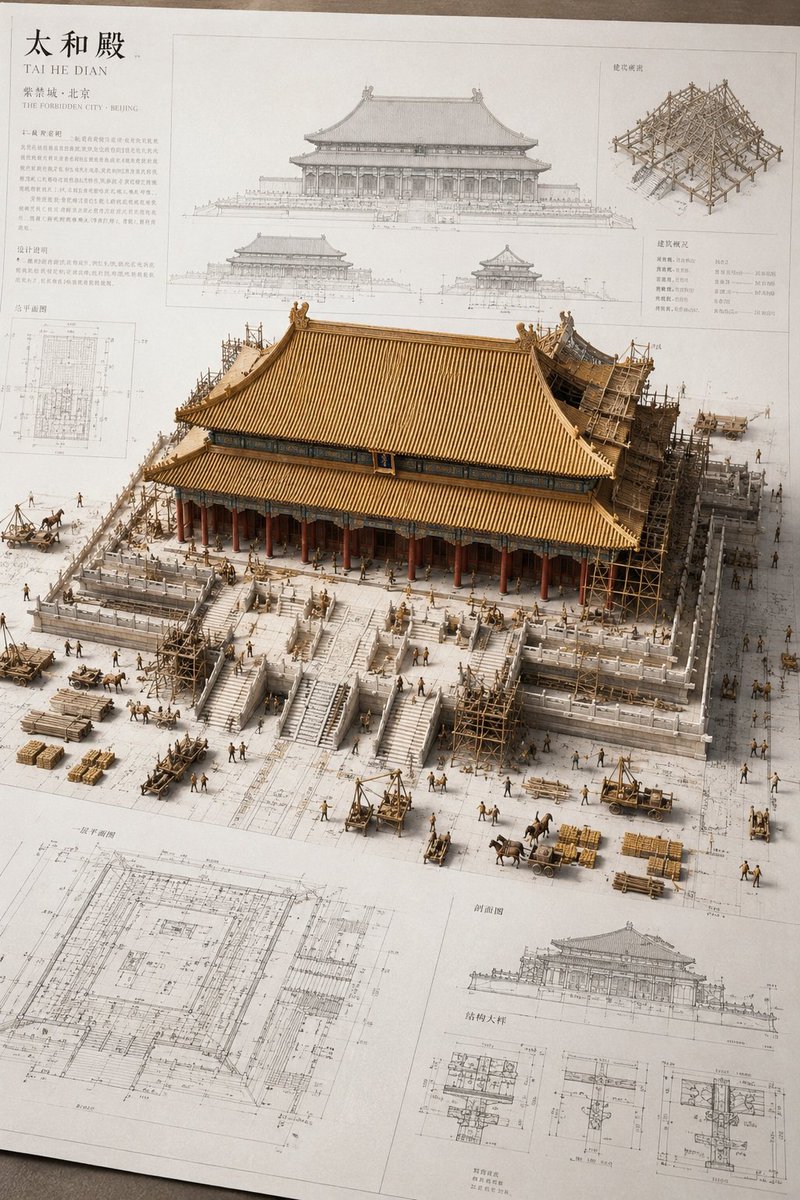
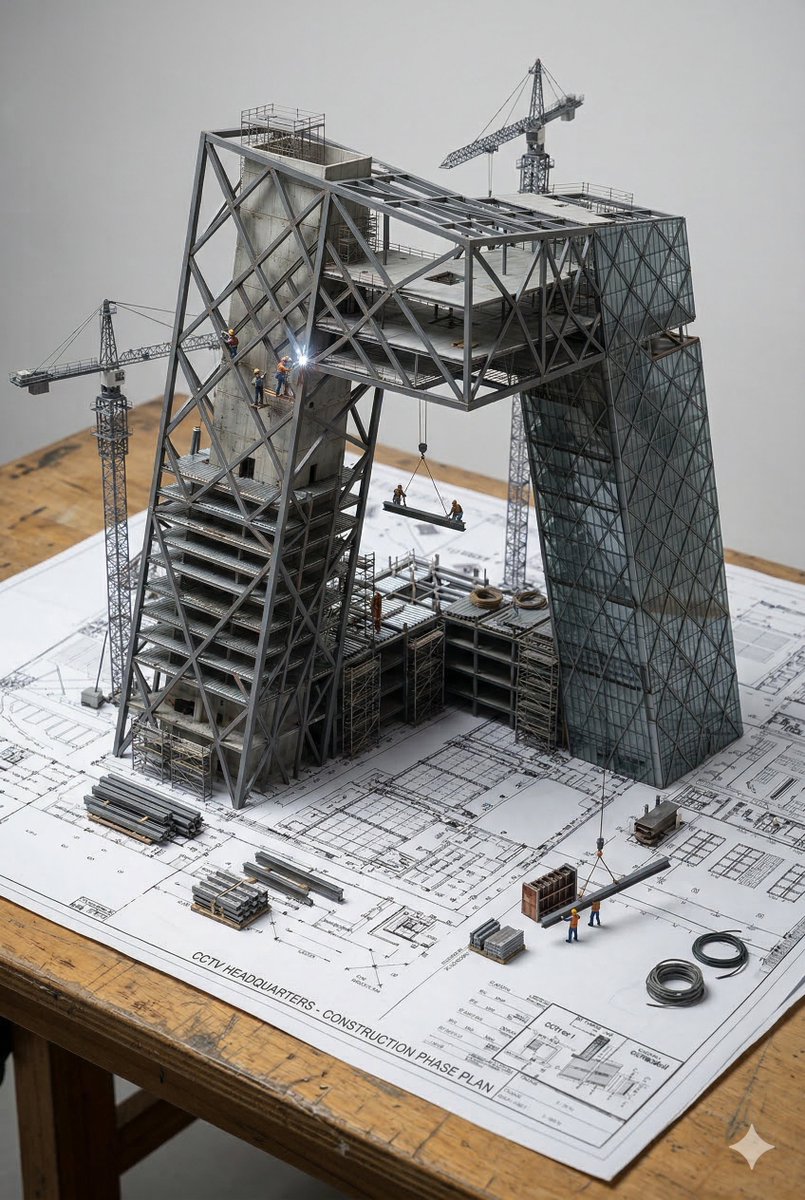
Architectural Blueprint Turns Into 3D Construction Diorama
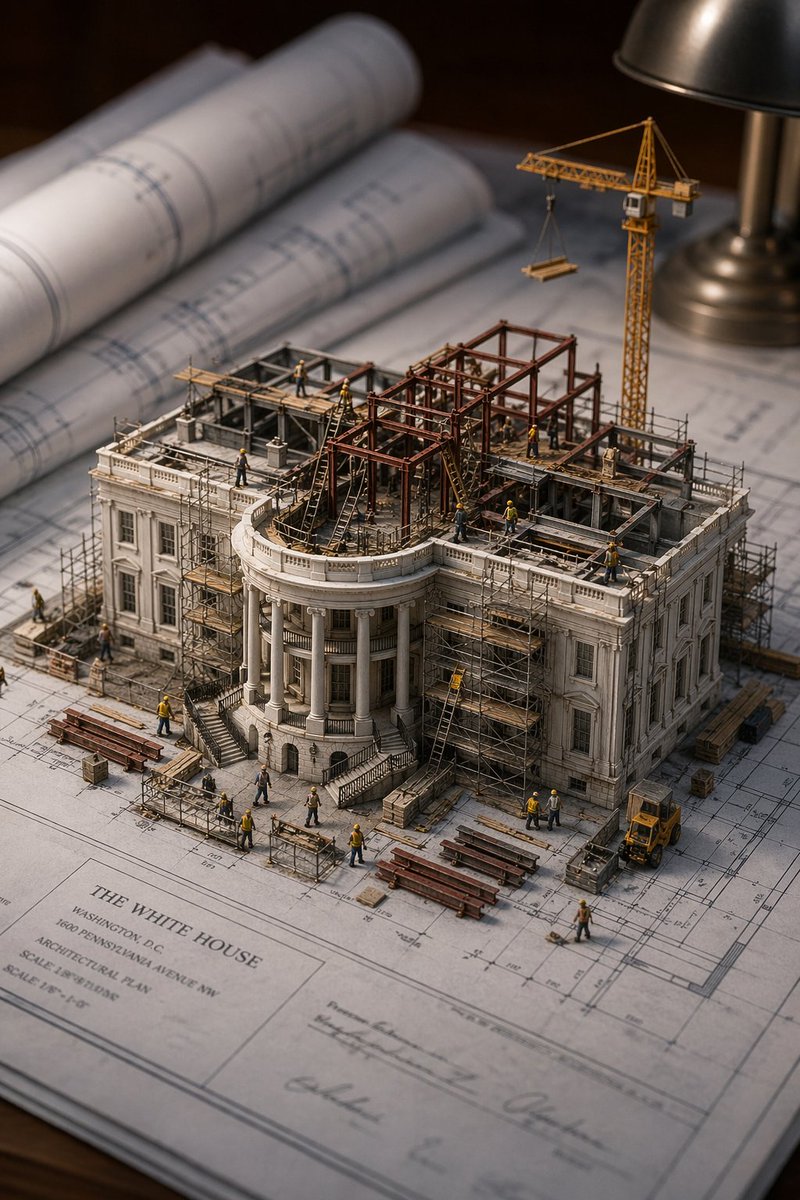
A flat architectural drawing rises off the paper as a photorealistic miniature building still under construction. Steel beams and scaffolding grow directly from the drawn lines, so the plan and the model read as one object.

- Model
- GPT Image 2
- Type
- Image
- Aspect ratio
- 2:3
- Shared
- 18 Mar 2026
- Likes on X
- 117
Building nameSurfaceStructural element 1Structural element 2Structural element 3+4 more
Image prompt
511 charactersAn architectural blueprint of {BUILDING_NAME} placed on a {SURFACE}, with a photorealistic miniature under-construction version of {BUILDING_NAME} emerging from it — {STRUCTURAL_ELEMENT_1}, {STRUCTURAL_ELEMENT_2}, {STRUCTURAL_ELEMENT_3}, {CONSTRUCTION_DETAIL}, {WORKER_SCENE}, {MATERIAL_ELEMENT}, and {EXTRA_DETAIL}. All elements grow from the blueprint like a 3D architectural diorama, steel beams rising from the drawn lines, scaffolding threading through the paper. Studio soft lighting, cinematic depth, 2:3
How to use it
The prompt is built around placeholders in curly braces, so fill in the building name, the surface the blueprint sits on, and the structural elements, worker scene and materials you want. Keep the phrase about elements growing from the blueprint and the studio soft lighting, since those carry the diorama look. It was shared as a GPT Image 2 prompt, and the 2:3 frame suits a tall poster or phone wallpaper.
Featured inArchitecture AI prompts
Shared publicly on X on 18 Mar 2026. All credit for this prompt and its result goes to its creator. Is this yours? Ask for an update or removal.