Image prompt Portraits & Fashion Customizable Add your photo
3D Character Sheet From a Reference Photo
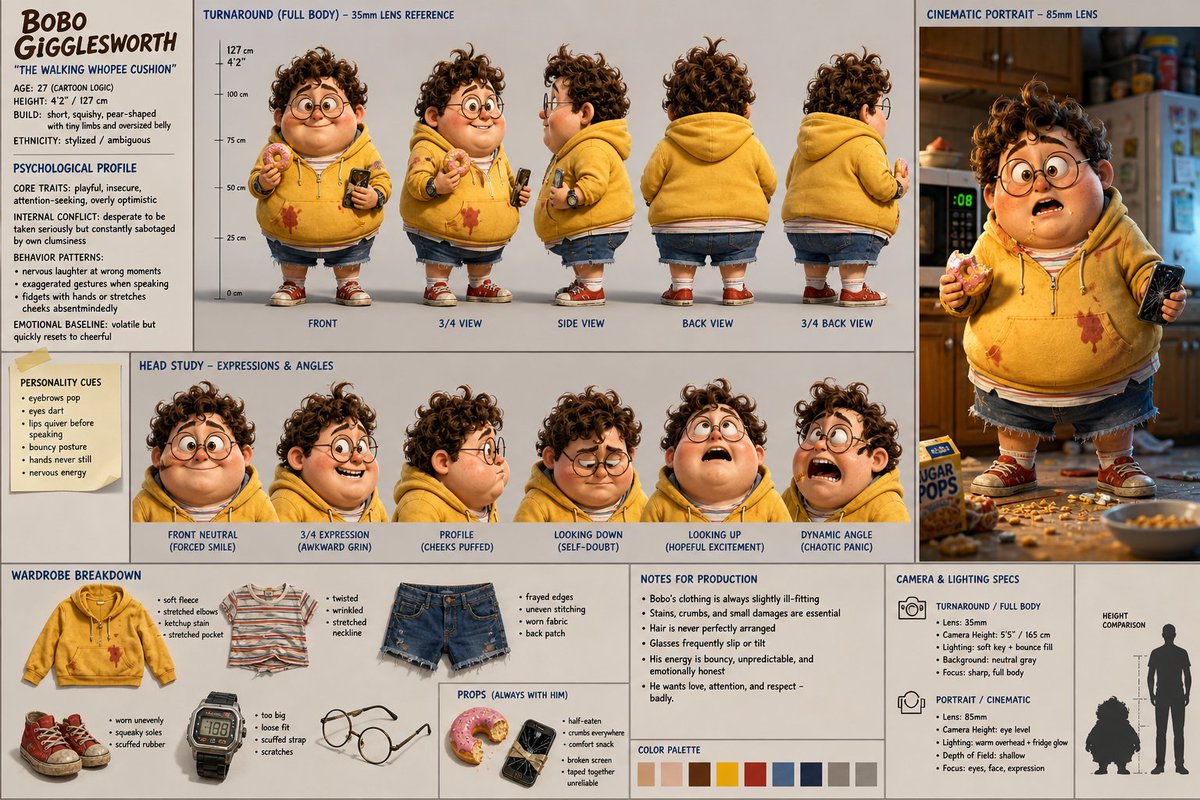
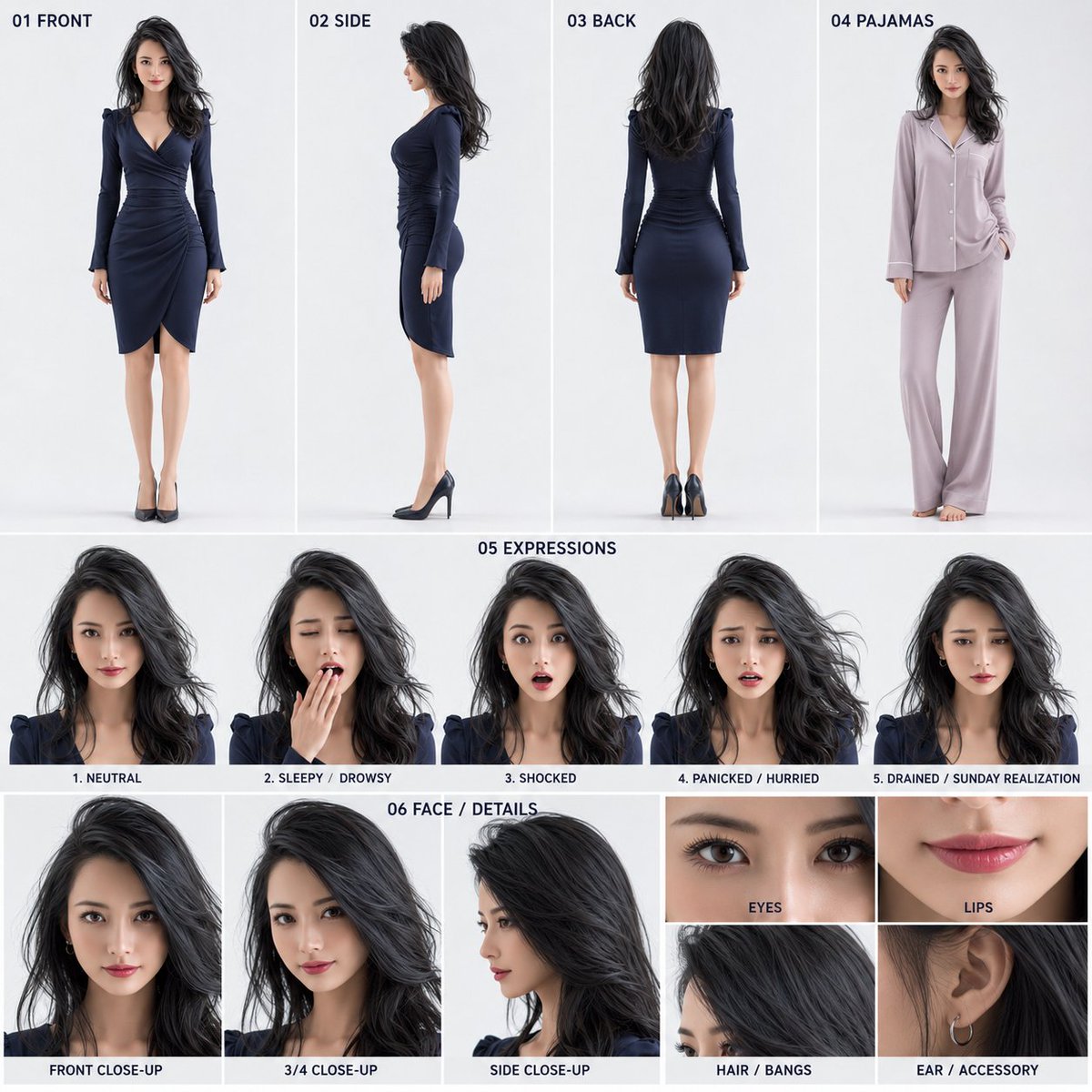
A square studio character sheet with front, side, back and pajama views, five expressions and close-up face details, all locking one person's look. Organized and clean, it works as a reference for animation or sharing.

- Model
- GPT Image 2
- Type
- Image
- Aspect ratio
- 1:1
- Shared
- 12 Jul 2026
- Likes on X
- 38
Image prompt
4,944 charactersReference to use: 1 person reference image attached together with these instructions Body: Based on the 1 attached person reference image, create a 1:1 square simple character sheet image that serves both for sharing and as a video reference. The goal is to lock the look of the single protagonist of a 15-second 3D everyday comedy video, 'the protagonist oversleeps, gets ready in a panic, rushes out toward work, then realizes it's Sunday,' and to make the sheet easy to view for sharing. This image is a character-locking sheet, not a storyboard. Do not include chronological scene progression, camera movement, or reenactment of events. The style is high-quality stylized 3D. Avoid a cheap TV-CG look, a monotone NPC look, and overly toy-like textures. Prioritize natural volume at the level of a theatrical short 3D animation, appealing forms, readable expressions, and an organized layout. Based on the person in the reference image, reflect facial features, hairstyle, hair color, apparent age, body type, atmosphere, and the base outfit. Make the likeness of the reference person recognizable at a glance, and reconstruct it as a character sheet for sharing. The background is a clean studio background from white to very light gray. Include short English headings and numbering, finished to a publish- and share-ready quality. Do not include long explanatory text, logos, watermarks, or excessive decoration. 【Fixed overall layout】 Fix the canvas into a horizontal 3-band composition. The top band is about 50% of the total height. Arrange 01 FRONT, 02 SIDE, 03 BACK, and 04 PAJAMAS as 4 equal-height cells in one row from left to right. The middle band is about 22% of the total height. Fix 05 EXPRESSIONS as a horizontal area and arrange 5 same-size expressions in one row from left to right. The bottom band is about 28% of the total height. Fix 06 FACE / DETAILS as a horizontal area. Do not change each band's height, the cell order, or the left/right ratio to suit the person or hairstyle. Do not move 05 to a vertical column at the right edge. Do not let 06 intrude into the top or middle band. 01 FRONT Full-body front in the protagonist's base outfit. Reflect the outfit, color scheme, silhouette, shoes, bag, and accessories from the reference image. 02 SIDE Full-body side in the same base outfit. Make the hairstyle, body type, outfit silhouette, and shoes recognizable. 03 BACK Full-body back in the same base outfit. Make the same person recognizable even from behind. 04 PAJAMAS The same person in sleep pajamas. Show full body from the front or slightly 3/4. The pajamas are, by default, of soft sleepwear fabric, with a separate sleeved top and loose long pants. Barefoot. Clearly change the main color, exposure, length, and silhouette from the base outfit so it reads at a glance as sleep pajamas. Do not make a camisole, lingerie style, shorts, body-hugging shapes, or sleepwear with much exposed skin. Keep facial features, hairstyle, and body type unified as the same person as 01–03. 05 EXPRESSIONS Using the same base outfit as 01–03, arrange the following 5 expressions in one row at the same size, same height, and same face scale. 1. NEUTRAL 2. SLEEPY / DROWSY 3. SHOCKED 4. PANICKED / HURRIED 5. DRAINED / SUNDAY REALIZATION Show each expression from the top of the head to the upper shoulders within the same range. Do not enlarge or shrink only some faces depending on the person or hairstyle. Do not change the expression images to the pajama look. 06 FACE / DETAILS Fix-divide the entire horizontal area of the bottommost band into 60% left and 40% right. Do not change this left/right ratio. In the left 60%, place 3 faces in the same base outfit as 01–03. ・FRONT CLOSE-UP ・3/4 CLOSE-UP ・SIDE CLOSE-UP Arrange the 3 cells in one row at the same width and same height. Show all 3 from the top of the head to the upper shoulders at the same scale, with unified face size, eye-line height, and margins. Do not widen the cells depending on hair length or face shape. In the right 40%, fix-place 4 same-size cells in 2 columns × 2 rows. Top left: EYES Top right: LIPS Bottom left: HAIR / BANGS Bottom right: EAR / ACCESSORY Do not change the cell count, arrangement, or proportions on the right side. Do not create a 3-column composition, 6 cells, vertical cells, merged cells, or additional cells. Do not show the same eyes, mouth, hair, or ear in duplicate. Do not add unspecified details such as collar, clothing, fabric, or neckline. There is only one person: the protagonist. Compose everything as differences in direction, outfit, expression, and detail of the same person; do not create another person, a crowd, or twins. Do not include scene elements such as an alarm clock, calendar, bed, room, entrance, or company. Overall, finalize it as an organized, high-quality 3D character sheet that is easy to show for sharing and convenient to reuse later as a video reference.
How to use it
Upload one clear photo of a person first, since the sheet is built from that likeness. It was shared as a GPT Image 2 prompt, so keep the layout instructions intact so the band heights and cell order stay fixed. Swap the outfit description to match your character, and keep the expression and close-up sections so the sheet remains usable as a video reference.
Featured inCharacter sheet and design prompts
Shared publicly on X on 12 Jul 2026. All credit for this prompt and its result goes to its creator. Is this yours? Ask for an update or removal.