
WriteHuman
AI humanizer that rewrites machine-generated text in a more natural style, with a built-in AI detector.
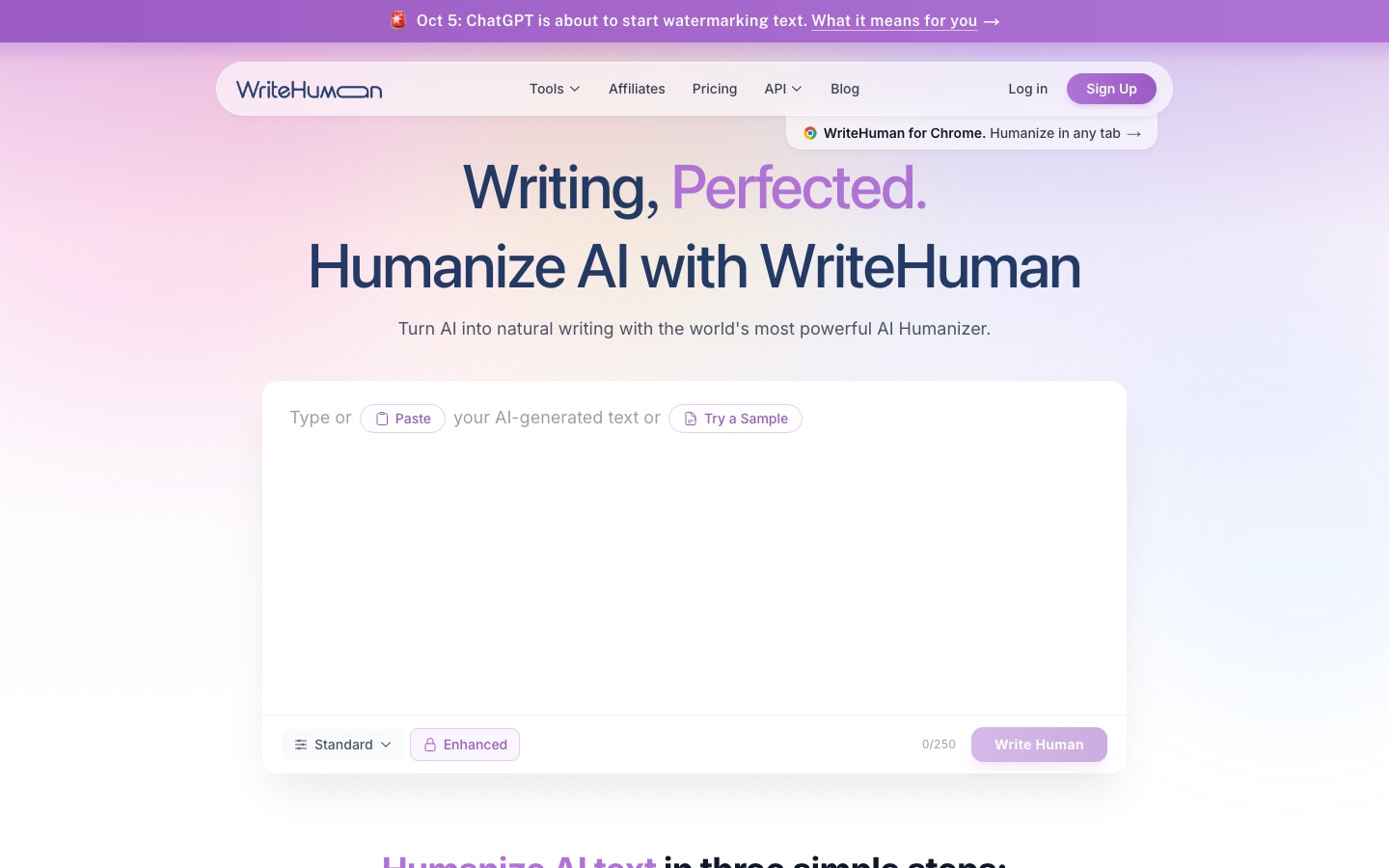
WriteHuman is an AI humanizer that rewrites text produced by chatbots so that the rhythm, vocabulary and sentence structure vary more, while the meaning stays the same. WriteHuman also scores text for AI probability. WriteHuman is used by pasting a draft into the web editor, the Chrome extension or the mobile apps.
Best for Marketers, freelancers and agencies who edit AI-assisted drafts and want rewriting and detection checks in one account.
- Listed in
- AI HumanizerAI Content Detection
- Platforms
- Web, Browser extension, iOS, Android, API, MCP
- Pricing model
- Freemium
- Free plan
- Yes
- API
- Yes
- Made by
- WriteHuman
- Added
Last verified: . Information taken from writehuman.ai.
What is WriteHuman?
WriteHuman is a rewriting tool that takes text from assistants such as ChatGPT, Claude or Gemini and restructures it so it reads less mechanically. Rather than swapping individual words, it changes sentence length, phrasing and cadence; the site's own example splits one long sentence into two shorter ones and replaces inflated wording with plainer terms. More than forty languages are accepted. A detector is included that assigns an AI probability to every sentence, and a separate checker examines images. Beyond the website there is a Chrome extension that also offers spelling, grammar and style suggestions, apps for iPhone, iPad and Android, a REST API and an MCP connection for AI agents. Plans are named Free, Basic, Pro and Ultra and differ in monthly requests, words per request and output variations.
Key Features
Humanizer
Rewrites pasted text by varying sentence length, word choice and structure without changing what it says.
Sentence-level detector
Shows an AI probability for each sentence so you can see which lines to revise.
Image detector
Scans pictures to estimate whether they were generated by AI.
Chrome extension
Checks spelling, grammar and style on sites you write on and humanizes from a side panel.
Mobile apps
Brings the humanizer and both detectors to iPhone, iPad and Android under the same account.
API and MCP
Exposes humanizing and detection through REST endpoints and a connector for AI agents.
How WriteHuman works
Copy the draft
Take text from ChatGPT, Claude, Gemini or any other AI writing tool.
Paste it in
Drop the text into the humanizer on the site; both short snippets and long pieces are accepted.
Run the rewrite
Press the Write Human button and receive a restructured version a few seconds later.
Screenshots
Use Cases
- Editing blog drafts
- Smooth an AI-assisted article so it matches the tone of the rest of a site.
- Client deliverables
- Check a document sentence by sentence before sending it to a client.
- Business emails
- Rework a generated message so it sounds like the person sending it.
- Content pipelines
- Call the API to rewrite text automatically inside a publishing workflow.
- Writing in the browser
- Fix wording in web forms and editors without switching tabs.
Things to know
- Limits per plan
- Requests per month, maximum words per request (250 to 3,000) and the number of output variations all depend on the plan.
- Detector score bands
- The detector treats a result under 40% as reading human, 40 to 60% as mixed and over 60% as flagged.
- MCP quota
- The plan table lists MCP access with a monthly allowance of 1,000 on the Ultra tier.
FAQs
What is WriteHuman?
WriteHuman is an AI humanizer and AI detector that rewrites machine-generated text in a more natural style and scores text for AI probability.
What is WriteHuman used for?
WriteHuman is used to revise AI-assisted articles, emails, marketing copy and reports, and to check drafts with its detector before publishing.
Is WriteHuman free?
WriteHuman has a Free tier. The plan comparison lists 3 humanizer requests a month at up to 250 words each, plus 10 detection checks and 10 image scans.
How much does WriteHuman cost?
WriteHuman sells Basic, Pro and Ultra plans with monthly or yearly billing. Amounts are not listed here, so see the official pricing page for current figures.
Does WriteHuman have an API?
Yes. WriteHuman offers REST endpoints for humanizing and detection, with word-based pricing and code examples in JavaScript, Python and cURL.
Does WriteHuman work on mobile?
Yes. WriteHuman has apps for iPhone, iPad and Android, and new app users start with 5 free humanizations.
Which languages does WriteHuman support?
WriteHuman states that it supports more than 40 languages.
Who it's for
- Marketers
- Freelancers
- Content creators
- Agencies
- Developers
Comments
No comments yet. If you have used WriteHuman, tell other readers how it went.
Alternatives to WriteHuman
| Tool | Free plan | Starting price | API |
|---|---|---|---|
 Walter Writes AIAI humanizer and AI detector that rewrites AI drafts into natural prose and scores text for AI likelihood. Walter Writes AIAI humanizer and AI detector that rewrites AI drafts into natural prose and scores text for AI likelihood. |
— | $8/mo | Yes |
 RewritifyAI humanizer that rewrites machine-generated text in a more natural style and includes a built-in AI detector. RewritifyAI humanizer that rewrites machine-generated text in a more natural style and includes a built-in AI detector. |
Yes | — | — |
 SuperHumanizerAI text rewriter with two modes, tone presets, a proofread check and sentence-level alternatives. SuperHumanizerAI text rewriter with two modes, tone presets, a proofread check and sentence-level alternatives. |
Yes | — | Yes |
 IsgenMultilingual AI content detector with sentence- and phrase-level analysis, plus plagiarism and writing tools. IsgenMultilingual AI content detector with sentence- and phrase-level analysis, plus plagiarism and writing tools. |
Yes | — | Yes |
 Netus AIWriting toolkit with an AI humanizer, free AI detector, paraphraser and summarizer, plus a multi-model AI chat app. Netus AIWriting toolkit with an AI humanizer, free AI detector, paraphraser and summarizer, plus a multi-model AI chat app. |
Yes | — | — |
Listed in the same categories as WriteHuman. A starting price appears only where we checked it on the maker’s pricing page; a dash means not checked or not published. All AI Humanizer tools