
SuperHumanizer
AI text rewriter with two modes, tone presets, a proofread check and sentence-level alternatives.
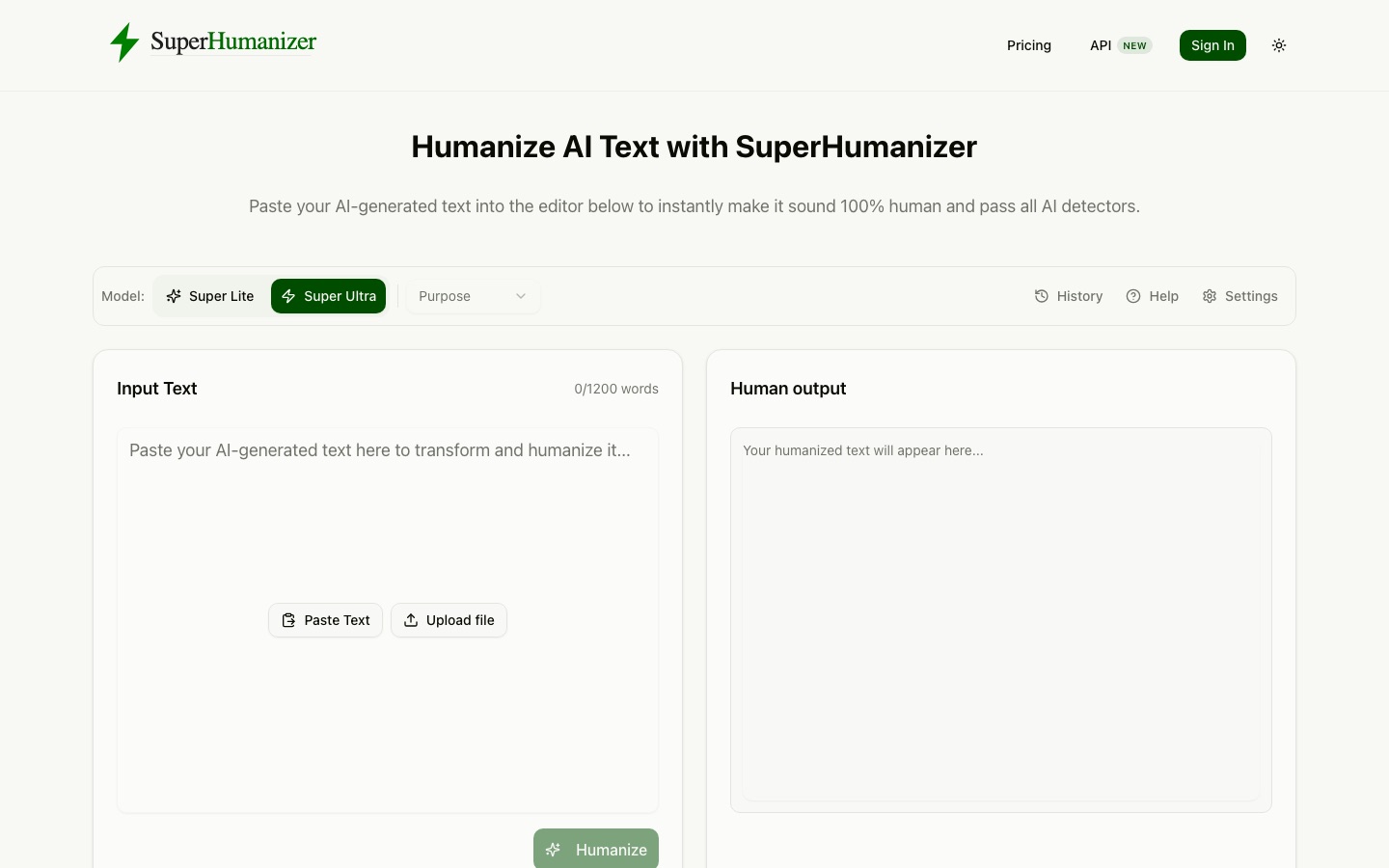
SuperHumanizer is a web tool that rewrites AI-generated text so it reads in a more natural, human style. SuperHumanizer is used by pasting text or uploading a document, picking the Super Lite or Super Ultra mode and a purpose such as Academic or Blog, clicking Humanize, and then running Proofread to compare the result with the original.
Best for Writers, marketers and professionals who draft with AI tools and want to revise the wording and tone while keeping the original meaning and layout.
- Platforms
- Web, iOS, Android, Browser extension, API
- Pricing model
- Freemium
- Free plan
- Yes
- API
- Yes
- Made by
- SuperHumanizer
- Added
Last verified: . Information taken from superhumanizer.ai.
What is SuperHumanizer?
SuperHumanizer is an online tool that rewrites AI-generated text so that it reads more like something a person wrote. Users paste text or upload a Word, PDF, ODT, RTF, TXT or Markdown file, choose between the faster Super Lite mode and the more thorough Super Ultra mode, and select a purpose such as General, Academic, Blog, Formal or Friendly. The rewrite varies sentence length, replaces stiff vocabulary and trims repetition while leaving headings, lists, numbers and names in place. A Proofread step compares the output with the original and corrects sentences whose meaning shifted, along with grammar and spelling errors, and clicking any sentence produces an alternative version. The web editor handles up to 1,200 words per run without an account and keeps history in the browser. A Chrome extension, iPhone and Android apps, an API and a detector on the premium engine are also offered.
Key Features
Two Rewriting Modes
Super Lite rewrites in a single pass, while Super Ultra works paragraph by paragraph and validates each result before showing it.
Purpose Presets
Applies a chosen tone, with seven options that include General, Academic, Blog, Formal, Informal, Friendly and Engaging.
Proofread
Checks the rewritten text against the source and repairs sentences that drifted in meaning, plus spelling and grammar slips.
Sentence Alternatives
Offers a fresh version of any individual sentence on click, or lets you type your own replacement.
File Uploads and Layout Retention
Reads several document formats and returns text with headings, numbered lists and bullets in their original positions.
Extension, Apps and API
Works inside text fields on the web through a Chrome extension, on phones through mobile apps, and programmatically through an API.
How SuperHumanizer works
Add your text
Paste it into the editor or upload a supported document.
Choose mode and purpose
Pick Super Lite or Super Ultra and a style such as Academic or Blog.
Humanize
Start the rewrite; most texts come back within seconds.
Proofread and adjust
Run Proofread, then click individual sentences to swap in alternatives.
Export
Copy the finished text or download it.
Use Cases
- Refining Blog Drafts
- Revise an AI-written draft so the article reads more naturally before publishing.
- Marketing Copy
- Rework stiff product or campaign text into a friendlier or more engaging tone.
- Emails and Reports
- Smooth the wording of business emails, reports and presentations.
- Editing in the Browser
- Use the Chrome extension to rewrite text directly in Gmail, LinkedIn or other web forms.
- Writing Practice
- Compare a rewritten passage with the original to study clearer phrasing.
Things to know
- Word limit per run
- The free editor processes up to 1,200 words at a time, with no cap on the number of runs.
- Detector is a premium feature
- The built-in AI content detector is marked as available on the premium engine only.
- History is stored locally
- The site states that rewrite history stays in the user's browser.
- Training data
- The company says its models were fine-tuned on one million texts selected from 15 million human-written samples.
FAQs
What is SuperHumanizer?
SuperHumanizer is an AI humanizer: a tool that rewrites machine-generated text in a more natural style. It runs models that the company says were fine-tuned on human-written samples.
Is SuperHumanizer free?
Yes, SuperHumanizer's web editor is free for up to 1,200 words per run and needs no sign-up. A pricing page and a premium engine with extra features also exist.
What file formats does SuperHumanizer support?
SuperHumanizer accepts Word, PDF, ODT, RTF, TXT and Markdown uploads, in addition to pasted text.
Does SuperHumanizer work on mobile?
Yes. SuperHumanizer opens in a phone's web browser and also has apps for iPhone and Android.
Does SuperHumanizer have an API?
Yes. SuperHumanizer links to an AI Humanizer API from its site navigation.
Will SuperHumanizer change the meaning of my text?
SuperHumanizer is designed to preserve meaning, and its Proofread step compares each rewrite with the original and corrects sentences that drifted. Reviewing the output yourself is still sensible.
What is the difference between Super Lite and Super Ultra?
In SuperHumanizer, Super Lite is the quick single-step mode, while Super Ultra performs a deeper rewrite and checks the output in the background before displaying it.
Who it's for
- Bloggers
- Marketers
- Copywriters
- SEO professionals
- Business professionals
- Students
Comments
No comments yet. If you have used SuperHumanizer, tell other readers how it went.
Alternatives to SuperHumanizer
| Tool | Free plan | Starting price | API |
|---|---|---|---|
 Walter Writes AIAI humanizer and AI detector that rewrites AI drafts into natural prose and scores text for AI likelihood. |
— | $8/mo | Yes |
 WriteHumanAI humanizer that rewrites machine-generated text in a more natural style, with a built-in AI detector. |
Yes | — | Yes |
 AI HumanizeOnline rewriter that reworks AI-generated text into more natural wording, with style presets and an AI detector. |
— | $6/mo | Yes |
 Undetectable AIAI text detector and rewriting tool that flags AI-like sentences and rephrases them, with image, audio and document checks. |
— | — | Yes |
 BypassGPTAI humanizer that rewrites AI-generated text to read more naturally, with a built-in AI detector and API. |
Yes | — | Yes |
Listed in the same categories as SuperHumanizer. A starting price appears only where we checked it on the maker’s pricing page; a dash means not checked or not published. All AI Humanizer tools