
Vsub
AI video maker that turns a script or voiceover into an illustrated faceless video in a reusable visual template.
Vsub is an AI video maker that turns a script or an uploaded voiceover into an illustrated faceless video. Vsub splits the text into scenes, narrates it and draws each scene in a ready-made template or one cloned from a reference video. Vsub can also be driven through an API or an MCP connection.
Best for Creators running faceless YouTube or short-form channels who want narrated, illustrated videos in a consistent visual style.
- Platforms
- Web, API, MCP
- Pricing model
- Subscription
- API
- Yes
- Added
Last verified: . Information taken from vsub.io.
What is Vsub?
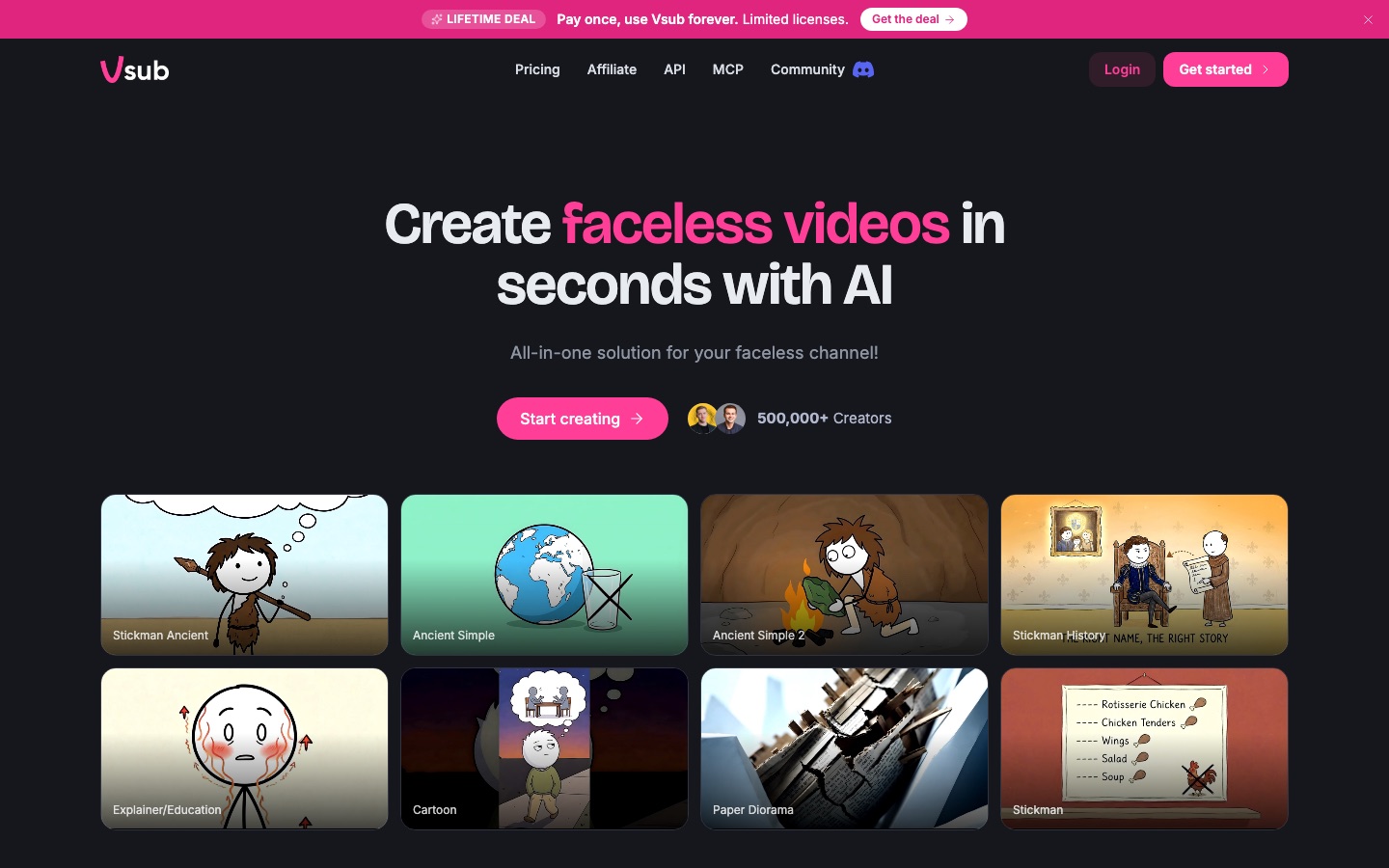
Vsub is an AI video generator aimed at people who run faceless channels. A user supplies a script, or uploads a recorded voiceover, and the service divides it into scenes, adds narration and draws an image for each scene in a chosen template. Published templates include stickman, cartoon, paper diorama and explainer looks, alongside formats such as avatar videos, quizzes and chat-message stories. A distinctive option is template cloning: upload one reference video and its visual style becomes a private template that can be reused. Finished videos open in an editor where single scenes can be redrawn. Work is paid for with credits that come with monthly plans. Developers can create videos through an HTTP API, and an MCP server lets assistants such as Claude, ChatGPT or Cursor request a video directly.
Key Features
Script-to-Video Generation
Splits a script into scenes, narrates it and produces one illustration per scene, with subtitles added automatically.
Template Cloning
Analyses a single uploaded reference video and saves its drawing style as a template for later videos.
Ready-Made Templates
Offers published styles such as Stickman, Cartoon and Paper Diorama that need no setup.
Own-Voice Narration
Accepts an uploaded recording, transcribes it into the script and uses it unchanged as the soundtrack.
API and MCP Access
Exposes video creation through a REST endpoint with bearer tokens and through an MCP server for AI assistants.
Scene Editor and Retry
Lets a user redraw individual scenes, and resumes a failed render from the step where it stopped.
How Vsub works
Pick a template
Choose one of the published styles or a template you cloned from a reference video.
Add the narration
Paste a script of up to 30,000 characters, or upload your own recorded voiceover.
Let the scenes be drawn
Vsub breaks the narration into scenes, voices it and generates an image for each one.
Adjust in the editor
Open the finished video in the editor and redraw any scene you want changed.
Screenshots
Use Cases
- History Explainers
- A channel owner pastes a long narration and receives a drawn video in a consistent stickman look.
- A Signature Channel Style
- A creator clones the look of a reference video so every upload shares the same visual identity.
- Narrating with Your Own Voice
- A teacher uploads a recorded lesson and has matching illustrations generated around it.
- Video Requests from an Assistant
- A user asks Claude or ChatGPT for a video on a topic and gets it back through the MCP connection.
- Automated Production from Code
- A developer posts scripts and template names to the API to produce videos in batches.
Things to know
- Every step spends credits
- Images, voice, animation, subtitles and rendering each have a credit cost, so the total depends on script length and the services chosen.
- Reference video requirements
- A video used for cloning needs spoken narration and at least 30 seconds of footage; the site recommends roughly three minutes.
- Length limits
- Scripts are capped at 30,000 characters and the finished video has to fit the maximum duration of the plan.
- Currency not stated
- The pricing page shows dollar figures without naming the currency, so prices are not reproduced here.
FAQs
What is Vsub?
Vsub is an AI tool that converts a script or voiceover into an illustrated video. It is built for faceless channels and draws every scene in a template the user selects.
What is Vsub used for?
Vsub is used to produce narrated, illustrated videos such as explainers, history stories, quizzes and short viral formats without filming anything.
Do I need to create my own template in Vsub?
No. Vsub's published templates can be used immediately; cloning a custom template is optional for creators who want a unique look.
How long can a Vsub script be?
A Vsub script can contain up to 30,000 characters. The resulting video must also stay within the maximum length allowed by the user's plan.
Can I use my own voice in Vsub?
Yes. Vsub accepts an uploaded recording and uses it as the narration as it is, transcribing the script from the file instead of generating a voice.
Does Vsub have an API?
Yes. Vsub provides an API for creating videos from code, authenticated with workspace bearer tokens, plus an MCP server for AI assistants.
How much does Vsub cost?
Vsub sells Premium, Premium+ and Max plans that include monthly credits, with long-form, short-form and lifetime options shown. See the official pricing page for current figures.
What happens if a Vsub video fails while rendering?
Vsub lets you retry from the step where the job stopped. Voiceover, scenes and images that were already made are kept and are not charged a second time.
Who it's for
- Faceless channel owners
- YouTubers
- Short-form creators
- Educators
- Developers
- Small teams
Used in these workflows
- Short-form video from idea to posted clip: which AI tool does which jobStage 3: Shooting or generating footage
Each guide lists the stages of one job and the tools that help at each stage. All guides
Comments
No comments yet. If you have used Vsub, tell other readers how it went.
Alternatives to Vsub
| Tool | Free plan | Starting price | API |
|---|---|---|---|
 CrayoWeb-based AI editor for short-form video with auto clipping, voiceovers, subtitles and story video generators. |
— | — | Yes |
 AlgrowYouTube research and creation tool for finding niches and outlier channels and producing faceless videos with AI. |
— | — | Yes |
 FastlaneAI social content platform that creates short-form videos for a product and schedules them across networks. |
Yes | — | Yes |
 invideoOnline video editor in which AI agents log footage, apply edits from plain-language directions and generate clips. |
— | — | — |
 AutoCaptionAI caption generator that adds animated, styled subtitles to short videos and resizes them for each platform. |
Yes | — | Yes |
Listed in the same categories as Vsub. A starting price appears only where we checked it on the maker’s pricing page; a dash means not checked or not published. All AI Video Generator tools