
vizGPT
AI generator that turns text prompts into Lottie animations, animated SVGs and infographics.
vizGPT is an AI generator that creates Lottie animations, animated SVGs and infographics from a text description. vizGPT is used by describing the motion, choosing an output format, refining the preview through chat and downloading the file; free browser tools also preview, edit and convert existing Lottie files.
Best for Designers and developers who need small interface animations or animated infographics without using dedicated motion software.
- Platforms
- Web
- Pricing model
- Freemium
- Free plan
- Yes
- Made by
- vizGPT
- Added
Last verified: . Information taken from vizgpt.ai.
What is vizGPT?
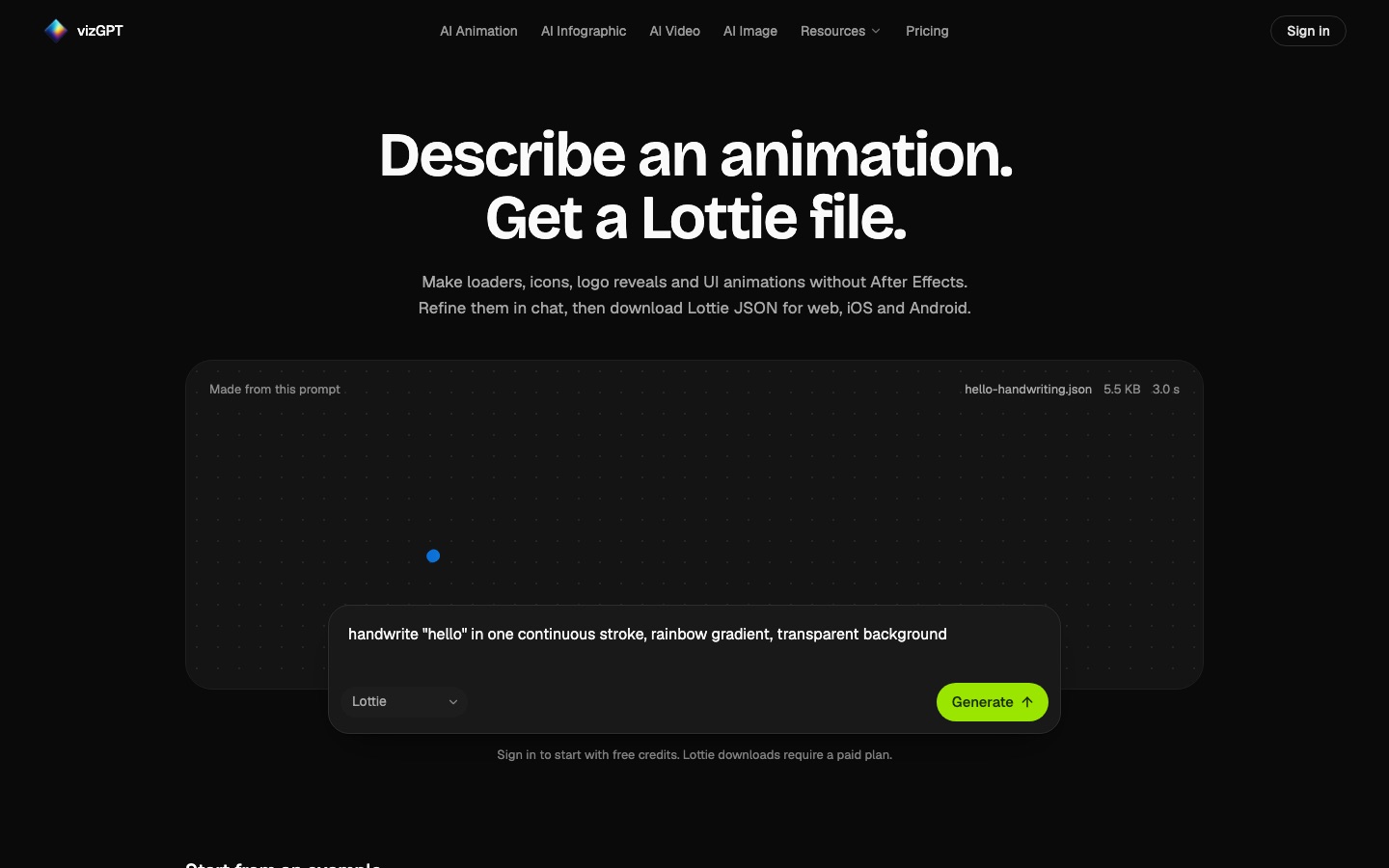
vizGPT is an AI animation and graphics generator that creates Lottie files, animated SVGs and infographics from a written description. You describe the motion, its mood and its duration, pick an output format and receive a preview; further changes are requested in chat, in the way you would brief a designer. Typical outputs are loaders, icons, logo reveals and interface animations, delivered as Lottie JSON that works on the web, iOS and Android. The service also has AI image and video generators, a chat agent for data analysis and charting, and a set of free browser tools that preview, edit and convert Lottie files, including converters to GIF, SVG and Telegram or WhatsApp sticker formats. Usage is metered in monthly credits. A free account includes 100 credits, while the Plus, Pro and Ultra plans unlock Lottie downloads, longer videos and advanced models.
Key Features
Text-to-Lottie
Builds a Lottie animation from a prompt and exports it as JSON on paid plans.
Animated SVG
Generates an SVG with motion that can be refined and downloaded as a file.
AI infographics
Produces infographic layouts, including animated ones, from a description.
Chat refinement
Applies follow-up requests such as slowing the motion, looping it or changing a colour.
Lottie utilities
Previews, edits and converts Lottie files in the browser, for example to GIF or SVG.
Image and video generation
Creates images and short videos with a choice of third-party models.
How vizGPT works
Describe it
State what should move, the mood and the duration, or begin from an example prompt.
Refine it in chat
Ask for adjustments in ordinary words until the preview looks right.
Download
Export Lottie JSON for web and mobile apps or convert it with the free tools.
Screenshots
Use Cases
- App Loading Animations
- Create a lightweight loader for a mobile or web interface.
- Logo Reveals
- Animate a brand mark for an intro or landing page.
- Animated Charts
- Turn a product metric into a looping graphic for a report or post.
- Sharing a Loop as a GIF
- Convert a Lottie file so it plays where JSON is not supported.
- Messaging Stickers
- Convert animations into Telegram or WhatsApp sticker formats.
Things to know
- Free usage caps
- Free accounts are limited to 50 credits in any 5 hours and 75 in any 7 days, within the 100-credit monthly allowance.
- Lottie downloads are paid
- A free account can generate Lottie animations with credits, but downloading them requires a subscription.
- Credits vary by request
- The number of credits used depends on the model and the amount of work a request involves.
FAQs
What is vizGPT?
vizGPT is an AI generator for Lottie animations, animated SVGs and infographics that works from text prompts.
What is vizGPT used for?
vizGPT is used to make loaders, icons, logo reveals, interface animations and infographics without animation software, and to convert or edit Lottie files.
Is vizGPT free?
vizGPT has a free account with 100 credits a month and no card requirement. It is subject to 5-hour and 7-day usage caps, and Lottie downloads need a paid plan.
How much does vizGPT cost?
VizGPT: a free plan is available. Paid plan rates are published on vizgpt.ai. Check the official pricing page for current amounts.
Do vizGPT credits roll over?
No. vizGPT credits refresh at the start of every month and unused ones are not carried forward.
Which formats does vizGPT export?
vizGPT exports Lottie JSON and SVG files, and its free tools convert Lottie to GIF, SVG and sticker formats.
Do all vizGPT paid plans have the same features?
Yes. vizGPT's Plus, Pro and Ultra plans unlock the same generators and models and differ in the number of monthly credits.
Who it's for
- Designers
- Front-end developers
- Product teams
- Marketers
- Content creators
Used in these workflows
- Making an animated explainer video with AI, from script to subtitlesStage 5: Animating the scenes
Each guide lists the stages of one job and the tools that help at each stage. All guides
Comments
No comments yet. If you have used vizGPT, tell other readers how it went.
Alternatives to vizGPT
| Tool | Free plan | Starting price | API |
|---|---|---|---|
 AI Graph MakerWeb tool that turns typed descriptions or uploaded data into charts, flowcharts, mind maps and diagrams. |
Yes | — | — |
 Napkin AITurns written text into editable diagrams, infographics, flowcharts, mind maps, charts and slide decks. |
Yes | — | Yes |
 PiktochartVisual design platform with AI generators for infographics, presentations, reports, social graphics and video. |
Yes | — | — |
 VizceptTurns a written description of a study into a scientific figure such as a conceptual framework, CONSORT diagram or syntax tree. |
— | — | — |
 爱设计Chinese online design platform with editable templates plus AI tools for slides, web pages, copy and image cut-outs. |
Yes | — | Yes |
Listed in the same categories as vizGPT. A starting price appears only where we checked it on the maker’s pricing page; a dash means not checked or not published. All Graphic Design tools