TubeBuddy
YouTube optimisation toolkit with keyword research, SEO scoring, thumbnail and title A/B testing and channel analytics.
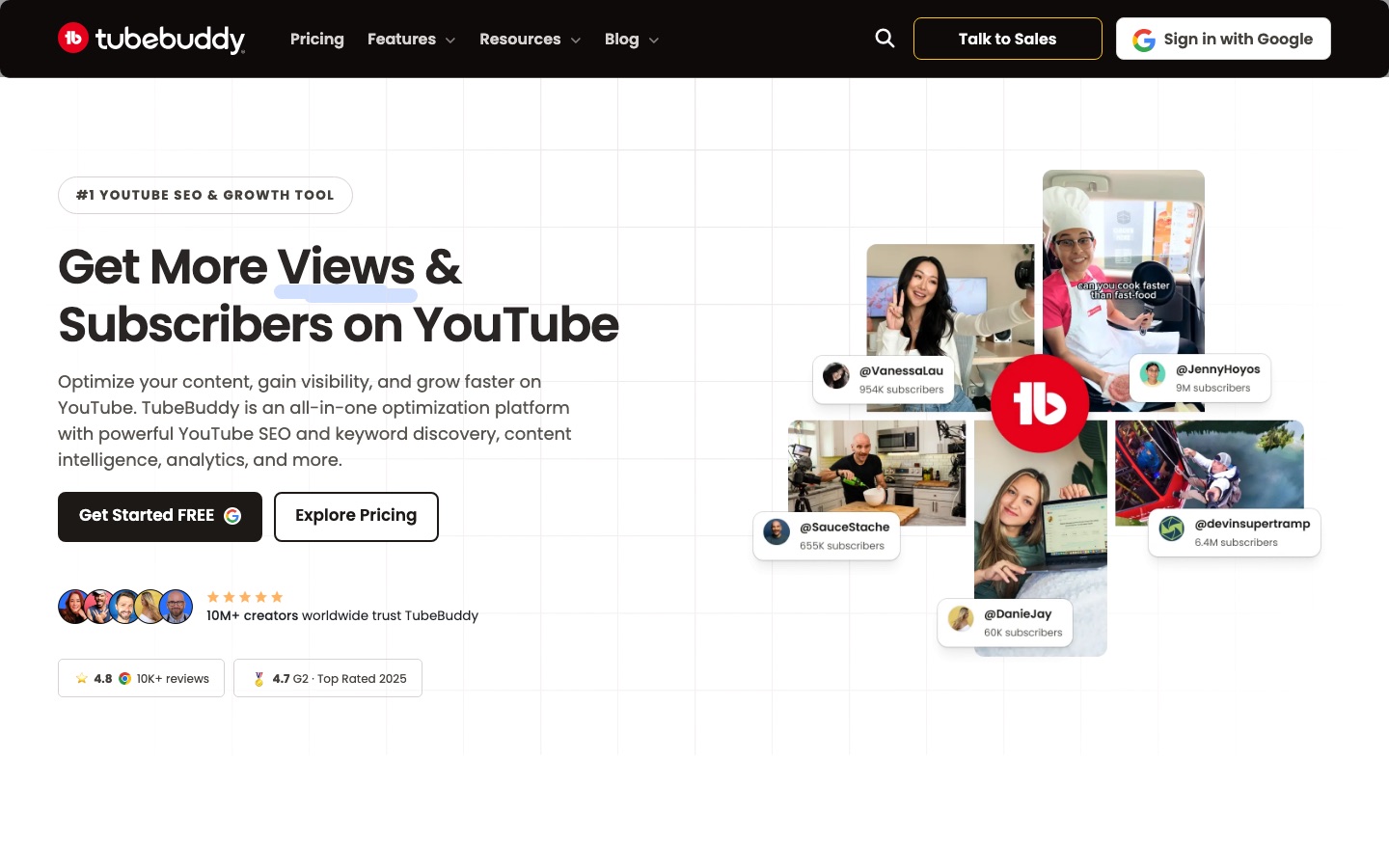
TubeBuddy is a toolkit for optimising YouTube channels that works as a browser extension within YouTube. TubeBuddy helps creators research keywords, score and improve a video's title, tags and description, A/B test thumbnails and titles, analyse performance and edit many videos in bulk. TubeBuddy has a free plan and paid licenses per channel.
Best for YouTube creators and channel managers who want data on keywords, thumbnails and performance while working inside YouTube.
- Platforms
- Web, Browser extension
- Pricing model
- Freemium
- Free plan
- Yes
- Made by
- TubeBuddy
- Added
Last verified: . Information taken from tubebuddy.com.
What is TubeBuddy?
TubeBuddy is a channel management and optimisation toolkit for YouTube that runs as a browser extension inside the YouTube interface. Its tools fall into four groups. For search, Keyword Explorer shows what viewers look for and how competitive a term is, and SEO Studio scores a video's title, tags and description as you edit and lists what to change. For clicks, an A/B testing tool rotates thumbnail and title variants, measures click-through rate and picks the winner. For analysis, dashboards report rankings, impressions, retention and channel health and compare competitors. For productivity, bulk editors update cards, end screens and text across many videos, and uploads can be scheduled. There are also title and thumbnail generators and a video ideas feature. A free plan exists, with Pro, Legend and Enterprise licenses above it.
Key Features
Keyword Explorer
Surfaces the search terms viewers use on YouTube along with volume data, to help choose topics with lower competition.
SEO Studio
Scores a video's metadata in real time and recommends specific edits to titles, tags and descriptions.
A/B Testing
Rotates alternative thumbnails or titles on a published video, tracks click-through rate and reports the stronger version.
Channel Analytics
Shows which videos bring views, subscribers and revenue, with a channel health report and competitor comparison.
Bulk Processing
Applies find-and-replace, card edits and end screen changes to many videos in one operation.
Title and Thumbnail Tools
Generates title options and thumbnails and analyses an existing thumbnail before publishing.
Screenshots
Videos
Use Cases
- Planning a New Video
- Check search demand for a topic before recording.
- Improving Click-Through Rate
- Test two thumbnails on an existing video and keep the one viewers click more.
- Refreshing a Back Catalogue
- Update descriptions and end screens across older videos in bulk.
- Tracking Competitors
- Compare your channel's performance with similar channels in your niche.
- Managing Client Channels
- Run optimisation for several channels as an agency on an Enterprise license.
Things to know
- One license, one channel
- A standard license applies to a single YouTube channel.
- Creator packages are for individuals
- The Pro and Legend packages are offered to individual creators; channels that meet business criteria such as multiple channels or 50,000 or more subscribers are directed to Enterprise.
- Charged in US dollars
- The pricing page notes that amounts shown in a local currency are estimates and that TubeBuddy bills in United States dollars.
- 30-day refunds
- Refund requests within 30 days go through TubeBuddy Support.
FAQs
What is TubeBuddy?
TubeBuddy is a YouTube optimisation platform that provides keyword research, SEO recommendations, A/B testing, analytics and bulk editing tools.
Is TubeBuddy free?
Yes, TubeBuddy has a free plan that needs no credit card. Paid licenses unlock more tools, and a cancelled license drops the channel back to the free plan.
How much does TubeBuddy cost?
TubeBuddy sells Pro and Legend licenses with monthly or yearly billing and a custom-priced Enterprise option. See the official pricing page for current figures.
How many channels does a TubeBuddy license cover?
A standard TubeBuddy license is tied to a single YouTube channel; organisations with several channels are pointed to Enterprise.
Does TubeBuddy offer refunds?
TubeBuddy's FAQ states a 30-day refund policy, handled through its support team.
Can I cancel TubeBuddy at any time?
Yes. A TubeBuddy license can be cancelled from the account, and paid features stay active until the current payment period ends.
Does TubeBuddy have a browser extension?
Yes. TubeBuddy is installed as a Chrome extension, and the site also mentions a mobile app.
Who it's for
- New YouTube creators
- Growing channels
- Agencies
- Brands
- Content teams
Used in these workflows
- The AI toolkit for running a YouTube channel, one upload at a timeStage 1: Topic and keyword research
- The AI toolkit for running a YouTube channel, one upload at a timeStage 9: Publishing and analytics
Each guide lists the stages of one job and the tools that help at each stage. All guides
Comments
No comments yet. If you have used TubeBuddy, tell other readers how it went.
Alternatives to TubeBuddy
| Tool | Free plan | Starting price | API |
|---|---|---|---|
 Thumbnail TestA/B testing tool that rotates YouTube thumbnails and titles on a schedule and reports which version performs better. Thumbnail TestA/B testing tool that rotates YouTube thumbnails and titles on a schedule and reports which version performs better. |
— | $29/mo | Yes |
vidIQYouTube growth toolkit with AI video ideas, keyword research, title and thumbnail optimisation and an AI coach. |
Yes | — | — |
 MaekersuiteVideo pre-production suite that researches topics and competitors, then helps write and optimise video scripts. MaekersuiteVideo pre-production suite that researches topics and competitors, then helps write and optimise video scripts. |
— | — | — |
 SerpstatSEO platform for keyword research, competitor analysis, rank tracking, site audits and backlink data, with an API and AI tools. SerpstatSEO platform for keyword research, competitor analysis, rank tracking, site audits and backlink data, with an API and AI tools. |
— | — | Yes |
 Peec AIAI search analytics that tracks how often and how favourably AI assistants mention a brand. Peec AIAI search analytics that tracks how often and how favourably AI assistants mention a brand. |
— | — | Yes |
Listed in the same categories as TubeBuddy. A starting price appears only where we checked it on the maker’s pricing page; a dash means not checked or not published. All SEO & AI Visibility tools