
Pixel-Art.ai
AI pixel art generator with a built-in editor, layers and prompt-based inpainting.
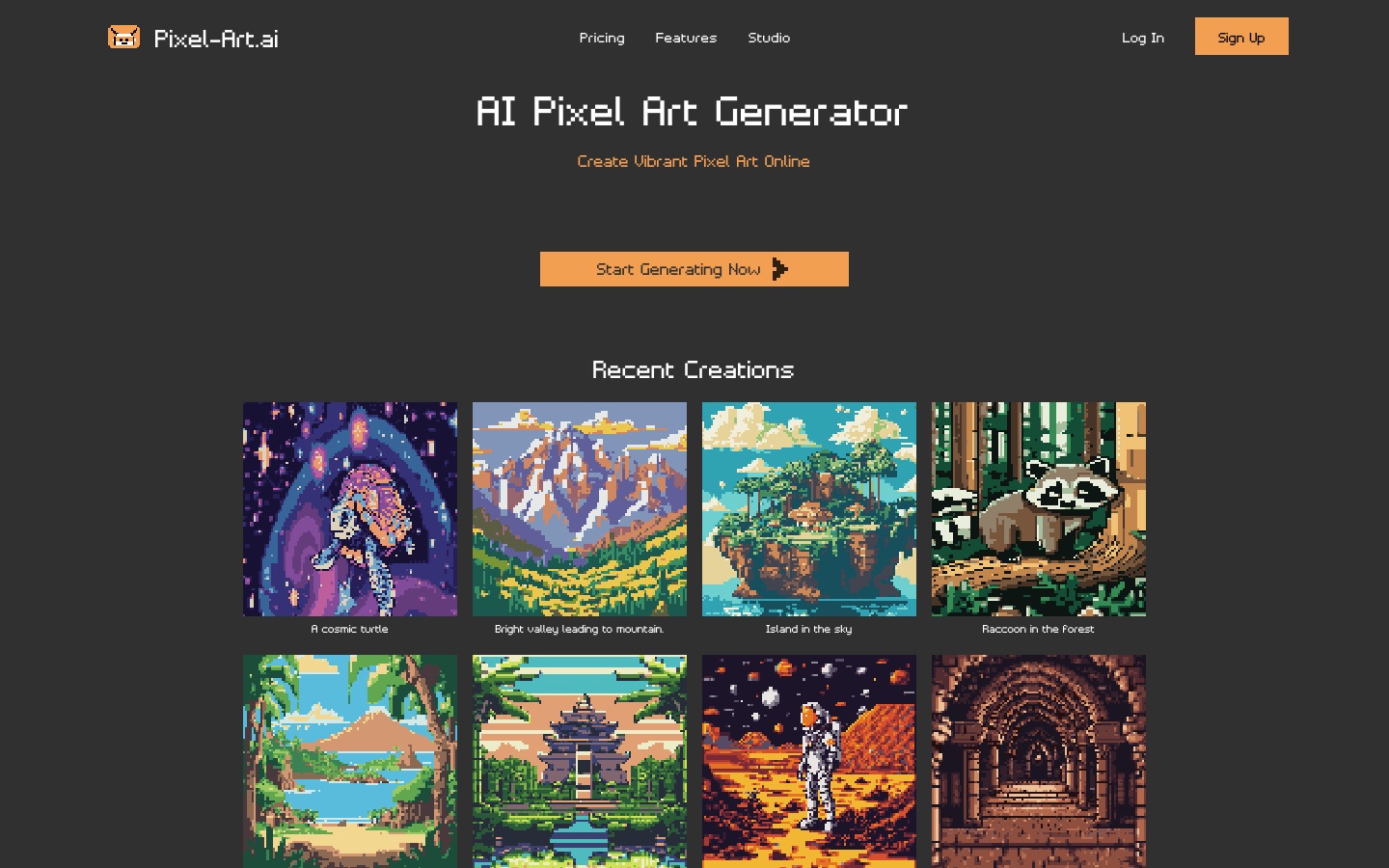
Pixel-Art.ai is an online generator that creates pixel art from text prompts. Pixel-Art.ai pairs the generator with a browser studio where a user sets a canvas size, edits the result with brushes and layers, repaints selected areas through AI inpainting and exports the finished image as a PNG. Saved creations are kept private in the account.
Best for Game developers and pixel art enthusiasts who want to generate sprites or scenes and then refine them by hand.
- Listed in
- AI Image GeneratorImage Editing
- Platforms
- Web
- Added
Last verified: . Information taken from pixel-art.ai.
What is Pixel-Art.ai?
Pixel-Art.ai is a web tool that generates pixel art with AI and lets you edit it in the same place. You describe a subject or scene, such as a character, a landscape or a level background, and the generator returns artwork in a pixel style. Each piece opens in a built-in studio, a pixel editor with brushes, layers and copy and paste, so generated images can be combined with hand-drawn detail. Inpainting handles targeted changes: you select a region, type a prompt and apply the variation you prefer to the canvas. Work is saved to your account, kept private and can be spread over multiple canvases, each created with a chosen width and height. Finished images are exported as PNG files. The site lists pricing, features and studio sections, requires an account to save work and runs a Discord community.
Key Features
Prompt-Based Generation
Creates pixel art images from a short text description of the subject.
Pixel Editor
Offers brushes, layers and copy and paste for editing at the level of single pixels.
AI Inpainting
Regenerates a selected area from a prompt and lets you choose which result to apply.
Multiple Canvases
Organises projects across several canvases with custom width and height.
Private Saves
Stores every creation in your account, where it stays private.
PNG Export
Downloads finished artwork as a PNG file.
How Pixel-Art.ai works
Select an area
In the studio, mark the part of the canvas you want to change.
Type a prompt
Describe what should appear there and let the AI generate options.
Apply a result
Pick the version you like and place it on the canvas.
Use Cases
- Game Backgrounds
- Generate side-scrolling level backdrops or interior scenes for a 2D game.
- Characters and Creatures
- Draft a character, animal or robot and tidy it up in the editor.
- Concept Exploration
- Try several prompts to settle on a look before drawing final assets.
- Fixing Part of an Image
- Repaint one region of a piece without redoing the whole canvas.
- Hobby Artwork
- Make pixel-style illustrations to share with a community.
Things to know
- An account is needed to save
- The site offers sign-up and log-in, and creations are stored against the account.
- Prices not listed here
- A pricing page exists on the site; check it for current plans and prices.
FAQs
What is Pixel-Art.ai?
Pixel-Art.ai is an AI pixel art generator that also includes an online editor for refining the images it creates.
What is Pixel-Art.ai used for?
Pixel-Art.ai is used to produce pixel-style characters, scenes and backgrounds, for example as assets for games or as standalone artwork.
Can I edit images in Pixel-Art.ai?
Yes. Pixel-Art.ai has a studio with layers, brushes and copy and paste, plus AI inpainting for changing a selected area.
What format does Pixel-Art.ai export?
Pixel-Art.ai exports work as PNG files.
Are my Pixel-Art.ai creations private?
Yes. Pixel-Art.ai states that saved creations are completely private.
How much does Pixel-Art.ai cost?
Pixel-Art.ai has a pricing page; check the official site for current plans.
Who it's for
- Game developers
- Graphic designers
- Pixel art hobbyists
- Indie studios
Used in these workflows
- Which AI tools help you develop a game, from design document to launch?Stage 3: 2D assets and pixel art
Each guide lists the stages of one job and the tools that help at each stage. All guides
Comments
No comments yet. If you have used Pixel-Art.ai, tell other readers how it went.
Alternatives to Pixel-Art.ai
| Tool | Free plan | Starting price | API |
|---|---|---|---|
 Jimeng AIChinese-language AI creation platform for generating images and video, with a canvas editor and a community. |
— | — | — |
 ArchiVinciAI rendering tool that turns sketches, photos, floor plans and 3D model screenshots into architectural renders. |
— | — | — |
 CaimeraAI visual production platform for fashion brands, turning flat-lays and sketches into on-model images, videos and tech packs. |
Yes | — | Yes |
 CanvaBrowser-based design suite for social posts, presentations, video and print, with built-in AI tools. |
Yes | — | — |
 CraiyonText-to-image generator with six style presets, an exclude field and credit-based image editing tools. |
Yes | — | No |
Listed in the same categories as Pixel-Art.ai. A starting price appears only where we checked it on the maker’s pricing page; a dash means not checked or not published. All AI Image Generator tools