
Picsi.Ai
Face swap tool for photos, videos and GIFs from the InsightFace team, with web, desktop, mobile and plugin versions.
Picsi.Ai is an AI face swap service from the team that maintains the Inswapper model of the InsightFace project. Picsi.Ai swaps faces in photos, videos and GIFs through a web studio, macOS and iOS apps, a Chrome extension, a Photoshop plugin and a Discord bot. Free users get daily credits; paid memberships add more.
Best for Creators and artists who want face swapping available across a web studio, Photoshop, Chrome and mobile, within the service's content rules.
- Listed in
- Image EditingVideo Editing
- Platforms
- Web, macOS, iOS, Browser extension, Plugin, Discord
- Pricing model
- Freemium
- Free plan
- Yes
- Made by
- Picsi.Ai
- Added
Last verified: . Information taken from picsi.ai.
What is Picsi.Ai?
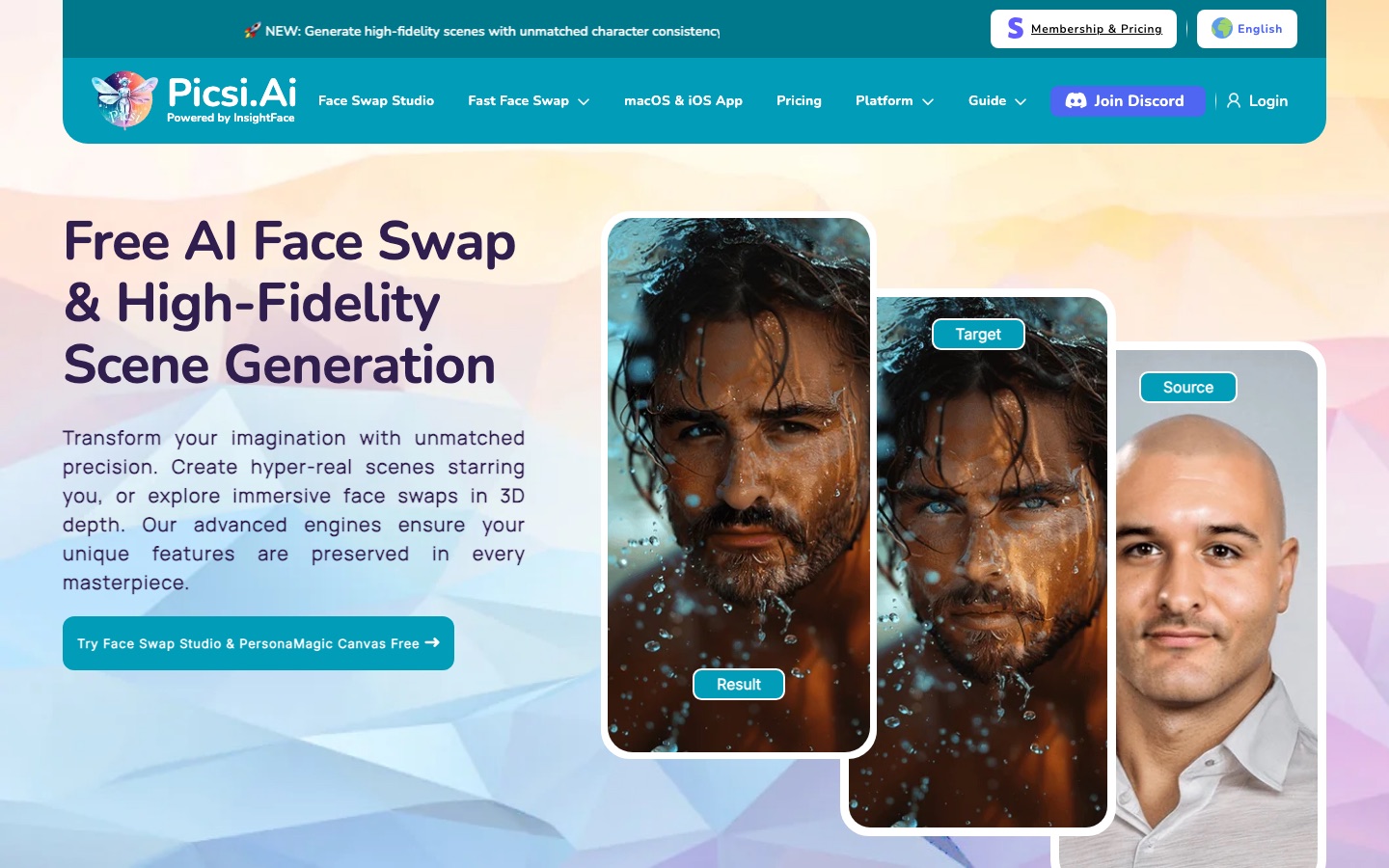
Picsi.Ai is a face swap service built by the team that develops Inswapper, the face swap model from the open-source InsightFace project. Its main product, Face Swap Studio, is a web workspace that swaps faces in images, videos and GIFs, processes up to ten files in a batch and exposes controls for face shape, expression, ageing and detail fixes. The same engine is available as a macOS app with live camera and screen capture modes, an iOS app, a Chrome extension that works from a right-click menu, a Photoshop plugin for paying members and an older Discord bot. A newer feature, PersonaMagic Canvas, generates whole scenes from a prompt while keeping a person's likeness. Standard swaps draw on credits that reset daily, and the Canvas feature uses separately purchased tokens.
Key Features
Face Swap Studio
Swaps faces in images, videos and GIFs in one web interface, with batches of up to ten target files of 30 MB each.
Multi-Face Video
Uses reference photos to target particular people in a clip and can replace up to four faces on paid plans.
Enhancement Controls
Adjusts results with tools such as Shapify for face shape, Expressionify for expression and fixers for eyes, ears and hairline.
PersonaMagic Canvas
Creates a new scene from a text prompt while preserving the identity of the person supplied.
Desktop and Mobile Apps
Offers a macOS app with live camera and screen capture swapping and an iOS app with a live camera mode.
Plugins and Extensions
Adds swapping to Adobe Photoshop as a layer-based plugin and to Chrome through a right-click option on web images.
Screenshots
Videos
Use Cases
- Placing Yourself in Generated Art
- Swap your own face onto an image made in another AI generator.
- Photoshop Composites
- Run a swap inside a selection and receive it as a new editable layer.
- Short Video Edits
- Change a single face, or several on a paid plan, in a brief clip.
- Consistent Character Scenes
- Generate a set of images of the same person in different settings.
- Batch Image Work
- Process a group of target pictures in a single run.
Things to know
- Content rules apply
- Sexual or suggestive material is not permitted, and the site says submissions are reviewed for both content and intent.
- Likeness protection
- The site provides a channel to prevent or report unauthorised use of a person's likeness and requires users to accept its Terms of Use.
- Daily credits do not accumulate
- Membership credits reset every 24 hours and unused ones are lost.
- Some tools are members-only
- The Photoshop plugin, multi-face video and expression matching are reserved for paying members.
FAQs
What is Picsi.Ai?
Picsi.Ai is a face swap tool for photos, videos and GIFs. It is run by the team behind the Inswapper model from the InsightFace project.
Is Picsi.Ai free?
Picsi.Ai can be used free with a limited number of daily credits. Basic, Pro and Ultra memberships raise the daily credit allowance and unlock more features; see the official pricing page for rates.
How do Picsi.Ai credits and tokens differ?
Picsi.Ai credits pay for standard swaps and reset every day without carrying over. Tokens are bought in packs, do not expire and are used only for PersonaMagic Canvas.
Does Picsi.Ai work on mobile?
Yes. Picsi.Ai has an iOS app with real-time camera face swapping, alongside a macOS desktop app.
Does Picsi.Ai have a Photoshop plugin?
Yes. The Picsi.Ai Photoshop plugin is available to paying members and supports Adobe Photoshop 2022 and later.
Is NSFW content allowed on Picsi.Ai?
No. Picsi.Ai says it does not support sexual or suggestive content, and that violations lead to removal and, if repeated, permanent suspension.
Can I use Picsi.Ai results commercially?
Picsi.Ai's pricing page says paid membership grants commercial use of results, provided you hold rights to your source images and credit Picsi.Ai.
Who it's for
- Digital artists
- Content creators
- Photoshop users
- Meme makers
- AI image hobbyists
Comments
No comments yet. If you have used Picsi.Ai, tell other readers how it went.
Alternatives to Picsi.Ai
| Tool | Free plan | Starting price | API |
|---|---|---|---|
 DeepSwapOnline face swap tool for videos, photos and GIFs, with AI video generation and image utilities. |
— | — | — |
 FaceSwapper.aiFree online AI face swap for photos, videos and GIFs, with batch and multi-face modes. |
Yes | — | — |
FaceFusionOpen-source face manipulation software for photos and videos that runs on your own hardware. |
Yes | — | Yes |
 AVCLabs AIAI software and online tools for upscaling, restoring, blurring and editing videos and photos. |
— | — | — |
 Neural.loveBrowser-based set of AI tools for enhancing video, upscaling and editing images, generating art and animating photos. |
Yes | — | Yes |
Listed in the same categories as Picsi.Ai. A starting price appears only where we checked it on the maker’s pricing page; a dash means not checked or not published. All Image Editing tools