
Palabra.ai
Real-time speech AI for live voice translation in meetings, events and streams, plus speech APIs for developers.
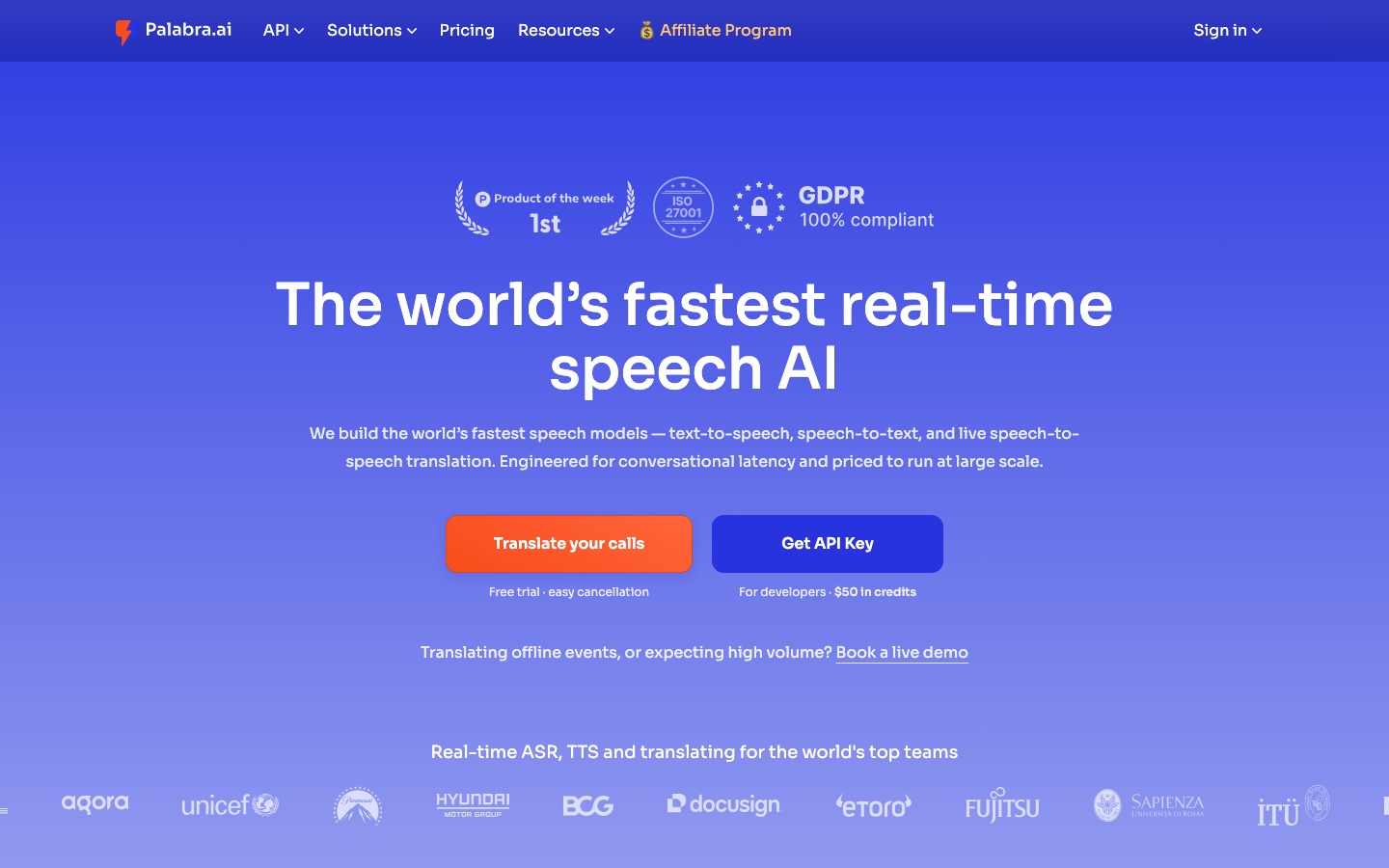
Palabra.ai is a real-time speech AI service that translates spoken conversations into more than 60 languages with voice output and captions. Palabra.ai is used either through ready-made tools for Zoom, Google Meet, Microsoft Teams, events and live streams, or through an API that provides speech-to-text, text-to-speech and speech-to-speech translation.
Best for Event organisers, distributed teams and developers who need spoken content translated live rather than after the fact.
- Platforms
- Web, API
- Pricing model
- Subscription
- Free trial
- Yes
- API
- Yes
- Made by
- Palabra.ai
- Added
Last verified: . Information taken from palabra.ai.
What is Palabra.ai?
Palabra.ai is a speech AI company whose products centre on live translation of spoken language. It develops its own models for speech-to-text, text-to-speech and speech-to-speech translation and offers them in two forms. Developers can call a streaming API over WebRTC or WebSocket that handles recognition, translation and voice output in one pipeline, with SDKs and a browser playground. Non-technical teams can use ready-made tools that add two-way voice translation and translated captions to Zoom, Google Meet and Microsoft Teams calls, in-person events, webinars and live streams delivered over SRT or RTMP. More than 60 languages are covered, and the service can clone a speaker's voice so the translated audio resembles the original. Custom glossaries keep specialist terms consistent. The company says conversation data is encrypted and not stored.
Key Features
Speech-to-Speech Translation
Translates live speech into another language with a stated delay of under one second, in both directions for conversations.
Voice Cloning
Reproduces the speaker's voice automatically for the translated audio, or uses a voice from the built-in library.
Translated Captions
Shows the translation as on-screen text so listeners can read instead of, or as well as, listening.
Meeting Integrations
Works inside Zoom, Google Meet and Microsoft Teams calls without extra software or plugins.
Broadcast Workflows
Accepts SRT and RTMP streams and fits into OBS, vMix, YouTube and similar setups to add translated audio tracks.
Developer API and SDKs
Exposes recognition, translation and speech synthesis through one streaming API with automatic language detection and glossary support.
Screenshots
Videos
Use Cases
- International Team Calls
- Hold a meeting where each participant speaks and hears their own language.
- Conferences and Panels
- Let attendees scan a QR code and follow the stage on their own phones in a chosen language.
- Multilingual Webinars
- Offer simultaneous audio translation for presentations and question sessions.
- Live Stream Localisation
- Add translated voice and subtitles to a gaming, sports or news broadcast.
- Voice Features in Apps
- Build real-time translation or low-latency speech synthesis into a product through the API.
Things to know
- Data handling
- Palabra.ai states that conversations are encrypted and that audio and text are neither kept nor used for model training.
- Feature still in development
- Emotion transfer is listed as coming soon rather than available.
- Enterprise deployment
- Private cloud, on-premises and regional server deployments are offered to enterprise customers.
FAQs
What is Palabra.ai?
Palabra.ai is an AI service for real-time speech translation. It offers ready-made tools for calls, events and streams and an API for developers.
What is Palabra.ai used for?
Palabra.ai is used to translate live speech during video meetings, conferences, webinars and broadcasts, and to add speech recognition, translation and synthesis to other software.
Is Palabra.ai free?
Palabra.ai is a paid service that offers a free trial for its meeting translation tools.
How much does Palabra.ai cost?
Meeting, event and streaming plans are sold as separate subscriptions.
Does Palabra.ai have an API?
Yes. Palabra.ai provides APIs and SDKs for speech-to-text, text-to-speech and speech-to-speech translation, with documentation and an online playground.
Which meeting apps does Palabra.ai work with?
Palabra.ai works with Zoom, Google Meet and Microsoft Teams. For broadcasts it connects to tools such as OBS, vMix and YouTube through SRT and RTMP.
How many languages does Palabra.ai support?
Palabra.ai supports more than 60 languages, and the company says additional ones can be added on request.
Does Palabra.ai store my conversations?
No. Palabra.ai states that conversations are encrypted and that it does not keep conversation data.
Who it's for
- Event organisers
- Developers
- International teams
- Broadcasters
- Churches and nonprofits
- Educators
Used in these workflows
- Running better meetings: where AI tools help before, during and afterStage 6: Live translation
- Translation and localization, job by job: AI tools for documents, subtitles, dubbing and live speechStage 7: Live interpretation
Each guide lists the stages of one job and the tools that help at each stage. All guides
Comments
No comments yet. If you have used Palabra.ai, tell other readers how it went.
Alternatives to Palabra.ai
| Tool | Free plan | Starting price | API |
|---|---|---|---|
 CAMB.AIAI localization platform for dubbing, speech translation, text to speech and subtitles in more than 150 languages. |
Yes | — | Yes |
 Felo TranslatorMobile app that transcribes speech and translates it in real time, with audio or text output. |
— | — | — |
 SesameVoice AI company whose conversational agents run in iOS and Android apps, built on its Conversational Speech Model. |
— | — | — |
 Fish AudioAI voice platform for text to speech and voice cloning with emotion tags, a large voice library and a developer API. |
Yes | — | Yes |
 Inworld AIRealtime voice AI platform offering text-to-speech, speech-to-text, a speech-to-speech API and LLM routing. |
Yes | — | Yes |
Listed in the same categories as Palabra.ai. A starting price appears only where we checked it on the maker’s pricing page; a dash means not checked or not published. All Translation tools