
Neural Analog
Online audio studio for restoring, stem-splitting and mastering music, including tracks made with AI generators.
Neural Analog is a browser-based audio studio that improves the quality of music and recordings. Neural Analog imports a file or a link from AI music platforms such as Suno, then restores lost frequencies, removes noise, separates stems, masters the track for streaming loudness and can transcribe parts to MIDI. Free users receive a small monthly allowance of processing minutes.
Best for Musicians and producers who want to clean up, separate and master tracks, especially songs exported from AI music generators.
- Listed in
- Audio Editing & Enhancement
- Platforms
- Web, Plugin, API, MCP
- Pricing model
- Freemium
- Free plan
- Yes
- API
- Yes
- Made by
- Neural Analog
- Added
Last verified: . Information taken from neuralanalog.com.
What is Neural Analog?
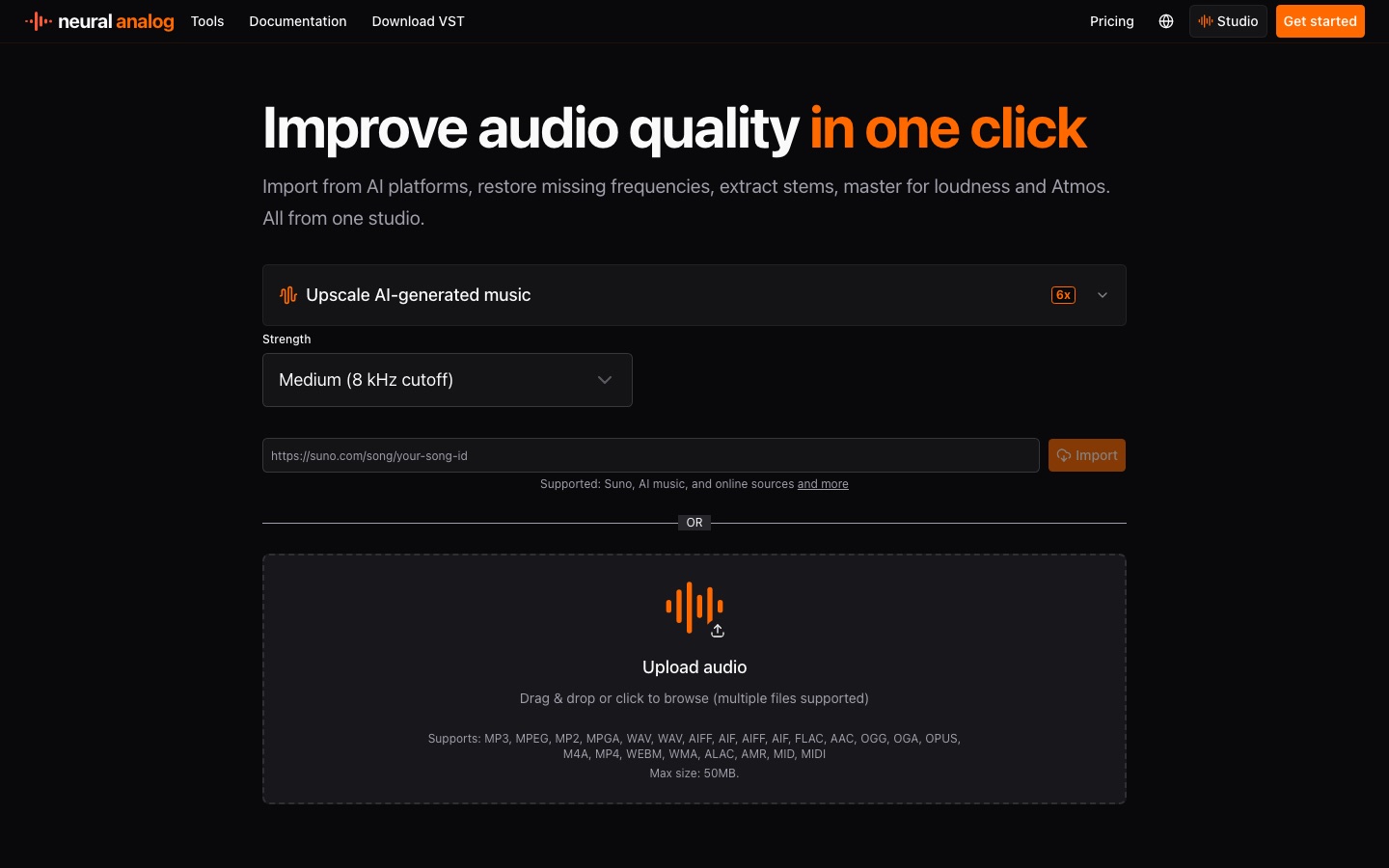
Neural Analog is an online audio studio for restoring, separating and mastering music. Tracks enter the studio either as uploaded files or as links from AI music services such as Suno and Mureka; on import it fetches metadata and cover art, measures loudness in LUFS and draws a spectrogram. Restoration tools target compression artefacts, background noise and muffled sound and export the result as WAV. The stem splitter offers standard presets plus prompt-based separation, where you describe the sound to isolate in words. Mastering applies an effect chain aimed at streaming loudness, with a Match EQ option that borrows the tonal balance of a reference. Stems can be transcribed into polyphonic MIDI, and whole playlists can be processed in one batch. The site also lists a VST download, API documentation and an MCP entry.
Key Features
Audio Restoration
Reduces compression artefacts, noise and dull high frequencies in a recording and outputs a WAV file.
Prompt-Based Stem Splitting
Separates a song into stems using presets or a text description of the instrument or sound you want isolated.
Automatic Mastering
Adjusts volume, dynamics and loudness toward a streaming target measured in LUFS, with optional Match EQ.
Stem to MIDI
Transcribes individual instrument stems into editable polyphonic MIDI.
Link and File Import
Accepts links from Suno and Mureka as well as uploads in formats such as MP3, WAV, FLAC, AAC, OGG and M4A.
Bulk Processing
Imports full playlists or many files together, then restores, masters and downloads them as a batch.
How Neural Analog works
Import a track
Paste a link from a supported AI music platform or upload one or more audio files.
Split into stems
Use the stem splitter if individual parts need attention.
Restore and balance
Run restoration on the stems that need it, then set EQ and volume so they sit together.
Master the mix
Apply mastering to the combined mix as the last step and download the result.
Videos
Use Cases
- Polishing AI-Generated Songs
- Upscale and master tracks exported from an AI music generator before release.
- Rescuing Old Recordings
- Improve low-bitrate MP3s or poorly ripped CD audio.
- Cleaning Live Recordings
- Take crowd noise or reverb out of a concert capture.
- Remixing and Sampling
- Pull vocals, drums or a single instrument out of a mix to rework it.
- Album and Catalogue Prep
- Run a whole release or library through the same restoration and mastering chain.
Things to know
- Usage is metered in minutes
- Processing draws on a monthly allowance of minutes, and batch jobs, long tracks or more demanding models use it up faster.
- Rights stay with the user
- The site says processing does not transfer ownership and that users must hold the rights to imported links, recordings and samples.
- Mastering works on the full mix
- The mastering step is applied to one complete track, so stem edits should be finished and mixed down first.
FAQs
What is Neural Analog?
Neural Analog is an online audio studio that restores recordings, splits songs into stems, masters tracks and converts stems to MIDI.
What is Neural Analog used for?
Neural Analog is used to raise the sound quality of music, AI-generated songs, podcasts and old or live recordings before they are released or reused.
Is Neural Analog free?
Partly. Neural Analog lets you try each feature on a sample at no charge and gives free users a small monthly amount of processing minutes; larger jobs need a paid plan or extra minutes.
Do I own tracks processed with Neural Analog?
Yes, if you owned the input. Neural Analog states that processing does not transfer ownership, and that you remain responsible for having rights to what you import.
Which file formats does Neural Analog accept?
Neural Analog lists MP3, WAV, AIFF, FLAC, AAC, OGG, OPUS, M4A, MP4, WEBM, WMA, ALAC, AMR and MIDI files among its supported uploads.
Can Neural Analog be used for non-AI music?
Yes. Neural Analog says it works with DAW exports, samples, voice notes, podcast audio, phone calls and live recordings as well as AI tracks.
In what order should I use the Neural Analog tools?
Neural Analog recommends splitting stems first if parts need fixing, restoring those stems, balancing them with EQ and volume, and mastering the final mix last.
Who it's for
- Music producers
- AI music creators
- DJs
- Podcasters
- Independent labels
Used in these workflows
- From lyric to release: AI tools for producing a music trackStage 5: Mixing, mastering and cleanup
Each guide lists the stages of one job and the tools that help at each stage. All guides
Comments
No comments yet. If you have used Neural Analog, tell other readers how it went.
Alternatives to Neural Analog
| Tool | Free plan | Starting price | API |
|---|---|---|---|
 FadrMusic tool that splits songs into stems, detects MIDI and builds remixes, with plugins and an API on the paid tier. |
Yes | — | Yes |
 LANDRMusic production platform combining AI mastering, distribution, samples, plugins and collaboration tools. |
— | — | — |
 LamucalAI tool that generates chords, tabs, beats and lyrics for any song, with vocal removal and practice features. |
— | — | — |
 MoisesMusician's app that separates songs into stems and adds chord detection, tempo control and collaborative recording. |
Yes | — | — |
AI MasteringOnline service that masters uploaded audio automatically, with adjustable loudness targets and output formats. |
Yes | — | Yes |
Listed in the same category as Neural Analog. A starting price appears only where we checked it on the maker’s pricing page; a dash means not checked or not published. All Audio Editing & Enhancement tools