
Krikey AI
Browser-based AI animation tool that creates 3D character videos from text or video prompts.
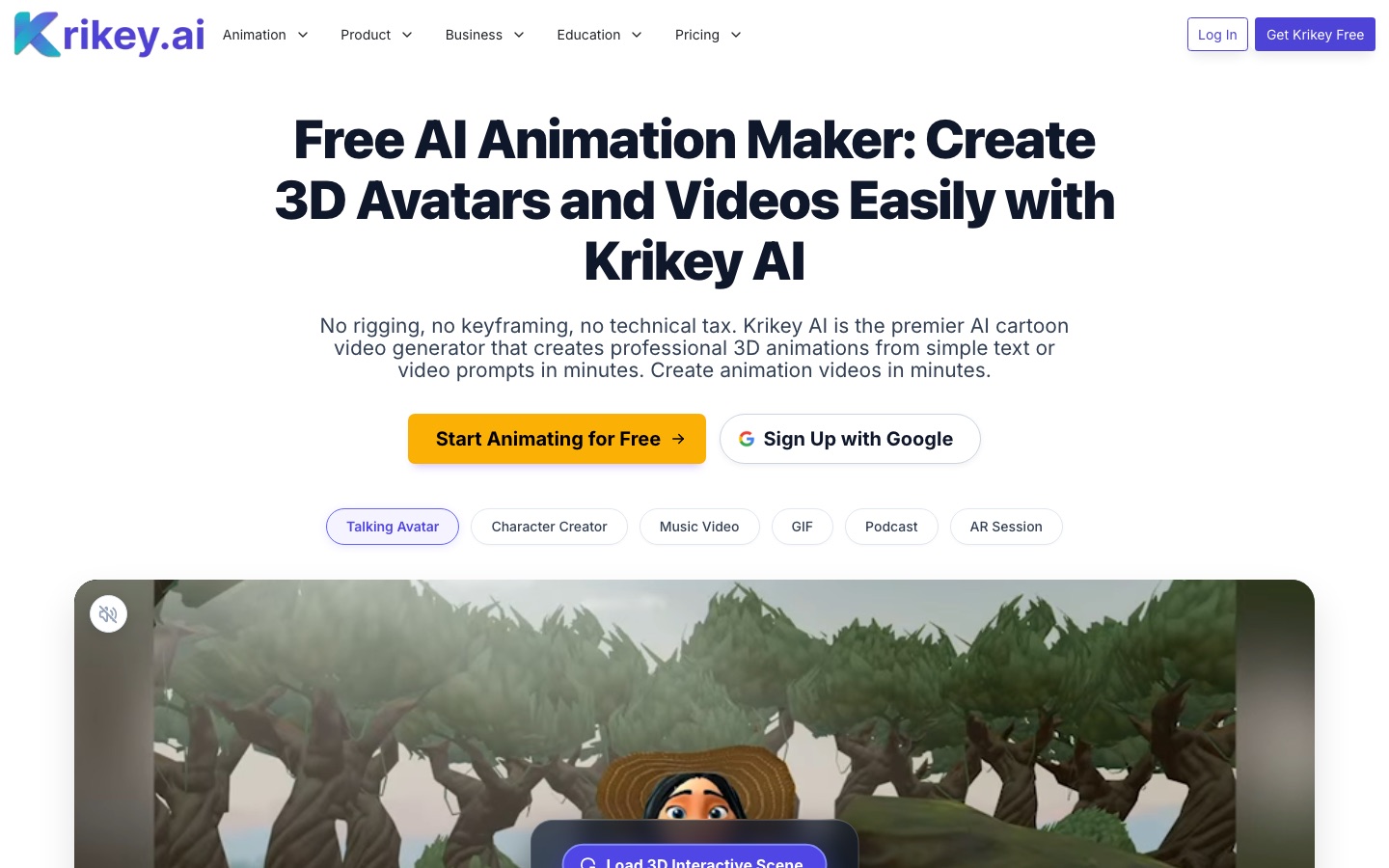
Krikey AI is a browser-based animation tool that generates 3D character animations from text or video prompts. With Krikey AI you can make talking avatar videos, build a custom 3D character from an uploaded image, turn webcam or uploaded footage into motion, and export MP4, GIF, PNG or FBX files. It has a free plan with 20 one-time credits.
Best for Creators, teachers and marketing teams without animation training who need short character-led videos, and game teams prototyping character motion.
- Platforms
- Web, Plugin
- Pricing model
- Freemium
- Free plan
- Yes
- Made by
- Krikey Inc.
- Added
Last verified: . Information taken from krikey.ai.
What is Krikey AI?
Krikey AI is a browser-based 3D animation tool that produces character animation from text or video input, without manual rigging or keyframing. A text prompt can generate a talking avatar video, and an uploaded image can be converted into a rigged 3D character with full-body animation and lip sync. A video-to-animation feature performs motion capture from a webcam or an uploaded clip. Other generators create music videos with a singing character and animated podcast clips from a prompt or a blog link. Results are edited in a no-code 3D video editor with facial expressions, camera controls, backgrounds and AI voiceovers in more than 20 languages. Exports include MP4, GIF, PNG and FBX, the last of which works with Unity and Unreal. Krikey AI also runs as an app inside Canva, ChatGPT and Adobe Express. Plans are credit-based and start with a free tier.
Key Features
Talking Avatars
Generates an avatar that speaks a script you type, for explainers, tutorials, lessons or social clips.
AI Character Creator
Builds a 3D character model from an uploaded picture and a chosen style, and rigs it automatically for body animation and lip sync.
Video to Animation
Captures motion from a webcam recording or uploaded video and applies it to a 3D character.
Music and Podcast Videos
Creates a music video with a singing character from a genre and topic, or an animated podcast clip from text or a blog link.
Voice AI
Adds AI-generated scripts and voiceovers, with voices in over 20 languages including Hindi and Tamil.
Flexible Exports
Outputs MP4 video, transparent looping GIFs, PNG images and FBX files for game engines.
Videos
Use Cases
- Classroom Lessons
- Explain a topic with an animated character that students can relate to.
- Marketing Explainers
- Produce a product demo or ad creative without hiring an animation studio.
- Faceless Social Channels
- Publish videos fronted by an avatar instead of appearing on camera.
- Game Pre-Production
- Prototype character motion and cutscenes, then export FBX files to Unity or Unreal.
- Animated Presentations
- Add a speaking cartoon character to a Canva presentation through the Krikey app.
Things to know
- Watermark removal is a Pro feature
- Removing the watermark is listed among the Pro plan's features.
- Compliance statements
- Krikey states that it is SOC 2, FERPA and COPPA compliant.
- Exports do not cost credits
- According to the pricing page, finished files can be downloaded repeatedly without spending additional credits.
- Separate motion capture dataset
- Krikey also offers a dataset of everyday human actions in FBX and BVH formats for robotics and research teams.
FAQs
What is Krikey AI?
Krikey AI is a browser-based AI animation tool that creates 3D character animations, talking avatars and GIFs from text or video prompts.
Is Krikey AI free?
Yes. Krikey AI has a free plan that comes with 20 one-time credits.
How do credits work in Krikey AI?
Krikey AI spends credits on AI generation such as text-to-animation and voiceovers. The Free plan grants 20 credits once, Pro includes 165 per month and Teams includes 200 per person per month.
How much does Krikey AI cost?
Krikey AI lists Free, Pro, Teams and Enterprise plans plus one-time credit passes. See the official pricing page for current rates.
Can Krikey AI export FBX files?
Yes. Krikey AI's Pro and Teams plans can export FBX files that are compatible with Unity and Unreal Engine.
Does Krikey AI support motion capture?
Yes. Krikey AI's video-to-animation tool performs motion capture from a webcam or an uploaded video.
Do I need animation skills to use Krikey AI?
No. Krikey AI is designed for people without coding or animation experience.
Is there an education discount for Krikey AI?
Yes. Krikey AI offers an EDU plan for schools and classrooms after verifying education status.
Who it's for
- Content creators
- Teachers
- Students
- Marketing teams
- Small businesses
- Game developers
Used in these workflows
- Which AI tools help you develop a game, from design document to launch?Stage 4: 3D models and animation
Each guide lists the stages of one job and the tools that help at each stage. All guides
Comments
No comments yet. If you have used Krikey AI, tell other readers how it went.
Alternatives to Krikey AI
| Tool | Free plan | Starting price | API |
|---|---|---|---|
 AnijamChat-based AI video agent for making animation, anime-style clips, ads and social videos from prompts. AnijamChat-based AI video agent for making animation, anime-style clips, ads and social videos from prompts. |
Yes | — | — |
 AnimateAIAI video generator for animated stories that handles characters, storyboards and video scenes in one workflow. AnimateAIAI video generator for animated stories that handles characters, storyboards and video scenes in one workflow. |
— | — | — |
 ArcadsAI video ad creator with a library of 1,000+ AI actors, custom avatars and tools to edit, translate and remix ads. ArcadsAI video ad creator with a library of 1,000+ AI actors, custom avatars and tools to edit, translate and remix ads. |
— | — | Yes |
AutodraftAI cartoon animation tool that generates characters, backgrounds and voiceovers for story videos. |
Yes | — | — |
 DeeVid AIAll-in-one AI studio for generating videos, images, avatars, voice and music from text, photos or clips. DeeVid AIAll-in-one AI studio for generating videos, images, avatars, voice and music from text, photos or clips. |
Yes | $10/mo | — |
Listed in the same categories as Krikey AI. A starting price appears only where we checked it on the maker’s pricing page; a dash means not checked or not published. All AI Video Generator tools