GradeWithAI
AI grading assistant for teachers that scores assignments against a rubric and syncs with Canvas and Google Classroom.
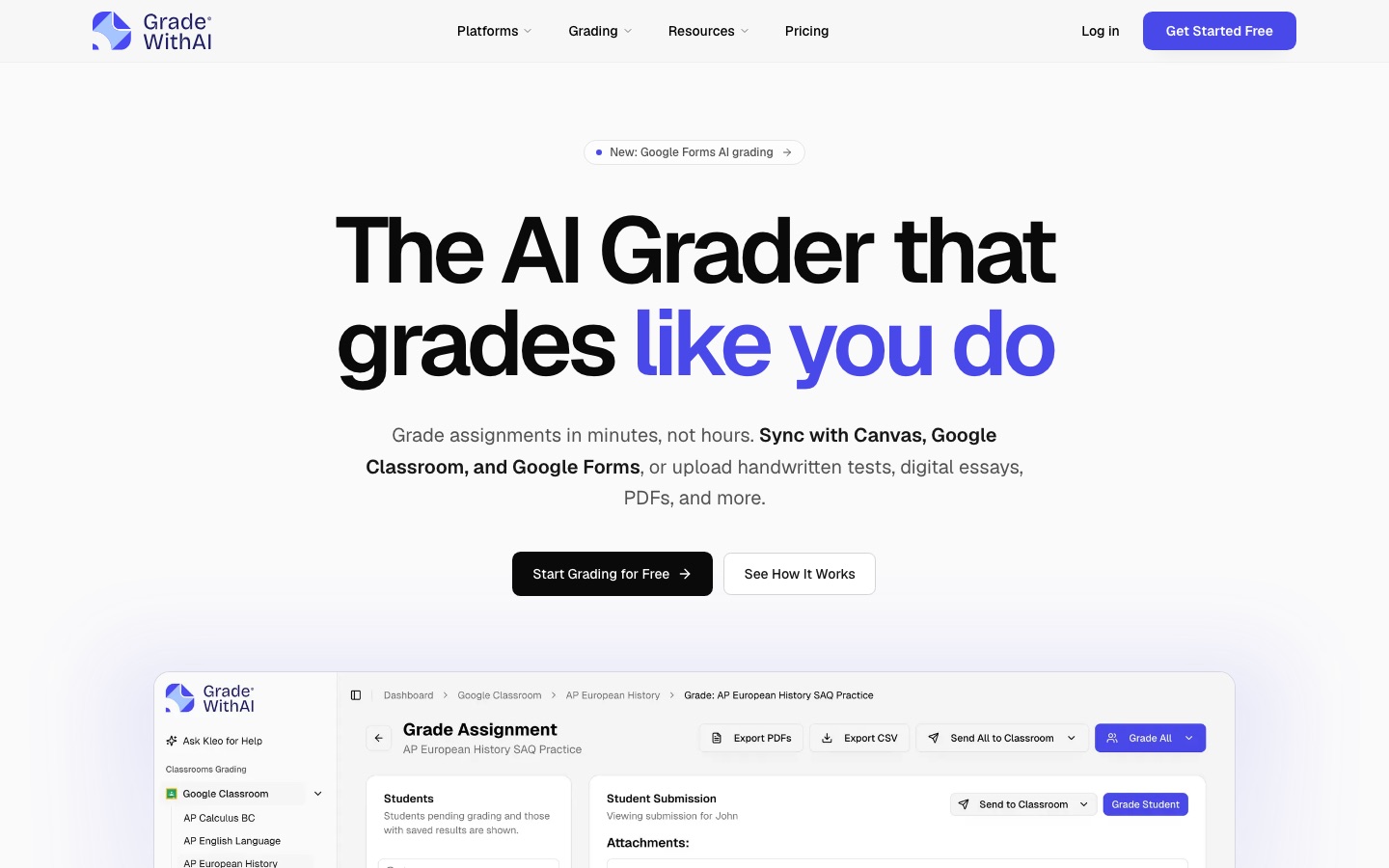
GradeWithAI is an AI grader for teachers. GradeWithAI pulls assignments from Canvas, Google Classroom or Google Forms, or accepts uploaded PDFs, Word files, slides and photos of handwritten work, then scores each submission against a rubric and drafts feedback. Teachers review, edit or regrade the results before returning them. A free plan covers 25 AI requests per month.
Best for Teachers with large classes who grade essays, handwritten tests or short-answer forms against a rubric and already use Canvas or Google Classroom.
- Platforms
- Web
- Pricing model
- Freemium
- Free plan
- Yes
- Made by
- GradeWithAI
- Added
Last verified: . Information taken from gradewithai.com.
What is GradeWithAI?
GradeWithAI is a grading tool that applies a teacher's rubric to student work using AI. Assignments and responses can be synced from Canvas, Google Classroom and Google Forms, and grades with feedback can be pushed back to the gradebook; Microsoft Teams users have to move files by hand. Work can also be uploaded directly as PDFs, Word documents, PowerPoints or images, and the system reads handwriting and picks out student names. A rubric can be supplied by the teacher or generated from the assignment instructions. Each submission receives criterion-based scores and comments, which the teacher can override, rewrite or send back for a regrade with specific instructions. An assistant called Kleo answers questions about class performance and drafts emails or quizzes. The Pro plan adds AI detection scores on submissions. The site states that student work is not used to train AI models.
Key Features
LMS Sync
Imports assignments and responses from Canvas, Google Classroom and Google Forms and sends grades and feedback back.
Upload Grading
Grades PDFs, Word files, PowerPoints and images, including handwritten work, and extracts student names automatically.
Rubric Generator
Builds a rubric from the assignment instructions and attachments or from a short description; saved rubrics can be reused.
Teacher Review and Regrade
Lets the teacher change any score or comment, or request a regrade with instructions such as awarding partial credit.
Kleo Assistant
Answers questions about students and assignments, points out learning gaps, and drafts parent emails or follow-up quizzes.
AI Detection
Gives each submission a 0–100% AI score with a label next to the grading feedback; part of the Pro plan.
How GradeWithAI works
Connect or upload
Link Canvas or Google Classroom to sync assignments, or upload files and handwritten work directly.
Set the rubric
Use your own rubric or generate one from the assignment instructions, and edit any criterion.
Review the grading
Check the AI's scores and drafted feedback, then adjust them or ask for a regrade.
Return grades
Send scores and feedback back to the LMS gradebook.
Use Cases
- Essay Grading
- Score a class set of essays against one rubric and return comments on each criterion.
- Handwritten Tests
- Photograph or scan paper tests and have the handwriting read and graded.
- Google Forms Short Answers
- Grade paragraph and short-answer responses collected through a form.
- Large Class Loads
- Keep feedback turnaround short when teaching several large class sections.
- School-Wide Rollout
- Give every teacher access under one account with SSO, bulk user management and an admin dashboard.
Things to know
- Free plan is capped
- The Free plan allows 25 AI requests each month; Pro removes the cap.
- No native Microsoft Teams sync
- Teams users download submissions, upload them to GradeWithAI and return the results manually.
- AI detection is a Pro feature
- AI scores on submissions are listed under Pro and the school plan, not under Free.
- Security statements
- The site describes FERPA-aligned workflows, AES-256 encryption at rest and TLS 1.2 or higher in transit.
FAQs
What is GradeWithAI?
GradeWithAI is an AI grading assistant for teachers that scores student work against a rubric and drafts written feedback for review.
What is GradeWithAI used for?
GradeWithAI is used to grade essays, handwritten tests, Google Forms responses and LMS assignments faster while keeping the teacher in charge of the final grade.
Is GradeWithAI free?
Yes. GradeWithAI has a Free plan with 25 AI requests per month and no credit card requirement. Unlimited grading needs the Pro plan.
How much does GradeWithAI cost?
Schools and districts get custom pricing through sales.
Which learning platforms does GradeWithAI connect to?
GradeWithAI connects to Google Classroom, Canvas and Google Forms for direct sync. For Microsoft Teams there is no native sync, so files and results are moved manually.
Can GradeWithAI grade handwritten work?
Yes. GradeWithAI reads handwriting in uploaded images and PDFs and applies the rubric to it.
Does GradeWithAI detect AI-written submissions?
Yes. On the Pro plan GradeWithAI assigns each submission an AI score from 0 to 100% with a matching label.
Is student data used to train AI in GradeWithAI?
No. GradeWithAI states that student work is processed for grading only and is not used to train AI models.
Who it's for
- K-12 teachers
- College instructors
- AP teachers
- Schools
- Districts
Comments
No comments yet. If you have used GradeWithAI, tell other readers how it went.
Alternatives to GradeWithAI
| Tool | Free plan | Starting price | API |
|---|---|---|---|
 CoGraderAI grading assistant that scores essays against a teacher's rubric and drafts feedback for the teacher to review. CoGraderAI grading assistant that scores essays against a teacher's rubric and drafts feedback for the teacher to review. |
Yes | — | Yes |
GradPilotAdmissions essay grader that scores a draft against application-specific rubrics and adds AI detection. |
Yes | — | — |
 Class CompanionClassroom tool that gives students instant AI feedback and tutoring on written assignments and shows teachers the results. Class CompanionClassroom tool that gives students instant AI feedback and tutoring on written assignments and shows teachers the results. |
Yes | — | — |
 PlagiarismCheck.orgPlagiarism checker and AI content detector for schools, universities, businesses and individual writers. PlagiarismCheck.orgPlagiarism checker and AI content detector for schools, universities, businesses and individual writers. |
— | — | Yes |
 TurnitinAcademic integrity software that checks text similarity and AI writing, plus grading, feedback and secure exam tools. TurnitinAcademic integrity software that checks text similarity and AI writing, plus grading, feedback and secure exam tools. |
— | — | — |
Listed in the same categories as GradeWithAI. A starting price appears only where we checked it on the maker’s pricing page; a dash means not checked or not published. All Education & Tutoring tools