
ChatVisor
AI roleplay coach for rehearsing difficult conversations at work, in sales and in personal life.
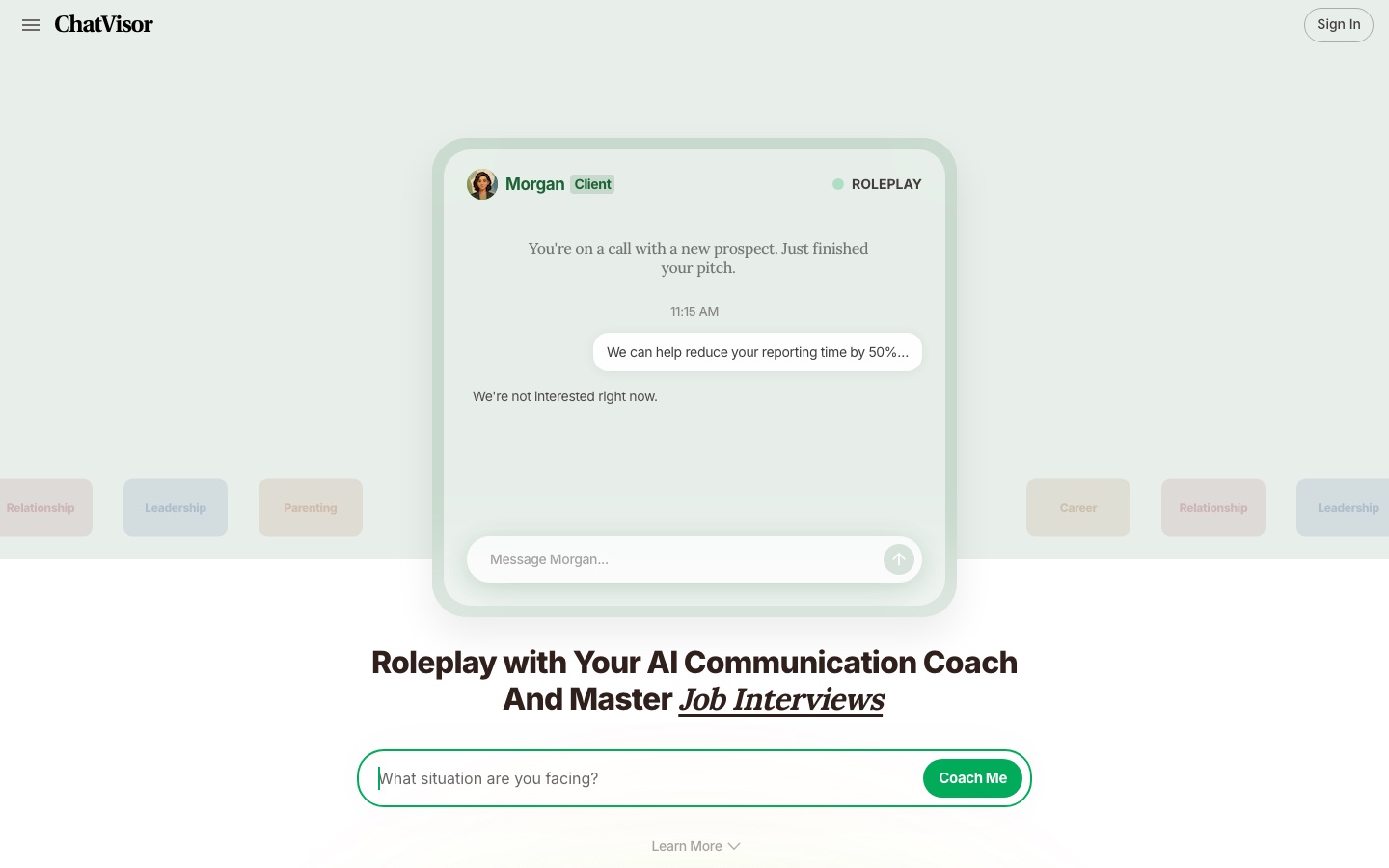
ChatVisor is an AI communication coach that lets people rehearse hard conversations through roleplay before having them for real. A user describes the situation, ChatVisor plays the other person, and each session ends with coaching feedback and a personalised report. ChatVisor covers job interviews, salary negotiations, sales calls and talks with partners or children.
Best for People preparing for one specific high-stakes conversation, such as an interview, a pay negotiation, a sales objection or a family disagreement, who want to practise it first.
- Platforms
- Web
- Made by
- TideSwing
- Added
Last verified: . Information taken from chatvisor.ai.
What is ChatVisor?
ChatVisor is a web-based AI roleplay tool for practising conversations that are hard to get right. Instead of rehearsing silently, a user explains what they are facing and then talks it through with an AI that takes the part of the other party, whether that is a manager who avoids the subject, a prospect who stalls or a partner who reacts defensively. The same scenario can be replayed several times with different approaches. When a session ends, ChatVisor reviews it and points out where the user sounded assured or defensive, where the exchange drifted and what to change on the next attempt. Ready-made scenarios are grouped under career and leadership, sales and clients, and relationships and family, and users can also type in a situation of their own. The copyright notice on the site names TideSwing.
Key Features
Situation-Based Setup
Starts from a short description of what you are dealing with and identifies which parts of the conversation need the most practice.
AI Counterpart
Plays the person you will be speaking to, including pushback, emotional reactions and replies you did not expect.
Scenario Library
Offers prepared roleplays such as a client pitch, a membership sale, repairing a relationship and flirting practice.
Coaching Feedback
Comments on your opening, tone and delivery once the roleplay is over and names what did not land.
Repeat Practice
Lets you run an identical conversation again with a new approach until the wording feels natural.
Practice Reports
Produces a personalised report after every practice so that progress can be reviewed and refined.
How ChatVisor works
Describe the situation
Tell ChatVisor what conversation you are facing so it can see what you most need to practise.
Roleplay it
Hold the conversation with an AI that responds the way the real person might.
Read the coaching
Get feedback on your opening, tone and delivery, including what is not working.
Repeat and review
Run the scenario again and use the personalised report from each practice to improve.
Use Cases
- Interview Preparation
- Rehearse answers to interview questions and tighten the stories you tell about past work.
- Asking for a Raise
- Practise a salary negotiation or a performance review discussion with an AI playing your manager.
- Handling Sales Objections
- Work through cold calls, price pushback and a prospect who says they are not interested.
- Giving Tough Feedback
- Try out how to raise a missed deadline or deliver bad news to a team member.
- Family and Relationship Talks
- Prepare for a tense conversation with a partner, a teenager or a relative before it happens.
Things to know
- Personal topics are included
- Besides workplace and sales scenarios, the library covers relationships, parenting and flirting practice.
- No prices on the home page
- The home page invites visitors to start for free but does not publish plan details, so costs have to be checked after signing in or on the site itself.
- Operator
- The site footer carries a copyright notice in the name of TideSwing.
FAQs
What is ChatVisor?
ChatVisor is an AI roleplay tool and communication coach for practising difficult conversations before they take place.
What is ChatVisor used for?
ChatVisor is used to rehearse situations such as job interviews, salary negotiations, performance reviews, sales pitches and hard talks with a partner or child.
How does ChatVisor work?
ChatVisor asks what situation you face, runs a roleplay in which the AI plays the other person, and then gives coaching feedback and a personalised report.
Can I practise the same conversation more than once in ChatVisor?
Yes. ChatVisor lets you repeat a scenario multiple times and try a different approach on each run.
Can ChatVisor be used for sales training?
Yes. ChatVisor lists sales scenarios including new-client pitches, cold calls, responding to a prospect who declines, holding a price and upselling.
Is ChatVisor only for work conversations?
No. Alongside career and sales topics, ChatVisor includes relationship and family scenarios such as rebuilding trust, talking about money and dating conversations.
Is ChatVisor free?
ChatVisor's home page has a Start for Free button, but the page does not set out plans or prices, so check the site for the current terms.
Who it's for
- Job seekers
- Managers
- Sales representatives
- Professionals
- Parents and partners
Used in these workflows
- The slides come last: AI tools for researching, building and rehearsing a presentationStage 6: Speaker notes and rehearsal
Each guide lists the stages of one job and the tools that help at each stage. All guides
Comments
No comments yet. If you have used ChatVisor, tell other readers how it went.
Alternatives to ChatVisor
| Tool | Free plan | Starting price | API |
|---|---|---|---|
 AIApplyJob search assistant that tailors resumes and cover letters, applies to matching roles and coaches interviews. AIApplyJob search assistant that tailors resumes and cover letters, applies to matching roles and coaches interviews. |
— | — | — |
 APEUniPTE exam practice platform that scores speaking and writing answers with AI. APEUniPTE exam practice platform that scores speaking and writing answers with AI. |
Yes | — | — |
 Alfa PTEOnline PTE practice platform with AI-scored questions, mock tests and performance analytics. Alfa PTEOnline PTE practice platform with AI-scored questions, mock tests and performance analytics. |
— | — | — |
 BrainlyAI homework help and test prep for grades 7–12 that guides students step by step, backed by a human learning advisor. BrainlyAI homework help and test prep for grades 7–12 that guides students step by step, backed by a human learning advisor. |
— | — | — |
 CoGraderAI grading assistant that scores essays against a teacher's rubric and drafts feedback for the teacher to review. CoGraderAI grading assistant that scores essays against a teacher's rubric and drafts feedback for the teacher to review. |
Yes | — | Yes |
Listed in the same categories as ChatVisor. A starting price appears only where we checked it on the maker’s pricing page; a dash means not checked or not published. All Education & Tutoring tools