Image prompt Portraits & Fashion Customizable
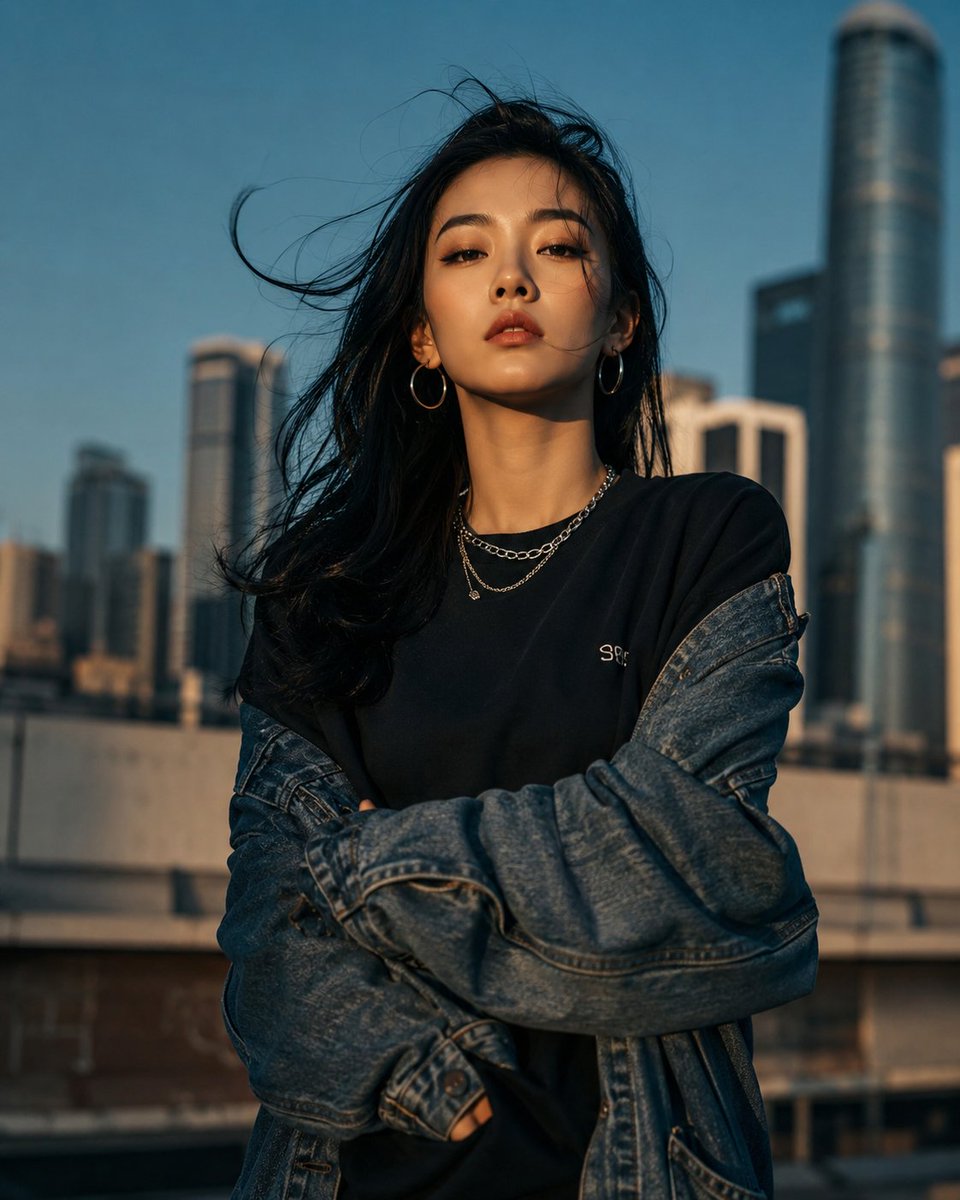
Urban Golden Hour Streetwear Portrait
A confident young woman stands in front of a blurred city skyline, lit by warm late-afternoon sun against a teal-blue sky. Oversized denim, layered silver jewelry and a direct gaze give it the feel of a premium street fashion campaign.

- Model
- GPT Image 2
- Type
- Image
- Aspect ratio
- 4:5
- Shared
- 15 May 2026
- Likes on X
- 212
PersonJacketSky color
Image prompt
702 charactersUltra-realistic cinematic portrait of a confident young East Asian woman standing outdoors in a modern city skyline, direct eye contact, long black windswept hair, natural makeup, silver hoop earrings, layered chain necklace, oversized blue denim jacket falling off shoulders, black minimalist sweatshirt, arms crossed, strong attitude, golden hour sunlight, shallow depth of field, blurred skyscrapers in background, moody urban fashion editorial, sharp facial details, soft skin texture, dramatic shadows, teal-blue sky, DSLR photography, 85mm lens, f/1.8, high contrast, premium streetwear campaign aesthetic, Vogue-style fashion photography, ultra detailed, photorealistic, cinematic color grading.
How to use it
This prompt describes a real person's look, so it works best with a reference photo of the subject you want, uploaded alongside the text. It was shared as a GPT Image 2 prompt. Swap the person, the jacket color and the city details to make it yours, but keep the golden-hour light, the 85mm and f/1.8 settings and the cinematic grading, since those carry the editorial mood.
Shared publicly on X on 15 May 2026. All credit for this prompt and its result goes to its creator. Is this yours? Ask for an update or removal.