Image prompt Product & Ads Customizable
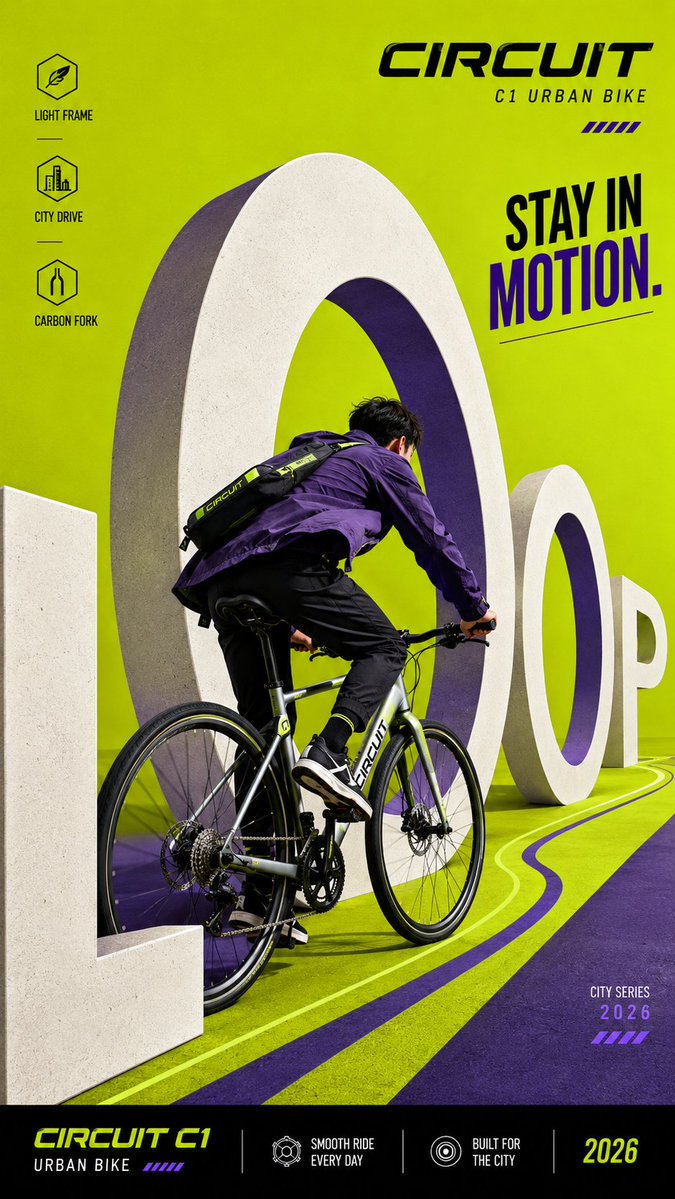
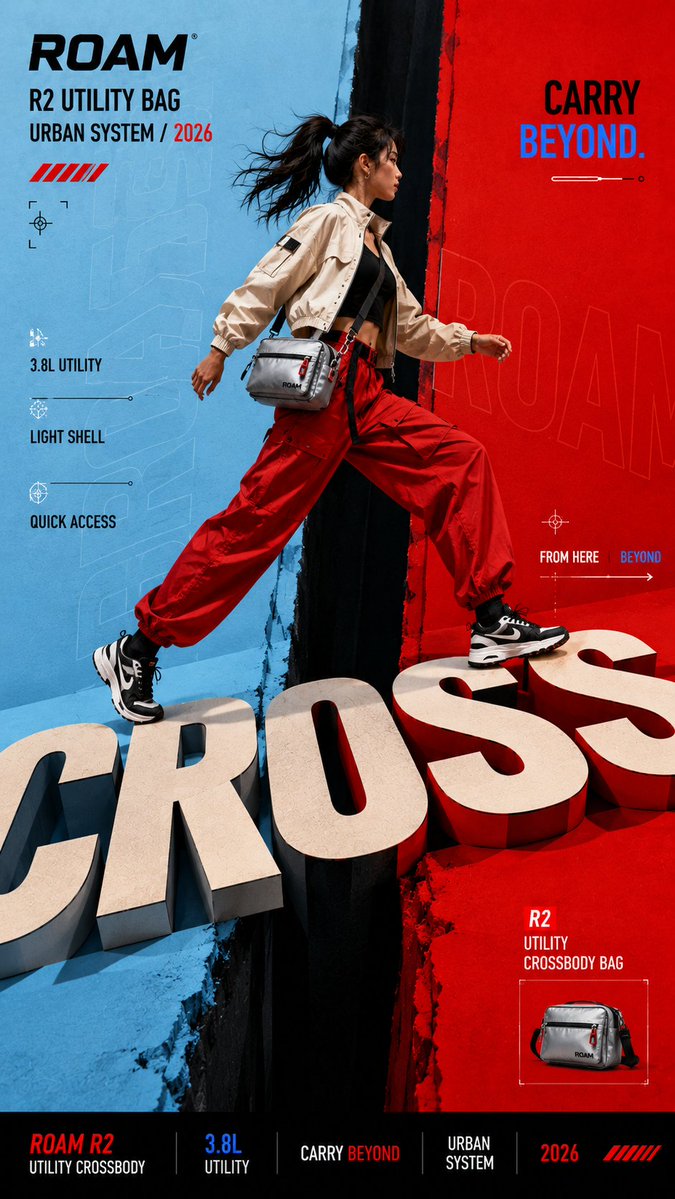
Oversized Letterform Architecture Campaign Poster
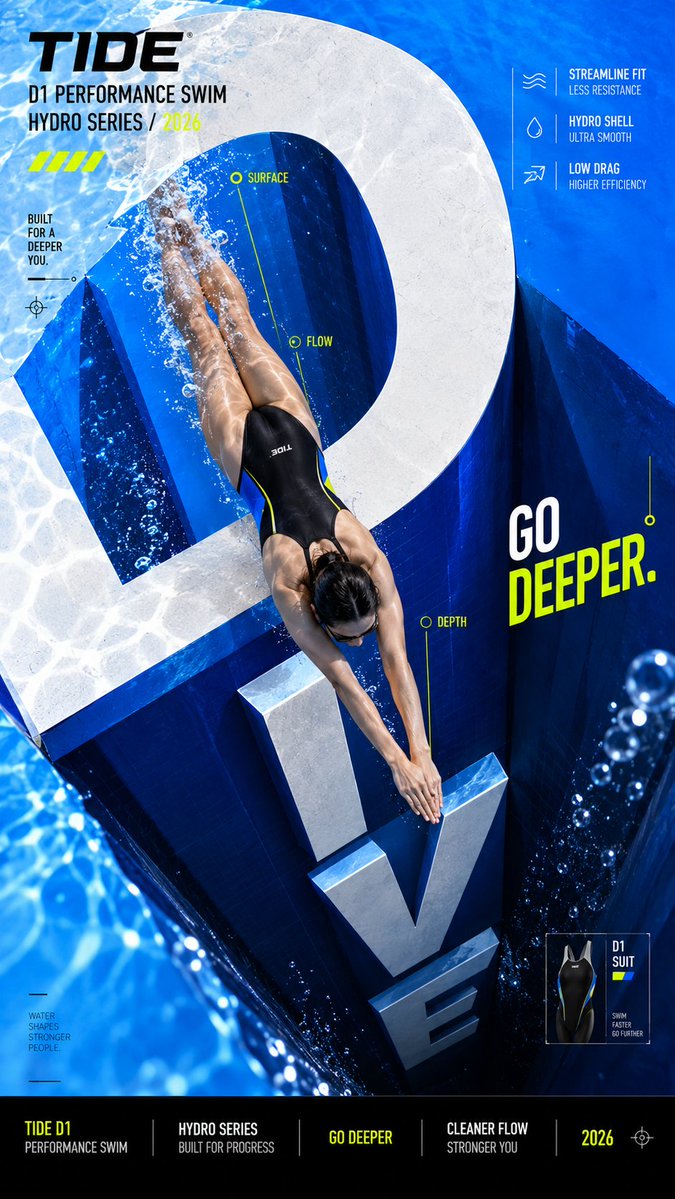
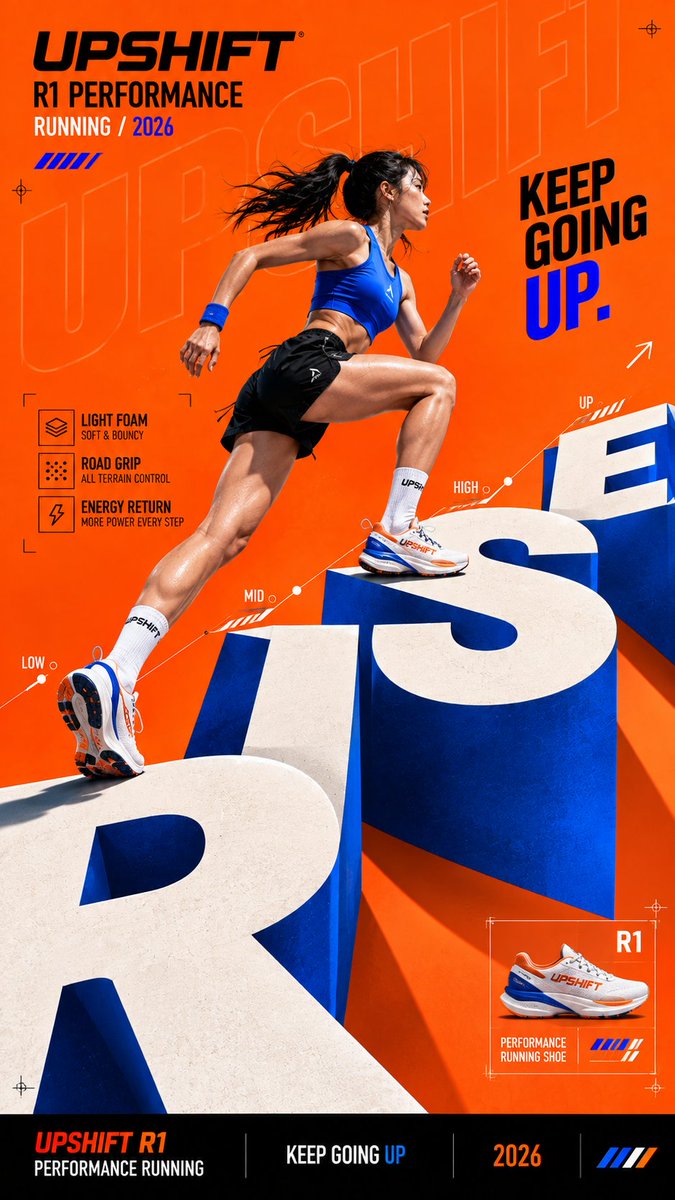
A bold editorial campaign image in which a giant word is built into stairs, a bridge or a tunnel, and the subject moves through its letterforms. Depth comes from some letters standing in front of the figure while others recede behind.

- Model
- GPT Image 2
- Type
- 4 images
- Aspect ratio
- 9:16
- Shared
- 29 Aug 2026
- Likes on X
- 51
Brand nameProduct or campaignShort wordPerson / product / bothStairs / bridge / tunnel / shaft / other+1 more
Image prompt
1,861 charactersCreate a bold editorial campaign poster where oversized typography becomes the physical space the subject moves through. Brand: [BRAND NAME] Product / Campaign: [PRODUCT OR CAMPAIGN] Main Word: [SHORT WORD] Subject: [PERSON / PRODUCT / BOTH] Architecture Type: [STAIRS / BRIDGE / TUNNEL / SHAFT / OTHER] Movement: [CLIMB / CROSS / MOVE THROUGH / DIVE / OTHER] Main Color: [COLOR] Accent Color: [COLOR] Aspect Ratio: [9:16] Use realistic commercial photography, strong perspective, high-contrast colors, oversized typography, and contemporary editorial design. Make the main word extremely large and transform its letterforms into a believable spatial structure. The subject should physically interact with it — climbing on the letters, crossing between them, moving through their negative space, or traveling deeper into the typography. Use clear foreground, midground, and background relationships. Let some letterforms sit in front of the subject while others recede behind them, creating real depth and strong perspective. Keep the typography recognizable and graphic. Add only enough thickness, shadows, or perspective to make the architecture believable without turning it into a heavy 3D environment. Use one dominant color with black, white, and one contrasting accent color. Add a few meaningful campaign details such as the brand name, product name, slogan, specifications, or editorial labels. Keep people, products, materials, lighting, and contact shadows realistic so the subject feels genuinely present inside the typographic space. The final image should feel like a finished campaign key visual — bold, colorful, spatial, and conceptually clear. Avoid generic subject + big text layouts, random 3D letters, overly complex environments, excessive UI graphics, meaningless filler text, cluttered information, and disconnected perspective.
How to use it
Fill in the bracketed fields with your own brand, product, main word and colors, and keep the perspective and depth-layering instructions intact, since they make the letters read as real space. Choose an architecture type that fits your word, such as stairs for an upward message or a tunnel for a dramatic dive. It was shared as a GPT Image 2 prompt, and the 9:16 format suits vertical posters and story placements.
Shared publicly on X on 29 Aug 2026. All credit for this prompt and its result goes to its creator. Is this yours? Ask for an update or removal.