
Image prompt Posters & Typography Customizable Add your photo
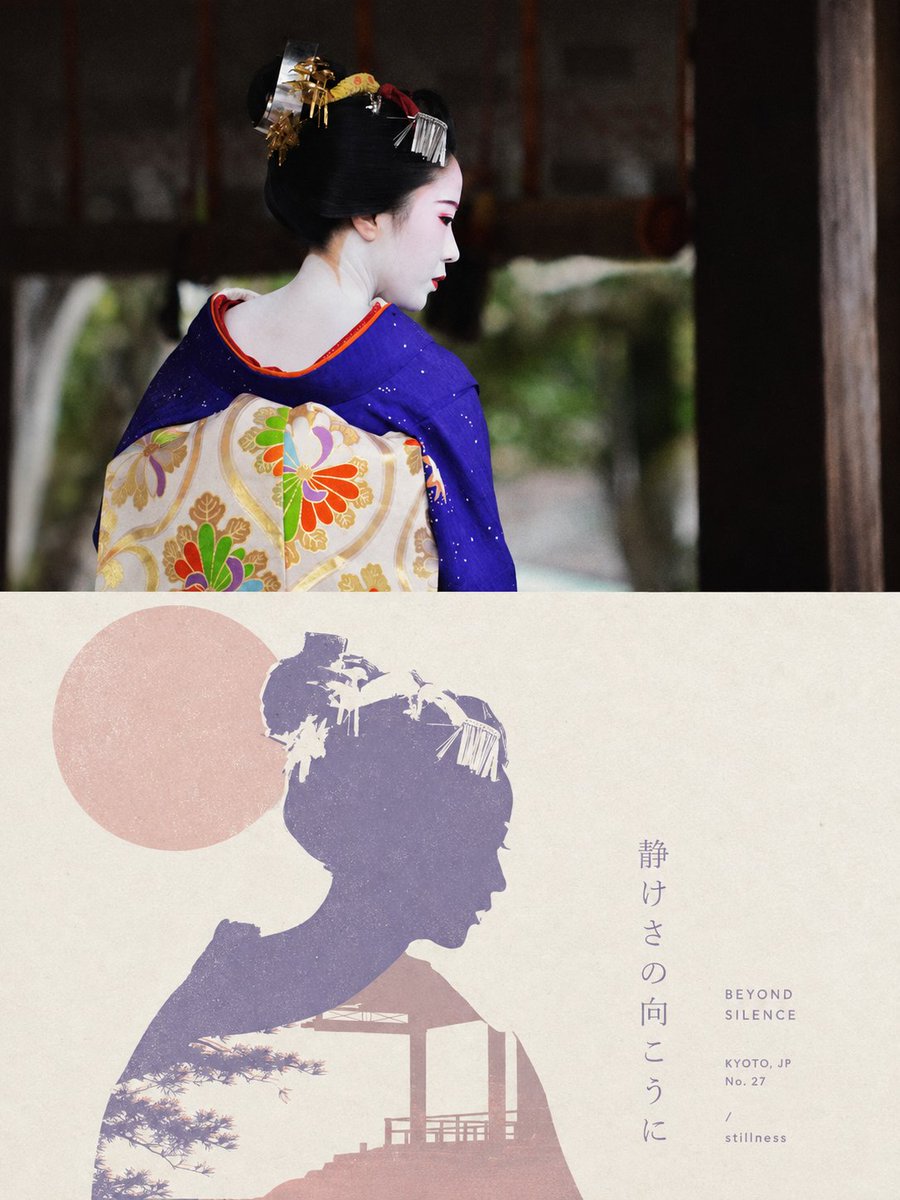
Layered Paper-Cut Editorial Poster with Typography
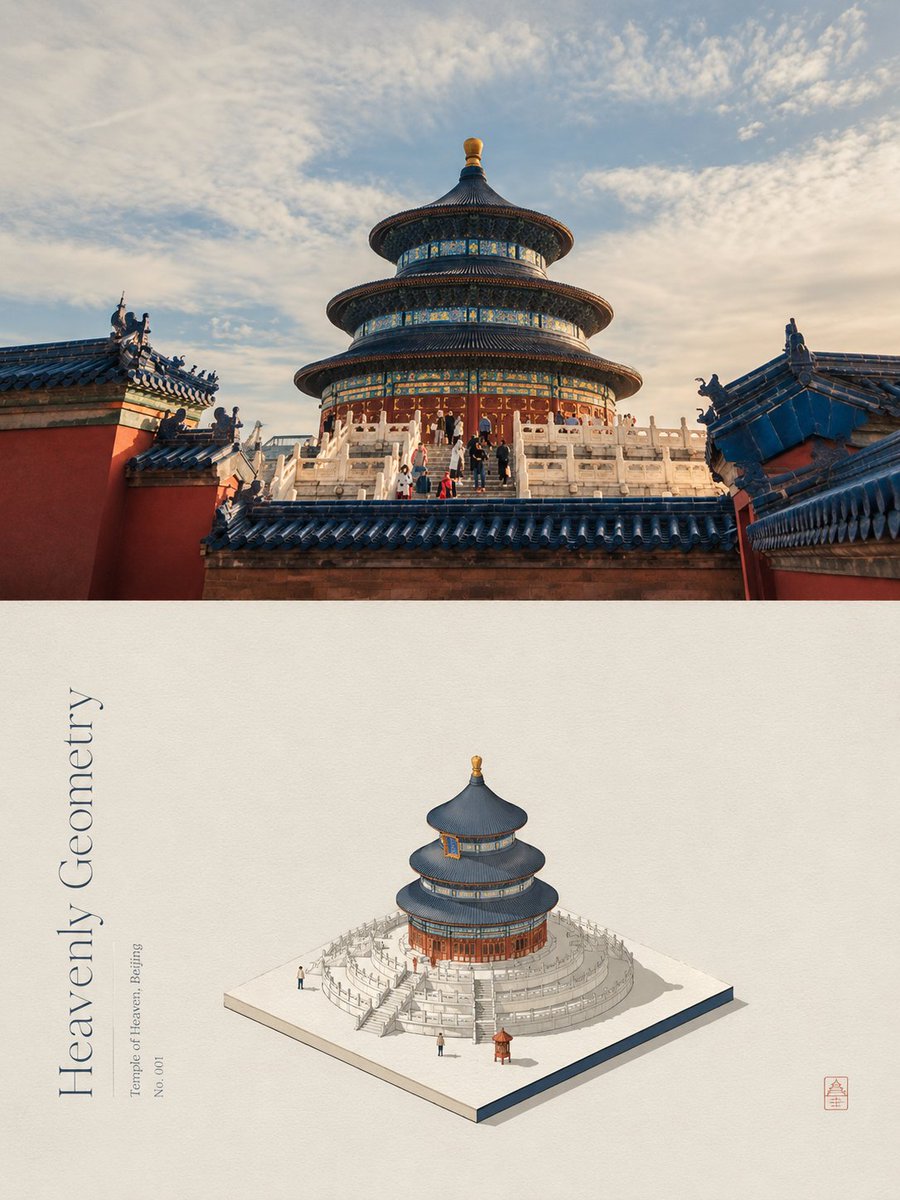
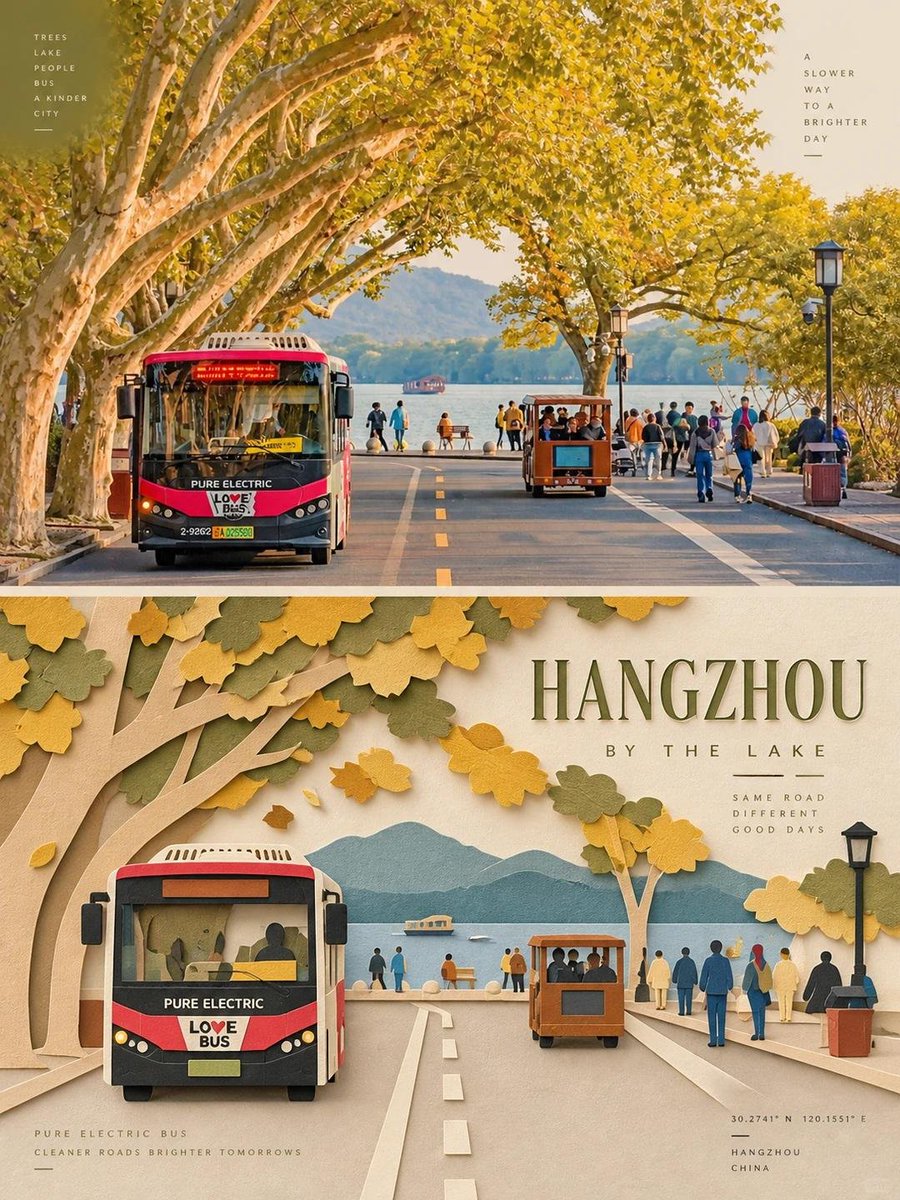
A photo is split into two equal halves: the original picture above, and a matte paper-cut reinterpretation below, built from a few layered forms and a limited ivory-based palette. Thin supporting type and one short headline tie the two halves together.

- Model
- GPT Image 2
- Type
- 2 images
- Aspect ratio
- 3:4
- Shared
- 18 Sep 2026
- Likes on X
- 208
Poster styleBase paper color
Image prompt
3,459 charactersCreate one independent editorial-style poster for each uploaded photo. Do not make a collage. Process and output each photo separately. Use a strict 3:4 vertical composition, divided horizontally into two exactly equal sections, each occupying 50% of the canvas. TOP HALF — ORIGINAL PHOTOGRAPH Preserve the original photo. Keep the main subject unchanged while retaining its realistic texture, natural lighting, and original color atmosphere. Apply only subtle editorial-grade color correction to create the refined feel of an art magazine, independent publication, or exhibition photography. To fit the composition, you may gently extend the sky, ground, or surrounding environmental background, but do not stretch, distort, or alter the main subject. BOTTOM HALF — LAYERED PAPER CUT / PAPER ART REINTERPRETATION Reinterpret the most recognizable subject, silhouette, pose, and spatial relationships from the photo as a minimalist layered paper-cut / paper-art composition. Use one primary subject as the visual anchor. Do not mechanically reproduce every detail. Instead, reconstruct the key silhouette, proportions, and structure through folding, cutting, layering, and overlapping. Transform only a few supporting environmental elements into foreground, midground, and background paper layers. Use scale contrast, negative space, clean alignment, and front-to-back layering to make the subject immediately recognizable while maintaining a restrained editorial composition. COLOR & MATERIAL Extract the most distinctive and recognizable colors from the original photo, then reduce them into a limited and harmonious paper-art palette. Use warm ivory or light-colored paper as the base, supported by a small amount of stronger accent colors, darker structural tones, soft transitional layer colors, and very limited highlights. The material should resemble high-quality matte cardstock, with subtle visible paper fibers, clean cut edges, and soft contact shadows under natural diffused lighting. Emphasize the tactile quality of real handcrafted paper art. Avoid glossy plastic-like 3D effects, cheap craft-paper aesthetics, neon colors, and overly saturated or complex gradients. EDITORIAL TYPOGRAPHY SYSTEM Add a refined editorial typography system. Based on the identity, location, action, material, emotion, or symbolic meaning of the subject, create one short main title. Add 2–4 groups of smaller supporting text. These may include object names, location information, numbers, sequence markers, coordinate-like numbers, direction words, status words, material descriptions, classification labels, or a very short poetic phrase. Do not use any year or date. The main title should convey emotion and identity, while the smaller text should add rhythm, structure, and refinement. TYPOGRAPHY INTEGRATION Integrate the typography naturally into the composition so that it interacts with the paper-cut forms. Arrange text along paper-layer edges, subject contours, geometric axes, or areas of negative space. Use horizontal or vertical typesetting, rotated text, generous letter spacing, edge alignment, corner placement, cross-section layouts, embedded typography, or partially overlapped text. The main title may have a subtle paper-cut or folded-paper quality, while the supporting text should remain thin, modern, restrained, and precise. The final result should feel elegant, tactile, balanced, art-directed, and distinctly editorial.
How to use it
Upload a photo first, since the prompt processes each image separately. Keep the instruction about the 50/50 split and the palette reduction, because those choices carry the editorial balance. Swap the main title and small labels for words that match your subject's mood or place. It was shared as a GPT Image 2 prompt and works well as a magazine-style cover or exhibition poster.
Shared publicly on X on 18 Sep 2026. All credit for this prompt and its result goes to its creator. Is this yours? Ask for an update or removal.