Image prompt Portraits & Fashion Customizable
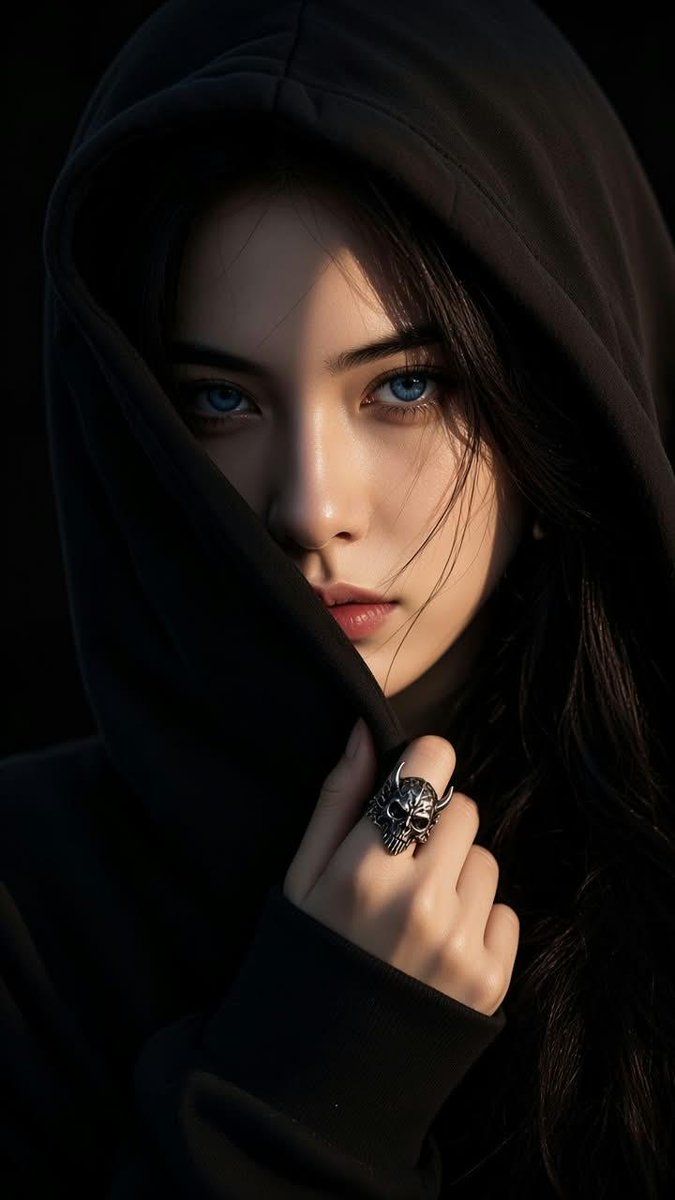
Hooded Portrait With Light Blue Eyes in Chiaroscuro Light
A close-up of a young woman with pale blue eyes, half her face swallowed by the shadow of an oversized hood against a black backdrop. The contrast does most of the work, and the silver skull ring at her cheek adds a quiet edge.

- Model
- GPT Image 2
- Type
- Image
- Aspect ratio
- 9:16
- Shared
- 7 Sep 2026
- Likes on X
- 34
Eye colourJewelryPerson
Image prompt
520 charactersA moody close-up portrait of a mysterious young East Asian woman with striking light blue eyes wearing an oversized black hoodie with the hood pulled up over her head. One side of her face is in dramatic shadow from the hoodie creating high contrast chiaroscuro lighting. Her hand rests near her cheek wearing a detailed silver skull ring with small horns. Dark hair peeking out, pitch-black background, intense piercing gaze, cinematic photorealistic aesthetic, ultra detailed texture, 8k resolution, 9:16 aspect ratio.
How to use it
Start with a clear photo of a face if you want the same look on yourself, since the prompt describes the person rather than uploading one. Keep the hood, the chiaroscuro lighting and the pitch-black background, because those three carry the mood. Swap the eye colour, hair and ring to make it your own, then use the vertical frame for a phone wallpaper or a story post. It was shared as a GPT Image 2 prompt.
Shared publicly on X on 7 Sep 2026. All credit for this prompt and its result goes to its creator. Is this yours? Ask for an update or removal.