Image prompt Posters & Typography Customizable Add your photo
Graduation Photo Turned Into Ten Years Later Movie Poster
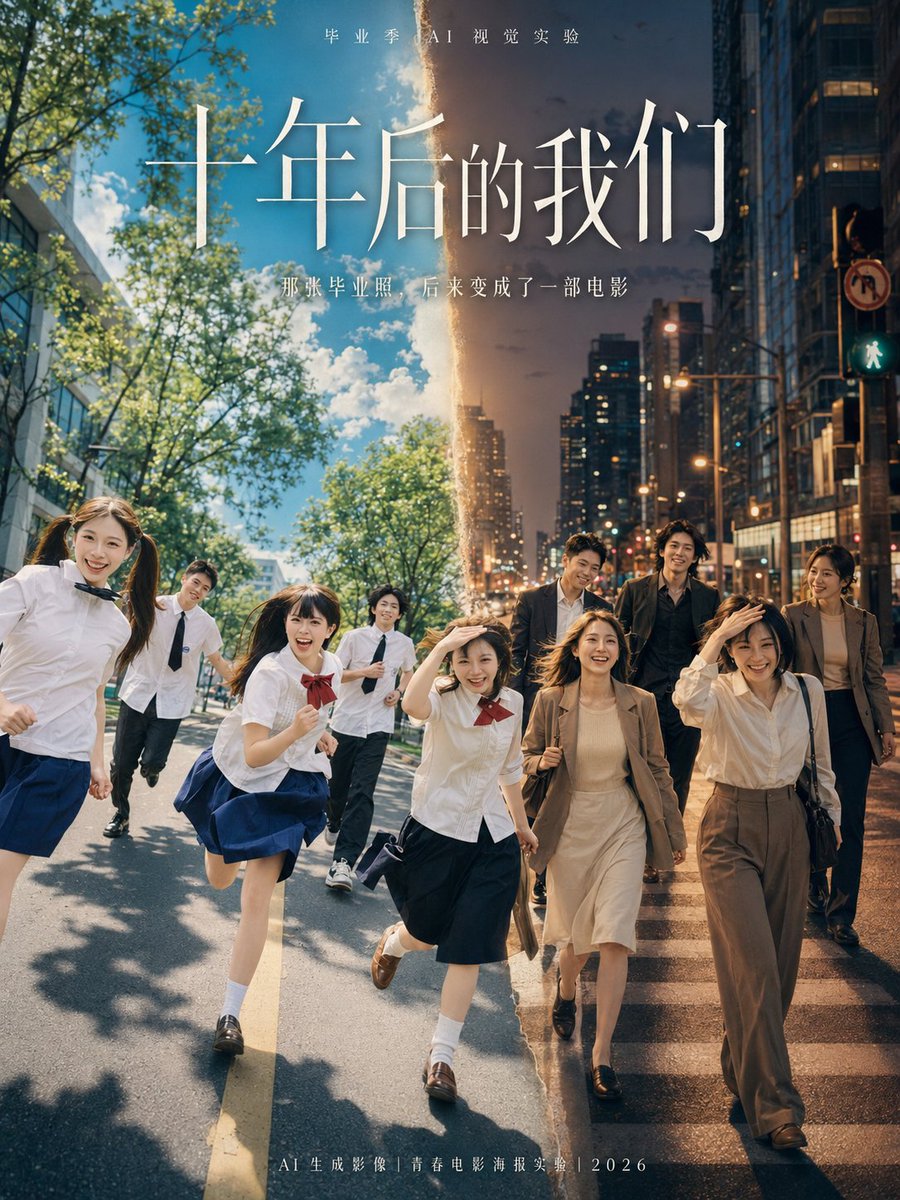
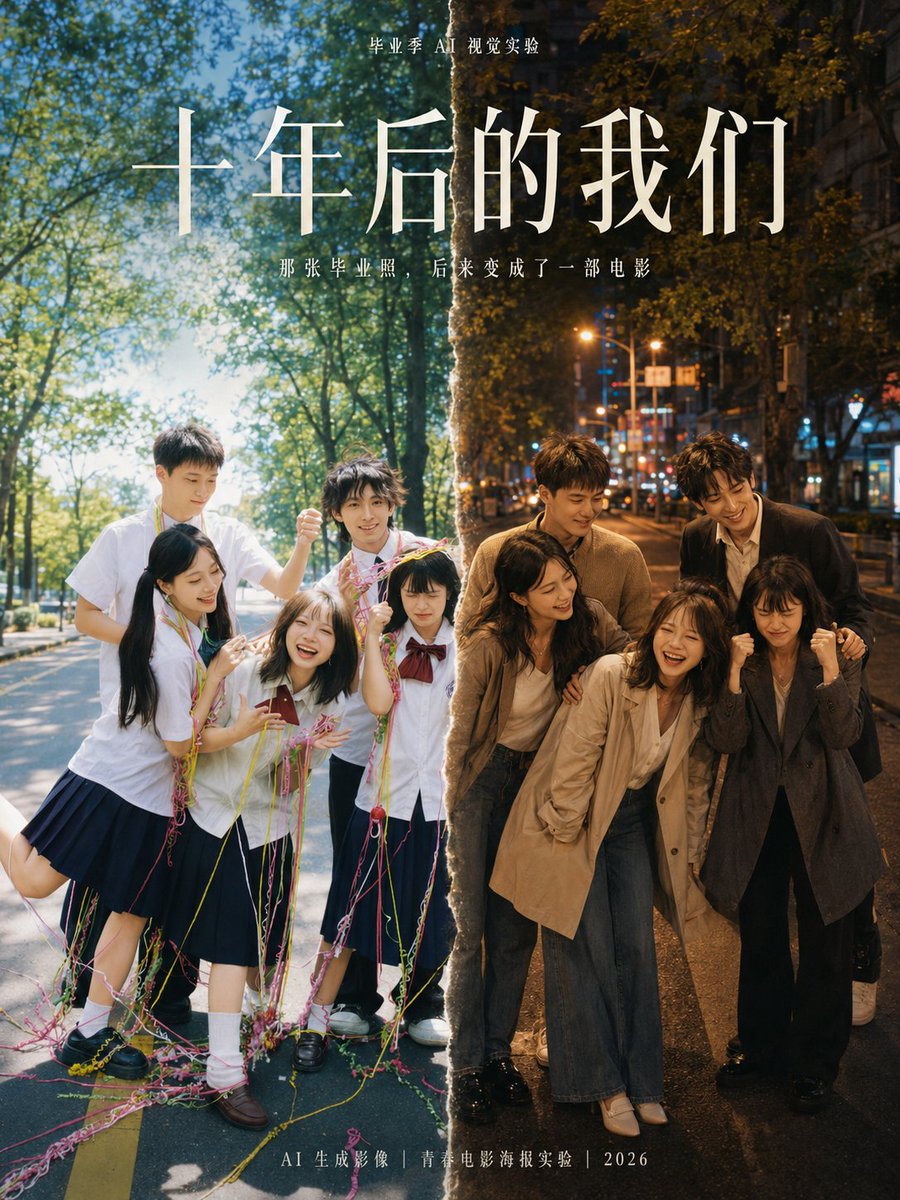
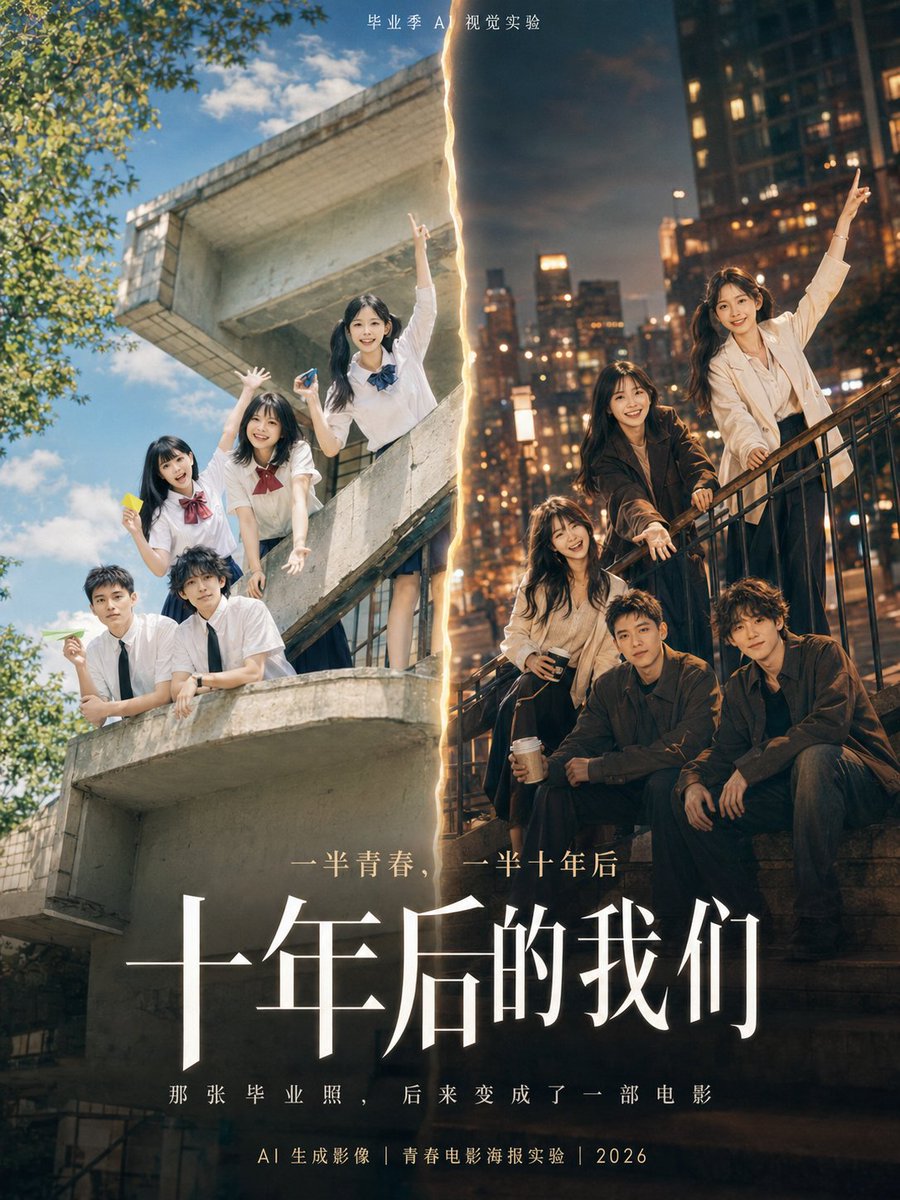
A vertical film-style poster that splits one graduation photo in two: a bright campus summer on the left and a dusk city street ten years later on the right. A soft beam of light links the two halves, so the same people read as one story.

- Model
- GPT Image 2
- Type
- 3 images
- Aspect ratio
- 3:4
- Shared
- 16 Jun 2026
- Likes on X
- 86
Poster titleSubtitleTop small text
Image prompt
2,067 charactersUsing the graduation photo I uploaded, redraw it into a 3:4 vertical youth movie poster on the theme «Us, Ten Years Later». Keep the approximate number of people, their positions, poses, relationships and main facial features from the original; do not change the distance or relationship between the people. You may improve clothing, hairstyles, lighting, background and poster layout, but do not generate real school names, real school crests, real class information or personal private text. Composition: Use a movie-poster composition of «half the graduation year, half ten years later». Left side, the summer of graduation: Bright campus, blue sky and white clouds, sports field, school building, white shirt or school uniform; a fresh, young, bright atmosphere. Right side, them ten years later: A city street corner, dusk light, mature clothing, a light breeze stirring their clothes; a quieter presence with more of a story. Visual hook: Between the two time periods, connect them with a soft beam of light, a paper crease, a film dividing line or a crack in time. Let the viewer see at a glance: these are the same people, ten years on. Poster text: Small text at top: «Graduation Season AI Visual Experiment» Main title: «Us, Ten Years Later» Subtitle: «That graduation photo later became a movie» Layout requirements: Use an elegant serif (Song/Mincho-style) typeface for the main title and a thin sans-serif for the subtitle. The image should have a clear title area, people area and negative space. Do not add personal labels at the bottom. Visual style: Youth movie poster, real photographic texture, fresh blue-and-white campus tones on the left, mature warm city tones on the right, soft backlight, slight film grain, sense of air, restrained emotion but with a sense of time. Avoid: No cartoonization, no excessive anime style, no incorrect Chinese, no garbled English text, no real school names, no real crests, no superfluous logos, no facial deformation, do not change the number of people, do not confuse the relationships between people.
How to use it
Start by uploading your own graduation photo, since the layout keeps the people's count, poses and relationships from it. Keep the split-frame idea and the blue-and-white versus warm city contrast, which carry the time-jump feeling. Swap the poster text to your own title and subtitle, and leave out real school names or crests. It was shared as a GPT Image 2 prompt, and the result suits a social post or a keepsake print.
Featured inMovie poster AI prompts
Shared publicly on X on 16 Jun 2026. All credit for this prompt and its result goes to its creator. Is this yours? Ask for an update or removal.