Image prompt Scenes & Spaces Customizable
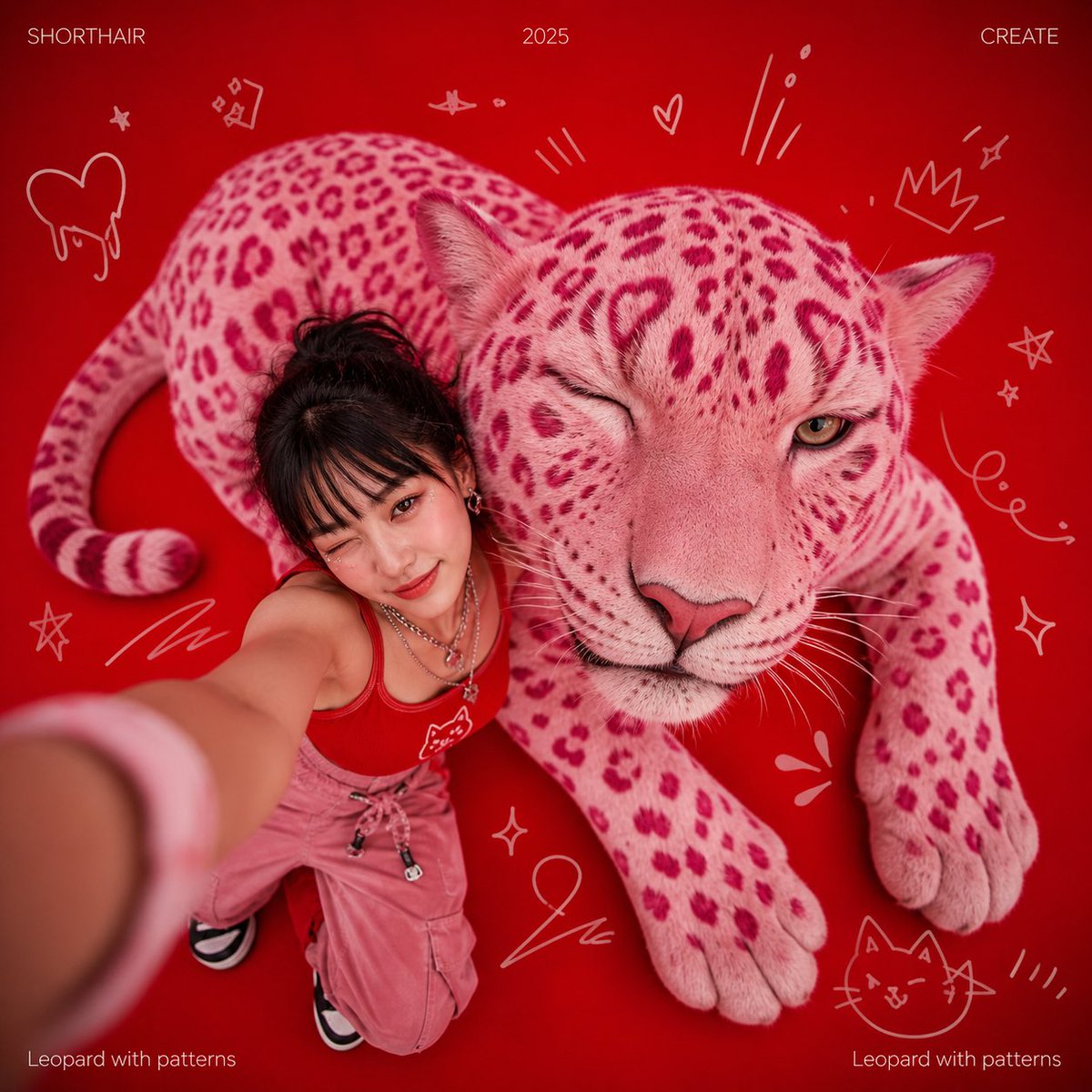
Giant Pink Patterned Leopard Fish-Eye Photo
A huge pink leopard lies across a flat red backdrop, lifting its head toward a wide fish-eye lens as if taking its own picture. Hand-drawn cartoon squiggles and hairline white type frame the scene like a playful magazine spread.

- Model
- GPT Image 2
- Type
- 2 images
- Aspect ratio
- 1:1
- Shared
- 2 May 2026
- Likes on X
- 121
AnimalHeadline textCaption text
Image prompt
552 charactersCreative photo, giant-object photography, a giant pink patterned leopard lying on the ground, raising its head and blinking. Fish-eye lens, top-down angle, selfie. Pure red background, decorated with hand-drawn cute cartoon creative lines. At the top of the image (left, center-right positions) are extremely thin sans-serif white fonts "SHORTHAIR", "2026", "CREATE"; in the lower-left corner, in extremely thin sans-serif white font, "Leopard with patterns"; in the lower-right corner, in extremely thin sans-serif white font, "Leopard with patterns".
How to use it
Start by swapping the animal, since a pink leopard can become a tiger, a fox or a dog while the close-up angle still reads as a selfie. Keep the fish-eye lens, the top-down view and the pure red background, because those carry the look more than the animal does. It was shared as a GPT Image 2 prompt, so the same wording should work as a square poster or social post.
Shared publicly on X on 2 May 2026. All credit for this prompt and its result goes to its creator. Is this yours? Ask for an update or removal.