Image prompt Branding & UI Customizable
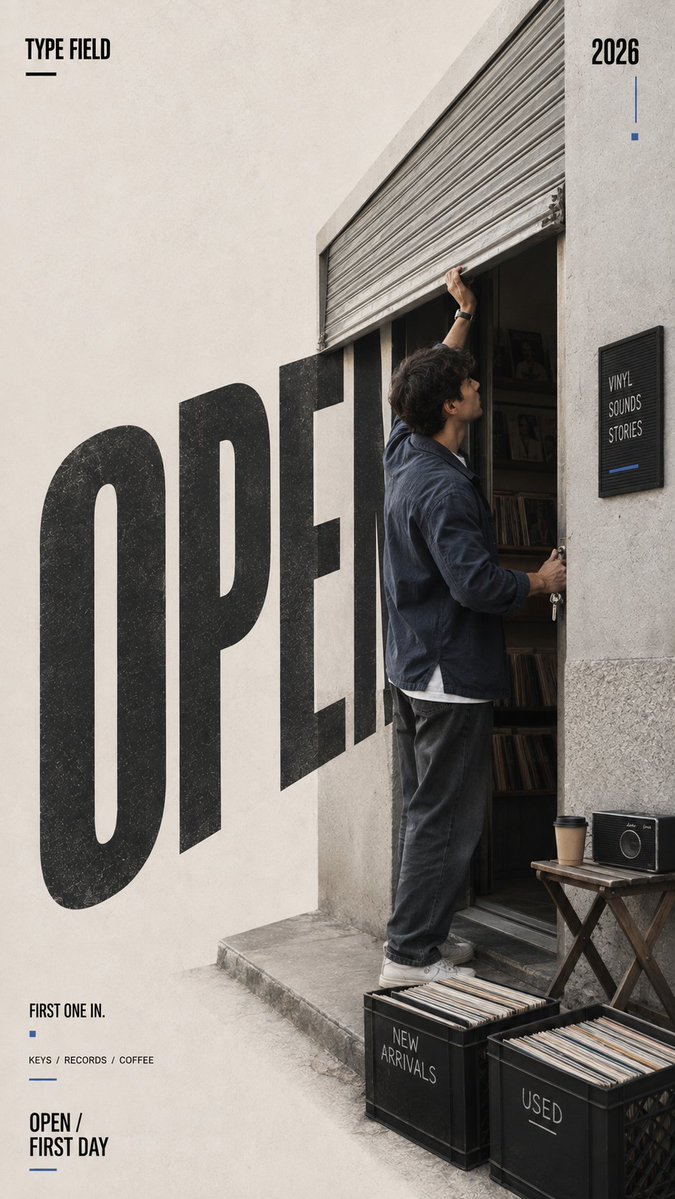
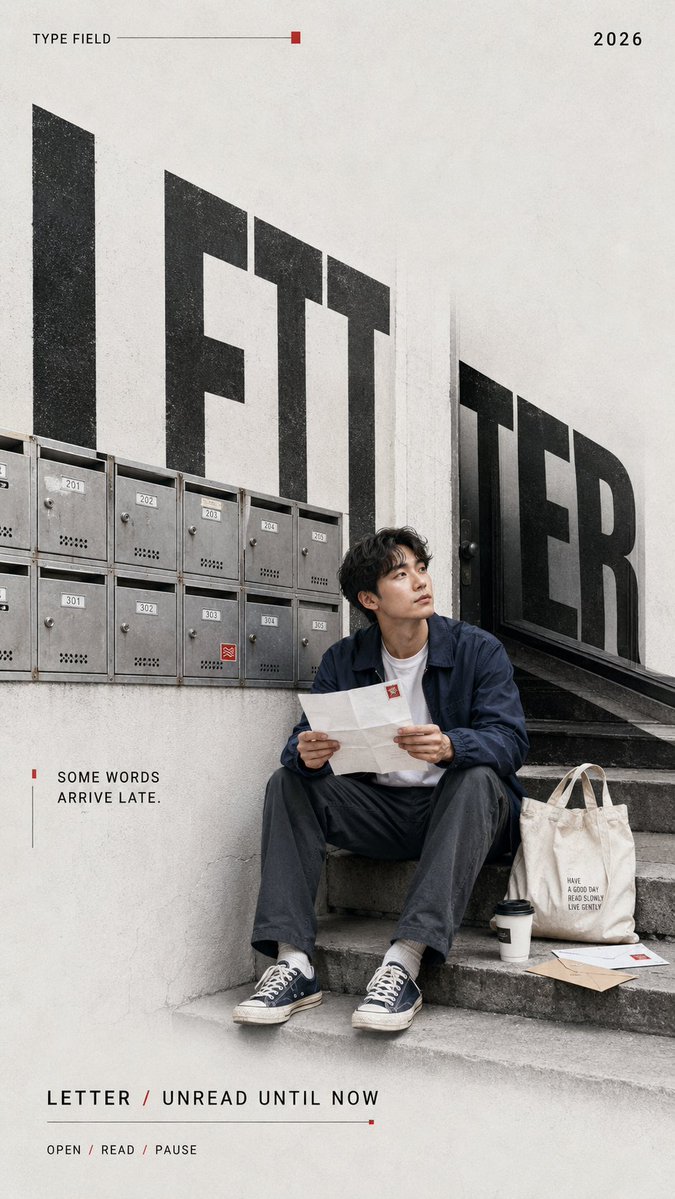
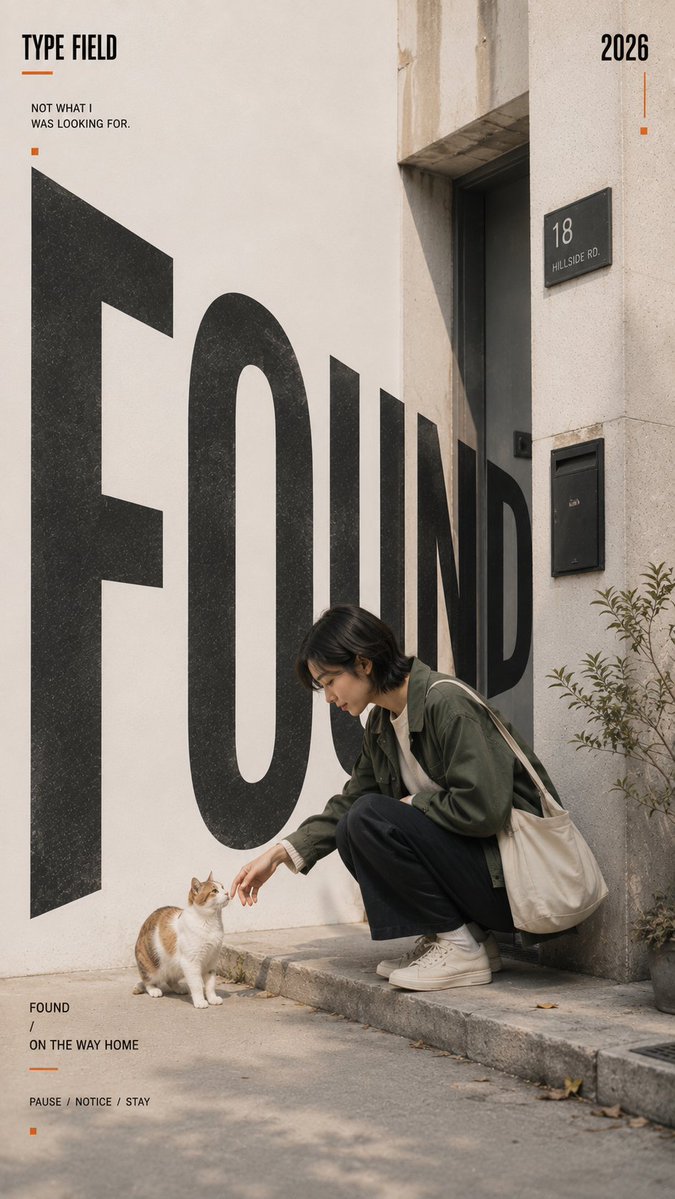
Everyday Moment Architectural Typography Poster
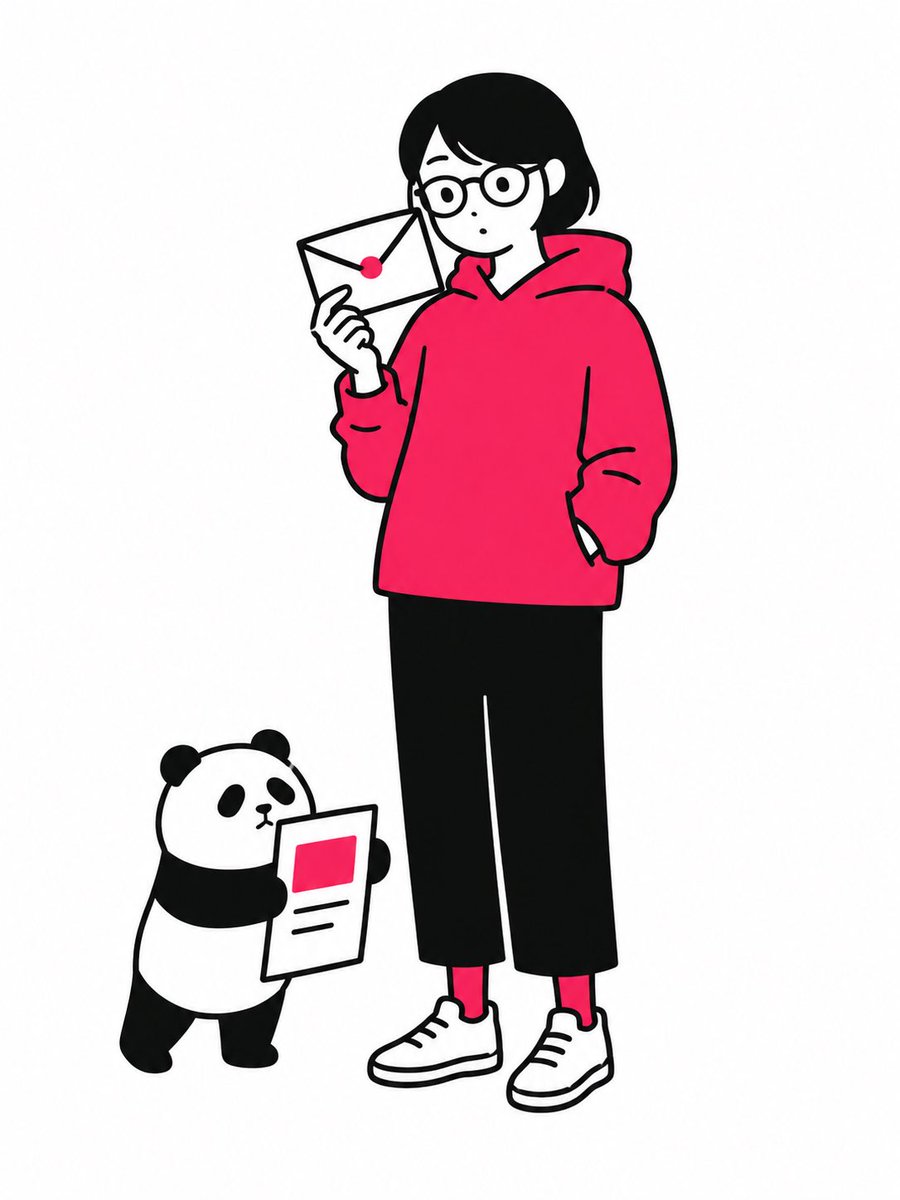
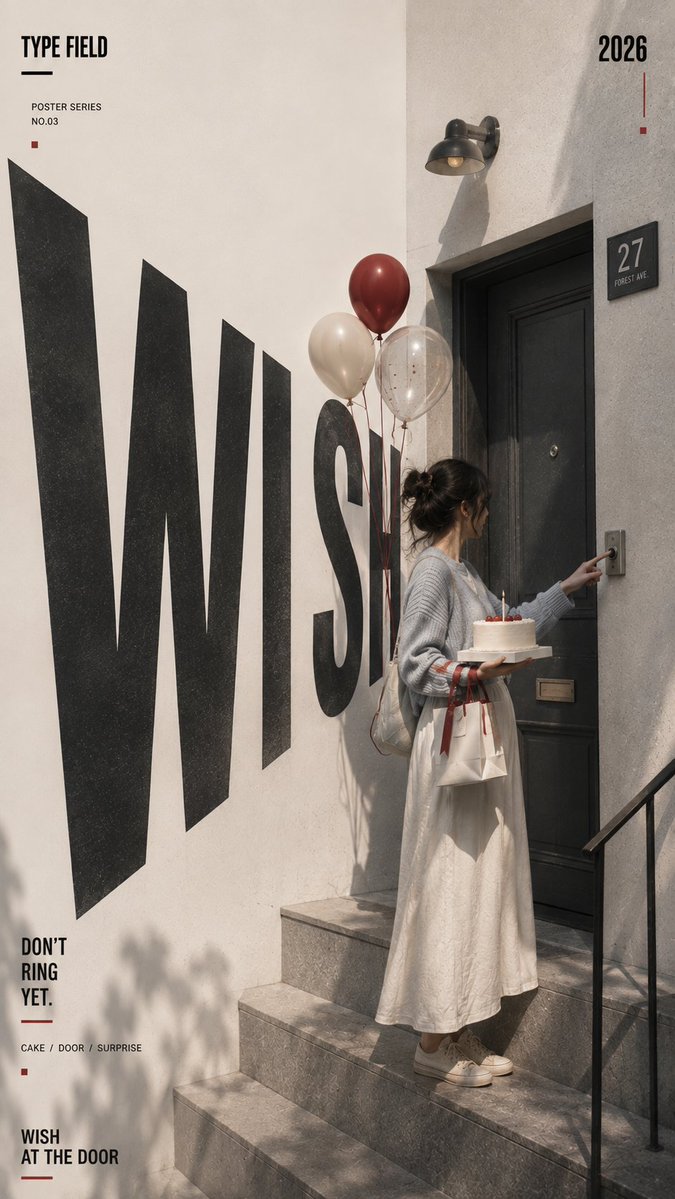
A vertical editorial poster where one ordinary moment plays out in a real doorway or staircase, while oversized condensed letters seem built into the walls and floor. The story stays in focus while the type adds structure.

- Model
- GPT Image 2
- Type
- 4 images
- Aspect ratio
- 9:16
- Shared
- 31 Aug 2026
- Likes on X
- 63
Story momentCharacterActionThe exact moment being capturedArchitectural fragment+8 more
Image prompt
2,220 characters[STORY MOMENT]: {birthday surprise / first day opening a shop / reading a letter / finding a stray cat / etc.} [CHARACTER]: {age, gender, appearance, outfit} [ACTION]: {the exact moment being captured} [ARCHITECTURAL FRAGMENT]: {doorway / steps / storefront / mailbox wall / corridor / etc.} [TITLE]: {one short keyword} [ACCENT COLOR]: {red / blue / orange / etc.} [SHORT LINE]: {one meaningful sentence} [SUBTITLE]: {short story label} [FORMAT]: 9:16 Create a vertical editorial poster built around one small but meaningful moment from everyday life. Show a realistic adult character naturally caught in the middle of an action, with a readable face, subtle emotion, and no camera awareness. The scene should feel like a real lifestyle photograph with a story already happening inside it, not a posed fashion shoot or commercial ad. Do not show the entire environment. Keep only the architectural fragments and objects needed to tell the story, such as a doorway, steps, mailbox, shutter, wall, window, bag, cake, letter, records, plants, or other relevant details. Leave generous clean negative space around the main composition. Set “{TITLE}” in oversized bold condensed typography and integrate it deeply into the physical space. Match the letters to the perspective of walls, doors, stairs, floors, shutters, or other architectural planes. Use strong near-to-far scale changes and clear vanishing directions so the typography feels embedded in the environment rather than placed flat over the image. Let the character, objects, door frames, railings, furniture, or architectural edges overlap and interrupt parts of the letters. Keep the title visually powerful but make the story moment the emotional focus. Use an off-white, cool gray, concrete gray, or muted neutral base with subtle paper and print texture. Avoid strong yellow casts, sepia tones, dirty grunge, or overly warm vintage filters. Keep skin tones natural and clean. Use {ACCENT COLOR} only in a few small graphic details. Include: TYPE FIELD 2026 {TITLE} {SHORT LINE} {SUBTITLE} Keep supporting text minimal and meaningful. Avoid random filler copy, excessive technical data, numbering, logos, watermarks, sparkles, and decorative clutter.
How to use it
If you want your own version, swap the story moment, character, and architectural fragment placeholders, then keep the title, accent colour, and neutral base wording so the layout holds together. Keep the instruction to leave generous negative space and to let edges overlap the letters, since that interplay is what makes the typography feel embedded. It was shared as a GPT Image 2 prompt, so set the 9:16 format explicitly and use the result for a social story, a print poster, or a layout mockup.
Shared publicly on X on 31 Aug 2026. All credit for this prompt and its result goes to its creator. Is this yours? Ask for an update or removal.