

Image prompt Branding & UI Customizable
Bauhaus Cutout Editorial Fashion Portrait
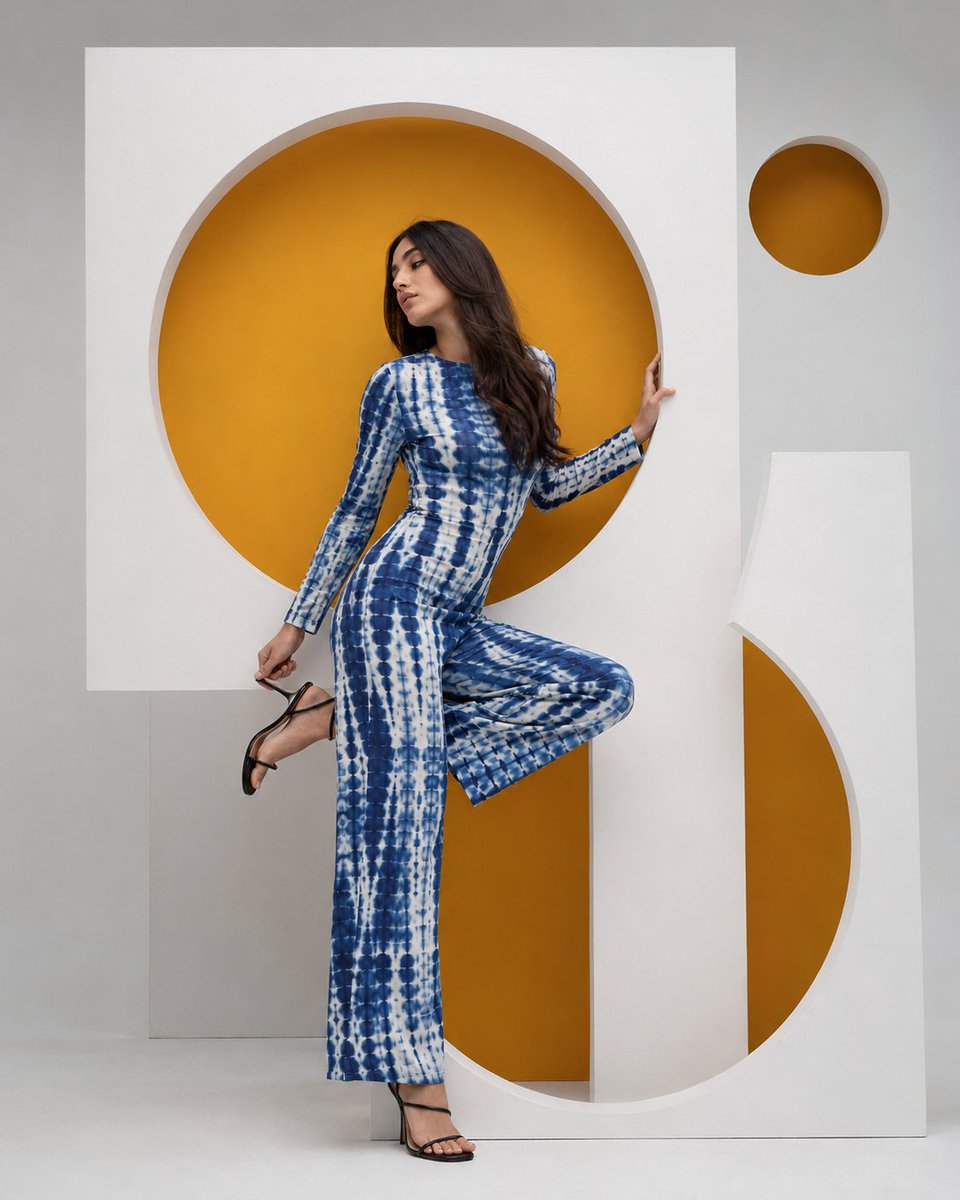
A fashion portrait of a model mid-pose, framed by matte white geometric panels with circular openings that reveal amber yellow behind them. The blue and white shibori jumpsuit and the warm accent circles give the frame a graphic, poster-like finish.

- Model
- GPT Image 2
- Type
- 3 images
- Aspect ratio
- 4:5
- Shared
- 6 Jul 2026
- Likes on X
- 54
PersonOutfitAccent color
Image prompt
829 charactersHigh-fashion editorial photography, young woman with long dark brown hair, dynamic pose with one leg raised and knee bent holding a black strappy heeled sandal, wearing a blue and white tie-dye shibori print fitted jumpsuit with long sleeves and wide-leg trousers, posed between and within large architectural geometric cutout panels in matte white, panels featuring circular cutout openings revealing vivid amber-yellow backing behind, one large full circle cutout at head level, one large semicircle cutout at floor level creating an S-curve negative space framing the figure, one small amber circle floating in upper right corner, soft neutral light gray studio background, clean shadow-free diffused lighting, Bauhaus constructivist geometric set design, vertical 4:5 composition, fashion editorial photography --ar 4:5 --v 6
How to use it
Keep the matte white panels, the amber backing, and the soft shadow-free studio light, since those details carry the Bauhaus look. You can change the outfit, hair, and pose to suit your subject, and swap the amber for another single bold accent color if you prefer. It was shared as a GPT Image 2 prompt, so it suits cover and campaign layouts; crop it to 4:5 for social feeds.
Shared publicly on X on 6 Jul 2026. All credit for this prompt and its result goes to its creator. Is this yours? Ask for an update or removal.