Image prompt Scenes & Spaces Customizable Add your photo
Animal Character Design Sheet From Photo
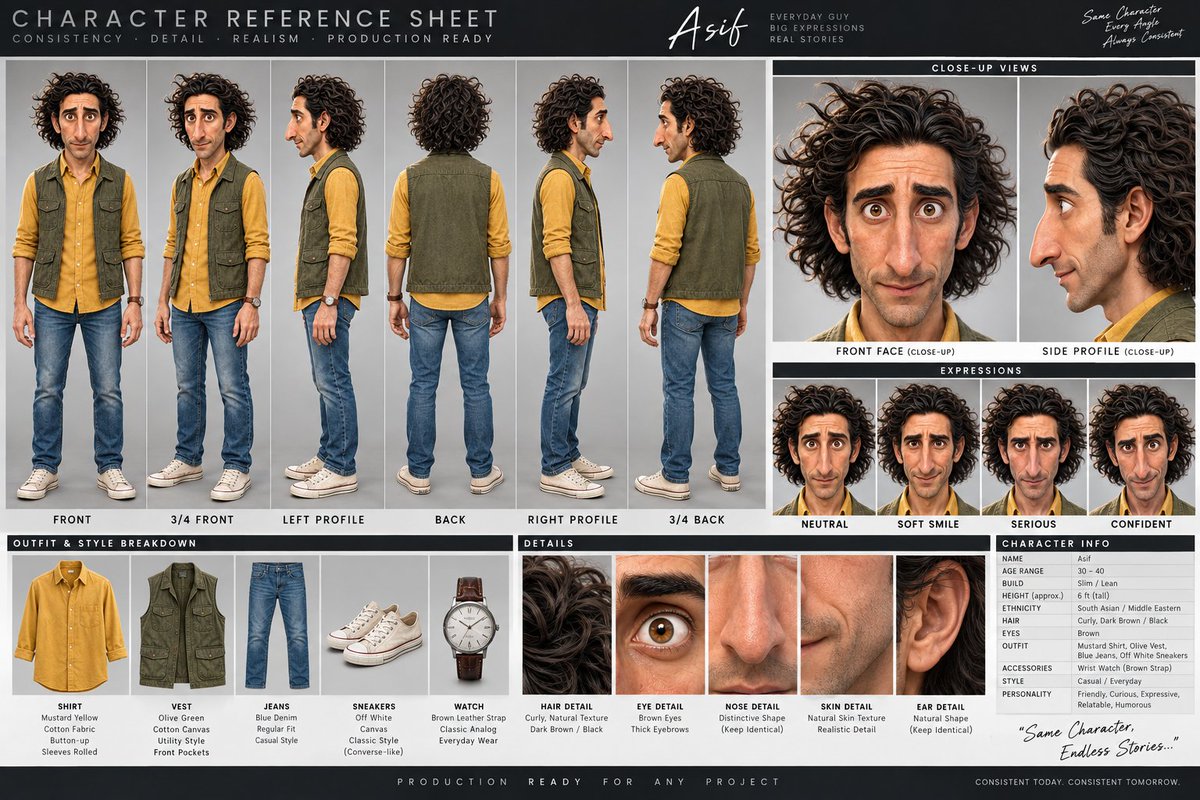
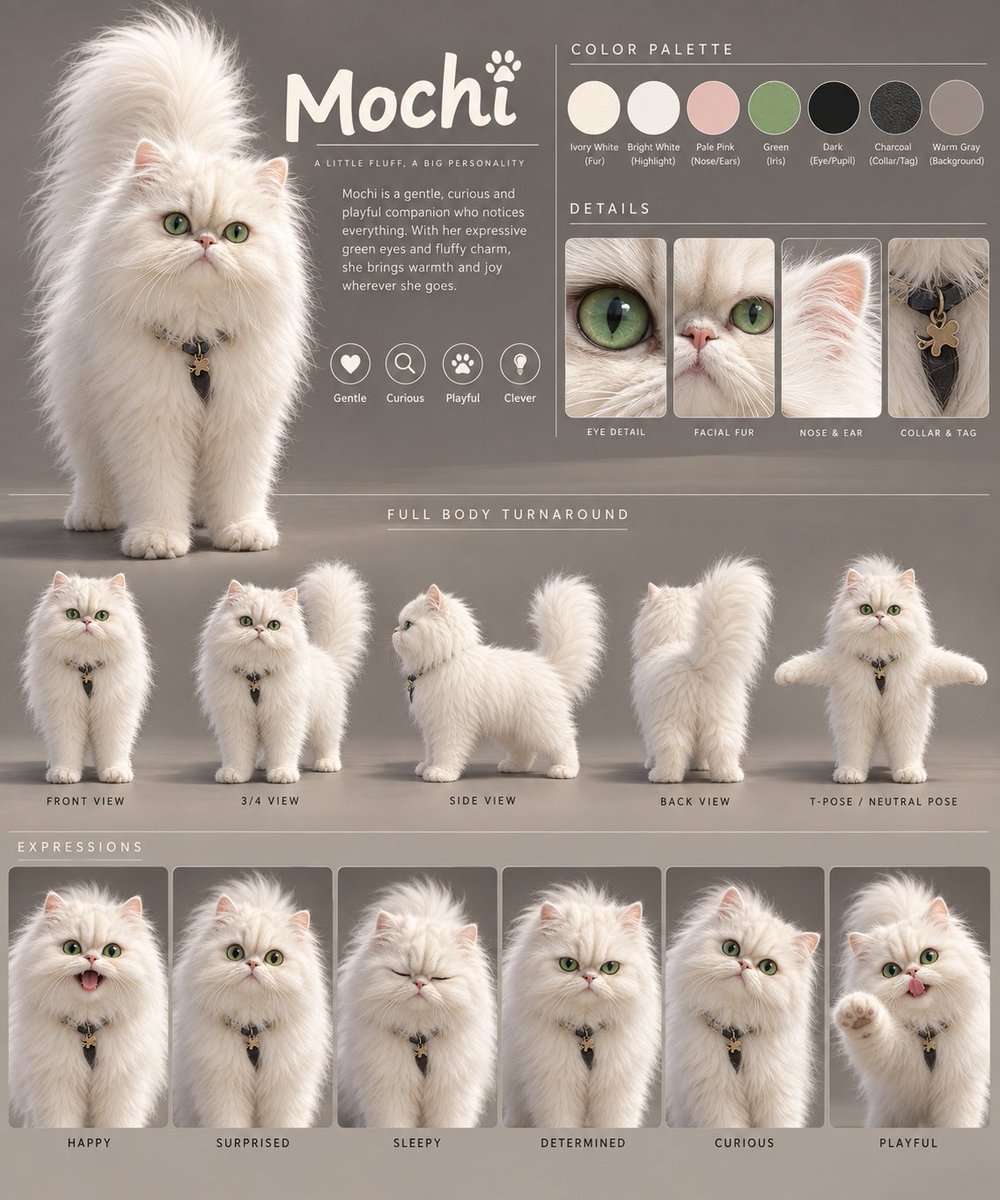
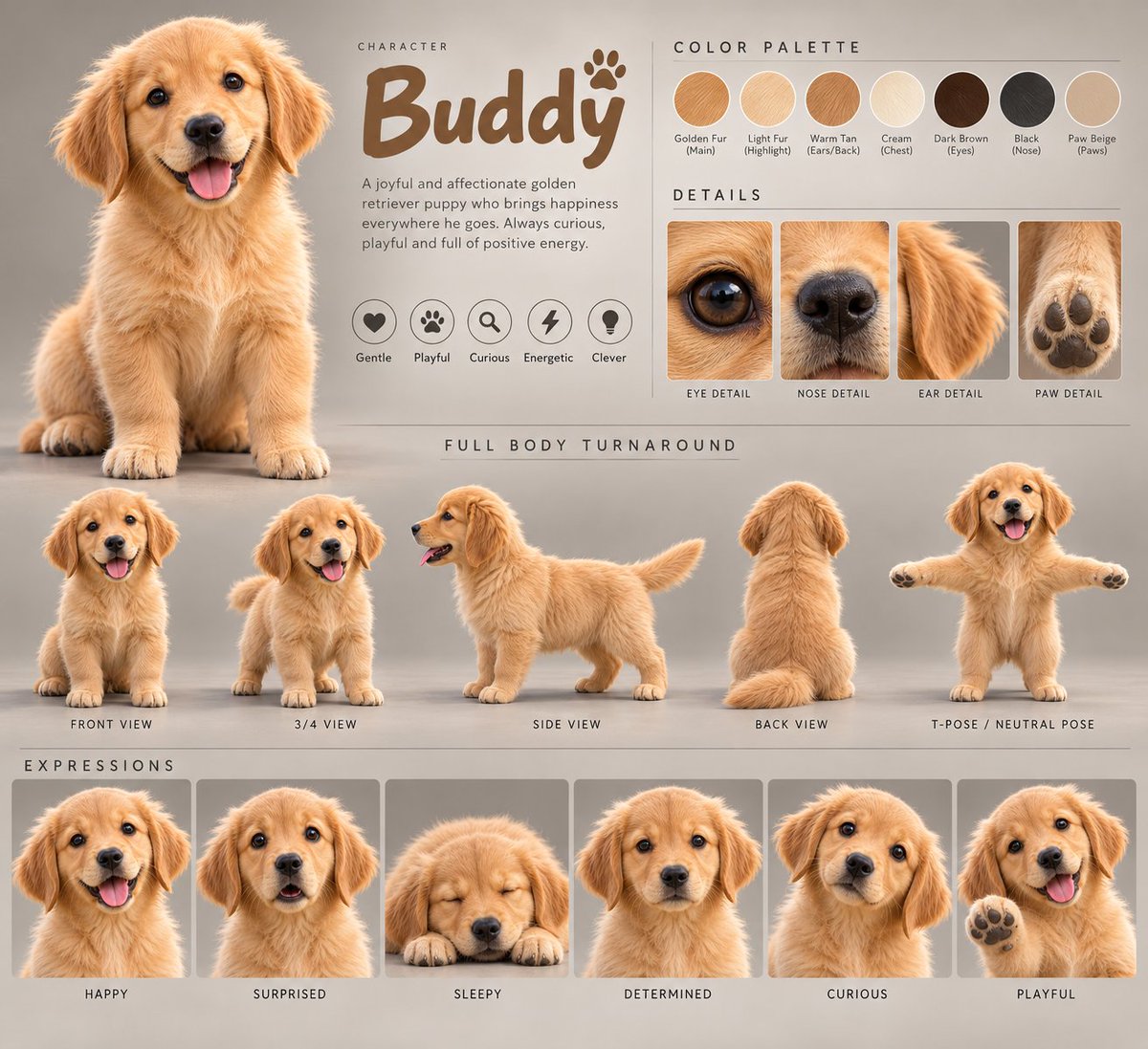
A studio-style character sheet that turns a real animal photo into a polished 3D animated hero. It shows a portrait, color swatches, detail close-ups, turnaround views and expressions, all matched to the same animal.

- Model
- GPT Image 2
- Type
- 2 images
- Aspect ratio
- 4:5
- Shared
- 13 Sep 2026
- Likes on X
- 48
Image prompt
4,668 charactersCreate a professional animated character design sheet based STRICTLY on the provided animal reference image. The uploaded reference image is the PRIMARY SOURCE OF TRUTH for the animal's identity, species, anatomy, fur/skin pattern, colors, facial structure, body proportions, distinctive markings, ears, eyes, nose, paws, tail, and all recognizable characteristics. Transform the exact referenced animal into a polished, appealing, high-quality 3D animated character while preserving its recognizable identity. IMPORTANT: Do not replace the animal with a generic version of the species. Do not randomly change its markings, colors, facial structure, body shape, eye color, ear shape, tail shape, or distinctive features. The character must clearly remain the SAME animal from the reference, simply interpreted as a professional animated character. DESIGN SHEET FORMAT: Create ONE clean professional character-design presentation sheet with a neutral studio background and organized sections. TOP SECTION — HERO CHARACTER • Large main 3/4 or front-facing hero portrait of the animal • Friendly, expressive, appealing animated personality • High-quality cinematic 3D animation rendering • Clearly visible face, fur/skin texture, eyes, ears and distinctive markings • Natural soft studio lighting • Character centered prominently • Add the character's name in a stylish handwritten/display font • Under the name, include a short personality description based on the animal's appearance • Add 3–5 small personality traits such as: Gentle / Curious / Playful / Brave / Energetic / Clever / Shy Choose traits appropriate to the character COLOR PALETTE: Show a small professional color-palette section containing approximately 5–7 circular color swatches extracted directly from the reference animal: • primary body color • secondary fur/skin color • markings • eye color • nose color • accent color • background-neutral/accent if appropriate DETAIL CALLOUTS: Include 2–4 small enlarged detail panels showing important characteristics from the animal: • eye close-up • fur/skin pattern close-up • distinctive marking • paw/nose/ear/tail detail Each detail must accurately match the reference character. FULL BODY TURNAROUND: Create a clean row of full-body character views: 1. Front View 2. 3/4 View 3. Side View 4. Back View 5. T-Pose / Neutral Pose Maintain EXACT character continuity across every view. The same anatomy, proportions, fur/skin pattern, colors, markings, facial structure, tail, ears and accessories must remain consistent in every angle. EXPRESSIONS: Create a row of 4–6 expressive facial/body expression portraits appropriate for the character, for example: • Happy / Smile • Surprised / Alarmed • Sleepy • Determined • Curious • Playful Expressions should change naturally while the underlying character identity remains completely consistent. CHARACTER CONSISTENCY: Every panel must depict the SAME character. Maintain: • identical face shape • identical eye design and eye color • identical ears • identical nose/muzzle • identical fur/skin colors • identical markings and patterns • identical body proportions • identical tail design • identical paws/feet • identical overall silhouette STYLE: High-end animated feature-film character design, stylized 3D animation, cute but professionally designed, expressive face, appealing proportions, soft realistic fur/skin, beautiful material definition, subtle cinematic lighting, clean polished rendering, professional character-development artwork, premium animation studio presentation. LAYOUT: Professional character-sheet composition, clean grid structure, clear section separation, balanced spacing, small descriptive labels under each view, minimal sophisticated typography, designer presentation board, consistent neutral background, no unnecessary decorative elements, no clutter. CAMERA / RENDERING: High-quality 3D render, soft studio illumination, realistic global illumination, subtle ambient occlusion, natural shadows, detailed fur/skin, sharp facial details, clean edges, high-resolution production artwork. TEXT: Use short, clean labels such as: CHARACTER COLOR PALETTE DETAILS FULL BODY TURNAROUND EXPRESSIONS FRONT VIEW 3/4 VIEW SIDE VIEW BACK VIEW T-POSE If the reference image contains a name, use that name. Otherwise create a short suitable character name. FINAL RESULT: The finished image should look like an official professional character-development sheet created for an animated movie or TV production — not a collection of unrelated AI images. MOST IMPORTANT PRIORITY: REFERENCE IMAGE ACCURACY + CHARACTER CONSISTENCY + PROFESSIONAL CHARACTER SHEET LAYOUT.
How to use it
Upload a clear photo of your animal first, since the prompt depends on it as the source of identity. Keep the sections and the consistency rules intact so every panel stays on the same character, and only adjust the name or personality traits to suit your pet. It was shared as a GPT Image 2 prompt, and the result works well as a presentation board for a story, a gift, or a social post.
Featured inCharacter sheet and design prompts
Shared publicly on X on 13 Sep 2026. All credit for this prompt and its result goes to its creator. Is this yours? Ask for an update or removal.