
VidDay
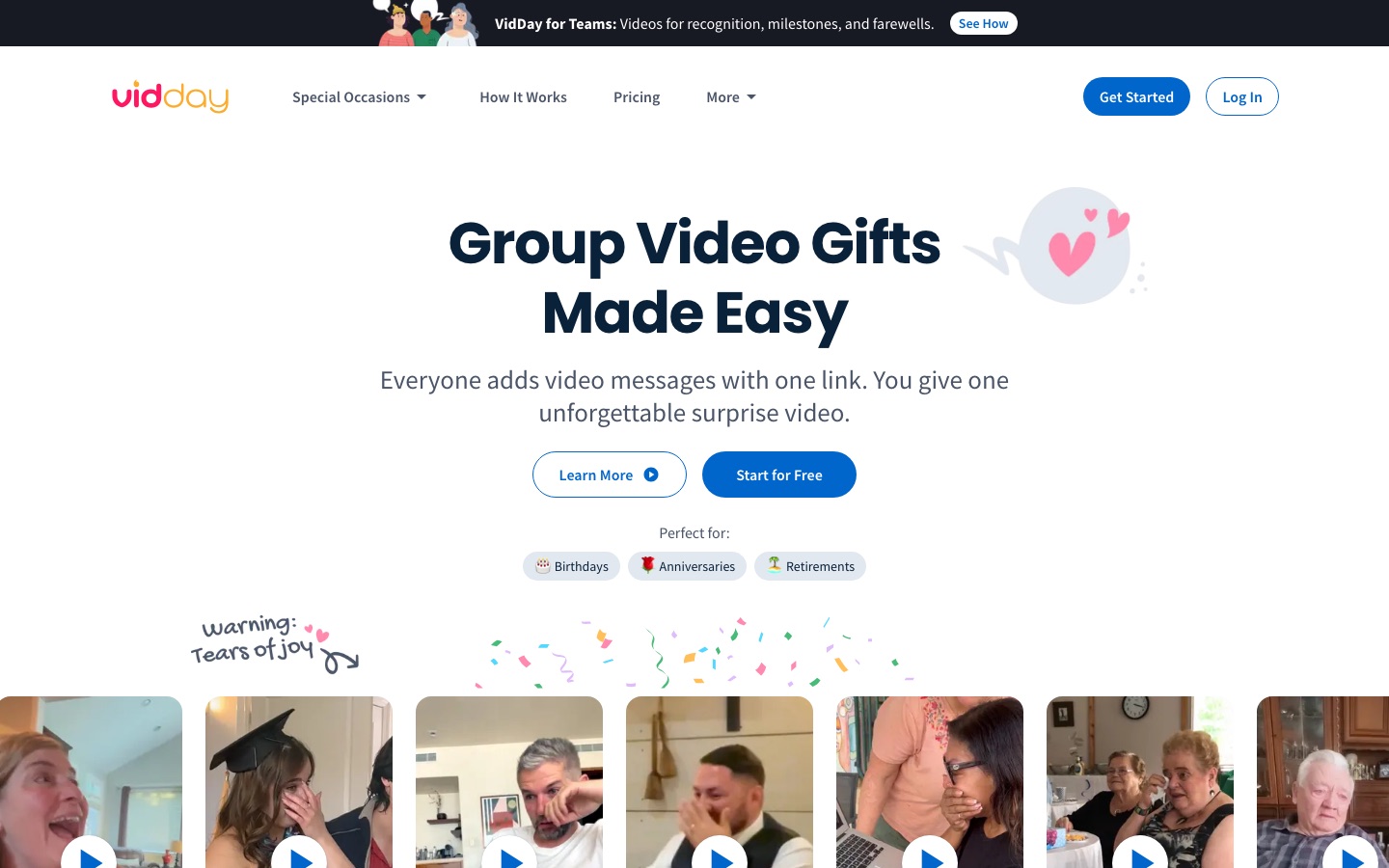
Group video gift maker that collects video messages and photos through one link and assembles them into a montage.
VidDay is an online service for making group video gifts. An organiser starts a VidDay for an occasion, shares one private link, and friends, family or colleagues upload video messages and photos from any device. VidDay gathers the clips in one place, where the organiser arranges them, adds music and a theme, and shares the finished video.
Best for People organising a shared surprise for a birthday, retirement, wedding or farewell, and workplaces or schools that want to recognise someone with collected video messages.
- Platforms
- Web
- Pricing model
- Freemium
- Free trial
- Yes
- Made by
- VidDay Media Inc.
- Added
Last verified: . Information taken from vidday.com.
What is VidDay?
VidDay is a web service for collecting short video messages and photos from many people and combining them into a single keepsake video. The organiser chooses an occasion, such as a birthday, anniversary, retirement, graduation, wedding or memorial, and sends invitees one link; contributors record or upload from a phone or computer without installing an app, guided by prompts and automatic reminders. Submissions land in one workspace where clips can be reordered, text cards, GIFs and background music added, and a visual theme applied or custom-built. The site also lists AI tools for message ideas and media enhancement. Building and previewing a video is free; payment is due only when the final HD version is created, either per video according to its length or through an annual membership. Finished videos can be sent online, played on a TV, downloaded, or turned into physical keepsakes such as a Video Book. Separate offerings exist for businesses and schools.
Key Features
One-Link Invitations
Gives contributors a single private link for recording or uploading, with no app or account needed on their side.
Prompts and Automatic Reminders
Suggests what to say and nudges invitees who have not yet submitted, with RSVP tracking for the organiser.
Montage Editor
Lets the organiser reorder media by drag and drop, trim clips, insert text cards and choose background music.
Themes
Applies a ready-made look to the video or accepts uploaded backgrounds and customised text cards.
AI Message and Media Tools
Includes an AI message idea generator and enhancement options such as upscaling for photos and video.
Sharing and Keepsakes
Delivers the video with a digital gift-wrap reveal, HD download and optional printed Video Books, USB or DVD copies.
How VidDay works
Invite friends and family
Share a single link; contributors are guided with prompts and reminded automatically.
Collect messages and photos
Everyone uploads their clips and pictures, which are gathered in one place.
Create and share
Arrange the media, add music and a theme, then send or download the finished video.
Videos
Use Cases
- Milestone Birthdays
- Gather greetings from relatives and friends in different cities into one surprise video.
- Retirement and Farewell Gifts
- Collect stories and good wishes from colleagues for someone leaving a team.
- Wedding Guestbooks
- Invite guests to leave video messages that become a keepsake for the couple.
- Employee Recognition
- Mark work anniversaries, welcomes and achievements with messages from across a company.
- Teacher Appreciation and Graduations
- Combine clips from students, families and staff for a school occasion.
Things to know
- Payment comes at the end
- You can preview the full video before paying; the charge applies when the final HD version is produced.
- Price depends on video length
- Pay-per-video pricing rises with running time, and memberships include a set number of videos per year.
- Editing help is an upgrade
- A White Glove Premium service has VidDay staff organise and edit the video with you.
- Support hours
- Live chat is staffed daily between 7 AM and 9 PM Central Time.
FAQs
What is VidDay?
VidDay is an online group video gift maker that collects video messages and photos from many people and combines them into one video.
How does VidDay work?
With VidDay you invite contributors through one link, they upload their videos and photos, and you arrange the clips, add music and share the result.
Is VidDay free?
VidDay is free to start: creating a project, collecting messages, editing and previewing cost nothing. You pay when you finalise the video for HD download and sharing, and the site says get-well videos are free of charge.
How much does VidDay cost?
VidDay charges per finished video according to its length, or through annual Personal, Business and Custom memberships. See the official pricing page for current prices in your currency.
Do contributors need to install an app for VidDay?
No. People contributing to a VidDay open the private link on a phone or computer and record or upload there, with nothing to install.
Does VidDay use AI?
Yes, in supporting roles. VidDay lists AI tools for message ideas and media enhancement, along with AI upscaling as an option at checkout.
Can VidDay be used by companies and schools?
Yes. VidDay has dedicated business and school offerings for employee recognition, onboarding, teacher appreciation and graduations.
Who makes VidDay?
VidDay is operated by VidDay Media Inc.
Who it's for
- Families and friends
- Event organisers
- HR and people teams
- Schools
- Remote teams
Comments
No comments yet. If you have used VidDay, tell other readers how it went.
Alternatives to VidDay
| Tool | Free plan | Starting price | API |
|---|---|---|---|
 AVCLabs AIAI software and online tools for upscaling, restoring, blurring and editing videos and photos. AVCLabs AIAI software and online tools for upscaling, restoring, blurring and editing videos and photos. |
— | — | — |
 AnimakerOnline animation maker that generates and edits animated videos with AI voices, subtitles and a character builder. AnimakerOnline animation maker that generates and edits animated videos with AI voices, subtitles and a character builder. |
Yes | — | — |
 BannerbearAPI that generates images, PDFs, animations and videos automatically from reusable design templates. BannerbearAPI that generates images, PDFs, animations and videos automatically from reusable design templates. |
— | $49/mo | Yes |
 Bible ChatChristian faith app with an AI chatbot that answers questions using referenced Bible verses, plus study plans and prayer tools. Bible ChatChristian faith app with an AI chatbot that answers questions using referenced Bible verses, plus study plans and prayer tools. |
Yes | — | — |
 CelebrateAllyMakes personalized storybooks from your photos and memories with AI, plus tools for messages, vows and party planning. CelebrateAllyMakes personalized storybooks from your photos and memories with AI, plus tools for messages, vows and party planning. |
— | — | — |
Listed in the same categories as VidDay. A starting price appears only where we checked it on the maker’s pricing page; a dash means not checked or not published. All Travel, Food & Lifestyle tools