
Venngage
Infographic and business-document design tool with AI generation, templates, brand kits and accessibility checks.
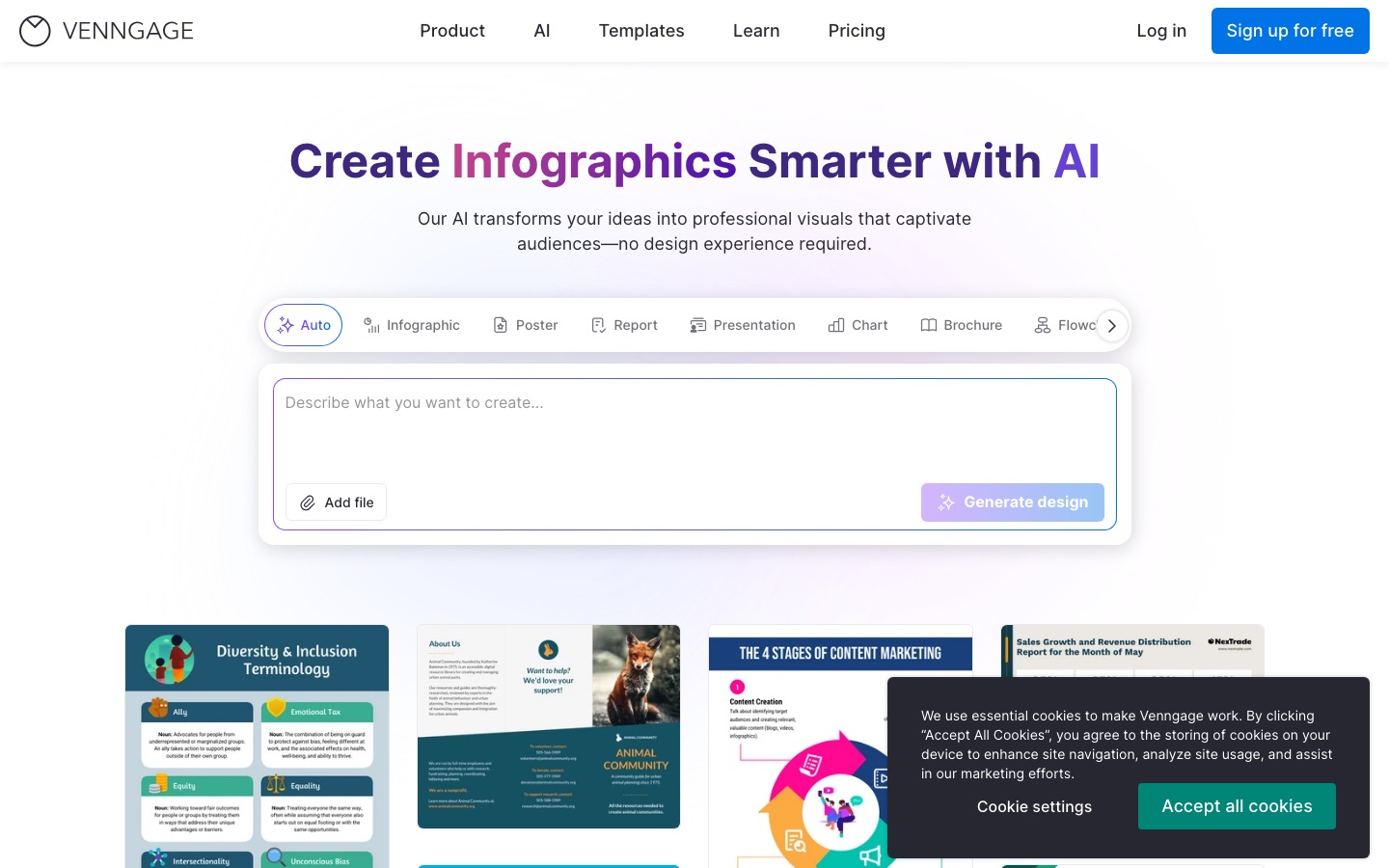
Venngage is an online design tool for infographics, reports, brochures, timelines and charts. Venngage is used by describing a design to its AI generator or picking an editable template, refining the layout in a drag-and-drop editor, checking it against WCAG accessibility rules, and exporting it as PNG, PDF, PowerPoint or HTML. A free plan covers five designs.
Best for Marketers, HR teams, trainers and executives who need to turn data and text into infographics and reports, especially when the output has to meet accessibility requirements.
- Listed in
- Graphic Design
- Platforms
- Web
- Pricing model
- Freemium
- Free plan
- Yes
- Made by
- Venngage Inc.
- Added
Last verified: . Information taken from venngage.com.
What is Venngage?
Venngage is an online design tool focused on infographics and other information-heavy documents such as reports, brochures, proposals, timelines and charts. You can start from a library of editable templates, or describe what you need and let the AI generator build a structured layout, optionally from an uploaded file or a link. A drag-and-drop editor handles refinements, backed by a collection of icons, illustrations, stock photos, maps and chart types. Venngage gives accessibility particular attention: it audits contrast, font size and alt text against WCAG and can produce PDFs that screen readers handle. Brand kits and shared team templates keep output consistent, and finished designs export as PNG, PDF, PPTX or HTML. Plans run from a free tier limited to five designs up to Enterprise.
Key Features
AI Design Generator
Builds a first layout from a text description, with presets for posters, reports, flowcharts, resumes and more.
Templates and Assets
Provides thousands of editable templates and over four million icons, illustrations, photos and data visuals.
Accessibility Checks
Tests colour contrast, text size and alt text, simulates visual impairments and exports accessible PDFs.
Brand Kits
Stores logos, fonts and colours centrally and applies them to a design in one step.
Charts and Diagrams
Includes chart and map widgets and can generate process flows, timelines and mind maps from keywords.
AI Writing and Translation
Rewrites, summarises and translates text inside a design to produce multilingual versions.
Screenshots
Use Cases
- Marketing Infographics
- Turn research findings or campaign data into a shareable visual summary.
- Executive Reporting
- Present dry reports and data sets as structured, readable documents for a leadership team.
- HR and Training Material
- Produce onboarding guides, policy explainers and course handouts from templates.
- Proposals and Pitch Decks
- Assemble branded proposals and presentations and export them to PowerPoint.
- Accessible Public Documents
- Publish material that has to meet WCAG requirements, exported as an accessible PDF.
Things to know
- Free plan limits
- The Free plan allows five designs, six image uploads and public sharing only.
- Export formats depend on the plan
- PNG export is listed from Premium, and PDF and PowerPoint export from Business.
- Enterprise minimum
- The Enterprise plan requires at least 10 members and is arranged through the sales team.
- Site languages
- The website offers a language switch with English, Spanish, French, Italian, Portuguese, German and Arabic.
FAQs
What is Venngage?
Venngage is an online tool for designing infographics, reports, charts and similar documents from templates or AI prompts.
What is Venngage used for?
Venngage is used to turn data and text into infographics, reports, brochures, timelines, proposals and presentations, mainly for marketing, HR, training and executive communication.
Is Venngage free?
Yes, Venngage has a Free plan with no payment required. It covers five designs, public sharing and six image uploads, with a trial of the AI features.
Which plans does Venngage offer?
Venngage offers Free, Premium, Business and Enterprise plans. Enterprise requires at least 10 members, and the pricing page also mentions a discount for nonprofits.
What formats can Venngage export?
Venngage exports PNG and high-resolution PNG, PDF, PowerPoint and HTML. The available formats depend on the plan: PNG export starts at Premium, while PDF and PowerPoint export are listed under Business.
Do I need design experience to use Venngage?
No. Venngage's editor is drag-and-drop, and its AI generator can produce a starting layout from a written description.
Can teams work together in Venngage?
Yes. Venngage's Business and Enterprise plans add team sharing, shared brand kits and team templates.
Who makes Venngage?
Venngage is made by Venngage Inc., the company named in the site's copyright notice.
Who it's for
- Marketers
- HR teams
- Trainers and educators
- Executives
- Nonprofits
- Freelancers
Used in these workflows
- Building a brand identity with AI, from the name to the first videoStage 6: Templates and marketing assets
- From raw data to a finished report: what AI does at each step, and what you still checkStage 7: Presenting the report
Each guide lists the stages of one job and the tools that help at each stage. All guides
Comments
No comments yet. If you have used Venngage, tell other readers how it went.
Alternatives to Venngage
| Tool | Free plan | Starting price | API |
|---|---|---|---|
 CanvaBrowser-based design suite for social posts, presentations, video and print, with built-in AI tools. |
Yes | — | — |
 AI Graph MakerWeb tool that turns typed descriptions or uploaded data into charts, flowcharts, mind maps and diagrams. |
Yes | — | — |
 BannerbearAPI that generates images, PDFs, animations and videos automatically from reusable design templates. |
— | $49/mo | Yes |
 BrandCrowdTemplate-based maker for logos, business cards, social media graphics and other brand designs. |
— | — | — |
Creative FabricaMarketplace and subscription library of fonts, graphics and craft files, with online design and AI tools. |
— | — | — |
Listed in the same category as Venngage. A starting price appears only where we checked it on the maker’s pricing page; a dash means not checked or not published. All Graphic Design tools