
StudyX
AI study platform for homework help, notes, flashcards, quizzes and writing checks from uploaded material.
StudyX is an AI study platform that answers homework questions step by step and converts PDFs, slides, videos and lecture recordings into notes, flashcards and quizzes. StudyX is used by uploading material or pasting a question on the web, in its app, on Discord or through a browser extension; many tools are free.
Best for Students and exam candidates who want homework explanations, notes and practice tests generated from the same uploaded material.
- Platforms
- Web, iOS, Android, Discord, Browser extension
- Pricing model
- Freemium
- Free plan
- Yes
- Free trial
- Yes
- Made by
- StudyX Inc.
- Added
Last verified: . Information taken from studyx.ai.
What is StudyX?
StudyX is an AI study platform that turns questions and uploaded material into worked solutions, notes, flashcards and quizzes. A student can photograph or paste a problem and receive a step-by-step explanation, with the site listing more than 50 subjects including maths, science, economics and history. PDFs, slide decks, videos, YouTube links and live lecture recordings can be converted into organised notes, summaries or practice tests, and live transcription can translate and summarise as a class is recorded. A writing group of tools covers AI-text detection, plagiarism checking, paraphrasing and humanising. There are also question solvers aimed at certification exams such as NCLEX. StudyX is available on the web, as a mobile app, on Discord and as a browser extension. Many tools are free to try, and paid plans named Plus, Pro and Max raise the usage limits.
Key Features
Homework solver
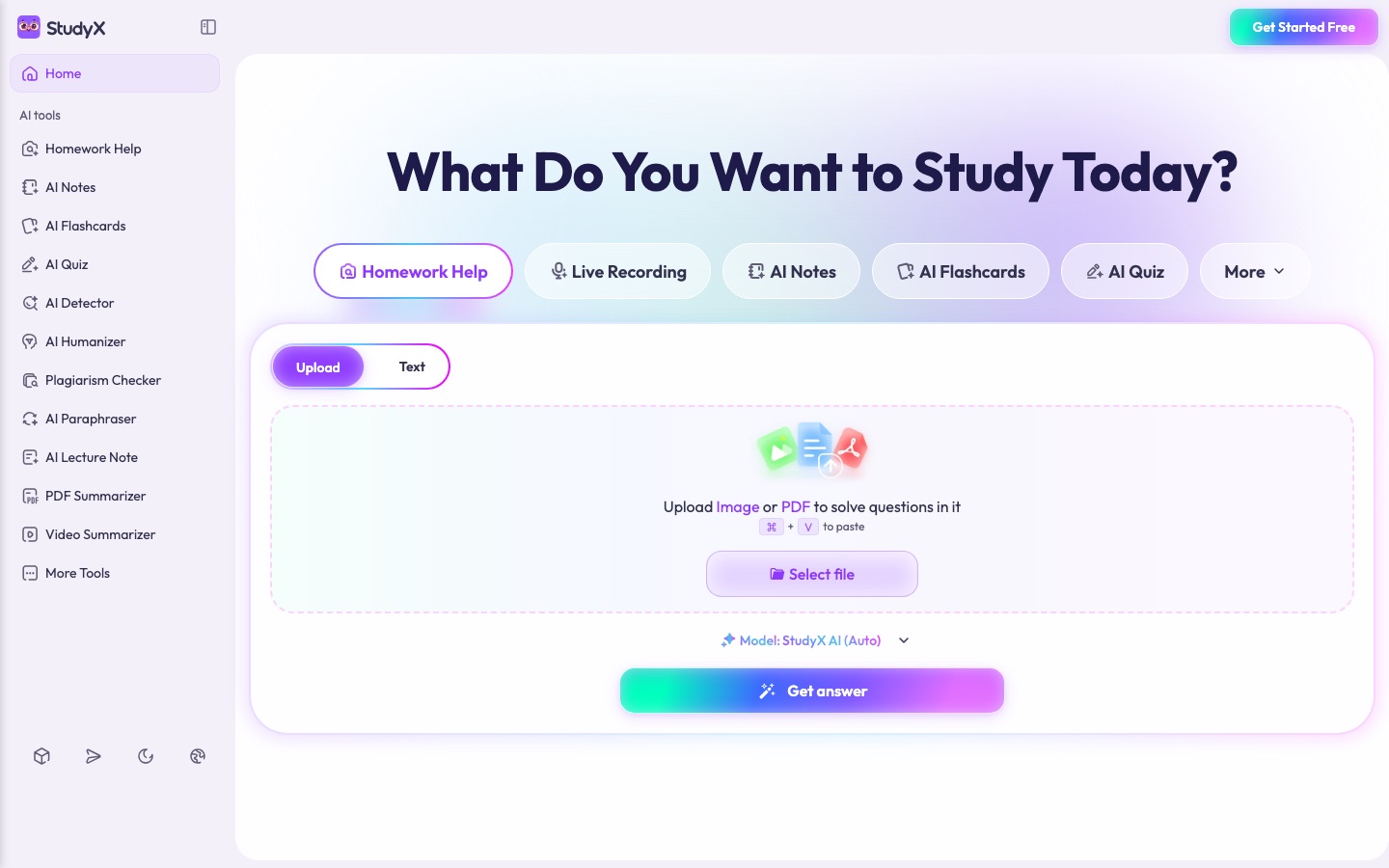
Takes a photo, pasted text or a PDF of a question and returns the solution with each step explained.
AI note taker
Condenses PDFs, slides, videos and recordings into structured study notes.
Live lecture transcription
Records a class, transcribes it as it happens and can translate or summarise the transcript.
Flashcards and quizzes
Builds card sets and practice tests from a file or YouTube link, with spaced repetition for review.
Writing and originality tools
Offers an AI detector, plagiarism checker, paraphraser and humanizer for essays and assignments.
Model selection
Lets you leave model choice on Auto or switch to StudyX AI Pro for questions needing deeper reasoning.
How StudyX works
Upload your material
Add a photo, pasted text, a PDF, slides, a video or a YouTube link.
Let the AI process it
StudyX analyses the content and produces solutions, notes, flashcards or quizzes, one type or several.
Review and practise
Go through the flashcards, take the generated tests and see which topics need more work.
Screenshots
Use Cases
- Working Through a Maths Problem
- Photograph an equation and follow the method line by line.
- Turning a Lecture into Notes
- Record the session and receive organised notes afterwards.
- Revising Before an Exam
- Generate a quiz from the course PDF and find weak topics.
- Checking an Essay Draft
- Run a plagiarism and AI-text check before handing work in.
- Preparing Class Materials
- Teachers can create quizzes and flashcard sets from existing lesson documents.
Things to know
- Trial renews into a yearly plan
- The 3-day trial applies to yearly subscriptions and renews automatically at the end unless cancelled.
- Refund terms
- The plan page shows a 3-day money-back guarantee; beyond what the Terms of Service allow, subscriptions are described as non-refundable and not prorated.
- Limits scale with the plan
- Per-request caps on words, document pages and audio length rise from one subscription tier to the next.
FAQs
What is StudyX?
StudyX is an AI study platform that combines homework help, note generation, flashcards, quizzes and writing tools in one place.
What is StudyX used for?
StudyX is used to get step-by-step answers to homework questions and to turn lectures, PDFs and videos into notes, flashcards and practice quizzes.
Is StudyX free?
Partly. StudyX gives free access to many of its tools, and its subscription plans add higher limits and further features.
How much does StudyX cost?
StudyX sells three subscriptions called Plus, Pro and Max, each with monthly credits. Current prices are shown on the official plan page.
Does StudyX have a free trial?
Yes. StudyX's pricing FAQ describes a 3-day trial on yearly plans, which renews into the chosen yearly subscription when it ends.
Which subjects does StudyX cover?
StudyX states that it supports more than 50 subjects, among them maths, science, history and economics.
Does StudyX work on mobile?
Yes. StudyX lists an app next to its web, Discord and browser extension versions, and its help text covers subscriptions bought through iOS and Google Play.
Who makes StudyX?
StudyX is operated by StudyX Inc., the name given in the site's copyright notice.
Who it's for
- Students
- Educators
- Working professionals
- Lifelong learners
- Exam candidates
Comments
No comments yet. If you have used StudyX, tell other readers how it went.
Alternatives to StudyX
| Tool | Free plan | Starting price | API |
|---|---|---|---|
 KnowtStudy app that turns lectures, PDFs and notes into flashcards, study guides and quizzes, with free flashcard study modes. KnowtStudy app that turns lectures, PDFs and notes into flashcards, study guides and quizzes, with free flashcard study modes. |
Yes | — | — |
 PlagiarismCheck.orgPlagiarism checker and AI content detector for schools, universities, businesses and individual writers. PlagiarismCheck.orgPlagiarism checker and AI content detector for schools, universities, businesses and individual writers. |
— | — | Yes |
 Class CompanionClassroom tool that gives students instant AI feedback and tutoring on written assignments and shows teachers the results. Class CompanionClassroom tool that gives students instant AI feedback and tutoring on written assignments and shows teachers the results. |
Yes | — | — |
 CoGraderAI grading assistant that scores essays against a teacher's rubric and drafts feedback for the teacher to review. CoGraderAI grading assistant that scores essays against a teacher's rubric and drafts feedback for the teacher to review. |
Yes | — | Yes |
 EssayGraderAI essay grading assistant for teachers that scores student writing against rubrics and drafts feedback. EssayGraderAI essay grading assistant for teachers that scores student writing against rubrics and drafts feedback. |
Yes | — | — |
Listed in the same categories as StudyX. A starting price appears only where we checked it on the maker’s pricing page; a dash means not checked or not published. All Education & Tutoring tools