
Ssemble
AI clip maker that cuts long videos into captioned shorts and auto-posts them to TikTok, YouTube and Instagram.
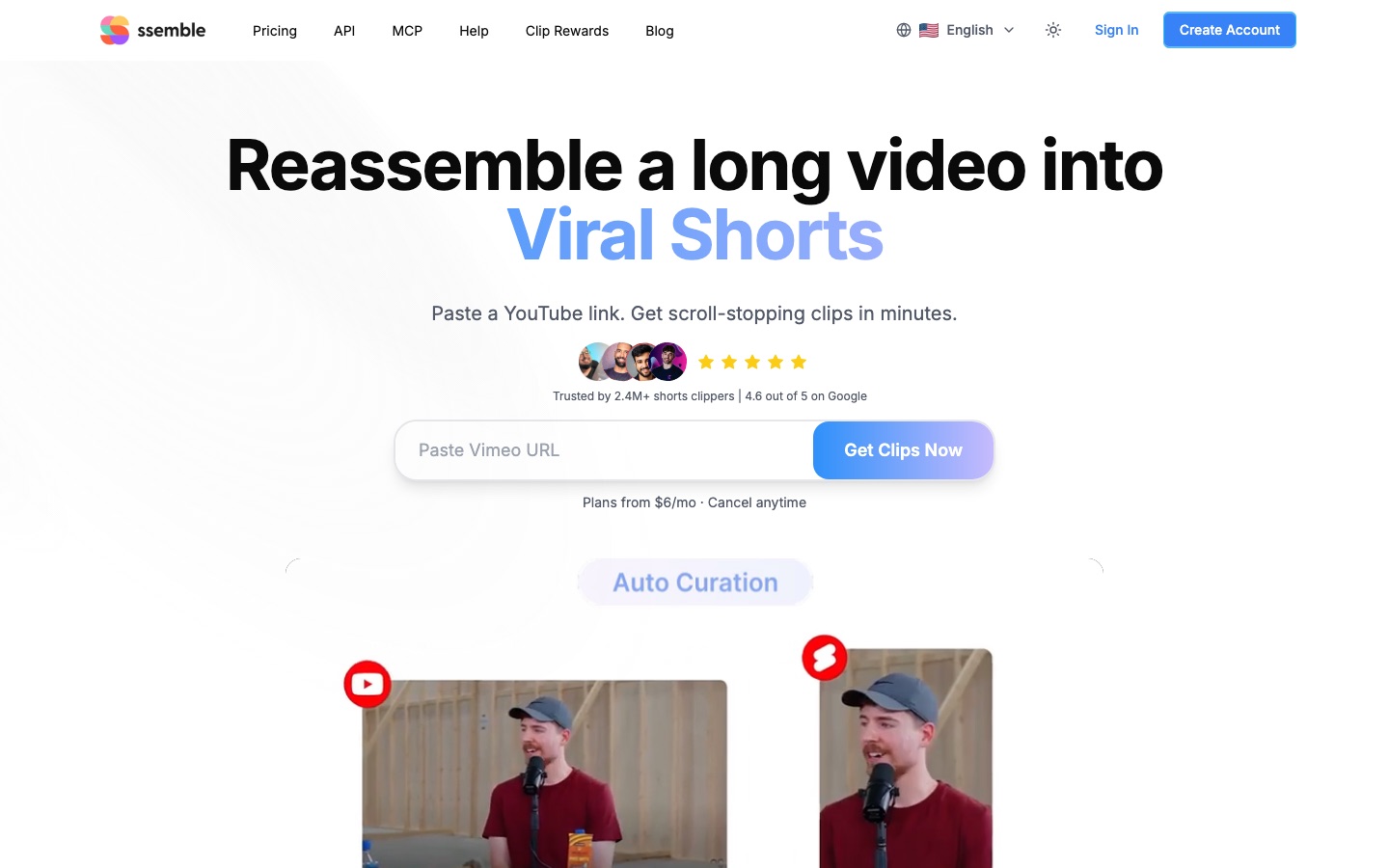
Ssemble is an AI clip maker that turns long videos into short captioned clips for TikTok, YouTube Shorts and Instagram Reels. Ssemble is used by pasting a YouTube, Vimeo, Kick or Twitch link or uploading a file; the AI selects moments, reframes and captions them, and the clips can then be scheduled and posted automatically.
Best for Creators and clip channel operators who repurpose long YouTube videos, podcasts or streams into short-form posts on a regular schedule.
- Listed in
- Video EditingSocial Media
- Platforms
- Web, API, MCP
- Pricing model
- Subscription
- Free plan
- Yes
- API
- Yes
- Made by
- Ssemble Inc.
- Added
Last verified: . Information taken from ssemble.com.
What is Ssemble?
Ssemble is an AI video clipping platform that converts long recordings into short vertical clips for TikTok, YouTube Shorts and Instagram Reels. A user pastes a video link from Twitch, Kick, Vimeo or YouTube, or uploads an MP4, MOV or WEBM file, and the system picks out promising moments, keeps faces centred in the vertical frame, adds captions and writes hook titles and calls to action. Captions can be translated while the original audio stays, and a sports mode follows the ball or the action instead of faces. Clips can be scheduled on a calendar and published to several platforms, with titles, descriptions and hashtags drafted automatically. Channel Automation watches a chosen YouTube channel, then clips and posts each new upload. Usage is metered in video credits, with one credit covering up to twenty minutes of source footage. API and MCP access are listed in the site menu.
Key Features
Auto Curation
Scans a long video for moments likely to perform well and cuts each into a separate short clip.
Face Tracking and Sports Mode
Keeps speakers centred in vertical framing, or follows the ball and the play when sports mode is selected.
Captions and Translation
Transcribes speech into on-screen captions and can translate them into other languages without changing the audio.
Hook Titles and Metadata
Writes hook titles, calls to action, descriptions and hashtags for each clip.
Schedule and Post
Queues clips on a calendar and publishes them to TikTok, YouTube and Instagram across several days.
Channel Automation
Monitors a YouTube channel for new uploads, clips them and posts qualifying results to connected accounts.
How Ssemble works
Add a video
Paste a link from a supported platform or upload your own footage.
Let the AI build clips
The system locates strong moments and applies captions, face tracking and hook titles.
Publish
Schedule the clips or post them straight to TikTok, YouTube Shorts and Instagram Reels.
Use Cases
- Podcast Episodes to Shorts
- Paste an episode link and receive a set of captioned vertical clips.
- Stream Highlights
- Turn Twitch or Kick VODs into short clips for a channel's social accounts.
- Sports Clips
- Reframe match or fight footage around the action for vertical viewing.
- Dubbed Audio Tracks
- Pick another language track from a multi-audio YouTube video for the resulting short.
- Hands-Off Repurposing
- Connect a YouTube channel so every new upload is clipped and posted without manual work.
Things to know
- Listed prices assume yearly billing
- The figures here are per-month equivalents of plans that are charged as a single annual payment; monthly billing is a separate option.
- Credits expire each cycle
- Unused video credits are not carried into the next billing cycle.
- Twenty-minute segments
- Each input is limited to a selected segment of up to 20 minutes, and one credit corresponds to that amount of footage.
FAQs
What is Ssemble?
Ssemble is an AI video platform that creates short clips from long videos and posts them to social media. It combines automatic clipping, captioning and scheduling tools.
Which video sources does Ssemble accept?
Ssemble accepts links from YouTube, Vimeo, Kick and Twitch, and direct uploads in MP4, MOV or WEBM format.
How much does Ssemble cost?
Plans differ in yearly video credits and social account connections.
Is there a free plan for Ssemble?
Ssemble's pricing FAQ mentions a free plan for trying the platform before purchasing. Paid plans can be cancelled at any time.
Does Ssemble have an API?
Yes. Ssemble lists API access among the Pro plan features and links to API documentation and an MCP page.
What languages does Ssemble support?
Ssemble says its AI clipping supports more than 30 languages, including English, Spanish, Portuguese, German, French, Italian, Dutch, Polish and Russian.
How long can the input video be in Ssemble?
For each input video, Ssemble lets you select a segment of up to 20 minutes from which the clips are generated. One credit covers 20 minutes of processed video.
Do Ssemble video credits roll over?
No. Ssemble states that video credits reset every billing cycle and do not carry forward, although videos already created remain available.
Who it's for
- Clippers
- YouTubers
- Podcasters
- Streamers
- Social media managers
Used in these workflows
- Short-form video from idea to posted clip: which AI tool does which jobStage 4: Cutting long videos into shorts
Each guide lists the stages of one job and the tools that help at each stage. All guides
Comments
No comments yet. If you have used Ssemble, tell other readers how it went.
Alternatives to Ssemble
| Tool | Free plan | Starting price | API |
|---|---|---|---|
 VizardAI video clipping tool that finds highlights in long videos and turns them into captioned short clips for social media. VizardAI video clipping tool that finds highlights in long videos and turns them into captioned short clips for social media. |
Yes | — | Yes |
 ChoppityAI video editor that cuts podcasts and long videos into captioned short clips for TikTok, Reels and Shorts. ChoppityAI video editor that cuts podcasts and long videos into captioned short clips for TikTok, Reels and Shorts. |
Yes | — | Yes |
 OpusClipAI video clipping tool that cuts long videos into captioned short clips and posts them to social platforms. OpusClipAI video clipping tool that cuts long videos into captioned short clips and posts them to social platforms. |
Yes | — | Yes |
 CrayoWeb-based AI editor for short-form video with auto clipping, voiceovers, subtitles and story video generators. CrayoWeb-based AI editor for short-form video with auto clipping, voiceovers, subtitles and story video generators. |
— | — | Yes |
 KapwingBrowser-based video editor for teams with AI generation, automatic subtitles, dubbing and clip repurposing. KapwingBrowser-based video editor for teams with AI generation, automatic subtitles, dubbing and clip repurposing. |
Yes | — | — |
Listed in the same categories as Ssemble. A starting price appears only where we checked it on the maker’s pricing page; a dash means not checked or not published. All Video Editing tools