
Refont
AI generators for lettering designs: calligraphy, signatures, handwriting, tattoos, logos and posters.
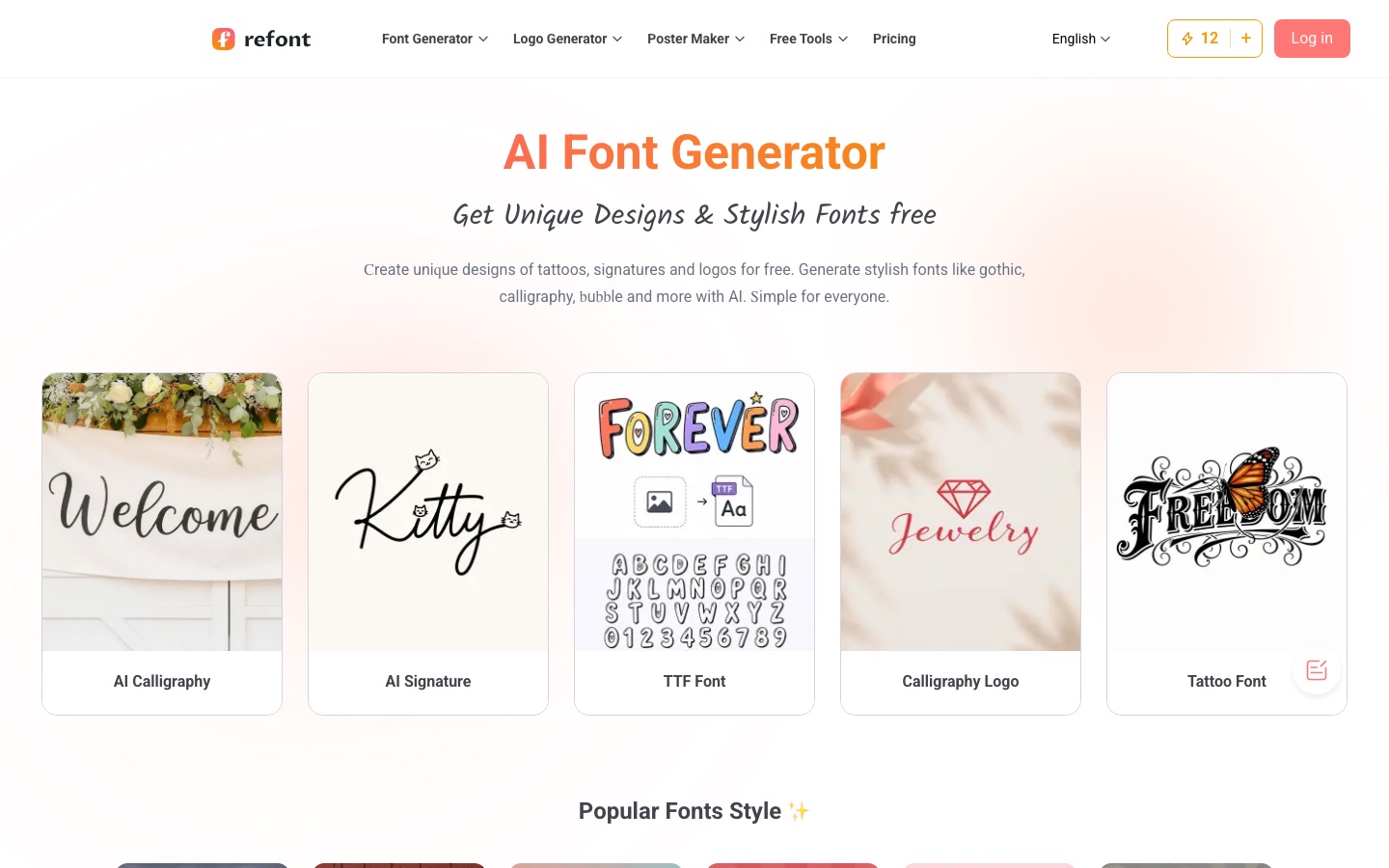
Refont is a web-based collection of AI generators for text-centred designs. Refont is used by typing words or keywords into a tool such as the calligraphy, signature, tattoo, logo or poster generator, choosing a style, and downloading the result as an image. Free credits are provided, and more can be bought in one-time packs.
Best for Creators who want styled lettering images for social posts, invitations, branding or tattoos without design experience.
- Platforms
- Web
- Pricing model
- Credits
- Free plan
- Yes
- Made by
- Refont
- Added
Last verified: . Information taken from refont.ai.
What is Refont?
Refont is an online suite of AI tools that produce lettering artwork as images. The tools fall into two groups. Text-styling generators take the words you type and render them as calligraphy, gothic lettering, handwriting, a one-stroke signature or decorative fancy text, with a library of more than 100 styles to start from. Scene generators build a complete design from keywords: a tattoo, a logo or a poster. The calligraphy tool supports refining a style, regenerating and adding a background from a prompt, and an image text editor can replace or remove words in an existing picture. According to the site, generation relies on models including Nano Banana, Imagen 4 and Flux Kontext Pro as well as in-house ones. Output is an image for download; installable font files are not offered. Usage runs on credits, with a free allowance and paid packs that do not expire.
Key Features
Calligraphy Generator
Renders typed text as cursive, clerical-script or other calligraphic styles, with refinement and custom backgrounds.
Signature Generator
Produces clean one-stroke signatures and stylised art signatures for branding material.
Handwriting Generator
Writes letters, notes and greeting cards in natural-looking handwriting.
Tattoo, Logo and Poster Generators
Builds a finished design from keywords instead of styling existing text.
Style Library
Offers over 100 ready styles, from varsity and comic lettering to seasonal themes, to customise and download.
Image Text Editor
Replaces, restyles or removes words inside an existing image for posters and banners.
How Refont works
Pick a generator
Open the tool that fits the job, such as calligraphy, signature, tattoo or logo.
Enter text or keywords
Type the words to style, or describe the design for the scene-based tools.
Generate and refine
Review the results and regenerate or adjust the style where the tool supports it.
Download
Save the finished design as a high-resolution image.
Use Cases
- Wedding Invitations
- Set names and dates in a calligraphy style for print or digital invites.
- Tattoo Lettering Preview
- Try a phrase in several tattoo scripts before visiting an artist.
- Social Media Bios and Captions
- Create decorative text for profiles and posts.
- Signature for Brand Material
- Generate a stylised signature for packaging, posters or a pitch deck.
- Quick Logo Draft
- Turn a business name and a few keywords into a logo concept.
Things to know
- No refunds on credits
- The pricing FAQ states that all purchases are final once computing power has been used on a prompt.
- Free credits can lapse
- Free credits may be refreshed or cleared at the end of a daily or weekly cycle, and they are spent before paid credits.
- Credit cost varies by tool
- How many credits one generation uses is determined by the selected tool and AI model.
- Image output only
- Results are images; installable font files are not available at the moment.
FAQs
What is Refont?
Refont is a set of AI generators that create lettering and font-style artwork, along with tattoo, logo and poster designs, as images.
Is Refont free?
Refont offers free tools and free credits for trying its generators. Larger volumes need purchased credit packs.
How does Refont pricing work?
Refont sells one-time credit packs called Standard and Pro instead of subscriptions; purchased credits do not expire. Current prices are on the official pricing page.
Can I download font files from Refont?
No. Refont currently produces image-based output and does not provide .ttf or .otf font files.
Can I use Refont designs commercially?
Yes. Refont says designs generated with purchased credits include a commercial license, while users remain responsible for not infringing third-party trademarks or other rights.
Which languages does Refont support?
Refont supports major languages written with an alphabet, for example Italian, French, Spanish and English. It says scripts such as Korean, Japanese and Chinese will be added gradually.
Which AI models does Refont use?
Refont names Nano Banana, Imagen 4 and Flux Kontext Pro, together with models developed in-house.
Who it's for
- Social media creators
- Designers
- Students
- Small businesses
- Illustrators
Comments
No comments yet. If you have used Refont, tell other readers how it went.
Alternatives to Refont
| Tool | Free plan | Starting price | API |
|---|---|---|---|
 AffinityFree desktop app that combines vector design, photo editing and page layout in a single document format. |
Yes | — | — |
 AwenConversational workspace that turns a creative brief into images, video and other visuals without manual prompting. |
Yes | — | — |
 BlendAI design studio for online sellers: product photos, AI model shots, lifestyle scenes, videos and brand assets. |
— | — | — |
 BrandCrowdTemplate-based maker for logos, business cards, social media graphics and other brand designs. |
— | — | — |
 BrandmarkAI logo maker that also produces business cards, social graphics and other brand assets for a one-time fee. |
— | — | — |
Listed in the same categories as Refont. A starting price appears only where we checked it on the maker’s pricing page; a dash means not checked or not published. All Graphic Design tools