
Mobirise
Free offline website builder for Windows and Mac with drag-and-drop blocks and AI site generation.
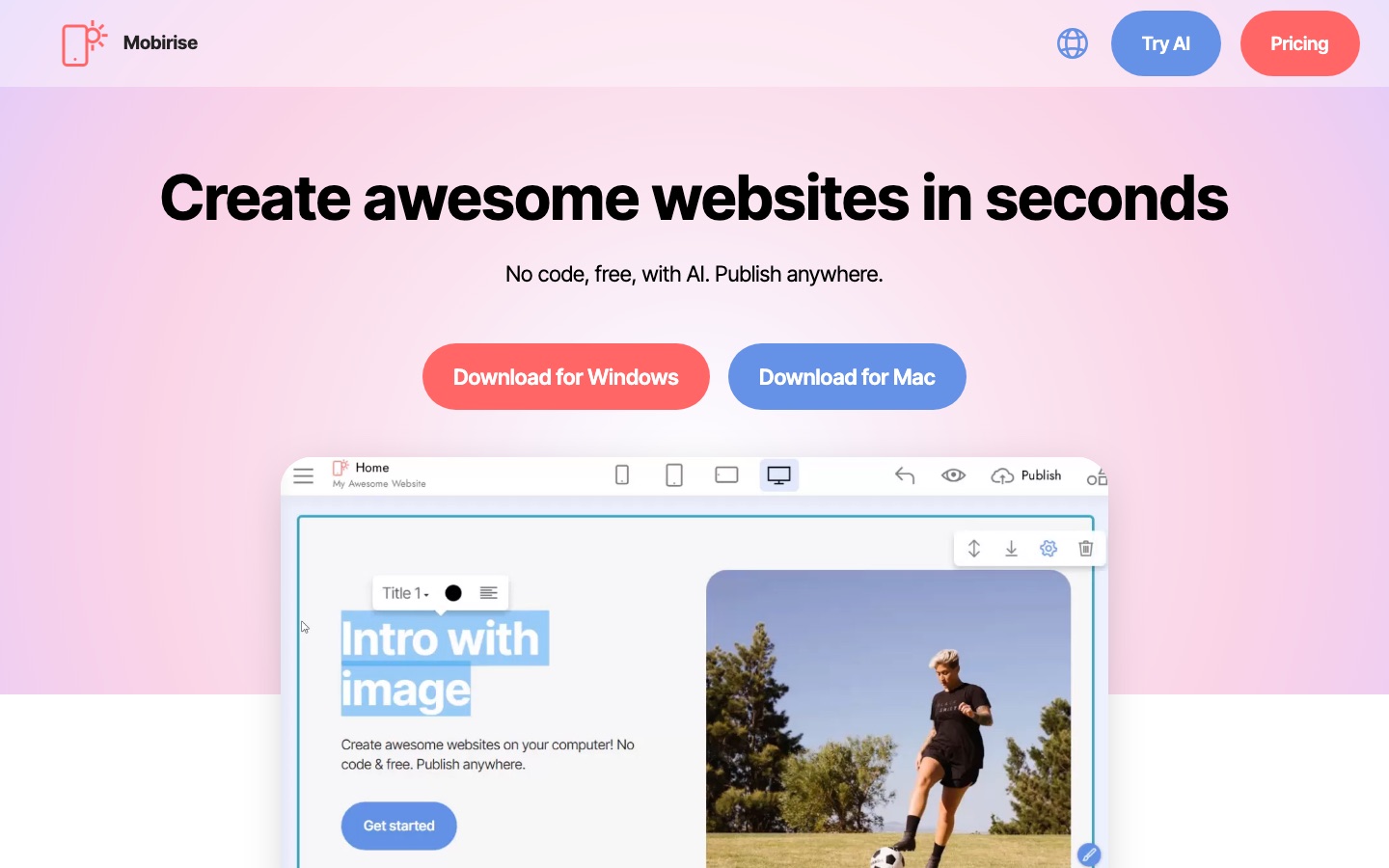
Mobirise is free website builder software for Windows and Mac. Mobirise is used by downloading the app, generating a site from a text prompt or dragging ready-made blocks onto a page, editing the content visually and then publishing to any host, a free subdomain or a custom domain.
Best for Non-coders, freelancers and small businesses who want to build a site on their own computer and keep the freedom to host it anywhere.
- Listed in
- App & Website Builders
- Platforms
- Windows, macOS
- Pricing model
- Freemium
- Free plan
- Yes
- Made by
- Mobirise
- Added
Last verified: . Information taken from mobirise.com.
What is Mobirise?
Mobirise is a downloadable website builder for Windows and Mac that produces sites without hand coding. Pages are assembled by dragging ready-made blocks, such as menus, galleries, sliders and contact forms, and then editing the text and media directly in place. An AI option generates a complete starting site from a text prompt written in any language. Because the work is stored locally, the finished site can be published to your own hosting, to a free mobirisesite.com subdomain or to a custom domain, or simply saved to a folder. Templates are built on Bootstrap 5 and are mobile-friendly by default. Extensions add a shopping cart with PayPal and Stripe, social feeds, a popup builder and a code editor for HTML and CSS. The software is free for personal and commercial use, with premium themes sold separately.
Key Features
AI Site Generation
Builds a first version of a website from a short written prompt in about a minute.
Block-Based Editor
Assembles pages from pre-made sections and lets you change content inline, with a parameters panel for options.
Publish Anywhere
Sends the site to your own host, a free subdomain or a custom domain, or saves it to a local folder.
Online Selling
Adds a cart through the Smart Cart extension with PayPal and Stripe, or takes orders over WhatsApp.
Code Editor Extension
Opens the HTML and CSS of a site for manual changes and for building custom blocks.
Forms and Popups
Creates contact forms that email submissions to you and popup windows for offers.
How Mobirise works
Download the app
Install Mobirise for Windows or Mac.
Start a site
Describe the site in a prompt for the AI to generate, or drag pre-made blocks onto a page.
Edit the content
Replace text, images, videos and icons in place and adjust block options.
Publish
Upload to your own hosting, use a free subdomain, connect a domain or save a local copy.
Videos
Use Cases
- Small Business Site
- An owner puts together a mobile-friendly company site without hiring a developer.
- Photography Portfolio
- A photographer shows work with gallery and slider blocks.
- Client Projects
- A freelancer builds sites for customers and hosts them wherever the client prefers.
- Simple Online Shop
- A seller lists products with shop blocks and takes payment through PayPal.
- Personal Blog
- A writer uses the article and latest-post blocks to publish posts.
Things to know
- It is desktop software
- The builder is downloaded and run on your computer; sites are edited locally.
- Free for commercial work
- The site states the software may be used for your own or clients' websites without restrictions.
- Some themes and extensions are premium
- The block library mixes free and premium themes, and features such as the cart and code editor come as extensions.
FAQs
What is Mobirise?
Mobirise is free website builder software for Windows and Mac that creates sites from drag-and-drop blocks or from an AI prompt.
What is Mobirise used for?
Mobirise is used to build landing pages, business sites, portfolios, blogs and small shops without writing code.
Is Mobirise free?
Yes. Mobirise says the software is free for personal and commercial use; some themes are described as premium.
Does Mobirise work on Mac?
Yes. Mobirise offers downloads for both Mac and Windows.
Where can I host a Mobirise site?
Anywhere you like. Mobirise publishes to your own hosting, to a free mobirisesite.com subdomain or to a custom domain.
Can I edit the code of a Mobirise site?
Yes. The Code Editor extension lets you change HTML and CSS by hand and add external plugins.
Are Mobirise sites mobile-friendly?
Yes. Mobirise templates are based on Bootstrap 5 and are responsive by default.
Who it's for
- Small businesses
- Freelancers
- Designers
- Beginners
- Agencies
Comments
No comments yet. If you have used Mobirise, tell other readers how it went.
Alternatives to Mobirise
| Tool | Free plan | Starting price | API |
|---|---|---|---|
 Base44No-code AI platform that builds apps, websites and AI agents from plain-language descriptions. Base44No-code AI platform that builds apps, websites and AI agents from plain-language descriptions. |
Yes | — | — |
 BoltChat-based AI builder that turns written prompts into websites, apps, prototypes and slides with hosting included. BoltChat-based AI builder that turns written prompts into websites, apps, prototypes and slides with hosting included. |
Yes | — | — |
 LovableAI app and website builder that turns plain-language descriptions into working full-stack software. LovableAI app and website builder that turns plain-language descriptions into working full-stack software. |
Yes | — | — |
 MerlinMerlin builds a mobile-first website from an Instagram or TikTok profile and can help launch Google Ads campaigns. MerlinMerlin builds a mobile-first website from an Instagram or TikTok profile and can help launch Google Ads campaigns. |
Yes | — | — |
 PlaycodeAI app builder that creates websites and full-stack apps from a chat description and hosts them on its own cloud. PlaycodeAI app builder that creates websites and full-stack apps from a chat description and hosts them on its own cloud. |
Yes | — | — |
Listed in the same category as Mobirise. A starting price appears only where we checked it on the maker’s pricing page; a dash means not checked or not published. All App & Website Builders tools