Layerpath
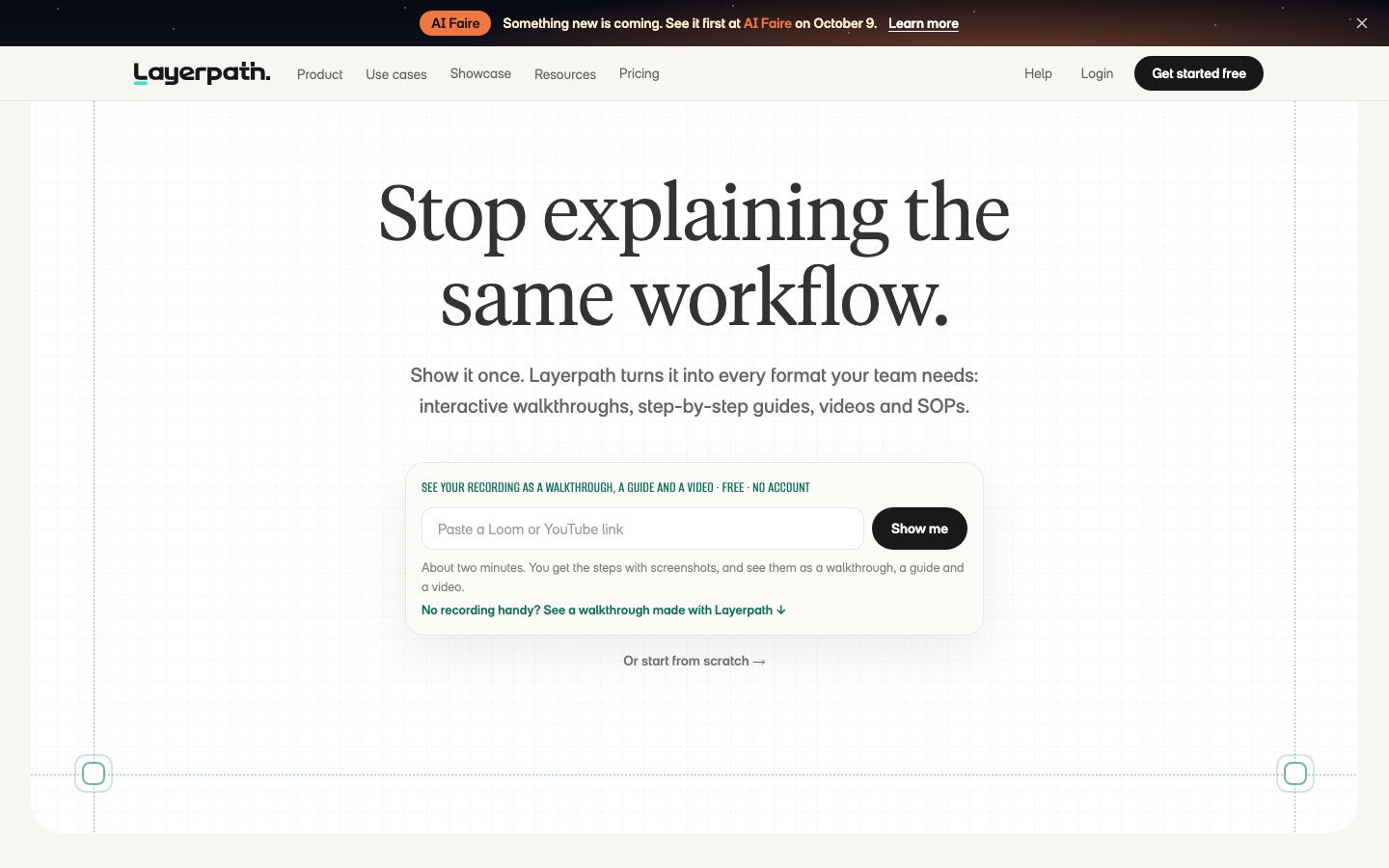
Product education tool that turns one screen recording into interactive tours, step-by-step guides and videos.
Layerpath is product education software that converts a single captured workflow into several training formats. Layerpath is used by recording a screen or importing an existing video; the tool extracts the steps and produces an interactive walkthrough, a written step-by-step guide, a video and an SOP, which can be edited with AI, voiced in multiple languages, shared by link or embedded.
Best for Teams that explain software repeatedly, such as customer education, onboarding and enablement groups, and need the material to stay current as the product changes.
- Platforms
- Web, Browser extension
- Pricing model
- Freemium
- Free plan
- Yes
- Made by
- Layerpath Inc.
- Added
Last verified: . Information taken from layerpath.com.
What is Layerpath?
Layerpath is a tool for creating software training and product demo content from one source recording. You capture a workflow with the Chrome extension, or drop in an existing Loom, Zoom recording or training clip, and it pulls out the individual steps with screenshots. From that single project it generates a clickable interactive tour, a written guide, a narrated video and a standard operating procedure. An editor lets you fine-tune each step with hotspots, zoom, redaction and annotations, and an AI agent can rewrite steps or adjust callouts from a prompt. When a process changes, one step can be updated without rebuilding everything. Other functions include AI voiceover in 28 languages, a brand memory for logo, fonts, colours and tone, playlists that bundle content into ordered paths, viewer analytics, and embedding in portals, an LMS or a help centre. A free plan exists alongside Pro, Team and Enterprise.
Key Features
One Recording, Several Formats
Produces an interactive walkthrough, a step-by-step guide, a video and an SOP from a single captured workflow.
Import Existing Recordings
Extracts the workflow from a Loom, a Zoom recording or another training clip and builds a first draft.
AI Editing
Rewrites steps, changes callouts and removes noise in response to a written prompt.
AI Voiceover
Generates narration in 28 languages with a choice of more than 100 voices, or lets you record your own.
Brand Memory
Stores logo, fonts, colours, terminology and writing tone once and applies them to new content.
Playlists and Insights
Groups guides and videos into ordered paths and shows completion, drop-off and engagement figures.
How Layerpath works
Start from a recording
Record your screen while clicking through a process, or drop in a video you already have.
Review the extracted steps
The tool breaks the workflow into steps with screenshots and drafts each format.
Edit and brand
Adjust steps in the editor or by prompt, add voiceover and apply your brand settings.
Share or embed
Publish a link or embed the tour, guide or video where your audience works.
Use Cases
- Employee Onboarding
- Assemble a path of walkthroughs that new hires complete on the tools they will use.
- Customer Education
- Answer a recurring how-to question with an embedded tour instead of a live call.
- Help Centre Articles
- Publish step-by-step guides with screenshots generated from a recording.
- Feature Launches
- Show a new feature as a clickable demo on a marketing page or in an email.
- Sales Follow-Up
- Send prospects a product tour they can click through on their own.
Things to know
- Free plan carries branding
- On the free plan, shared demos and exported videos show Layerpath branding, and video exports are limited to five a month.
- Creator limits per plan
- Pro includes one creator and allows up to three; Team starts at four creators and goes up to fourteen.
- Agent integration is upcoming
- The Layerpath Agent for Slack, ChatGPT and Claude is marked as coming soon on the site.
FAQs
What is Layerpath?
Layerpath is product education software that turns a recorded software workflow into interactive tours, step-by-step guides, videos and SOPs.
What is Layerpath used for?
Layerpath is used for training and onboarding, customer education, internal enablement, product marketing demos and sales enablement.
Is Layerpath free?
Yes, Layerpath has a free plan for one creator with up to three published projects at a time and watermarked video exports. Paid plans remove those limits; see the official pricing page for rates.
How do I create content in Layerpath?
In Layerpath you record your screen with the Chrome extension or import an existing recording, and the tool turns it into structured steps you can edit.
Does Layerpath support voiceover in other languages?
Yes. Layerpath generates AI voiceovers in 28 languages with more than 100 voices.
Where can Layerpath content be shared?
Layerpath content can be shared by link or embedded in a portal, LMS, help centre, Notion page or public URL.
Who makes Layerpath?
Layerpath is made by Layerpath Inc.
Who it's for
- Customer education teams
- Customer success managers
- Product marketers
- Sales enablement
- Training leads
Used in these workflows
- Launching a product with AI: what to use from positioning to feedbackStage 3: Demo and explainer video
Each guide lists the stages of one job and the tools that help at each stage. All guides
Comments
No comments yet. If you have used Layerpath, tell other readers how it went.
Alternatives to Layerpath
| Tool | Free plan | Starting price | API |
|---|---|---|---|
 God of PromptLibrary of structured AI prompts, guides and toolkits for ChatGPT, Claude, Gemini, Grok and image models. God of PromptLibrary of structured AI prompts, guides and toolkits for ChatGPT, Claude, Gemini, Grok and image models. |
— | — | — |
 CourseboxAI course creator and LMS that turns a prompt or document into a course with quizzes, videos and scenarios. CourseboxAI course creator and LMS that turns a prompt or document into a course with quizzes, videos and scenarios. |
Yes | — | Yes |
 AIPRMPrompt management tool and community prompt library that adds ready-made prompt templates to ChatGPT and Claude. AIPRMPrompt management tool and community prompt library that adds ready-made prompt templates to ChatGPT and Claude. |
Yes | — | — |
 APEUniPTE exam practice platform that scores speaking and writing answers with AI. APEUniPTE exam practice platform that scores speaking and writing answers with AI. |
Yes | — | — |
 AjelixAgentic AI workspace that turns uploaded data into Excel files, dashboards, slide decks and other deliverables. AjelixAgentic AI workspace that turns uploaded data into Excel files, dashboards, slide decks and other deliverables. |
Yes | — | — |
Listed in the same categories as Layerpath. A starting price appears only where we checked it on the maker’s pricing page; a dash means not checked or not published. All Education & Tutoring tools