Figma Weave
Node-based platform that chains AI image and video models with professional editing tools.
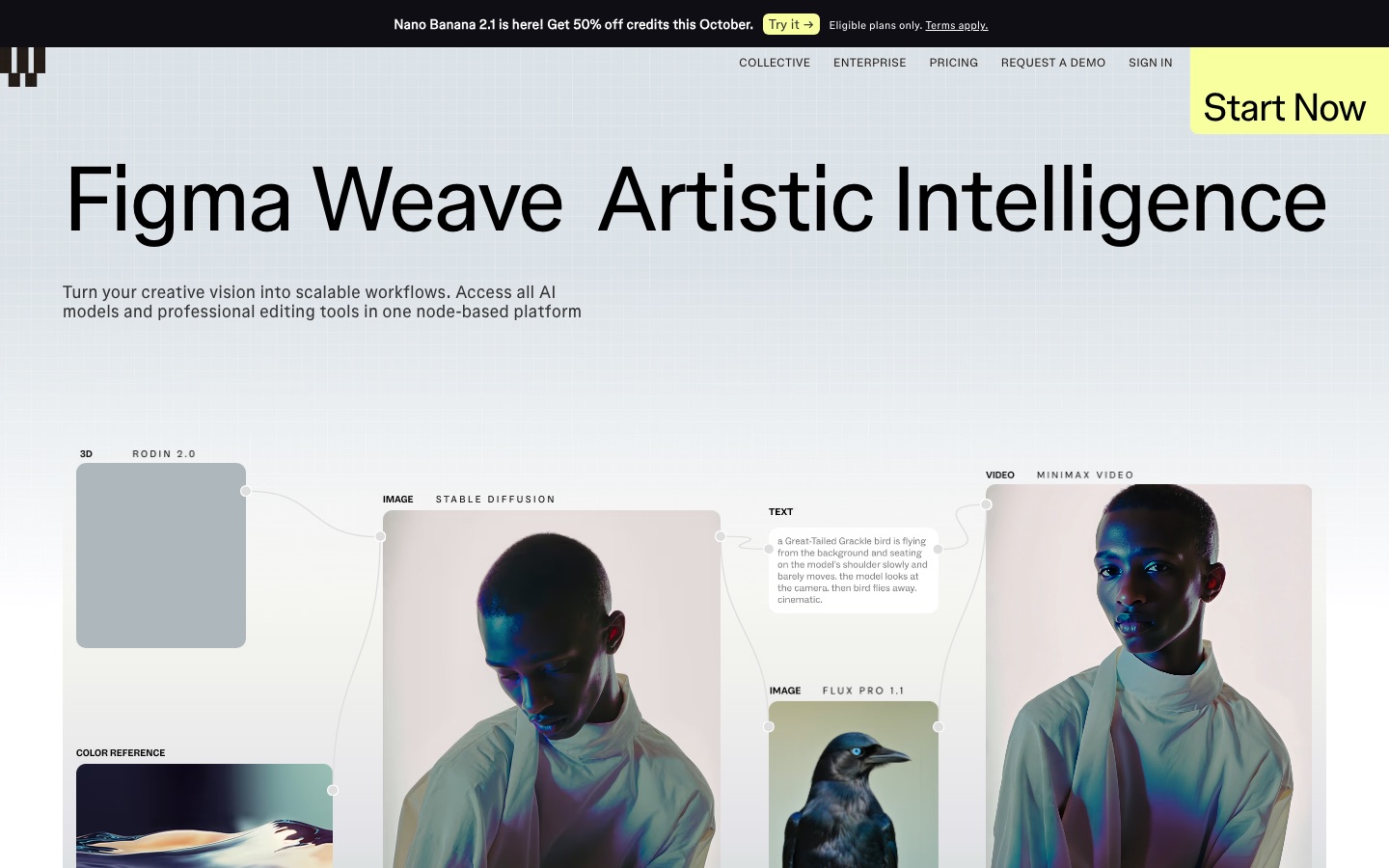
Figma Weave is a node-based AI platform that links image and video models from many providers with editing tools on one canvas. Figma Weave is used by connecting nodes for generation, inpainting, relighting or upscaling into a workflow, then running it with monthly credits. A free plan includes 150 credits per month.
Best for Creative professionals and visual teams who want to combine several AI models and editing steps in repeatable workflows.
- Platforms
- Web, API
- Pricing model
- Freemium
- Free plan
- Yes
- API
- Yes
- Made by
- Figma
- Added
Last verified: . Information taken from weave.figma.com.
What is Figma Weave?
Figma Weave is a node-based platform for building AI image and video workflows. Instead of prompting one model at a time, you connect nodes on a canvas so that generation steps and editing steps feed into each other. The service gathers models from providers including Google, OpenAI, Black Forest Labs, Kling, Runway and Luma, alongside conventional editing tools: crop, inpaint, outpaint, upscale, relight, mask and depth extraction, plus layers, type and blend controls. A finished workflow can be turned into a simplified interface so teammates can run it without touching the graph. Plans are credit based: a free tier includes 150 credits a month, and paid Starter, Professional and Team tiers add larger allowances, with an Enterprise option that includes API access. Weave belongs to Figma but, according to its own FAQ, currently runs separately from the main Figma product and needs its own plan.
Key Features
Node-Based Canvas
Connects generation and editing steps as nodes so a whole process can be rerun or adjusted at any point.
Many Models in One Place
Runs image, video and 3D models from Google, OpenAI, Black Forest Labs, Kling, Runway, Luma and others in the same workflow.
Editing Nodes
Crops, inpaints, outpaints, upscales, relights and extracts masks or depth maps without leaving the graph.
Compositing
Combines results using layers, type and blend controls.
Workflow to Tool
Generates a simplified interface from a workflow automatically so other team members can use it.
Team Credit Management
Shares one credit pool across a team and lets an admin set per-user allocations and watch usage.
Use Cases
- Product Relighting
- Change the lighting of a product photo with a ready-made relight workflow.
- Campaign Variations
- Run one brief through several image models and compare the outputs side by side.
- Image to Video Sequences
- Feed generated stills into a video model inside the same graph.
- Repeatable Studio Pipelines
- Package a tested workflow as a simple tool that non-technical colleagues can run.
- Agency Production
- Give a visual team shared credits, shared files and unified billing.
Things to know
- Separate from Figma
- Weave and the main Figma product run independently for now; plans and credits are not shared between them.
- Credit cost depends on the model
- Each model uses a different number of credits per generation, so the same allowance yields more images with some models than others.
- Top-ups last 12 months
- Extra credits can be bought on paid plans only and stay valid for 12 months from purchase.
- Fees are non-refundable
- Cancellation takes effect at the end of the current term and paid fees are not returned.
FAQs
What is Figma Weave?
Figma Weave is a node-based platform that combines AI image and video models with professional editing tools so creative work can be built as reusable workflows.
What is Figma Weave used for?
Figma Weave is used by designers and visual teams to generate, edit and composite images and video, and to turn a working process into a simple tool for colleagues.
Is Figma Weave free?
Yes, Figma Weave has a Free plan. It includes 150 credits a month, access to the AI image models, a commercial license and up to five workflows.
How much does Figma Weave cost?
Figma Weave: a free plan is available. Paid plan rates are published on weave.figma.com. Check the official pricing page for current amounts.
Is Figma Weave included in a Figma plan?
No. Figma Weave and Figma are currently separate products with separate plans and separate credit systems, so a paid Figma plan does not cover Weave.
Does Figma Weave have an API?
Yes, on the Enterprise plan. Figma Weave lists running workflows through an API and using your own API keys among its Enterprise features.
Do unused Figma Weave credits roll over?
On Professional and Team plans, yes. Figma Weave lets base monthly credits carry forward while the subscription is active, up to three times the monthly amount; Free and Starter credits do not.
Does Figma Weave train on my work?
No. Figma Weave states that it does not use customers' images or prompts to train its platform.
Who it's for
- Creative professionals
- Designers
- In-house visual teams
- Agencies
- Enterprises
Comments
No comments yet. If you have used Figma Weave, tell other readers how it went.
Alternatives to Figma Weave
| Tool | Free plan | Starting price | API |
|---|---|---|---|
 ImagineArtAI creative suite that generates images, video and audio from prompts, with studios for ads, film and fashion. |
— | — | — |
 OpenArt AIA multi-model workspace for generating and editing AI images, video, characters, 3D worlds and audio in one place. |
Yes | — | — |
 PicLumenAI studio for generating and editing images, video and music with a choice of well-known models. |
Yes | $6.09/mo | — |
 PicsartCreative platform that puts 180+ AI image, video and audio models, editing tools and agents under one subscription. |
— | — | — |
 SeaArt AICreation platform and community for AI images, videos and characters, with a choice of models. |
Yes | — | — |
Listed in the same categories as Figma Weave. A starting price appears only where we checked it on the maker’s pricing page; a dash means not checked or not published. All AI Image Generator tools