
testRigor
AI test automation tool that builds and runs end-to-end tests written in plain English.
testRigor is an AI-based test automation tool that executes end-to-end tests written as plain English instructions instead of code. testRigor is used by generating tests in the product or importing existing manual test cases, refining the steps in English, and running them against web, mobile, desktop, API or mainframe applications, often from a CI pipeline.
Best for QA teams that want manual testers and engineers alike to write and maintain automated end-to-end tests without locator-based scripts.
- Listed in
- AI Code Assistant
- Platforms
- Web, MCP
- Pricing model
- Freemium
- Free plan
- Yes
- Made by
- testRigor
- Added
Last verified: . Information taken from testrigor.com.
What is testRigor?
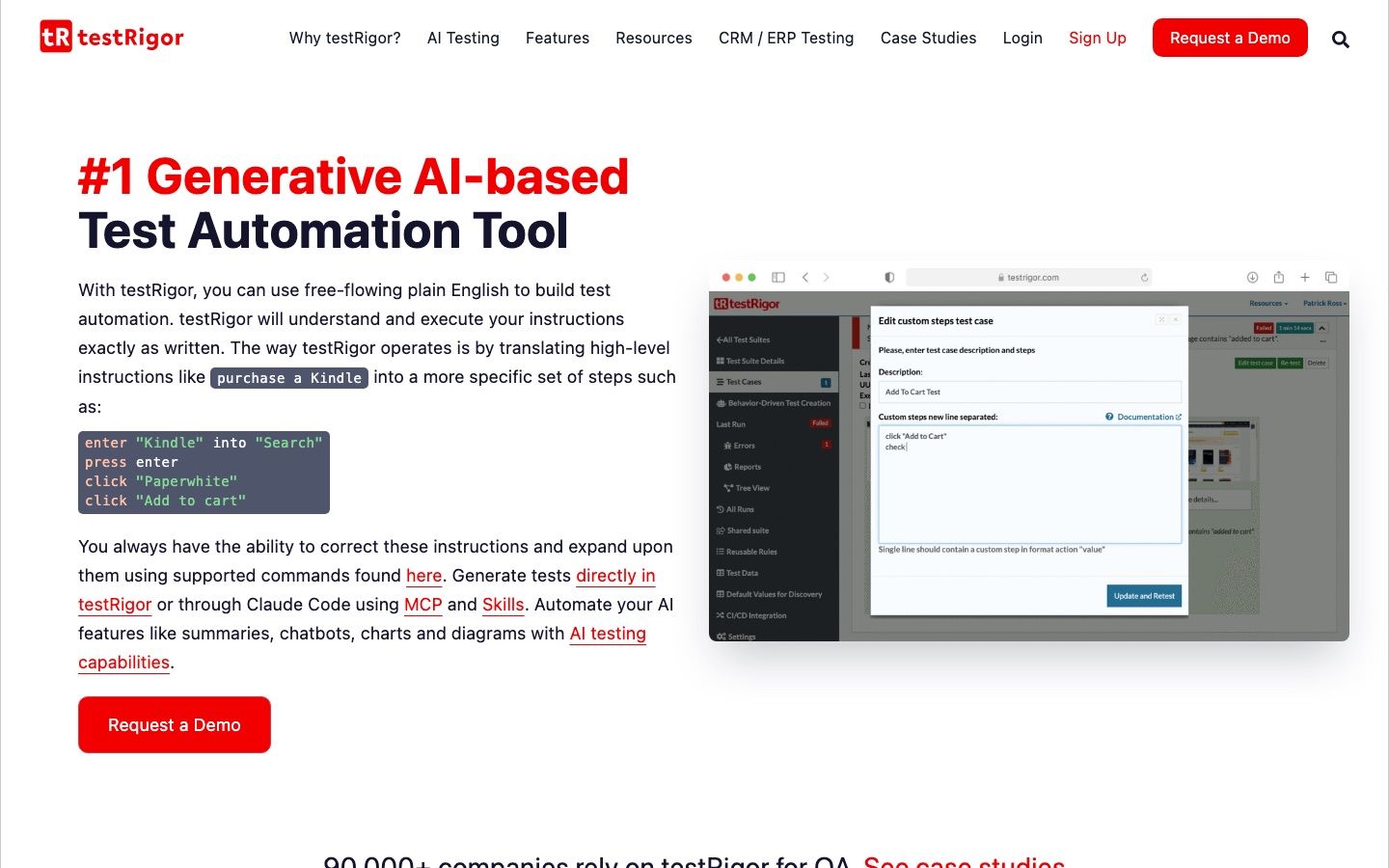
testRigor is a test automation platform in which tests are specified in ordinary English from the end user's point of view. A broad instruction is expanded by generative AI into concrete steps such as entering text, pressing keys and clicking named elements, and those steps stay editable. Elements are referenced as they appear on screen, not through XPath or other locators, which the company says cuts maintenance when the underlying code changes. Coverage includes cross-browser web testing, native and hybrid iOS and Android apps, native Windows applications on paid versions, API calls, email, SMS and phone calls through Twilio, two-factor logins and mainframe applications. It can also check AI features like chatbots and generated summaries. Tests can be created through Claude Code via an MCP server, and integrations exist for Jira, TestRail, Jenkins, GitHub Actions, GitLab, CircleCI and Azure DevOps.
Key Features
Plain-English Test Authoring
Parses instructions written in everyday language and executes them without a scripting layer.
Generative Test Creation
Expands a high-level goal into detailed steps and can build tests from imported manual cases.
Locator-Free Elements
Identifies buttons and fields by what the user sees, which keeps tests stable through UI changes.
Multi-Platform Coverage
Runs tests for browsers, mobile apps, Windows desktop software, APIs and mainframes.
Email, SMS and 2FA Steps
Sends and verifies emails, text messages and calls, and handles two-factor logins inside a test.
MCP and CI Integrations
Works with Claude Code through MCP and plugs into CI and test management tools such as Jenkins and TestRail.
How testRigor works
Generate or import tests
Create tests inside testRigor or with Claude Code, or paste in existing manual test cases.
Refine the steps
Read through the generated steps and correct or extend them in plain English.
Run on your platforms
Execute the tests on the supported browsers, devices and systems.
Screenshots
Use Cases
- Regression Suites
- Run a full set of functional UI checks in parallel before each release.
- Automating Manual Test Cases
- Paste existing written cases and convert them into executable tests.
- Testing AI Features
- Verify chatbot answers, generated summaries and images in an application.
- CRM and ERP Testing
- Automate flows in systems such as Salesforce, SAP, ServiceNow and Workday.
- Multi-Channel User Flows
- Cover journeys that pass through email, SMS and an authenticator app.
Things to know
- Desktop testing is paid-only
- Tests for native Windows applications are available only in paid versions.
- Games are out of scope
- The company states plainly that the tool is not meant for testing games.
- Security certifications
- testRigor names GDPR, HIPAA, SOC 2 and ISO/IEC 27001:2022 as standards it follows.
- Optional production library
- One method of automatic test generation relies on a JavaScript library placed in the production environment to capture usage metadata.
FAQs
What is testRigor?
testRigor is a generative AI-based test automation tool that lets teams write end-to-end tests in plain English.
What is testRigor used for?
testRigor is used for acceptance-level functional regression testing through the UI, along with API, email, SMS and two-factor authentication checks.
Is testRigor free?
testRigor's site has a Start testRigor Free option and refers to paid versions, which are needed for native Windows desktop testing. Pricing details are not given on the home page.
Does testRigor work on mobile apps?
Yes. testRigor tests native and hybrid iOS and Android apps and can integrate with LambdaTest or BrowserStack for more devices.
How is testRigor different from Selenium?
testRigor tests are written in English and do not rely on XPath, and the company says there is no underlying Selenium code for users to write or maintain.
What does testRigor not test well?
testRigor's own FAQ says it does not test games; it describes form-based interfaces with predictable input and output as its strength.
Which tools does testRigor integrate with?
testRigor integrates with Jira, TestRail, Zephyr, Jenkins, GitHub Actions, GitLab, CircleCI, Spinnaker and Azure DevOps, among others.
Who it's for
- QA engineers
- Manual testers
- Software engineering teams
- Engineering managers
- DevOps teams
Comments
No comments yet. If you have used testRigor, tell other readers how it went.
Alternatives to testRigor
| Tool | Free plan | Starting price | API |
|---|---|---|---|
 ApplitoolsAI-augmented testing platform that validates how web and mobile interfaces look and behave using Visual AI. ApplitoolsAI-augmented testing platform that validates how web and mobile interfaces look and behave using Visual AI. |
— | — | — |
 BrowserStackCloud testing platform for websites and mobile apps on real browsers and devices, with AI agents across the test cycle. BrowserStackCloud testing platform for websites and mobile apps on real browsers and devices, with AI agents across the test cycle. |
— | — | — |
 AI2SQLAI SQL assistant that writes, explains, fixes and optimises queries against your real database schema. AI2SQLAI SQL assistant that writes, explains, fixes and optimises queries against your real database schema. |
Yes | $9/mo | Yes |
 BoltChat-based AI builder that turns written prompts into websites, apps, prototypes and slides with hosting included. BoltChat-based AI builder that turns written prompts into websites, apps, prototypes and slides with hosting included. |
Yes | — | — |
 Claude CodeAnthropic's AI coding agent that plans, edits code, runs tests and opens pull requests from your terminal or IDE. Claude CodeAnthropic's AI coding agent that plans, edits code, runs tests and opens pull requests from your terminal or IDE. |
— | — | — |
Listed in the same category as testRigor. A starting price appears only where we checked it on the maker’s pricing page; a dash means not checked or not published. All AI Code Assistant tools